Why Advanced Claude coding tips Are Essential for Modern Developers
Advanced Claude coding tips transform how developers work with AI—turning Claude from a helpful chatbot into a precision coding partner that ships production code. The difference between casual use and expert-level productivity often comes down to understanding Plan Mode workflows, managing context strategically, and implementing deterministic controls through hooks and CLAUDE.md files.
Quick Answer: Essential Advanced Claude Coding Techniques
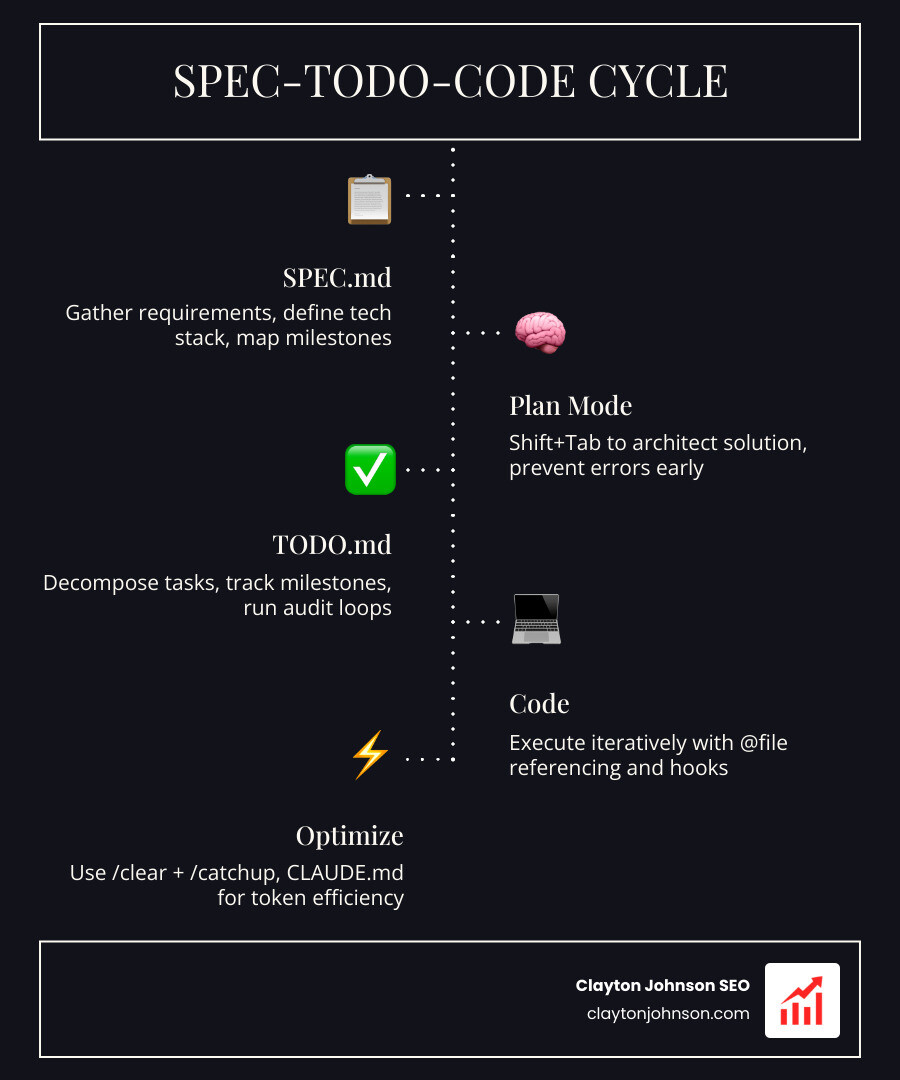
- Plan Mode First – Use Shift+Tab to enter Plan Mode before any coding, following the Spec→Todo→Code cycle
- Context Management – Use /clear + /catchup instead of /compact to maintain fresh, token-efficient sessions
- CLAUDE.md Files – Create hierarchical project rules that load automatically, keeping standards consistent
- Extended Thinking – Enable thinking budgets (minimum 1024 tokens) for complex debugging and optimization
- Hooks for Control – Implement PreToolUse and PostToolUse hooks for auto-formatting, testing, and notifications
- @ File Referencing – Use @ to provide precise context with actual data and code files
- Custom Slash Commands – Store reusable workflows in .claude/commands/ for team consistency
The research shows that enterprise teams consume several billion tokens per month for codegen, with 1:100x variance in developer token usage between novice and expert users. Power users report saving $10,000+ through optimized workflows, while system prompt optimization alone can reduce overhead by 41% (from ~18k to ~10k tokens) per session.
I’m Clayton Johnson, and I’ve spent years architecting AI-augmented marketing workflows and technical systems that compound authority through structured execution. My work with Advanced Claude coding tips focuses on building scalable, token-efficient development patterns that transform fragmented coding efforts into cohesive production engines.
Quick Advanced Claude coding tips definitions:
Master the “Plan Mode” First Strategy
If we treat Claude like an overeager junior engineer, we quickly realize that its first instinct is to start typing code before it fully understands the architecture. One of the most impactful Advanced Claude coding tips is to force a “Plan Mode” first strategy. By default, Claude Code might jump into file edits, but by using Shift+Tab, we can cycle through modes: Edit, Auto-accept, and Plan.
Starting in Plan Mode allows us to explore at least three solutions—from the simplest to the most complex—before a single line of code is written. This prevents the “snowball effect” where a bad initial assumption leads to hours of debugging later. We use this phase to align on the technical approach, ensuring Claude understands the constraints of our specific environment.

Architecting with SPEC.md
Before we allow Claude to touch our codebase, we must insist on a SPEC.md. This isn’t just a documentation exercise; it’s a forcing function for clarity. A high-quality spec should include:
- Core Requirements: What exactly are we building?
- Tech Stack: Explicitly defining libraries (e.g., React + Express + Claude API).
- Design Guidelines: UI/UX constraints and state management patterns.
- Milestones: Breaking the project into 3-4 logical checkpoints.
Using a structured chain of thought during this phase ensures Claude doesn’t miss edge cases. We often ask Claude to “interview us” about the spec to uncover hidden tradeoffs or technical debt we might be introducing.
Iterative Execution with TODO.md
Once the spec is approved, we move to the TODO.md phase. We instruct Claude to generate a task list based on Milestone 1. This creates an audit loop. Instead of saying “Build the app,” we say “Follow the spec to implement the first three items in TODO.md.”
This Spec→Todo→Code process allows us to review the plan at every step. If Claude deviates, we can “cancel” the premature coding attempt and steer it back to the agreed-upon architecture. This disciplined approach is what separates a “vibe coder” from a pro developer using Claude AI code completion.
Advanced Claude coding tips for Data Science
Data science workflows are notoriously token-heavy because they involve large datasets and iterative experimentation. To excel here, we leverage Claude’s agentic ability to read files and run commands independently. Using the @ symbol to reference specific files or directories is essential; it provides the precise context needed for Pythonic Claude scripting.
Intelligent Data Cleaning and Exploration
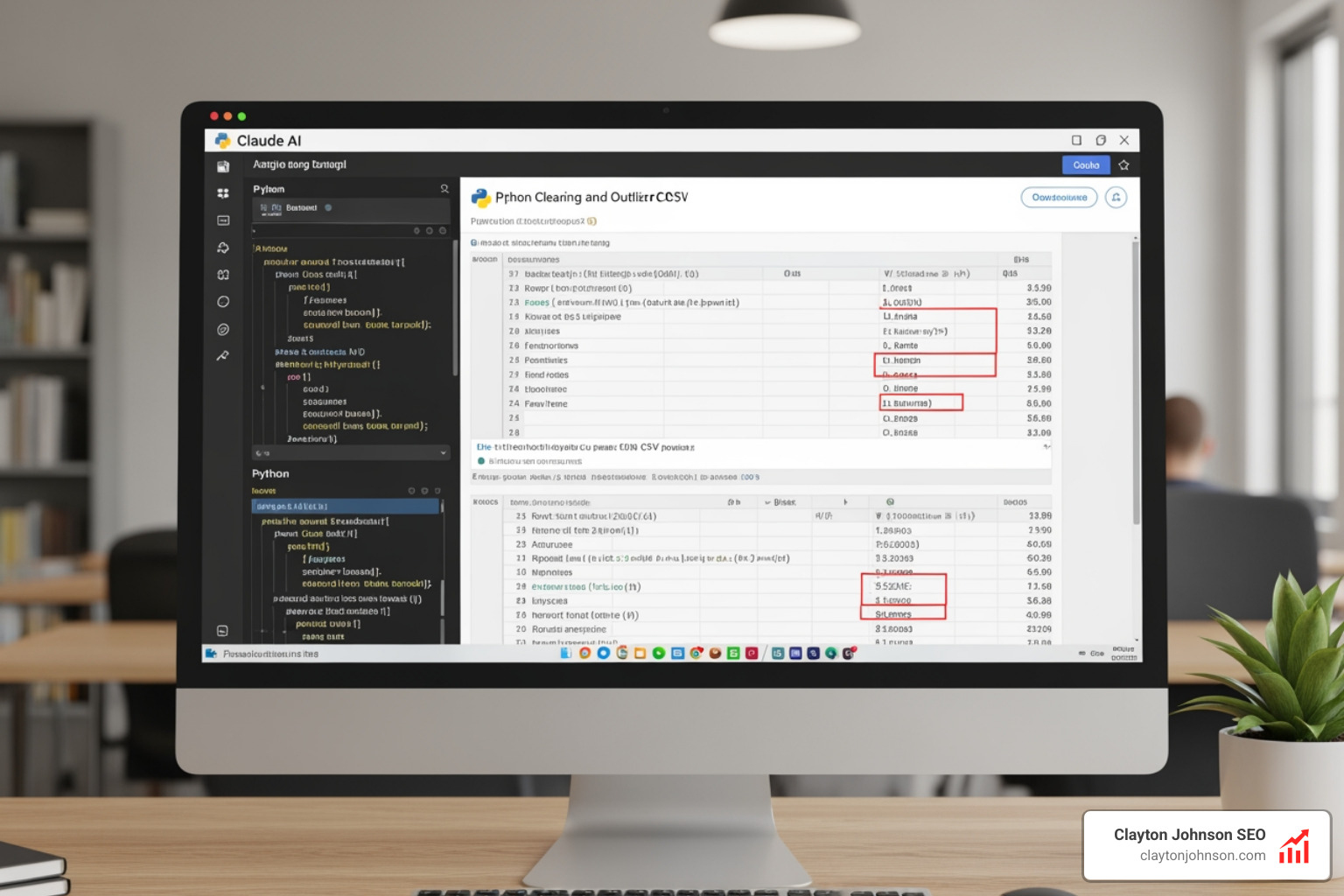
Data cleaning often consumes 80% of a data scientist’s time. We use Advanced Claude coding tips to automate this by uploading a CSV and asking Claude for summary statistics and outlier detection. For example, if a column ‘Age’ has values over 120, we can prompt: “In the df, replace values in ‘Age’ > 120 with the median.”
Claude doesn’t just write the code; it can execute it in a terminal, verify the results, and suggest further profiling. This mastery of the code generator allows us to build robust scikit-learn pipelines with 70/30 train-test splits and RandomForest models without manual boilerplate.
Publication-Quality Visualizations
Creating complex subplots in Matplotlib or Seaborn can be a syntax nightmare. We use Claude to orchestrate these visualizations by describing the intent: “Create a two-subplot figure. Left: histogram of Transaction_Amount (30 bins). Right: scatter plot of Amount vs Age, colored by Category using the Set3 colormap.”
Because Claude has access to the Matplotlib and Seaborn documentation, it can apply styling for publication-quality outputs, including proper axis labeling and legend placement, which are often overlooked in quick prototypes.
Optimizing Context and Token Usage
Token management is the “budgeting” of the AI world. A fresh monorepo session can cost ~20k tokens just to start. If we aren’t careful, we hit context limits where Claude starts “forgetting” earlier instructions.
| Method | Best Use Case | Token Efficiency |
|---|---|---|
/compact |
Minor cleanup during a long session | Moderate (reserved 45k tokens in Opus 4.5) |
/clear + /catchup |
Starting a new sub-task or feature | High (removes all unnecessary history) |
Document & Clear |
Complex transitions between milestones | Maximum (preserves only the “Handoff”) |
One of the most powerful Advanced Claude coding tips is to stop yelling at the bot and start managing its memory. System prompt optimization—patching the minified CLI bundle to remove verbose examples—can save up to 7,300 tokens per session.
Managing the CLAUDE.md Living Document
We treat CLAUDE.md as the “Source of Truth” for the AI. It should not be a massive manual, but a concise set of guardrails. We include:
- Architecture Decisions: “Use functional components over classes.”
- Coding Standards: “Never uncomment tests unless explicitly asked.”
- Token Limits: “Keep functions under 50 lines to save context.”
This file acts as a persistent skill pack that Claude reads at every session start, ensuring it doesn’t repeat the same mistakes twice.
Advanced Claude coding tips for Session Maintenance
When a session becomes muddled, we use the /clear command. However, we don’t want to lose all progress. We use /catchup logic, which reads recent git changes to bring Claude back up to speed without re-loading the entire conversation history. If we need to branch off an idea, we use the /clone command to fork the conversation, allowing us to experiment without “polluting” our main production branch. This is a core part of advanced resume and history workflows.
Leveraging Extended Thinking and Hooks
Extended thinking is Claude’s ability to “reason” internally before providing an answer. In Advanced Claude coding tips, we set a thinking budget (minimum 1024 tokens) for tasks like debugging complex race conditions or optimizing database queries. This allows Claude to reflect on its own logic and catch errors before they reach our terminal.
Implementing PreToolUse and PostToolUse Hooks
Hooks are Claude’s secret weapon for deterministic automation. They allow us to execute shell commands at specific points in the workflow.
- PreToolUse: We use this to block commits if tests aren’t passing.
- PostToolUse: We use this for auto-formatting (e.g.,
prettier --write) as soon as Claude finishes editing a file.
By extending Claude with custom skills, we can even set up a “bell sound” hook to notify us when a long-running task is complete, similar to the experience in Cursor.
Advanced Claude coding tips for Model Context Protocol (MCP)
The Model Context Protocol (MCP) is an open standard that connects Claude to external data. We use it to bridge the gap between our local code and enterprise tools like Jira, Slack, or Google Drive.
- Playwright MCP: For browser automation and end-to-end testing.
- Context7: To keep documentation up-to-date without manual copy-pasting.
- Tool Search: Using
defer_loadingto reduce tokens by semantic matching only the tools needed for a specific request.
Frequently Asked Questions about Advanced Claude coding tips
How do I reduce token waste with Advanced Claude coding tips?
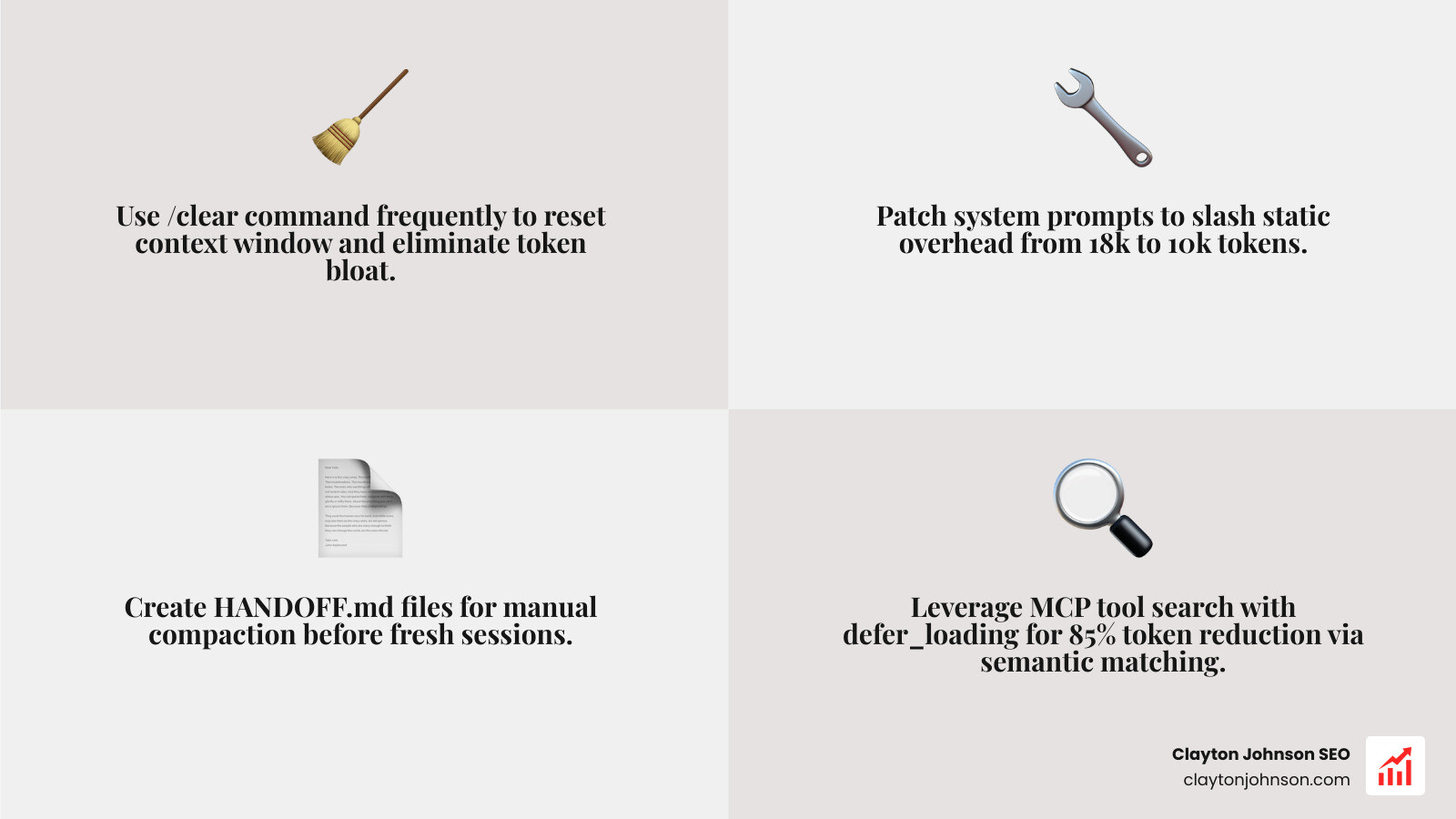
The most effective way is to use the /clear command frequently to reset the context window. Combine this with system prompt patching—reducing the static overhead from ~18k to ~10k tokens—and proactive compaction. Instead of letting Claude auto-compact, manually create a HANDOFF.md and start a fresh session.
What is the best way to use CLAUDE.md for Advanced Claude coding tips?
Keep it simple and iterative. Every time Claude makes a repetitive mistake, add a “Never do X” or “Always do Y” rule to CLAUDE.md. Treat it as a living spec that evolves with your project. Use hierarchical files if you have a monorepo: one for global standards and one for project-specific logic.
How does Plan Mode improve complex coding tasks?
Plan Mode prevents “hallucination-driven development.” By forcing Claude to explain its solution before writing code, you can catch architectural flaws early. It allows for strategic alignment across multiple files, ensuring that a change in the backend doesn’t break the frontend state management.
Conclusion
Mastering Advanced Claude coding tips isn’t just about knowing the commands; it’s about building a structured growth architecture for your development workflow. At Demandflow.ai, we believe that clarity and structure provide the leverage needed for compounding growth. Whether you are building complex machine learning models or scaling a production web app, these techniques ensure you are using AI as a force multiplier rather than a token-draining chatbot.
If you’re ready to transform your development process into a high-performance engine, explore our SEO Content Marketing Services to see how we apply these same structured frameworks to drive measurable growth for founders and marketing leaders.