AI coding tools have moved beyond hype into hands-on production use. If you’re evaluating options, here’s what you need to know:
Top AI Coding Tools by Use Case:
| Tool | Best For | Standout Feature |
|---|---|---|
| GitHub Copilot | Day-to-day autocomplete | Most seamless IDE integration |
| Cursor | Multi-file refactoring | Agentic workflows with natural language |
| Sourcegraph Cody | Large codebases | Repository-wide semantic search |
| Codeium | Free alternative | Strong accuracy without cost |
| Qodo | Enterprise code review | Multi-agent architecture for quality |
| Bolt.new | Rapid prototyping | Browser-based full-stack generation |
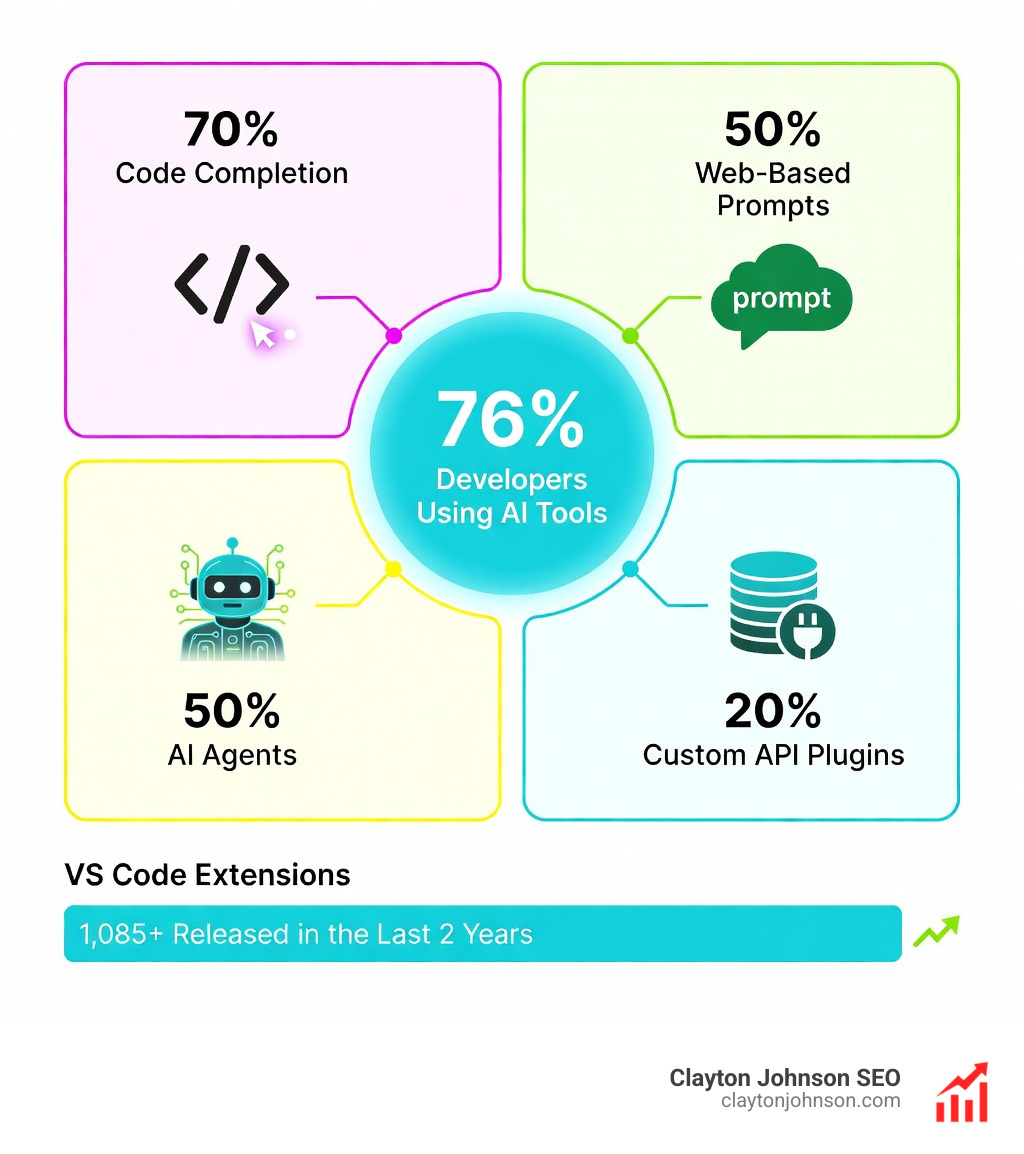
Between 2024 and 2025, 76% of developers reported using or planning to use AI tools in their workflow according to Stack Overflow’s survey. The market exploded from a handful of experimental plugins to over 1,085 VS Code extensions—more than 90% released in just the last two years.
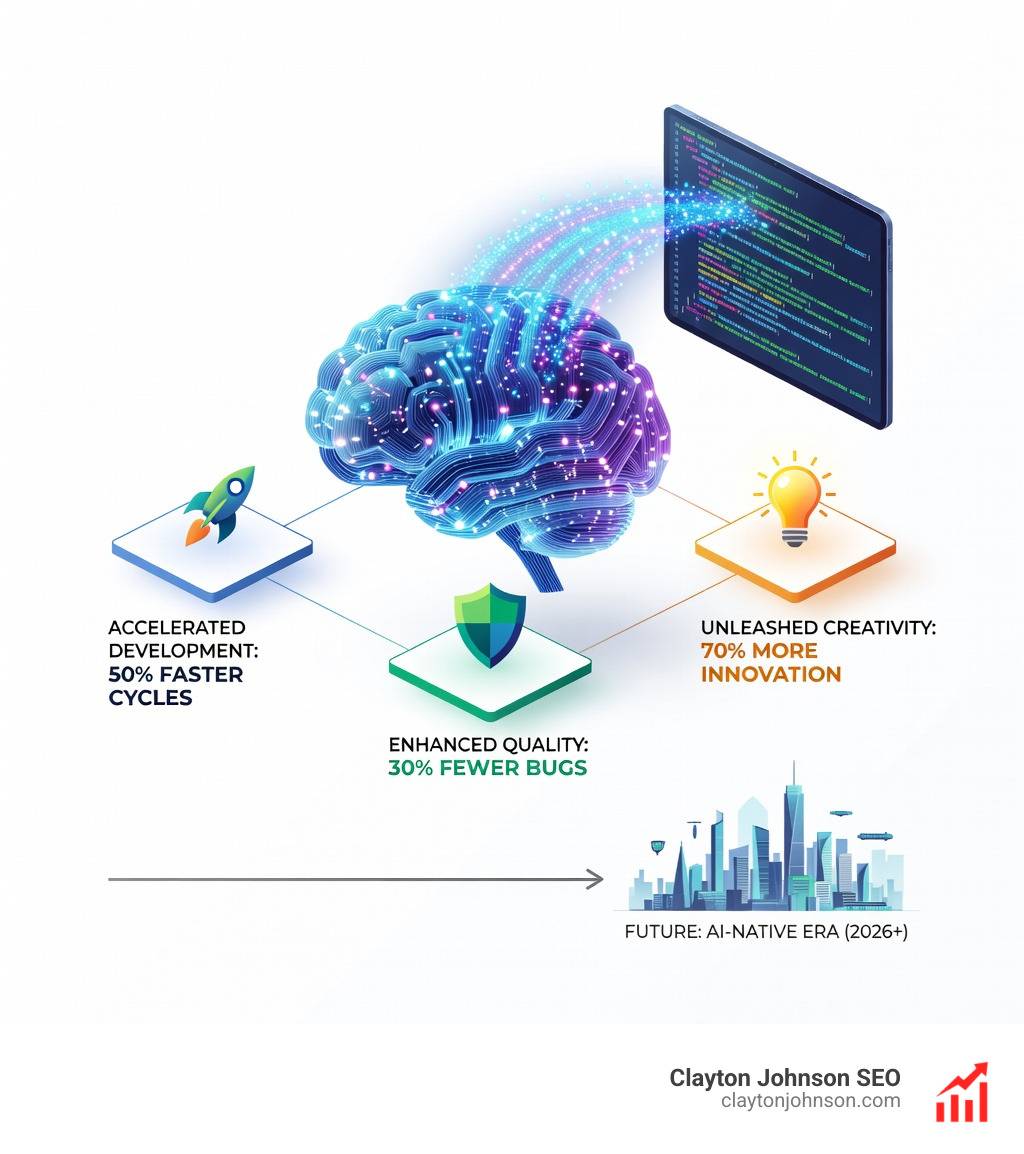
What changed wasn’t just availability. The technology shifted from simple autocomplete to agentic systems capable of multi-file refactoring, semantic codebase understanding, and autonomous debugging. Tools like Cursor and Sourcegraph Cody now analyze entire repositories to suggest context-aware changes. CLI agents like Gemini CLI and OpenAI Codex handle complex workflows through conversational prompts. Enterprise platforms like Qodo deploy multi-agent architectures that generate, review, document, and test code collaboratively.
The practical result: features that once took weeks now ship in days when developers act as AI orchestrators rather than sole executors. But the explosion of options creates a new problem—which tools actually deliver measurable productivity gains versus surface-level convenience?
This isn’t about replacing engineering judgment. AI coding tools accelerate execution when applied to the right phase of development: validation, scaling, or optimization. They excel at eliminating boilerplate, explaining legacy code, scaffolding infrastructure, and catching security gaps humans miss under deadline pressure. They struggle with architectural decisions, edge case reasoning, and maintaining long-term code quality without human oversight.
The wrong tool choice compounds technical debt. Browser-based prototyping platforms like Bolt.new and Lovable.dev generate impressive demos but often require refactoring for production. Enterprise-grade solutions like Amazon Q Developer and Tabnine prioritize security and compliance but come with steeper learning curves. Free tools like Codeium and CodeGeeX offer surprising accuracy but lack the repository context of paid alternatives.
I’m Clayton Johnson, and I’ve spent the last year testing AI coding tools across production projects—from rapid prototyping to enterprise-scale refactoring—while building scalable growth systems that integrate AI into marketing and development workflows. This guide cuts through vendor claims to show you which AI coding tools solve specific problems, how their architectures differ, and how to evaluate them based on your workflow rather than hype cycles.
Know your AI coding tools terms:
The Evolution of AI Coding Tools
The landscape of software development has shifted dramatically. Only a few years ago, “AI coding” meant basic tab-completion that guessed your next variable name. Today, we are in the era of the AI coding agent.
According to the 2024 Stack Overflow Developer Survey, 62% of respondents were already using AI tools in their development process, a number that has surged to 76% as we move deeper into the year. This rapid adoption is fueled by a massive influx of innovation; an analysis of VS Code extensions found over 1,000 assistants available, with the vast majority appearing in just the last 24 months.
The real breakthrough isn’t just “more tools,” but a change in how they work. Traditional tools like early versions of GitHub Copilot focused on “ghost text”—predicting the next line of code. Modern AI coding tools have evolved into agentic workflows. These systems don’t just suggest code; they can:
- Analyze entire repositories to understand project-wide context.
- Execute terminal commands to run tests or install dependencies.
- Use multi-agent systems where one AI writes code while another reviews it for security flaws.
A McKinsey study on developer productivity suggests that heavy tasks like code refactoring can be completed in a fraction of the usual time when AI is integrated correctly. We’ve moved from “writing code” to “orchestrating intent.”
Top AI Coding Tools for Every Developer Workflow
Choosing the right tool depends on whether you are working on a massive enterprise monorepo or a weekend side project. Here is how the heavy hitters stack up:
| Feature | GitHub Copilot | Cursor | Sourcegraph Cody |
|---|---|---|---|
| Primary Strength | Seamless IDE integration | Agentic refactoring | Codebase search/context |
| Best For | Daily productivity | Building new features | Navigating legacy code |
| Model Support | GPT-4o, Claude 3.5 | Claude 3.7, GPT-4o | Multi-model (Claude, GPT) |
GitHub Copilot
GitHub Copilot remains the industry standard. It is the most “invisible” tool, sitting directly inside VS Code, JetBrains, or Neovim. Its recent updates include “agent mode,” allowing it to handle more complex backend tasks like scaffolding microservices. If you want a reliable new pair programmer that doesn’t need coffee breaks, this is the default choice.
Cursor
Cursor has quickly become the favorite for “power users.” Unlike a plugin, Cursor is a fork of VS Code itself. This allows the AI to have deeper control over the editor UI. Its “Composer” mode is a game-changer for modern coding and debugging, enabling you to prompt for changes across multiple files simultaneously. It excels at “vibecoding”—where you describe a feature in natural language and watch the AI build the file structure, logic, and UI.
Sourcegraph Cody
Sourcegraph Cody is the king of context. While other tools might struggle to remember a function defined ten folders away, Cody uses Sourcegraph’s search index to understand your entire repository. This makes it incredibly powerful for onboarding onto large, complex projects where finding the “right” way to do something is half the battle.
JetBrains AI Assistant
For developers who live in IntelliJ, PyCharm, or WebStorm, the JetBrains AI Assistant offers the tightest integration. It understands the deep semantic structures JetBrains IDEs are known for, making its refactoring suggestions particularly robust.
Top Free AI coding tools for Beginners
You don’t need a $20/month subscription to start using AI coding tools. Several high-quality free AI coding tools exist for students and hobbyists:
- Codeium: Often cited as the best free alternative to Copilot, offering fast autocomplete and a functional chat interface for individuals.
- Amazon Q Developer: Offers a generous free tier, especially powerful if you are working within the AWS ecosystem.
- Gemini CLI: Google’s entry provides a high rate limit for free users (up to 60 requests per minute), making it great for terminal-heavy workflows.
- CodeGeeX: A powerful open-source option built for multilingual code generation.
- Qwen3-Coder: An open-source model that developers can run locally using tools like Ollama, ensuring total privacy.
Specialized Solutions for Rapid Prototyping and Full-Stack Apps
If your goal is to go from “idea” to “live URL” in under ten minutes, a new category of AI coding tools has emerged. These are often referred to as “design-to-code” or “app generators.”
Bolt.new
Bolt.new is a browser-based environment that uses WebContainer technology. You can tell it to “Build a SaaS dashboard with Stripe integration,” and it will not only write the code but also install the npm packages and run a live preview right in your tab. It’s the secret sauce of modern codegen for rapid validation.
Lovable.dev
Lovable focuses on the “vibe” of development. It emphasizes high-quality UI/UX and is designed for founders who want to build user-centered products without getting bogged down in boilerplate.
V0 by Vercel
V0 is specifically tuned for the frontend. It converts Figma designs or simple text descriptions into clean, production-ready React components using Tailwind CSS. It’s the ultimate tool for developers who “hate” CSS but want beautiful interfaces.
Enterprise-Grade AI coding tools: Security, Privacy, and Context
For large engineering teams, the “coolness” of a tool is secondary to its security. Enterprise-grade AI coding tools must solve for data leakage and codebase complexity.

Qodo (formerly CodiumAI)
Qodo stands out for its focus on code quality. While other tools focus on writing code fast, Qodo focuses on writing code right. Its multi-agent architecture performs automated code reviews, generates unit tests, and flags logic bugs before they hit production. SEE QODO IN ACTION to see how it maintains production-readiness.
Tabnine
Tabnine is the pioneer of privacy-first AI. It allows organizations to host models on-prem or in a private cloud, ensuring that proprietary code never leaves the company network. This is critical for industries like finance or healthcare with strict compliance requirements.
Evaluating AI coding tools for Security and Privacy
When we evaluate tools for enterprise use, we look for more than just a chat box. We need a “human-in-the-loop” system that enforces quality gates.
- Context Awareness: Does the tool understand our internal libraries, or is it suggesting generic Stack Overflow snippets?
- Security Scanning: Can it detect XSS risks or RBAC (Role-Based Access Control) bypasses? Qodo Merge Chrome extension is a great example of bringing AI into the pull request flow to catch these issues early.
- Technical Debt: Is the AI generating “spaghetti code” that will be impossible to maintain? Using AI code review tools helps ensure that the speed of AI doesn’t lead to a cleanup nightmare later.
Frequently Asked Questions about AI Coding Tools
What is the best AI coding assistant for full-stack development?
For most developers, Cursor is currently the best for full-stack work because of its “Composer” mode, which can handle frontend, backend, and database migrations in a single prompt. For those who prefer a traditional IDE, GitHub Copilot with its new agentic features is a close second.
How do agentic AI tools differ from traditional autocomplete?
Traditional autocomplete predicts the next few tokens of code. Agentic AI tools can “think” through a multi-step plan. They can search your files, run a terminal command to see why a test failed, and then rewrite the code to fix the error autonomously.
Are AI coding tools safe for proprietary enterprise codebases?
It depends on the tool and the configuration. Enterprise versions of GitHub Copilot, Tabnine, and Qodo offer “no-training” guarantees, meaning your code is never used to train their global models. Always look for SOC 2 compliance and data encryption features before deploying at scale.
Conclusion
The “Ultimate Guide to Generative AI Coding Tools” isn’t just about finding a faster way to type. It’s about shifting your role from a “coder” to an “architect.” At Clayton Johnson and Demandflow.ai, we believe in structured growth architecture. Just as we use AI-augmented marketing workflows to scale content, developers must use AI coding tools to build structured, scalable software infrastructure.
By leveraging these tools, you move from tactics to strategy. You stop worrying about syntax and start focusing on clarity, leverage, and compounding growth. Whether you’re in Minneapolis or working remotely, the goal remains the same: use the best technology available to build something that lasts.
Supercharge your growth with SEO content marketing and see how we integrate these same high-performance AI systems into every facet of digital growth.