AI Code Assistants: Your New Pair Programmer Doesn’t Need Coffee Breaks

Why Every Developer Needs an AI Code Assistant in 2026
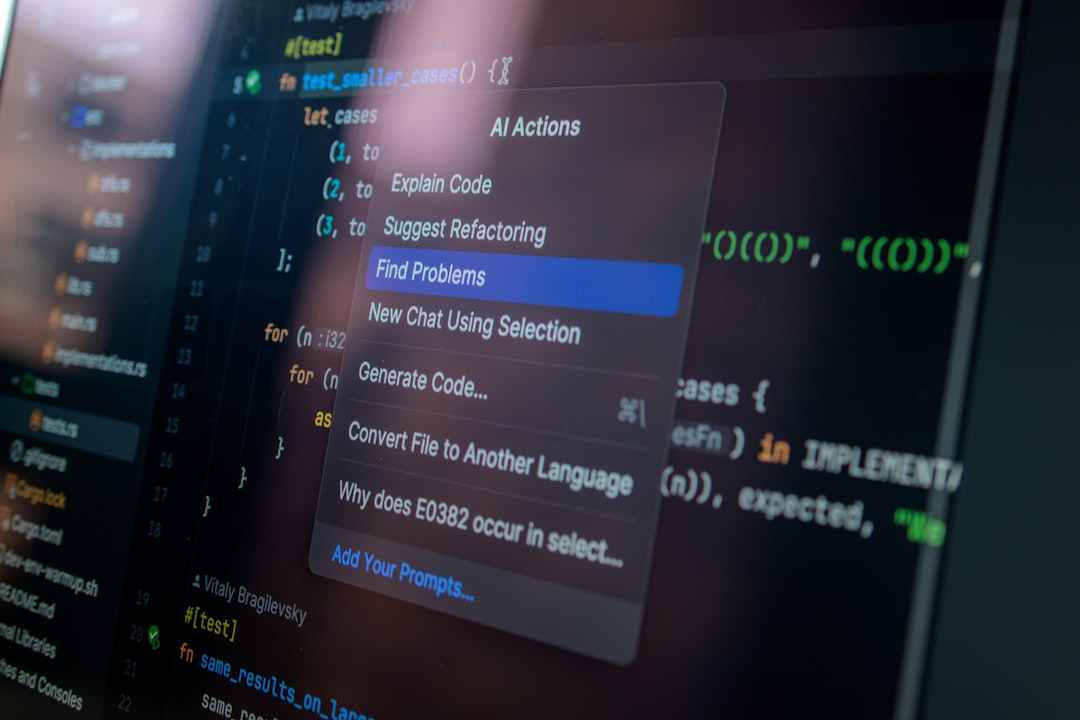
AI code assistants are tools that generate, analyze, and modify software code using foundation models like large language models (LLMs) combined with program-understanding technology. They integrate directly into your development environment to boost efficiency, accelerate development, and help you maintain flow state without cognitive overload.
Top AI code assistants for 2026:
- Claude Code – Terminal-based agent with auto-accept mode, best for experienced developers ($17-$100/month)
- Cursor – VS Code fork with planning features and autonomous test fixing (paid plans available)
- Gemini Code Assist – Free tier with 6,000 daily code requests and 1M token context window (paid: $19-$45/month)
- GitHub Copilot – IDE-integrated with agent mode for multi-file edits (subscription required)
- Windsurf – Agentic coding with extensive planning capabilities (pricing varies)
According to Gartner’s definition, these tools don’t just autocomplete lines anymore. They generate entire features, debug complex issues, refactor across multiple files, review pull requests, translate between languages, and even explain legacy code you’ve never seen before.
The shift happened fast. By summer 2026, most developers moved beyond simple autocomplete to full agentic workflows where AI agents can run tests, fix failures, and execute multi-step refactorings while you grab lunch. As one developer testing these tools noted: “AI coding assistants are an essential tool… the benefits are impossible to ignore.”
But here’s the challenge: new tools launch constantly, each claiming breakthrough features. Cursor added planning mode in late 2025 that dramatically improved effectiveness. Gemini Code Assist offers 6,000 free daily requests with a 1 million token context window. Claude Code lets you run parallel refactorings in your terminal with high enough trust to enable auto-accept mode.
The real question isn’t whether to use an AI code assistant—it’s which one fits your workflow, budget, and skill level.
Free tiers work well for hobbyists and students. Gemini Code Assist for individuals provides 6,000 code-related requests and 240 chat requests daily at no cost, plus 1,000 model requests per day for CLI and agent mode. That’s enough for serious side projects without paying a subscription.
Paid plans open up higher rate limits and advanced features. Gemini Code Assist Standard costs $19/month annually (1,500 daily model requests), while Enterprise at $45/month includes private repository customization, IP indemnification, and 2,000 daily requests. Claude Code runs $17-$100/month depending on usage intensity.
The integration options span your entire development stack: VS Code extensions, JetBrains plugins, terminal CLIs, GitHub pull request reviews, Firebase app development, and Google Cloud services. You can use natural language to generate SQL queries, design APIs, build Cloud Run functions, or troubleshoot app crashes.
But these tools aren’t perfect. They hallucinate, sometimes misinterpret vague prompts, and can enter infinite loops during execution. GitHub Copilot’s agent mode might place code “literally accurate but obviously not what you meant.” Windsurf requires excessive planning steps even for trivial tasks. You still need to understand infrastructure, security, and QA to ship reliable applications.
I’m Clayton Johnson, an SEO strategist and growth operator who builds AI-augmented marketing workflows and tool-backed systems for measurable outcomes—including evaluating ai code assistant platforms for productivity gains. This guide will help you select the right tool, avoid common pitfalls, and integrate AI coding into your daily workflow for compounding results.
The Landscape of the Modern AI Code Assistant
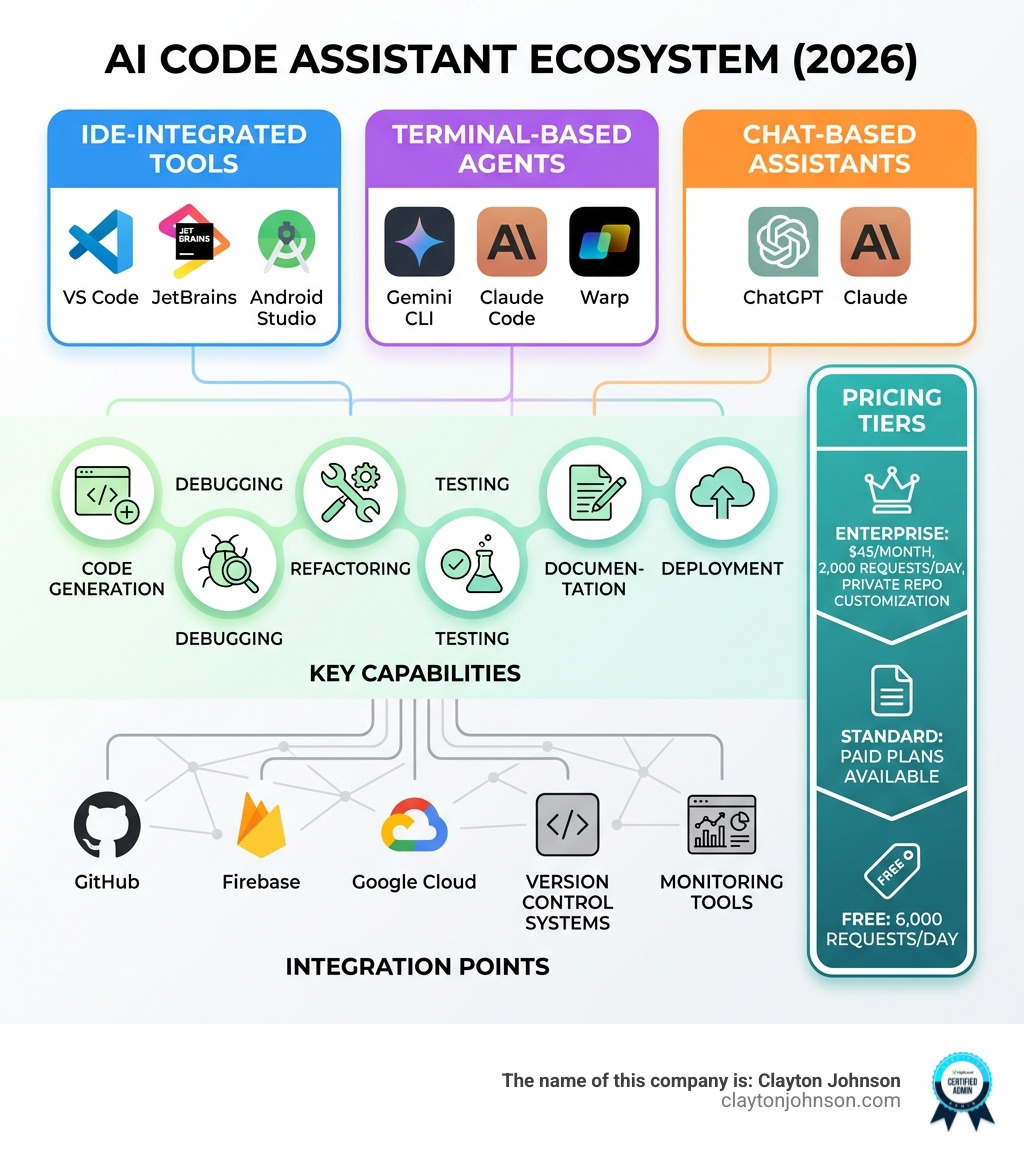
The world of AI-driven development has branched into three distinct categories. Depending on how you like to work—whether you are a “keyboard-only” terminal wizard or a visual developer who loves a robust IDE—there is an ai code assistant built for your style.
- IDE-Integrated Tools: These live where you write code. They offer real-time autocomplete, inline chat, and “smart actions.” Popular choices include the Visual Studio Marketplace extension for VS Code and the JetBrains Marketplace plugin for IntelliJ and PyCharm.
- Terminal-Based Agents: These are the “new guard.” Tools like the Terminal Gemini CLI and Claude Code allow you to prompt the AI directly from your command line. They can run shell commands, list directories, and even execute tests autonomously.
- Chat-Based Assistants: These are specialized interfaces like ChatGPT or the Gemini pane in the Google Cloud console. They are excellent for high-level planning, explaining complex logic, or generating boilerplate code that you then paste into your project.
Modern assistants rely on massive context windows. For example, Gemini Code Assist uses a 1M token context window, allowing it to “read” your entire codebase to provide relevant answers. This enables multi-file edits and deep program-understanding technology that ensures the AI knows how a change in your database schema affects your frontend components. To help manage this at scale, tools like the GitHub Marketplace agent can even automate your code reviews.

Comparing Gemini Code Assist: Free vs. Enterprise AI Code Assistant
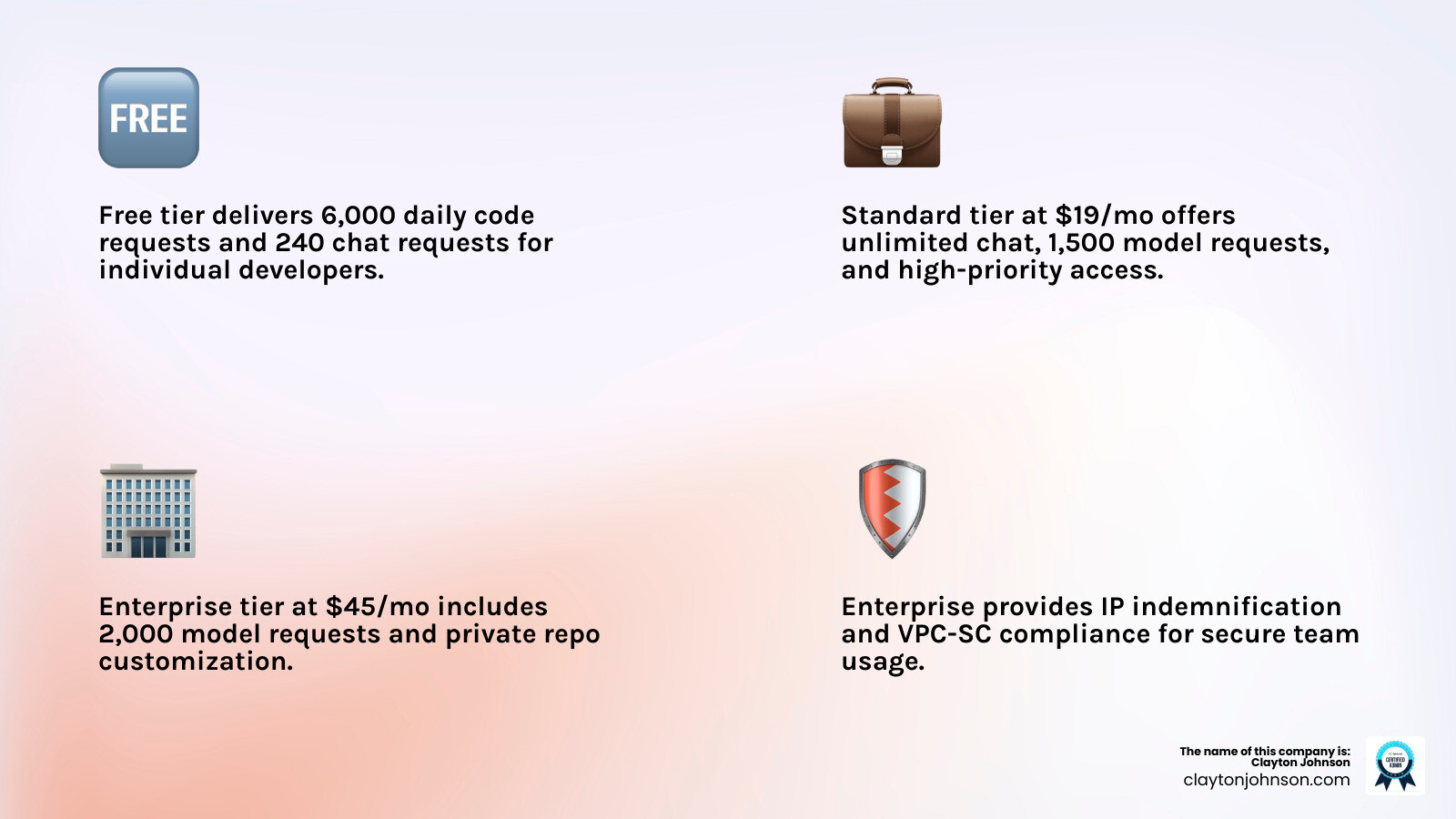
Google’s Gemini Code Assist has become a heavyweight contender by offering an incredibly generous free tier. If you are an individual developer, you can get started with 6,000 code-related requests and 240 chat requests daily at no cost. This is perfect for building side projects or learning a new language.
As your needs grow, you might look toward the Google AI Pro plans or specialized business tiers. Here is how the Standard vs Enterprise pricing breaks down:
| Feature | Individual (Free) | Standard ($19/mo) | Enterprise ($45/mo) |
|---|---|---|---|
| Daily Code Requests | 6,000 | High Priority | High Priority |
| Daily Chat Requests | 240 | Unlimited | Unlimited |
| Model Requests (CLI/Agent) | 1,000 | 1,500 | 2,000 |
| Context Window | 1M Tokens | 1M Tokens | 1M Tokens |
| Private Repo Customization | No | No | Yes (GitHub, GitLab, Bitbucket) |
| Security & Compliance | Basic | Enterprise-grade | IP Indemnification & VPC-SC |
For professional teams in Minneapolis, the Enterprise tier is often the choice because it allows for customized code suggestions based on your organization’s private repositories. If you want a middle ground, the Google Developer Program Premium membership ($299/year) includes Gemini Code Assist Standard plus over $1,000 in Google Cloud credits.
Best AI Code Assistant for Beginners and Hobbyists
If you are just starting your coding journey, the goal is to “learn while building.” You don’t want to get stuck on environment setup for three days. We recommend starting with a Cloud Shell Editor sandbox, which provides 50 hours per week of a pre-configured environment with Gemini Code Assist already installed.
For mobile and web developers:
- Firebase integration: Use Gemini to generate sample code, refactor functions, and troubleshoot app crashes directly within the Firebase console.
- Android Studio support: Beginners can use natural language prompts to explain UI logic or transform code snippets.
- Colab Enterprise setup: Ideal for those diving into Python and data science, offering AI-powered code completion in notebooks.
These tools allow for “vibe coding”—where you describe what you want in plain English, and the AI handles the heavy lifting. This allows for rapid no-code prototyping while you slowly learn the underlying syntax.
Top-Ranked AI Coding Agents for 2026
The year 2026 has seen a shift from “autocomplete” to “agents.” Agents are proactive; they don’t just wait for you to type; they can plan and execute entire tasks.
- Claude Code: This terminal-based tool has taken the developer world by storm. It is incredibly fast and intelligent. With a Claude Code Pro subscription, you get high rate limits that allow for “auto-accept mode,” where the AI refactors your code while you watch.
- Cursor: A fork of VS Code that many consider the gold standard. Its “Planning Mode” allows it to think through a problem before writing a single line. It excels at multi-line autocomplete and jump prediction (guessing where you’ll want to edit next).
- Windsurf: Another VS Code fork that focuses on “Flow.” It features an agent called Cascade. While powerful, some reviews note it can be a bit over-eager with planning steps for simple tasks.
- Junie: JetBrains’ attempt at a coding agent. It is robust but has been noted for slower response times (sometimes over 30 seconds) due to its deep context compilation.
- Warp: A modern terminal that strikes a great balance for SREs and sysadmins. It integrates AI directly into the shell, helping you remember those obscure CLI flags.
For power users, the use of a CLAUDE.md context file—a markdown file that gives the AI specific instructions about your project’s architecture—has become a best practice to keep agents on track.
Advanced Workflows and Integration Strategies
Once you move past basic snippets, you can build sophisticated workflows. Advanced developers are now using MCP (Model Context Protocol) servers to connect their AI assistants to external data sources.
- Data & SQL: You can leverage BigQuery SQL assistance to write complex queries using natural language. The AI understands your schema and can even suggest optimizations.
- API Design: With Apigee API design, you can use Gemini to explain policies or generate API specifications from scratch.
- Serverless: Building Cloud Run functions is faster when the AI handles the boilerplate for triggers and deployment configurations.
- Visual Building: The Application Integration builder allows for AI-assisted visual flow generation, which is a game-changer for connecting enterprise systems without writing thousands of lines of glue code.
These integrations allow the ai code assistant to participate in the entire SDLC—from planning and coding to debugging and deployment.
Navigating Pitfalls: Hallucinations and Context Limits
As much as we love our new pair programmers, they can be “confidently wrong.” Hallucinations—where the AI invents a library or a syntax that doesn’t exist—are still a reality.
Common issues include:
- Over-eagerness: Some agents might try to refactor your entire project when you only asked to change a button color.
- Context Handling: Even with 1M token windows, an AI can lose track of a specific detail in a massive codebase if the prompt isn’t clear.
- Security Concerns: AI might suggest insecure patterns. We recommend developers take on Secure coding challenges to stay sharp.
To mitigate these risks, always keep a Human-in-the-Loop. Use the Source citations in IDE feature to see exactly where the AI got its information. This transparency is crucial for maintaining code quality and ensuring you aren’t introducing licensing issues.
Frequently Asked Questions about AI Coding
Are free AI code assistants reliable for heavy usage?
For hobbyists, yes. Gemini’s free tier offering 6,000 requests is more than enough for a full day of coding. However, for professional use, paid tiers offer “high priority” access. When the servers are busy, free users might experience latency. Check the Quotas and limits documentation for the most up-to-date numbers.
How do I integrate AI into my existing terminal?
The easiest way is to use the Gemini CLI installation. Once installed, you can simply type gemini "how do I list all docker containers over 1GB?" and get an immediate answer. Tools like Claude Code and Warp also offer deep shell integration that can explain errors in your terminal output.
Can beginners build full apps without prior experience?
“Vibe coding” is real, but it has limits. You can certainly build a prototype using Firebase coding assistance and prompt engineering. However, to build a secure, scalable app, you eventually need to learn the basics of architecture and security. Use the AI as a tutor, not just a ghostwriter.
Conclusion
The era of the “lone coder” is ending. Whether you’re a student in Minneapolis or a senior architect, an ai code assistant is now a mandatory part of the toolkit. These tools don’t just save time; they amplify your creativity and help you maintain that elusive “flow state.”
At Clayton Johnson, we focus on strategic growth and AI-assisted workflows that deliver measurable results. If you’re looking to scale your development or marketing operations using the latest in SEO and AI technology, we can help you steer this rapidly changing landscape.
For more insights on how to leverage these tools for your business, check out our SEO services and let’s build something incredible together.