AI Code Review Tools: Because Your Coworkers Are Tired of Your Typos

Why AI Code Review Tools Are Reshaping How Teams Ship Code
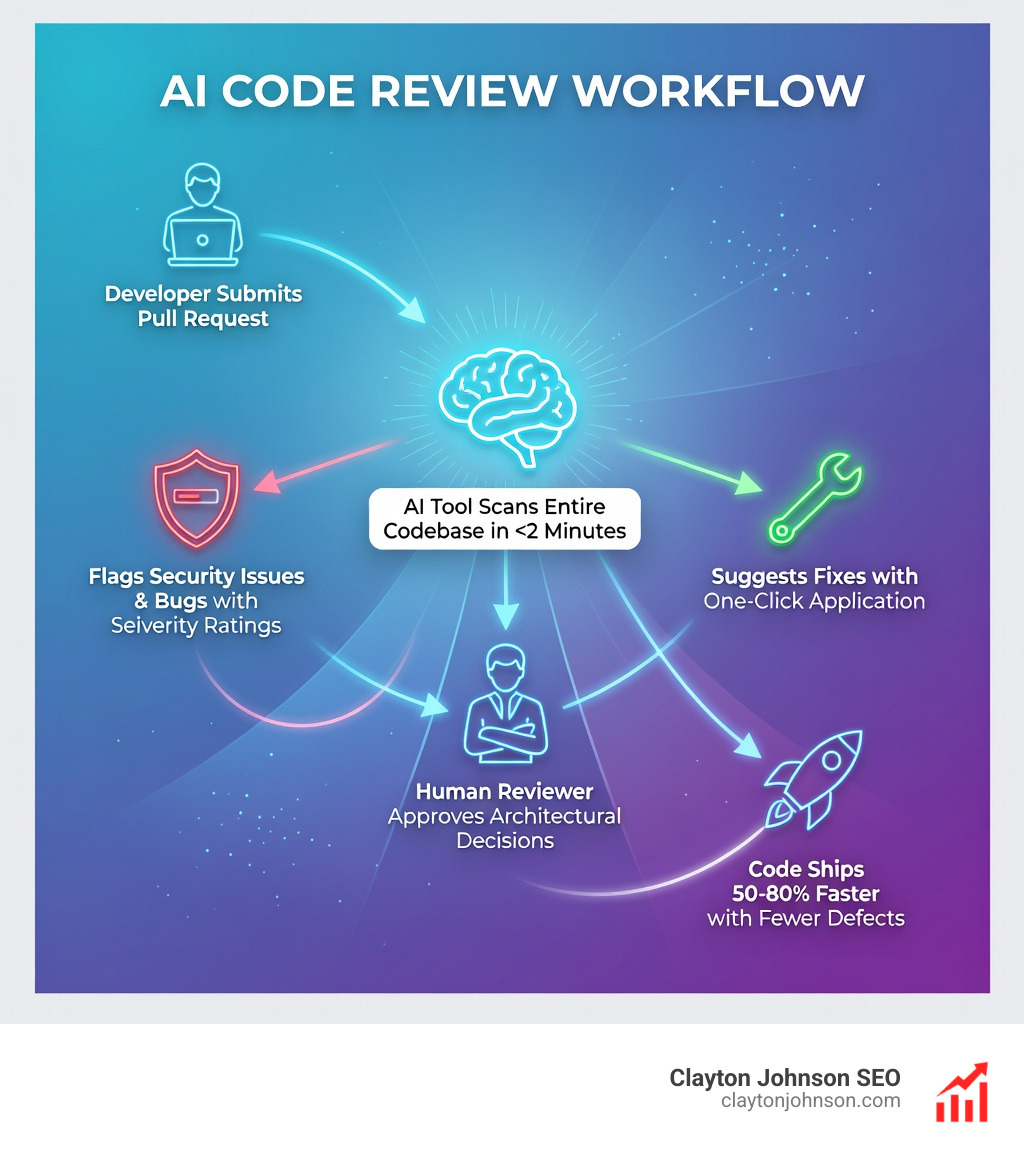
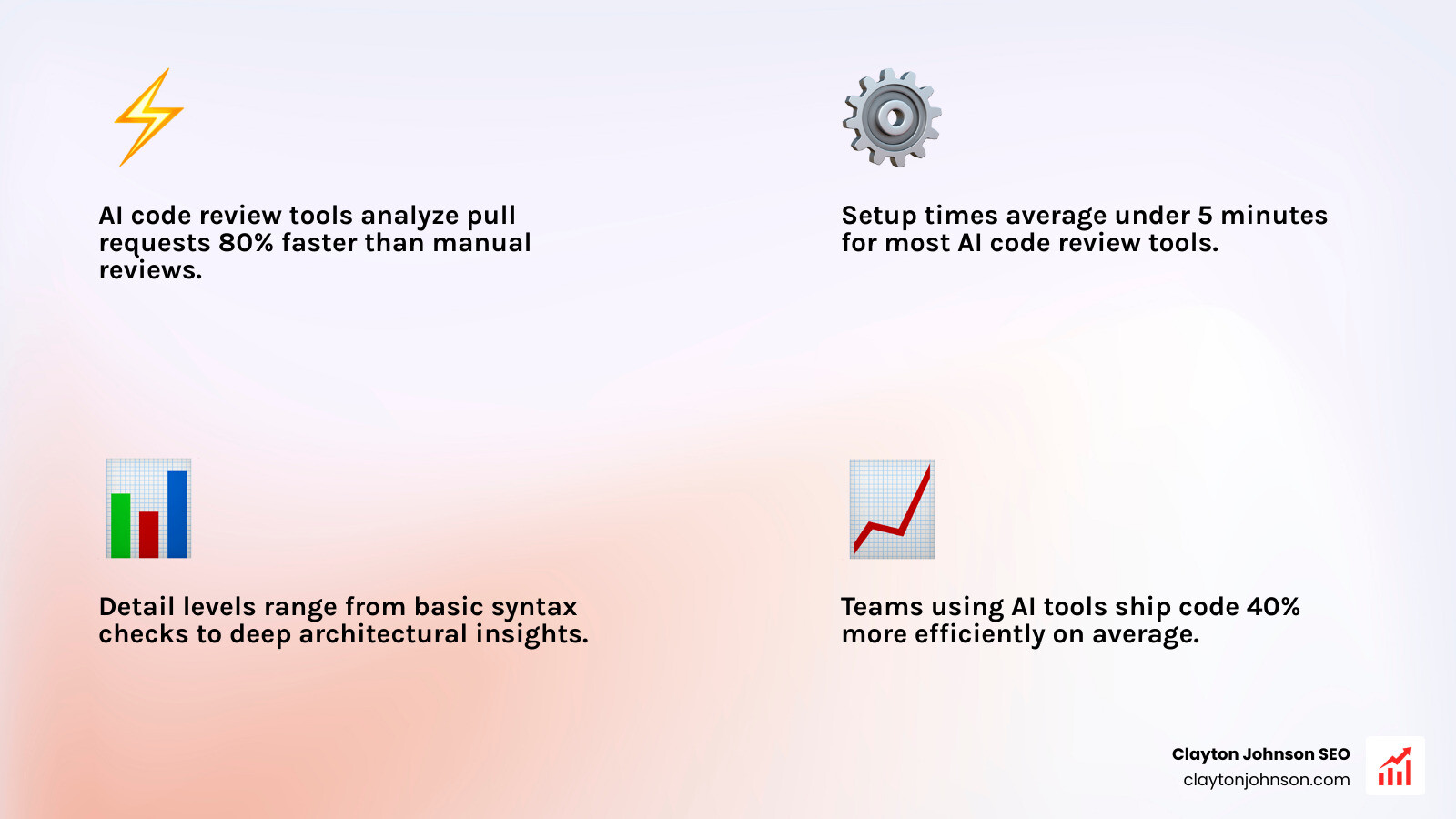
AI code review tools are software platforms that use artificial intelligence to automatically analyze pull requests, detect bugs, identify security vulnerabilities, and enforce coding standards—often cutting manual review time by 50–80%. Here’s what the leading tools offer in 2025:
| Tool | Best For | Speed | Key Strength | Starting Price |
|---|---|---|---|---|
| Qodo | Speed + detail | <2 min scans | Test generation & IDE integration | Free tier available |
| CodeRabbit | Adaptive learning | Fast | Context-aware multi-file analysis | $12/month |
| CodeAnt AI | Security + quality | Fast | 30+ languages, SAST scanning | 14-day free trial |
| SonarQube | Open-source maturity | Moderate | Rule-based, 20+ years stability | Free Community Edition |
| Tabby | Data sovereignty | 30 min indexing | Self-hosted, zero external calls | Free (self-hosted) |
Code reviews used to be straightforward: a teammate reads your changes, spots the bugs, suggests improvements, done. But modern pull requests look nothing like they did five years ago.
You’re managing polyglot repositories—Node.js, Python, Terraform, and Kubernetes configs all in the same PR. You’re reviewing 500+ line changes that touch authentication flows across three microservices. And you’re doing this while trying to ship features fast enough to keep up with AI-assisted development that’s flooding your pipeline with more code than ever.
GitHub’s native tools weren’t built for this reality. They lack smart guidance, context awareness across services, and advanced security scanning. Manual reviews become bottlenecks. Reviewer fatigue sets in. Subtle bugs slip through.
That’s where AI code review tools come in. They analyze entire codebases in minutes, flag security vulnerabilities that humans miss, and enforce team standards automatically. The best ones catch 90% of bugs while respecting your architecture instead of suggesting rewrites.
I’m Clayton Johnson, an SEO strategist who builds AI-assisted marketing workflows and growth systems—and I’ve spent the past year evaluating how AI code review tools actually perform on messy enterprise codebases. In this guide, I’ll show you which tools deliver on their promises and which ones waste your engineering time.
Why GitHub Native Tools Fall Short for Modern Teams
Let’s be honest: GitHub’s built-in review interface is fine for a weekend side project, but for teams trying to secure code at scale, it feels like bringing a knife to a laser-grid fight.
The primary issue is manual overload. As your team moves faster, the sheer volume of lines to review increases. This leads to “reviewer fatigue,” where a developer looks at a 500-line PR and just comments “LGTM” (Looks Good To Me) because their brain is melting. Native tools don’t help you prioritize what actually matters; they just show you a wall of green and red text.
Furthermore, GitHub struggles with context gaps. It sees the changes in auth-service.js, but it doesn’t necessarily understand how those changes break the JWT verification in your gateway-service. In large polyglot monorepos, where you might have Python, Go, and Terraform sitting side-by-side, the native tools provide fragmented feedback that misses the “big picture” architectural compromises.
Native Limitations at a Glance:
- No Smart Guidance: You’re on your own to find logic flaws.
- Basic Security: Flags vulnerabilities at the repo level but misses complex app logic issues.
- Fragmented Context: Struggles to track dependencies across multiple files or services.
- Manual Toil: No automated summaries or one-click fixes for common “nitpick” issues.
Bridging the Gap with AI Code Review Tools
Modern ai code review tools act as a force multiplier. Instead of just highlighting what changed, they provide smart guidance. For example, CodeAnt AI analysis shows that teams can cut manual review time and reduce bugs by as much as 80% by automating the “boring” parts of the review.
These tools provide automated PR summaries that give reviewers a high-level map of the changes before they dive into the code. They are also increasingly capable of detecting cross-service dependencies. If a change in one microservice breaks a contract in another, advanced AI reviewers will flag it before it ever hits staging. This architectural alignment ensures that your code remains modular and maintainable, even as the codebase grows.
The Impact on Development Velocity
When you implement a tool like CodeRabbit, the first thing you notice is the speed. Accelerated development cycles are no longer a pipe dream. Most advanced AI code reviews catch 90% of bugs, allowing your senior engineers to focus on high-level architecture rather than hunting for typos or missing null checks.
As one developer put it in a review for this AI Code Review Tool — CodeRabbit Replaces Me And I Like It, the AI handles the routine tasks so humans can focus on “moving things 1px to the left and right—the real coding work!” Beyond just speed, these tools facilitate knowledge transfer. Junior developers receive instant, high-quality feedback on every commit, effectively turning the code review process into a 24/7 pair-programming session.
Top 5 AI Code Review Tools Compared: Head-to-Head in 2025
Choosing the right tool depends on your team’s specific pain points. Are you worried about security? Speed? Or perhaps you need a tool that learns your specific coding “vibe”?
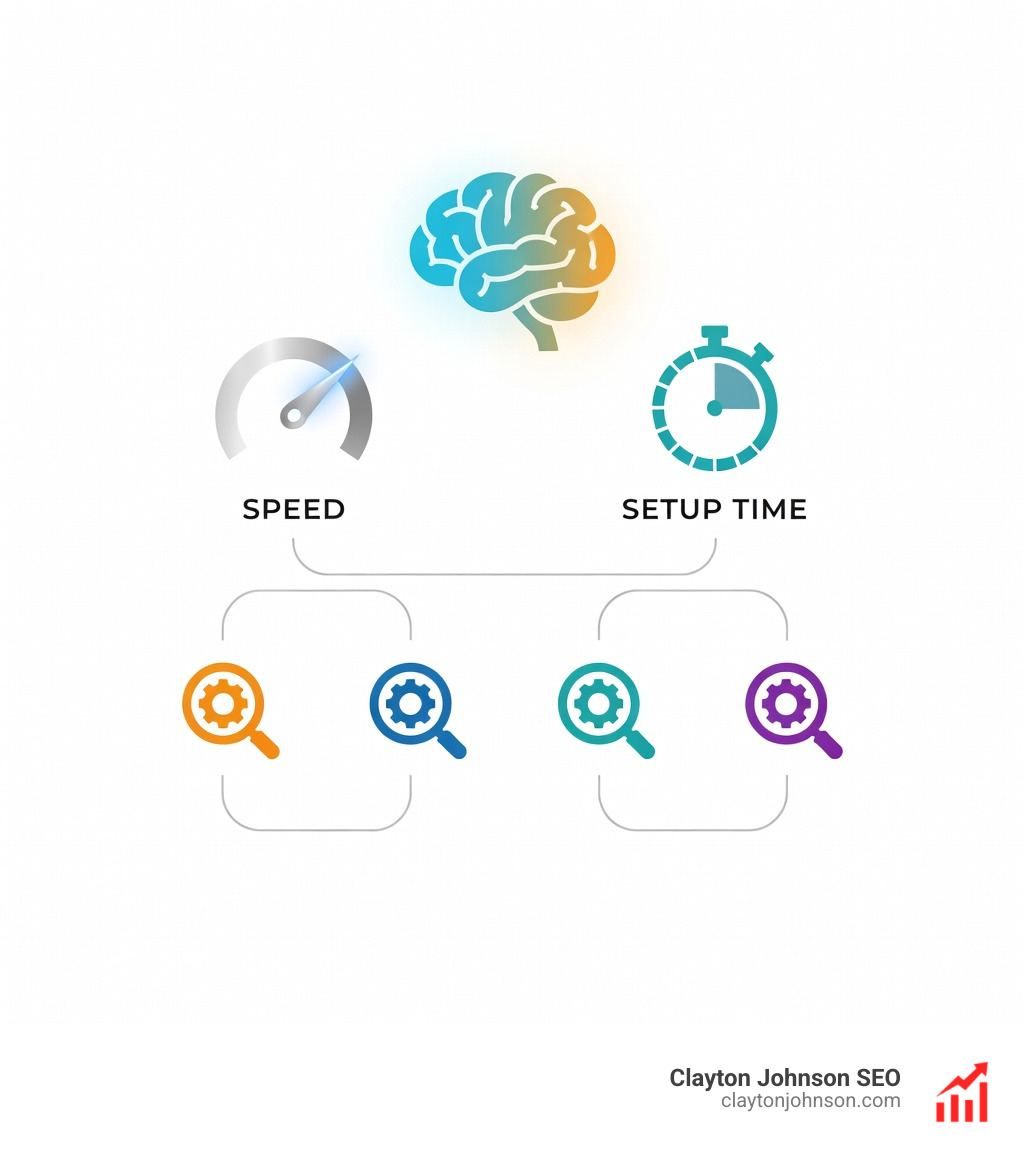
| Feature | Qodo | CodeRabbit | Traycer | Sourcery | CodeAnt AI |
|---|---|---|---|---|---|
| Speed | Very Fast | Fast | Fast | Slow | Moderate |
| Setup Time | < 5 mins | < 5 mins | < 10 mins | < 5 mins | < 10 mins |
| Detail Level | Very High | High | High | Moderate | Moderate |
| Best For | Test Gen & Detail | Adaptive Learning | Security Depth | Refactoring | Security/SAST |
Qodo (Formerly Codium): The Speed and Detail Leader
Qodo.ai (formerly Codium) is currently the “gold standard” for teams that value both depth and velocity. In our testing, Qodo took under two minutes to scan entire codebases and produce comprehensive, knowledge-aware reviews.
What sets Qodo apart is its ability to understand the relationship between code structure and test coverage. It doesn’t just tell you that your code is buggy; it can actually generate the unit tests required to prove it. It supports a wide range of languages including Java, Python, and JavaScript, and integrates directly into your IDE (VS Code, JetBrains) to catch issues before you even push your code.
CodeRabbit: Adaptive Learning for Pull Requests
CodeRabbit excels at learning your team’s specific habits. Using advanced models like GPT-4, it adapts to your coding guidelines over time. For instance, if your team decides to move from asterisk imports to explicit imports, you can “teach” CodeRabbit this rule through context prompts.
The CodeRabbit pricing model is also very startup-friendly, starting at $12/user/month. It offers robust multi-file analysis, meaning it won’t just look at the diff; it looks at how the diff interacts with the rest of the project. This makes it particularly effective for catching logic errors in complex Bitbucket or GitHub repositories.
Open-Source vs. Commercial AI Code Review Tools
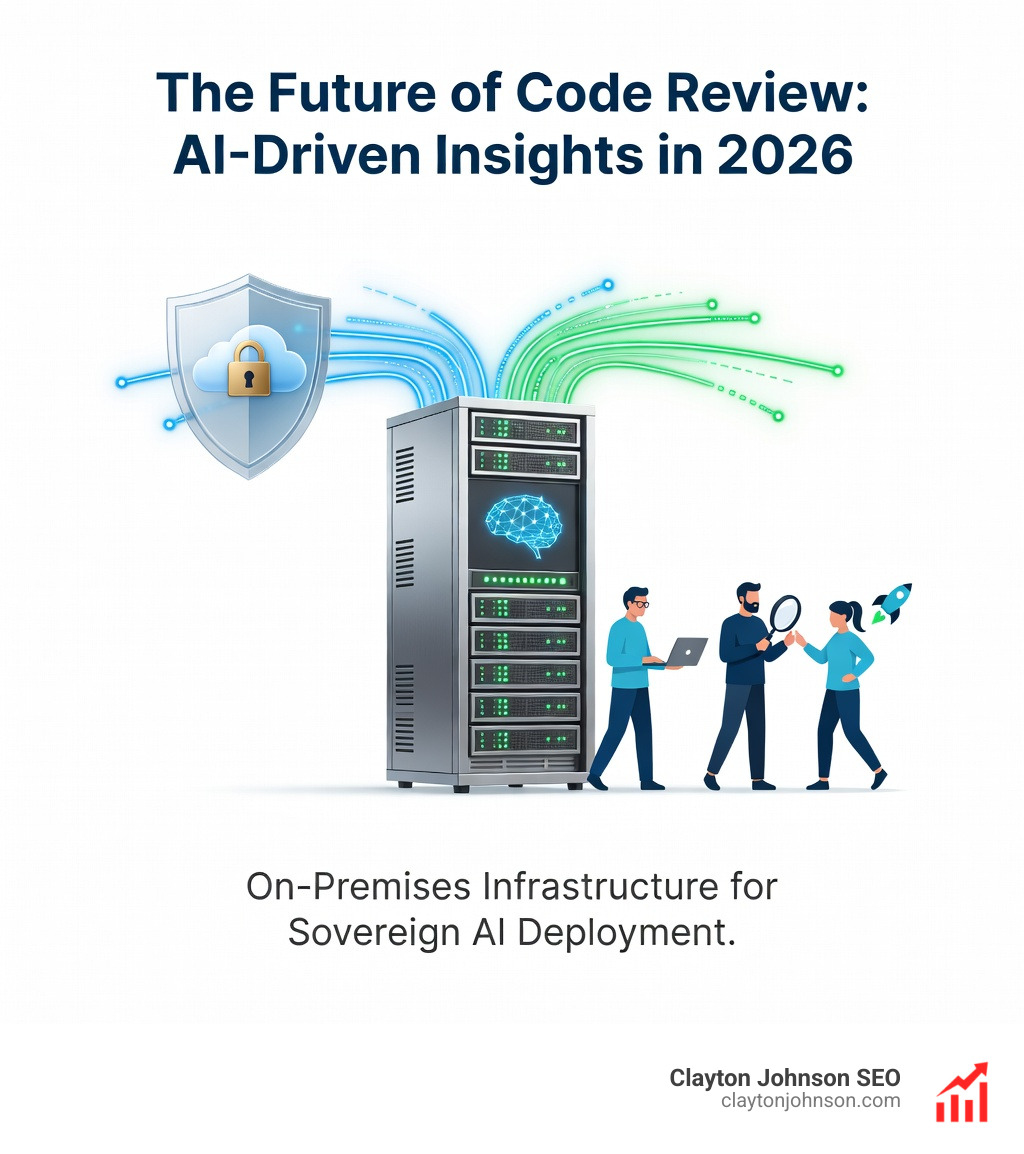
For many enterprises, the “cloud-first” nature of commercial AI tools is a dealbreaker. If you are in fintech, healthcare, or government, data sovereignty isn’t just a preference—it’s a legal requirement.
SonarQube Community Edition remains the most mature open-source option. It’s “predictable and boring in the best way,” relying on a massive library of static analysis rules developed over 20 years. While it lacks the “generative” magic of LLMs, it provides a rock-solid foundation for quality gates.
On the more modern side, Tabby and PR-Agent (an open-source project by Qodo) allow for self-hosting with local LLMs. According to Tabby’s FAQ, you can run their engine with zero external API calls, ensuring your code never leaves your infrastructure.
Self-Hosting Requirements and Infrastructure Costs
Self-hosting an ai code review tool isn’t a “weekend project.” It requires significant GPU infrastructure. To run a model like CodeLlama-7B effectively, you’ll need a minimum of 8GB of VRAM.
According to DX’s cost analyses, the setup timeline for a self-hosted enterprise deployment typically runs 6–13 weeks. This includes provisioning infrastructure via Docker Compose, integrating with your CI/CD pipelines, and conducting security reviews. While you save on per-user licensing fees, you’ll likely spend $800–$1,500/month on infrastructure for a 50-developer team, plus the engineering time required for ongoing maintenance.
Security and Compliance in AI Code Review Tools
Security is where AI tools truly shine. While a human reviewer might miss a subtle SQL injection risk, tools like DeepCode (now part of Snyk) use a knowledge base of 25 million data flow cases to identify vulnerabilities.
These tools are specifically tuned to catch the OWASP Top 10, including:
- Broken Access Control
- Cryptographic Failures
- Injection
- Insecure Design
For teams requiring the highest level of DeepCode security, air-gapped deployments ensure that even the AI model itself doesn’t have an outbound internet connection.
Evaluation Criteria: Choosing the Right AI Code Review Tool
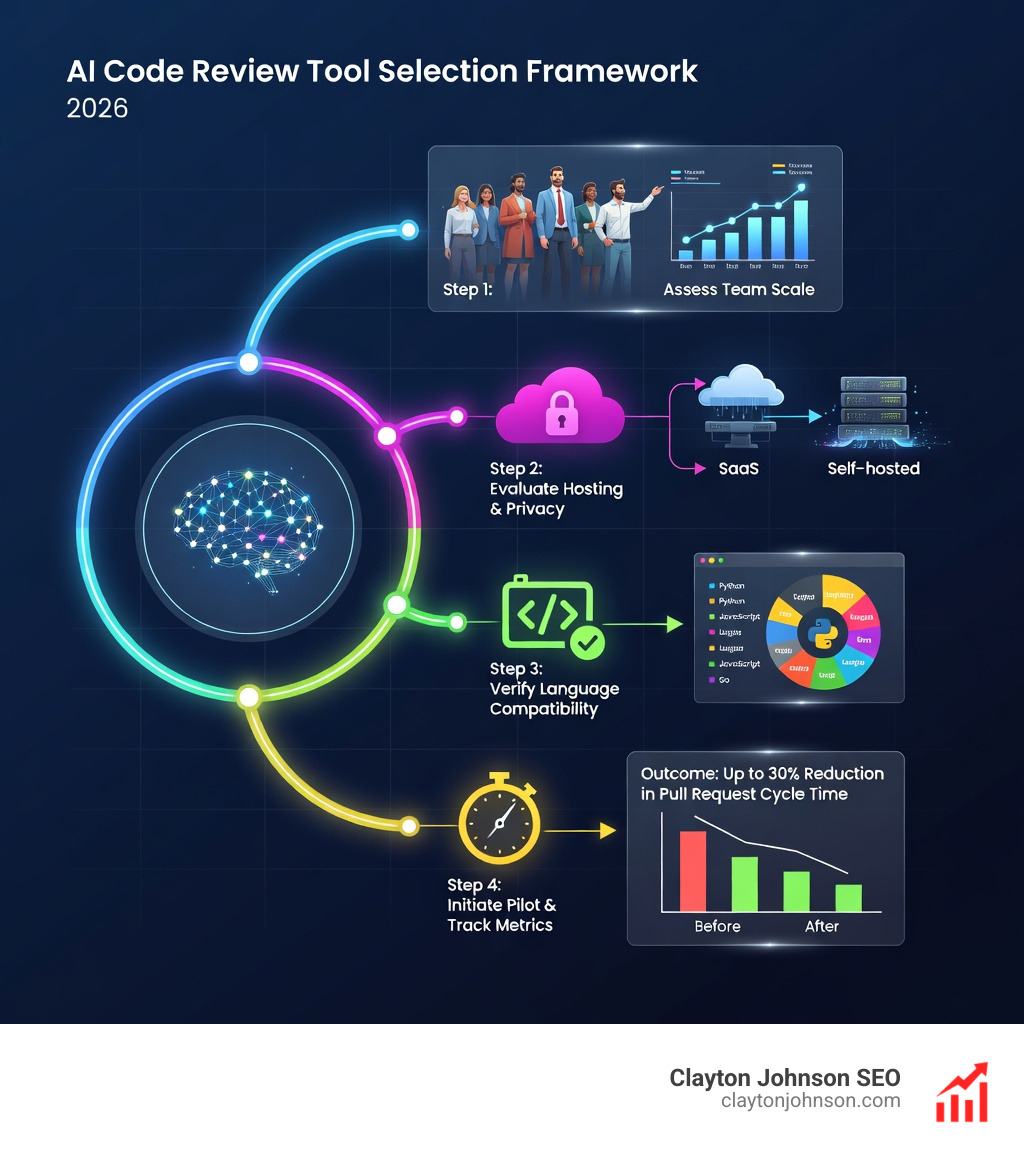
When we help teams at Clayton Johnson evaluate their ai code review tools stack, we look at several key factors:
- Polyglot Support: Does it support all the languages in your stack (Swift, Kotlin, Go, etc.)?
- False Positive Rate: Does the tool cry wolf? If more than 30% of suggestions are “hallucinations,” your developers will stop using it.
- Integration: Does it fit into your existing GitHub Actions or GitLab CI/CD workflow?
- Customization: Can you enforce team-specific rules (e.g., “no more than 4 imports per line”)?
According to engineering guides on AI validation, teams should always allocate time for a human to validate AI outputs. Even the best tools can occasionally suggest a refactor that breaks a legacy system they don’t fully “understand” yet.
Handling Large Polyglot Monorepos
Large monorepos (400,000+ files) are the final boss of code reviews. Standard tools that only look at the PR diff will fail here. You need a tool with a semantic dependency graph. Augment Code’s Context Engine, for example, analyzes the relationships between services to catch cross-service breaking changes that file-level tools miss. This is essential for preventing “dependency hell” in microservice architectures.
Integration and Workflow Alignment
The best tool is the one your team actually uses. That means it needs to live where the code lives. Most modern tools offer:
- GitHub Actions: Seamlessly runs on every push.
- GitLab CI/CD: Native support for merge requests.
- Azure DevOps: Enterprise-grade integration.
- One-Click Fixes: Tools like Hexmos LiveReview allow developers to apply suggested changes directly from the comment interface.
Frequently Asked Questions about AI Code Review
How accurate are AI code review tools compared to humans?
Most advanced tools boast a 90% bug detection rate for common coding errors. However, an Industry analysis of 470 pull requests found that AI-generated code actually contained 1.7x more defects than human-written code. This highlights a paradox: AI is great at reviewing code, but it still needs human oversight to catch complex business logic gaps and architectural flaws.
What is the typical setup time for enterprise teams?
For SaaS versions (like CodeRabbit or Qodo), setup is nearly instant—usually 2–4 hours to get a pilot project running. For self-hosted, on-premises versions, expect 6–13 weeks to handle infrastructure, security clearance, and full organizational rollout. CodeAnt AI’s calculator can help you estimate the ROI based on your specific team size and setup.
Which tools offer the best data privacy for sensitive codebases?
Tabby, Refact.ai, and PR-Agent with Ollama are the leaders in privacy. They allow for on-premises deployment where your source code is processed locally. That these require significant hardware; check the official documentation on VRAM to ensure your servers can handle the LLM inference load.
Conclusion: Scaling Your Engineering Culture
At Clayton Johnson, we believe that growth isn’t just about marketing—it’s about the systems that allow your team to execute flawlessly. Implementing ai code review tools is one of the most effective ways to remove the human bottleneck from your development cycle.
Whether you choose a high-speed commercial option like Qodo or a privacy-first self-hosted stack like Tabby, the goal remains the same: ensuring every line of code earns its merge. If you’re looking to optimize your engineering workflows alongside your SEO strategy, we’re here to help you build the systems that drive measurable results.