Claude AI Code Generation and Review Guide

Why Claude AI Code Generation Is Transforming How We Build Software
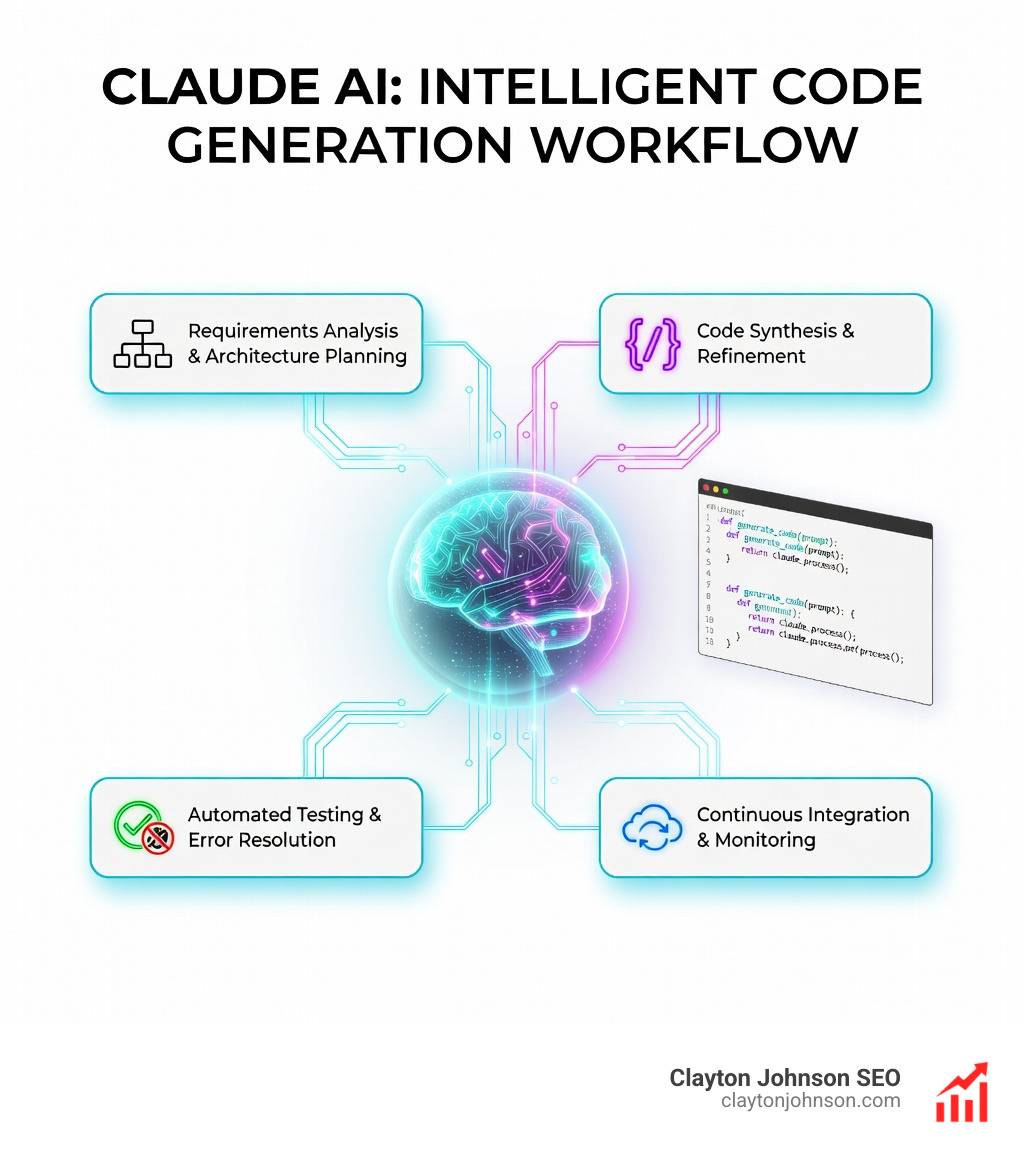
Claude AI code generation is an agentic coding tool that reads your codebase, edits files, and runs commands through natural language conversations. Unlike browser-based AI assistants, Claude Code operates from your terminal with full file system access, parallel agent orchestration, and persistent context management—enabling developers and non-technical users alike to build complete applications, automate workflows, and eliminate repetitive tasks in minutes instead of hours.
What you need to know about Claude AI code generation:
- Access method: Terminal CLI, VS Code, JetBrains, desktop app, or web interface at claude.ai/code
- Core capability: Autonomous code writing, debugging, refactoring, testing, and Git operations
- Key advantage: Local file access eliminates manual uploads and context window limitations
- Best for: Full-stack development, competitive analysis automation, legacy migrations, and parallel workflows
- Requirements: Node.js installation and Claude Pro/Max subscription ($17/month minimum)
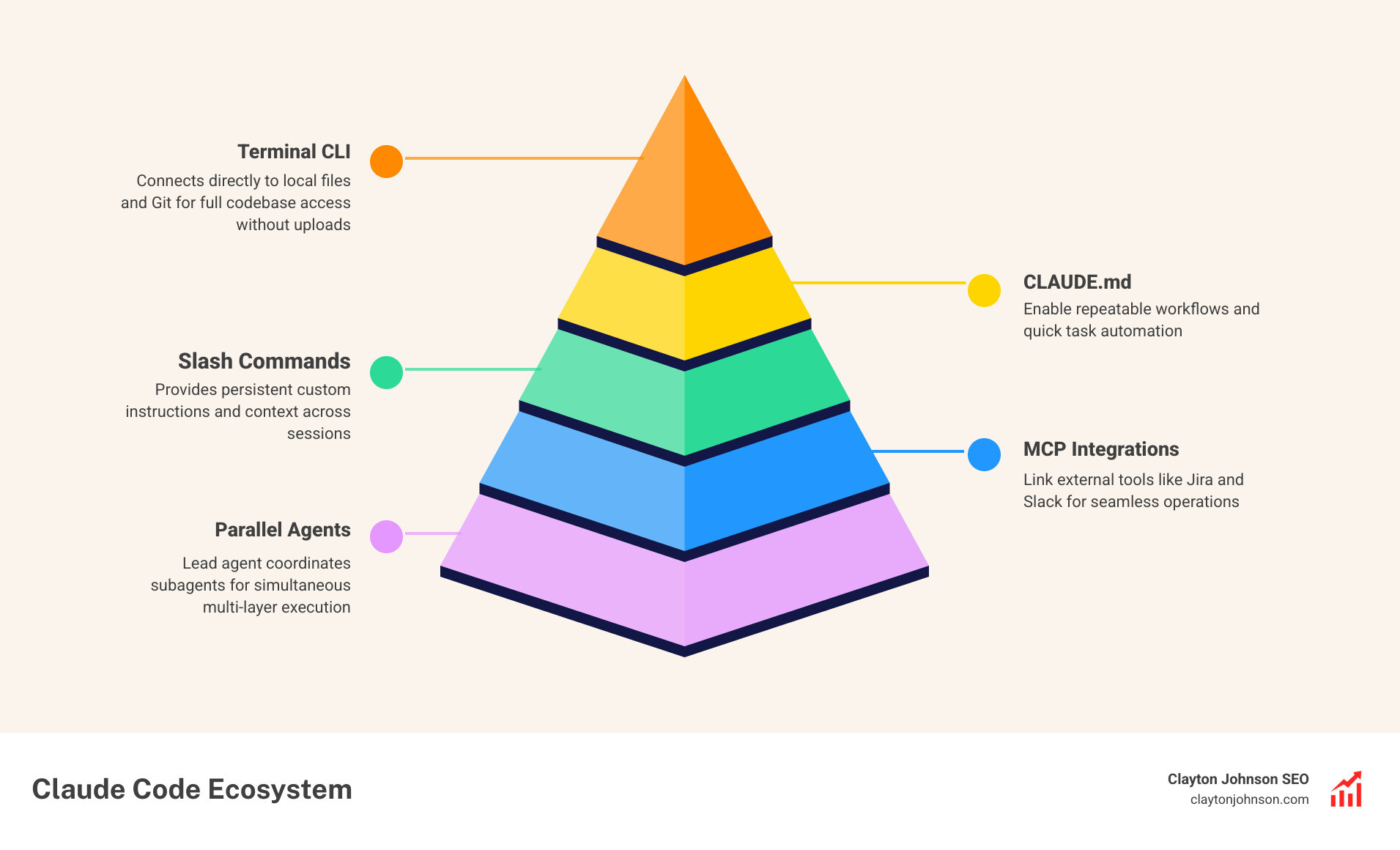
- Unique features: CLAUDE.md custom instructions, slash commands, hooks, and multi-agent teams
The shift is profound. Kent Beck noted after 52 years of coding that 90% of traditional programming skills are becoming commoditized while the remaining 10% becomes worth 1000x more. Claude Code exemplifies this inflection point—teams report 5x productivity gains, and weekend projects that once required months of development now complete in hours with $150 in credits.
I’m Clayton Johnson, and I’ve spent years building SEO-driven growth systems and AI-augmented marketing workflows for founders and operators. Through hands-on work with Claude AI code generation, I’ve seen how strategic orchestration of AI agents transforms not just coding speed, but the entire approach to building scalable systems and automating knowledge work.
Claude AI code generation terms to know:
What is Claude Code and How Does it Power Claude AI Code Generation?
Claude Code is not just another chatbot; it is an “agentic” tool. This means it doesn’t just suggest code—it executes it. While the standard Claude interface at Claude.ai is excellent for general queries, it requires you to manually copy and paste code, upload files, and manage context windows. Claude Code, on the other hand, lives in your terminal and has direct access to your local files.
According to the Claude Code overview, this tool is designed to read your codebase, plan a path forward, edit the files, and even run terminal commands to verify its work. It bridges the gap between “thinking” and “doing.” When we talk about mastering the Claude AI code generator, we are looking at a system that understands the full context of your project without you needing to explain it every time.
| Feature | Browser-based Claude | Claude Code (CLI/Agentic) |
|---|---|---|
| File Access | Manual upload only | Automatic local file access |
| Execution | Code snippets only | Runs shell commands/tests |
| Context | Single chat window | Persistent local context |
| Portability | Locked to platform | Markdown-based portability |
| Parallelism | Sequential chats | Simultaneous agent teams |
This difference matters because it changes the AI from a question-answering service into a member of your engineering team. It uses the Model Context Protocol (MCP) to connect with external data, allowing it to pull in information from Jira, Slack, or Google Drive to inform its code generation.
Setting Up Your Environment for Professional AI Development
Setting up Claude AI code generation is surprisingly straightforward, even if you aren’t a veteran terminal user. The goal is to move beyond the browser and create a workspace where Claude can see your files as they change in real-time.
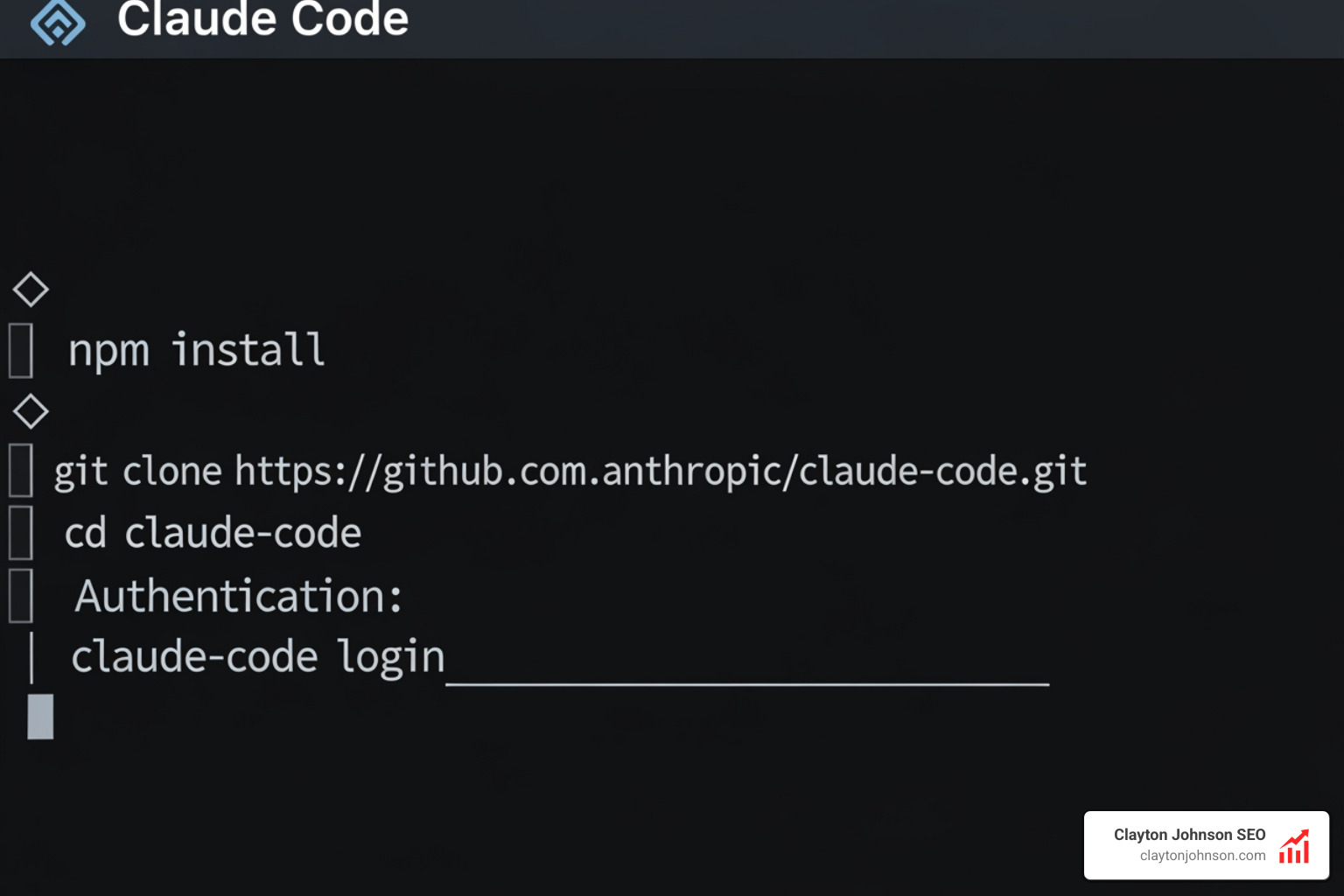
Before you begin, ensure you have Node.js installed. This is the JavaScript runtime that Claude Code uses to execute on your machine. For Windows users, we highly recommend using the Windows Subsystem for Linux (WSL), which provides a more robust environment for these types of tools. Once Node.js is ready, you’ll need an API key from the Anthropic Console to authenticate your local session.
While the terminal is the powerhouse, many of us prefer working within an IDE. You can supercharge your IDE with Claude extensions for VS Code or JetBrains, which bring Claude’s logic directly into your sidebar, offering live diff views and inline code suggestions.
Installing Claude Code for Local Claude AI Code Generation
To get started with Claude AI coding 101, you only need a few commands.
For macOS or Linux users, open your terminal and run:
curl -fsSL https://claude.ai/install.sh | bash
Windows users can use the PowerShell equivalent:
irm https://claude.ai/install.ps1 | iex
Once installed, simply navigate to your project folder and type claude. The tool will guide you through the initial setup, including logging in and configuring your preferences. This “vibe coding” approach allows you to focus on the intent of your software rather than the syntax of your configuration files.
Advanced Features: Slash Commands, Agents, and CLAUDE.md
The real “superpower” of Claude Code lies in its ability to be customized. Unlike a standard LLM that resets every session, Claude Code uses local files to maintain a memory of how you like to work.
One of the most vital components is the CLAUDE.md file. By placing this in your project root, you can define:
- Coding standards: (e.g., “Always use TypeScript and functional components.”)
- Architecture decisions: (e.g., “We use Tailwind CSS for all styling.”)
- Review checklists: (e.g., “Check for mobile responsiveness before finishing.”)
You can also learn how to extend Claude with custom agent skills by creating slash commands. For example, a /review-pr command could trigger a specific set of checks that Claude performs before you push code to GitHub.
Orchestrating Agents for Complex Claude AI Code Generation
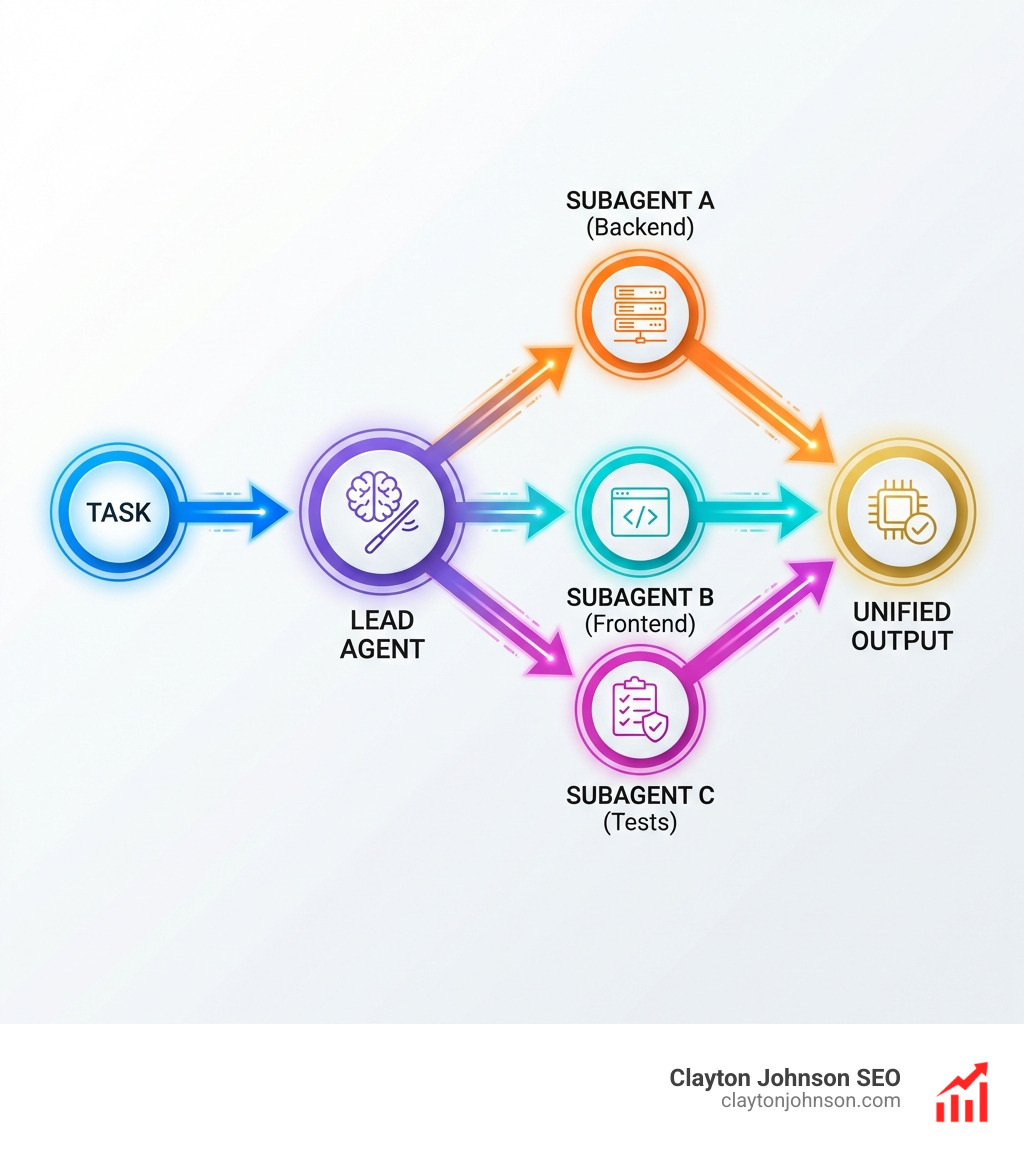
When a task is too big for a single prompt, Claude Code employs its agentic capabilities. It can spawn subagents—essentially “mini-Claudes”—to handle different parts of a project simultaneously.
Imagine you are building a full-stack feature. A lead agent coordinates the effort, while one subagent handles the backend API, another builds the React components, and a third writes the unit tests. This complete guide to Claude coding workflows shows that parallel processing can reduce hours of work into minutes. It’s like having a 40-person engineering team that you can manage from a single terminal prompt.
Real-World Workflows for Developers and Non-Technical Users
We often see people assume that Claude AI code generation is only for “hardcore” developers. In reality, it’s a game-changer for product managers, researchers, and SEO specialists.
Take competitive analysis, for example. In a browser, you might spend an hour researching 15 competitors, copying data into a Google Doc, and asking Claude to summarize it. With Claude Code, you can create a reusable slash command that researches pricing, features, and positioning for those 15 competitors in parallel. What took an hour now takes two minutes.
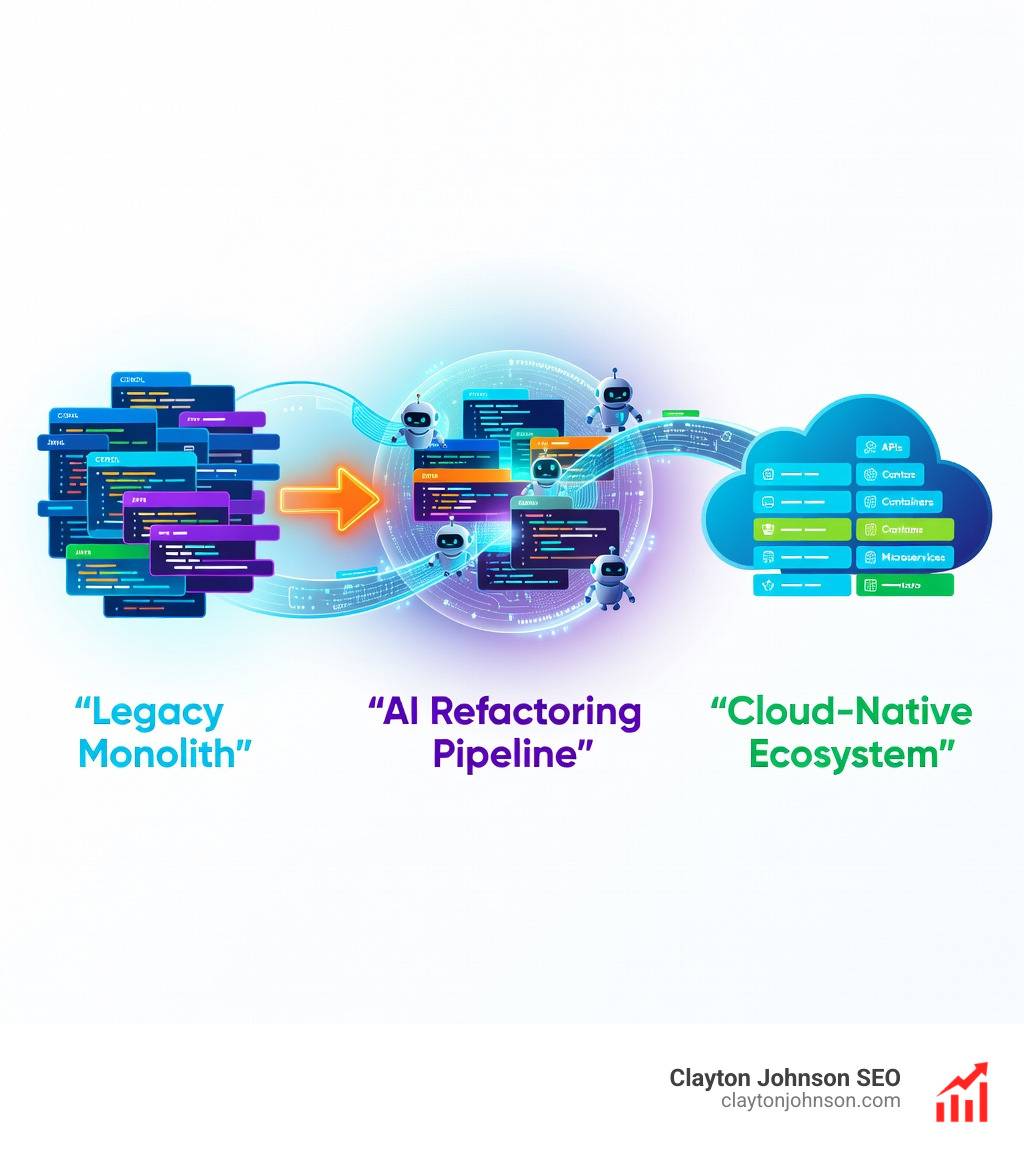
Another powerful use case is legacy migration. One user reported porting an obscure 1999 blog format to a modern Python CMS and migrating a massive U.S. government Access database to a web app—all in one weekend. This is possible because Claude Code doesn’t just write code; it handles data portability. Since everything is stored in markdown or text files, you own your data and avoid vendor lock-in. If you ever wanted to switch, you could point Codex at the same files and continue working.
For those concerned about code quality, AI code review tools integrated into Claude Code can catch bugs, linting errors, and security vulnerabilities before they ever reach production. This is particularly useful when mastering AI coding workflows on GitHub, as Claude can autonomously handle merge conflicts and write descriptive commit messages.
Frequently Asked Questions about Claude Code
How does Claude Code pricing work?
Claude Code itself is free to install via npm or native installers. However, the “intelligence” requires a Claude subscription. Most users will need a Claude Pro or Max plan (starting at $20/month) to access the advanced models like Claude 3.5 Sonnet.
For high-volume users or those building custom tools via the Agent SDK, usage is often billed via the Anthropic Console on a per-token basis. It’s not uncommon for intensive weekend projects to consume $100–$150 in credits, but the trade-off is completing months of human labor in a few days.
Is Claude Code better than GitHub Copilot or Cursor?
The answer depends on your workflow. GitHub Copilot is primarily an autocomplete tool that lives inside your editor. Cursor is a dedicated IDE built around AI. Claude Code is unique because it is “agentic” and terminal-focused.
It follows the Unix philosophy of composability—you can pipe log files into Claude (tail -f app.log | claude -p 'Slack me if you see anomalies') in a way that IDE-bound tools can’t easily replicate. In the battle of the bots, Claude often wins on reasoning depth and its ability to handle complex, multi-file refactors autonomously.
Can non-technical users use Claude Code?
Absolutely. You only need to learn 3 or 4 terminal commands to get started. If you can type cd my-project and claude, you can use it. Claude handles the “how” while you focus on the “what.”
For a product manager, this might mean asking Claude to “Analyze these 10 CSV files and create a summary report in markdown.” You aren’t “coding” in the traditional sense; you are orchestrating an agent to perform a technical task. This is why every developer needs an AI pack—it levels the playing field for anyone with a strategic vision.
Conclusion
The era of manual, line-by-line coding is shifting toward a model of strategic orchestration. Claude AI code generation represents the most advanced version of this shift, giving you a tool that doesn’t just talk about code but lives within it. By leveraging agentic subagents, local context, and the Model Context Protocol, you can build systems that compound in value over time.
At Clayton Johnson SEO, we focus on helping founders and marketing leaders use these AI-assisted workflows to diagnose growth problems and execute with measurable results. Whether you are looking for SEO content marketing services or a partner to help you navigate the new AI landscape, we provide the frameworks you need to scale.
The future of development isn’t about knowing every syntax rule; it’s about knowing how to steer the AI. Start with Claude Code today, and see how much faster you can turn your ideas into reality.