AI Content System Setup: Teaching Your Robot to Write

Why Most AI Content Efforts Fail Without Proper System Setup
AI content system setup is the process of configuring integrated infrastructure that connects AI models, communication channels, workflow automation, and brand guidelines to generate, distribute, and manage content at scale. Here’s what you need:
- Choose an AI provider — Claude, GPT-4, or Ollama (local)
- Set up a gateway or core service — clawbot, n8n, or platform-specific tools
- Connect communication channels — WhatsApp, Telegram, Discord, Slack, or WordPress
- Define system instructions — Brand voice, prompting frameworks, custom actions
- Integrate workflow automation — Zapier, n8n, CrewAI, or native integrations
- Implement security measures — API key management, RBAC, Zero Data Retention
- Test, iterate, and scale — Monitor usage, refine prompts, expand capabilities
Most marketing teams treat AI like a vending machine: press a button, get generic output, feel disappointed.
The problem isn’t the AI. It’s the lack of infrastructure.
Without structured setup, you get:
- Generic, robotic content that sounds like everyone else
- Disconnected workflows where AI lives in isolation from your actual tools
- Inconsistent brand voice across channels and formats
- Manual bottlenecks that defeat the purpose of automation
- Security and privacy gaps when using consumer-grade tools for business content
Real AI content systems work differently. They’re not standalone tools—they’re integrated infrastructure that connects models, channels, brand guidelines, and workflows into a cohesive engine.
Think of it like this: AI tools are individual instruments. An AI content system setup is the orchestra that makes them work together.
The difference shows up in results. Properly configured systems can automate 10-15 hours of weekly content work while maintaining brand consistency, context awareness, and strategic alignment. Poor setups create more work than they save.
This guide walks through the complete process—from choosing the right AI provider to configuring gateways, connecting channels, writing effective system instructions, automating workflows, and scaling securely.
I’m Clayton Johnson, and I’ve spent years building structured growth infrastructure for marketing operations. My work on AI content system setup focuses on turning fragmented tools into cohesive execution systems that compound over time rather than create operational drag.
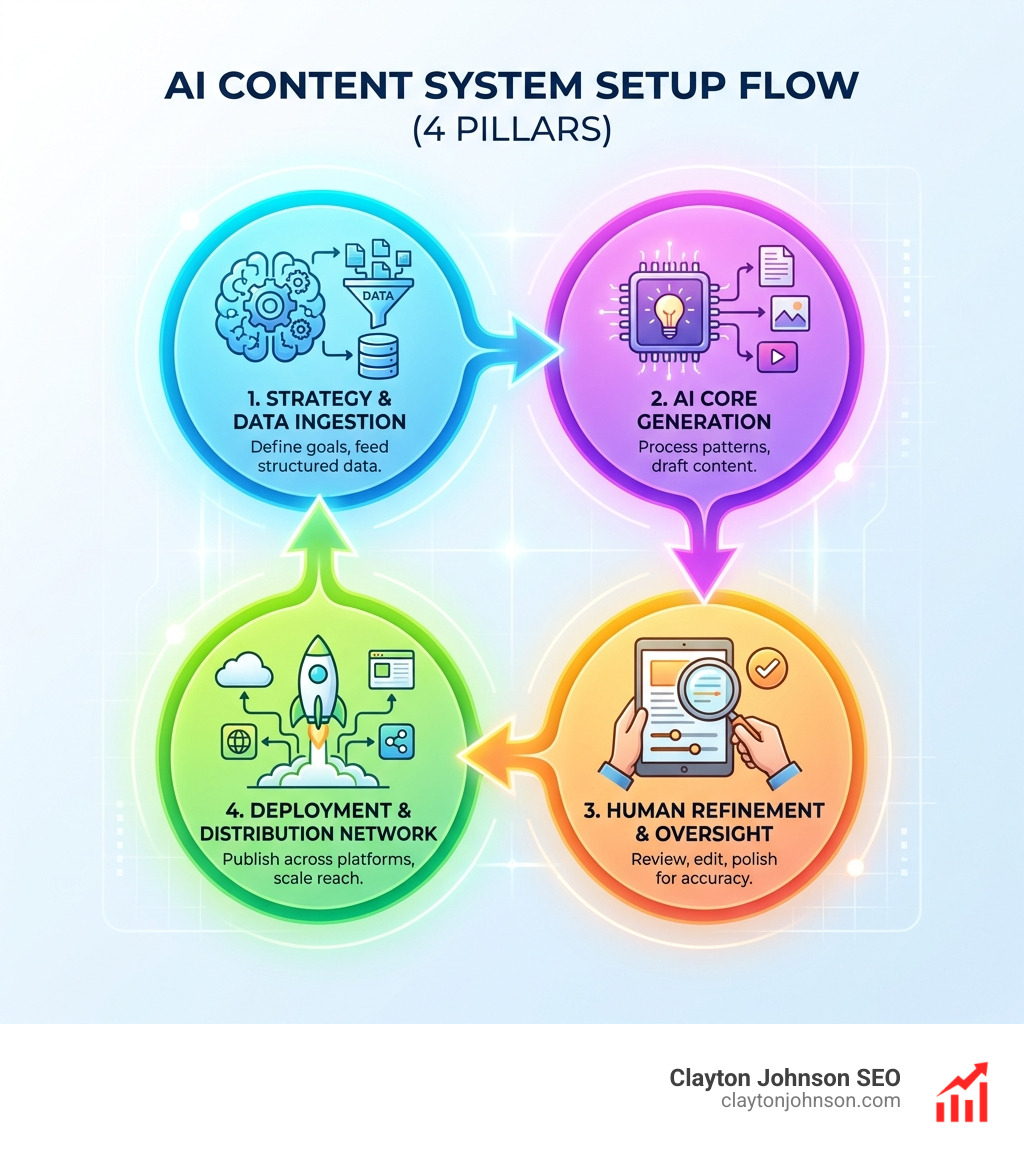
Understanding the Core Components of an AI Content System Setup
To build a system that actually works, we need to distinguish between basic AI tools and AI content agents. A basic tool (like a standard ChatGPT window) is reactive; it waits for you to type and then stops. An AI agent is proactive. It has “agency,” meaning it can use tools, browse the web, and execute multi-step workflows to achieve a goal.
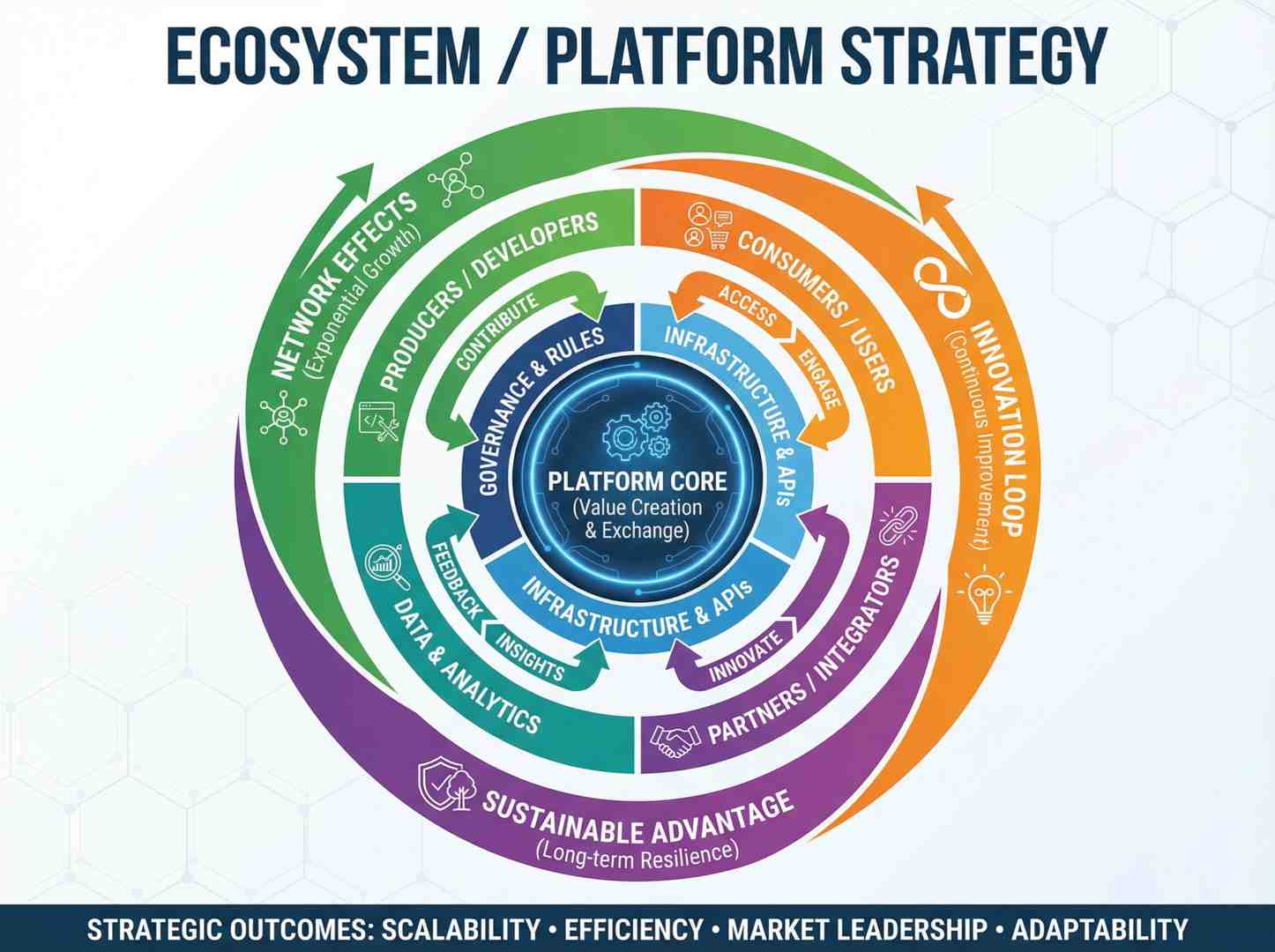
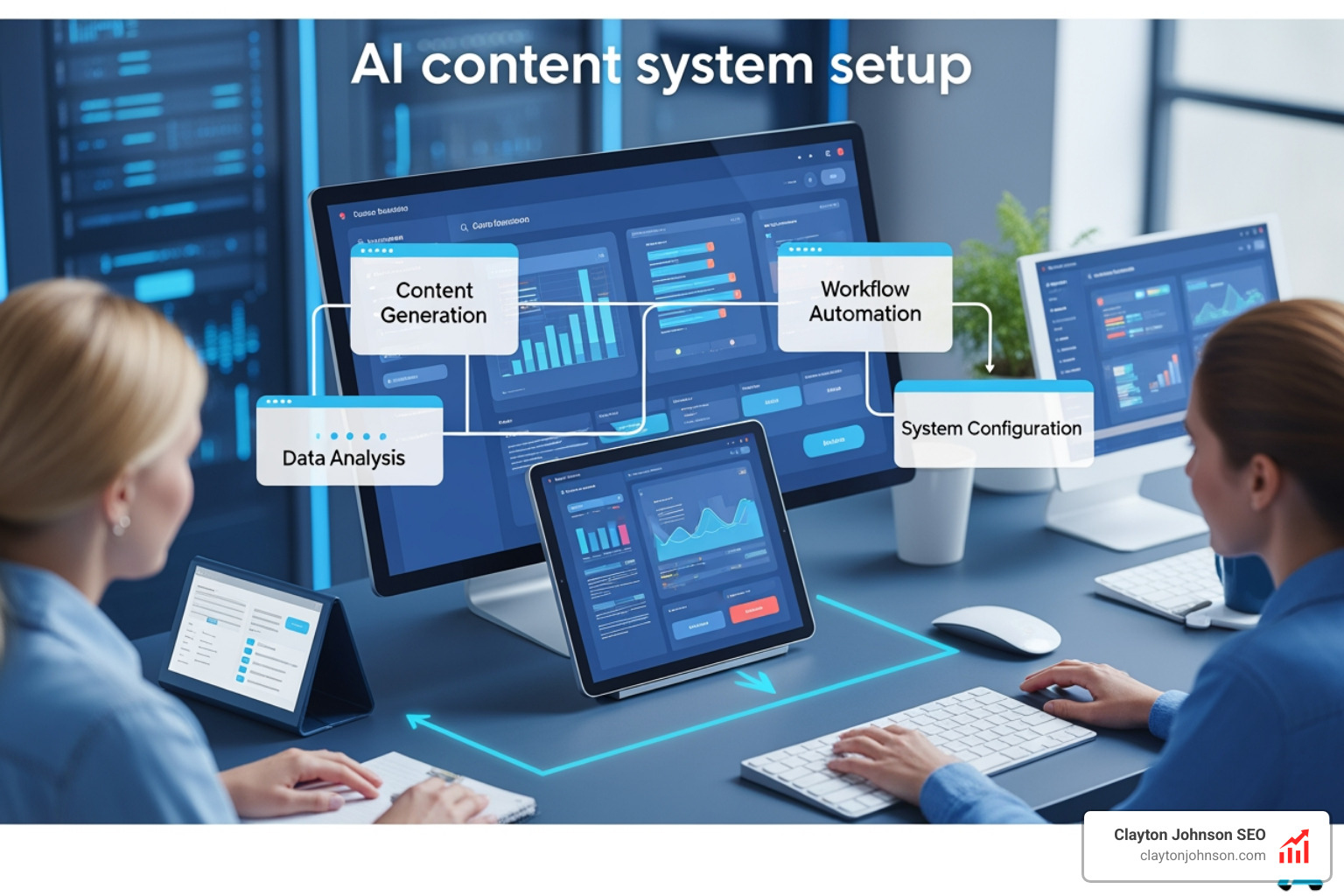
A professional AI content system setup involves three primary layers:
- The Brain (Large Language Models): This is where the reasoning happens. We use models like DALL-E for visuals and Jasper or Claude for text.
- The Nervous System (Workflow Automation): This connects the brain to your hands. Tools like n8n, Zapier, or CrewAI move data between your AI and your publishing platforms.
- The Interface (Communication Channels): This is how you interact with the system—whether through Slack, Discord, or a custom dashboard.
Comparing Core AI Models
Choosing your “brain” is the most critical decision. Each model has a different personality and cost structure.
| Feature | Claude (Anthropic) | GPT-4o (OpenAI) | Ollama (Local) |
|---|---|---|---|
| Best For | Reasoning & Nuance | Creativity & General Knowledge | Privacy & Zero Cost |
| Context Window | 200k+ Tokens | 128k Tokens | Varies by Hardware |
| Typical Cost | ~$20-40/mo (API) | ~$25-50/mo (API) | $0 (Self-hosted) |
| Security | High (Enterprise focus) | Standard | Absolute (Offline) |
Prerequisites for a Professional Infrastructure
Before we start clicking buttons, we need to establish the foundational infrastructure. Think of this like setting up a private email server; you aren’t just installing an app, you’re establishing control over your digital environment.
1. API Access and Credentials
Create accounts in the Anthropic Console and the OpenAI Platform. These dashboards issue API keys, which act like secure passwords that let your apps, workflows, and AI tools communicate reliably.
Pro tip: Copy each API key right away and store it in a password manager. Most providers only display the full key once for security.
2. Hardware and Software Environment
If you plan to run local components or a gateway, you’ll need:
- Node.js 22 or higher: Essential for real-time communication and performance.
- RAM: At least 4GB for cloud-connected systems; 8GB+ if you want to run models locally via Ollama.
- A “Brand Blueprint”: This is a document detailing your mission, vision, voice, and ideal customer profiles. Without this, your AI will default to “generic robot” mode.
If you’re looking for more info about SEO content marketing, the system is only as good as the strategy driving it.
Choosing the Right Model for Your AI Content System Setup
We often recommend Claude for businesses that prioritize deep reasoning and long-form content. Claude’s long context window allows you to upload entire books or years of blog posts as “Project Knowledge,” ensuring every new piece of content is perfectly aligned with your history.
For visual-heavy workflows, integrating tools like Lumen5 can turn your text-based AI outputs into social media videos automatically. If privacy is your #1 concern—perhaps you’re dealing with sensitive legal or medical data—Ollama is the way to go. It runs entirely on your hardware, meaning no data ever leaves your office.
Step-by-Step Configuration and Integration
Once the prerequisites are met, it’s time for the actual AI content system setup. We’ll focus on establishing a “Gateway”—the central hub that routes messages between your AI and your tools.
Step 1: Install the Gateway
For those building a custom infrastructure, tools like clawbot or n8n serve as the gateway. If you are using clawbot, you’ll download the installer for your OS (macOS, Linux, or Windows via WSL2).
- Action: Run the installer and launch the service. It will typically create a WebSocket server on a specific port (like 18789) to handle traffic.
- Reference: Follow the clawbot Guide for specific shell commands.
Step 2: Configure the AI Provider
You’ll need to edit your configuration file (usually a .json or .env file). This is where you paste those API keys we gathered earlier.
{
  "provider": "anthropic",
  "api_key": "your-key-here",
  "model": "claude-3-5-sonnet"
}
Step 3: Headless CMS Integration
If you are managing a large volume of content, a tool like Directus is invaluable. In the Directus AI Setup, you navigate to Settings > AI and enter your provider details. This allows your content team to use AI directly inside their writing environment.
Connecting Channels and Tools to Your AI Content System Setup
An AI that lives in a browser tab is a lonely AI. To make it useful, we connect it to the places your team actually works.
- Communication Apps: Use the CLI or dashboard to add channels. For example,
clawbot channel add telegram. This allows you to send a message on Telegram like “Draft a 500-word post about SEO architecture,” and the system will execute it. - Team Collaboration: Integrating with Slack Features or Discord is great for teams. You can set up “Agent Mode” where the AI monitors specific threads and provides data-backed answers.
- External Integrations: Connect to Zendesk Integration to help your support team draft replies, or use WordPress webhooks to push finished drafts directly into your CMS.
Best Practices for Brand Voice and Workflow Automation
The secret sauce of a successful AI content system setup isn’t the code—it’s the System Instructions. These are the persistent rules that tell the AI who it is and how it speaks.
The Prompting Formula
We use a 4-step formula for all system instructions:
- Role: “You are the Lead Growth Strategist for Clayton Johnson.”
- Task: “Your job is to repurpose podcast transcripts into SEO-optimized blog posts.”
- Outcome/Context: “Use our Jasper Brand Voice guidelines. Avoid corporate jargon and focus on actionable architecture.”
- Format: “Output in clean Markdown with H2 and H3 headers.”
Human-in-the-Loop (HITL)
Never automate the final “Publish” button. AI is a world-class first drafter but a mediocre final editor. Your workflow should involve:
- AI: Generates outline and first draft.
- Human: Edits for “personality,” fact-checks, and adds unique insights.
- Automation: Once the human marks the status as “Approved,” Zapier or n8n pushes it to social media and email newsletters.
Using Copy.ai Workflows can help automate these multi-step processes, ensuring that a single piece of content (like a video) is automatically sliced into a newsletter, five tweets, and a LinkedIn post.
Security, Privacy, and Scaling Your Infrastructure
As you scale from a single user to an enterprise-level system, security becomes paramount. You aren’t just protecting your API keys; you’re protecting your intellectual property.
1. Role-Based Access Control (RBAC)
Don’t give every team member full access to your most expensive models. Use RBAC to define who can administer the system and who can simply use the “skills” you’ve built.
2. Zero Data Retention (ZDR)
For maximum privacy, check the OpenAI Security settings. ZDR ensures that the data you send to the API isn’t used to train future models. This is a non-negotiable for enterprise-grade setups.
3. Cost Management
AI costs can spiral if left unchecked.
- Set hard limits: Most providers allow you to set a monthly “kill switch” at a certain dollar amount.
- Model Routing: Use cheaper models (like GPT-4o-mini or Claude Haiku) for simple tasks like formatting, and save the “big brains” (Opus or GPT-4o) for strategy and complex writing.
For businesses in Minneapolis looking to implement these systems, getting more info about SEO consulting can help ensure your technical setup aligns with your actual growth goals.
Frequently Asked Questions about AI Content Systems
How do I avoid generic AI output?
Generic output is a symptom of “Rubbish In, Rubbish Out.” To fix it, provide structured input via a “Brand Blueprint.” This document should include your brand’s unique vocabulary, mission, and “anti-goals” (things you never say). Also, always provide a “seed” of original content—like a transcript or a rough outline—rather than asking the AI to “write something from scratch.”
What are the ongoing costs of an AI content system?
Expect to pay for:
- API Credits: Billed by usage (roughly $0.01 to $0.05 per 1,000 words).
- Subscription Fees: Tools like Jasper ($59/mo) or Copy.ai ($24/mo) for their user interfaces.
- Hosting: If you run an AI gateway on a cloud server (like DigitalOcean or AWS), expect $6-$20/month.
Can I run an AI content agent locally for privacy?
Yes! Using Ollama, you can run open-source models like Llama 3 or Mistral on your own computer. This provides total data sovereignty and costs $0 in API fees, though it requires a powerful computer with a dedicated GPU and plenty of RAM to run at a usable speed.
Conclusion
A successful AI content system setup is the difference between a team that is constantly drowning in deadlines and a team that operates with structured leverage. By moving away from one-off prompts and toward a connected infrastructure, you create a growth engine that compounds over time.
At Clayton Johnson, we don’t just use AI to crank out more content. We help you set up a real AI content system: the processes, guardrails, and integrations that turn strategy into consistent output. Whether you’re building taxonomy-driven SEO or automating parts of your workflow with AI, the aim stays the same: Clarity, Structure, and Leverage.
Ready to stop chasing tactics and start building infrastructure? Work with me for SEO content marketing and let’s build a system that actually moves the needle.