Why Your Content Calendar Google Docs Setup is Better Than a Spreadsheet

Why a Content Calendar Google Docs Setup Beats a Blank Spreadsheet
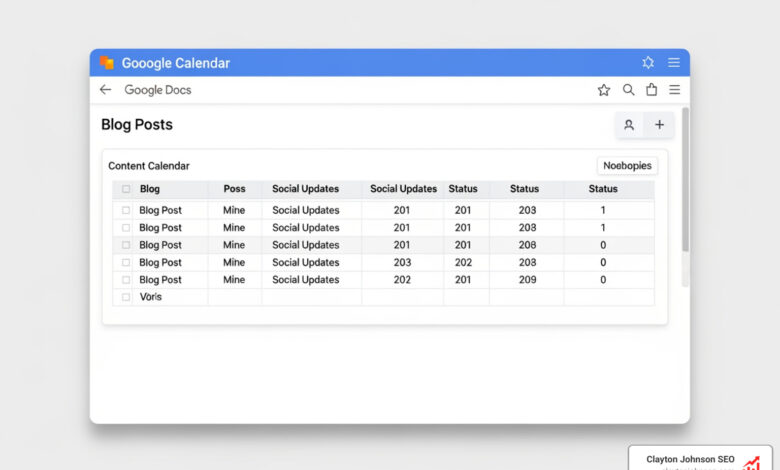
A content calendar Google Docs system is a shared document where you plan, organize, and track every piece of content you create — from blog posts to social media updates — in one place.
Here’s a quick look at how to set one up:
- Open Google Docs or Google Sheets and create a new file in your Google Drive
- Add core columns: topic, target keyword, content format, publish date, owner, and status
- Set up tabs or sections for different channels (blog, LinkedIn, email, etc.)
- Share with your team using Google Drive’s permission settings
- Treat it as a living document — update it every time a decision changes
A content calendar is not where you write the content. It’s where you decide what goes live, when, and why.
The real difference between a Google Docs calendar and a bare spreadsheet? Docs gives you narrative space — room to explain strategy, add context, and write briefs alongside your schedule. That makes it easier for teams to stay aligned without a meeting for every question.
I’m Clayton Johnson, an SEO strategist with nearly two decades of experience helping businesses build content systems that drive measurable organic growth — including building and refining content calendar Google Docs frameworks for B2B and enterprise clients. In the sections below, I’ll walk you through exactly how to build one that scales with your business.
How to Build a Content Calendar Google Docs System for Scalable Growth
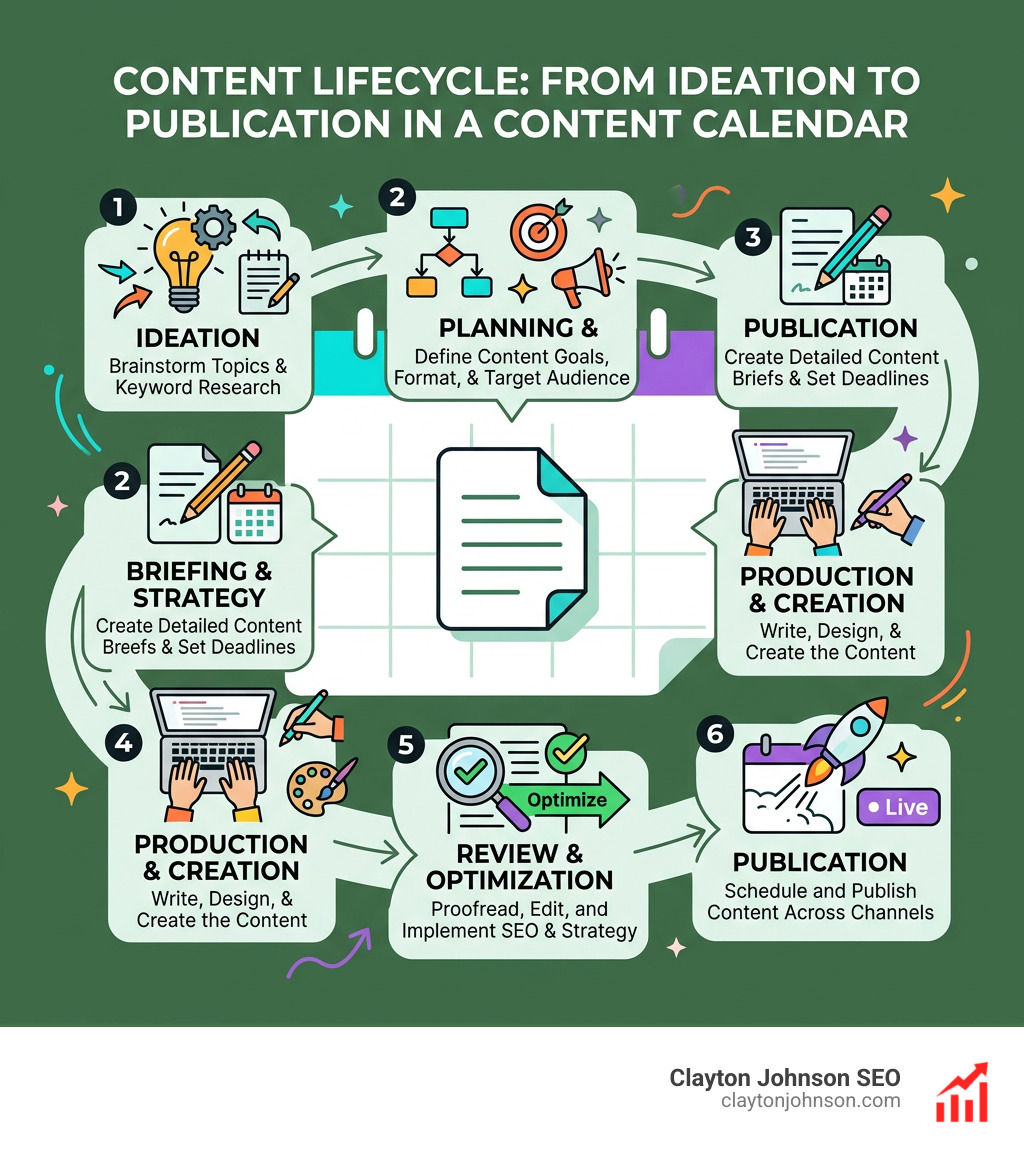
When we talk about a content calendar Google Docs setup, we aren’t just talking about a list of dates. We are talking about building a “single source of truth.” In our experience, the biggest mistake teams make is treating their calendar like a graveyard for ideas rather than a launchpad for execution.
To build for scale, we need to focus on content architecture. This means organizing your content so that it supports your broader business goals. Are you building authority in a specific niche? Your calendar should reflect that through clusters of related topics. This is where SEO / Content Strategy becomes vital. We want to move away from “spray and pray” marketing and toward a structured system.
One of the unique benefits of using Google Docs specifically for the narrative side of planning is that it allows for deep-dive brainstorming that spreadsheets often stifle. While Sheets is excellent for data tracking, Docs is where the “why” lives.
Comparing Google Docs vs. Google Sheets for Content Planning
| Feature | Google Docs | Google Sheets |
|---|---|---|
| Best For | Narrative briefs, strategy overviews, and long-form brainstorming. | Data tracking, status updates, and keyword repositories. |
| Collaboration | Inline commenting and suggestions are superior for text editing. | Better for assigning tasks and filtering by “Status” or “Owner.” |
| Visuals | Good for embedding images and mood boards. | Best for “Bird’s Eye View” of the entire month or quarter. |
| Automation | Limited. | High potential with App Script and Zapier. |
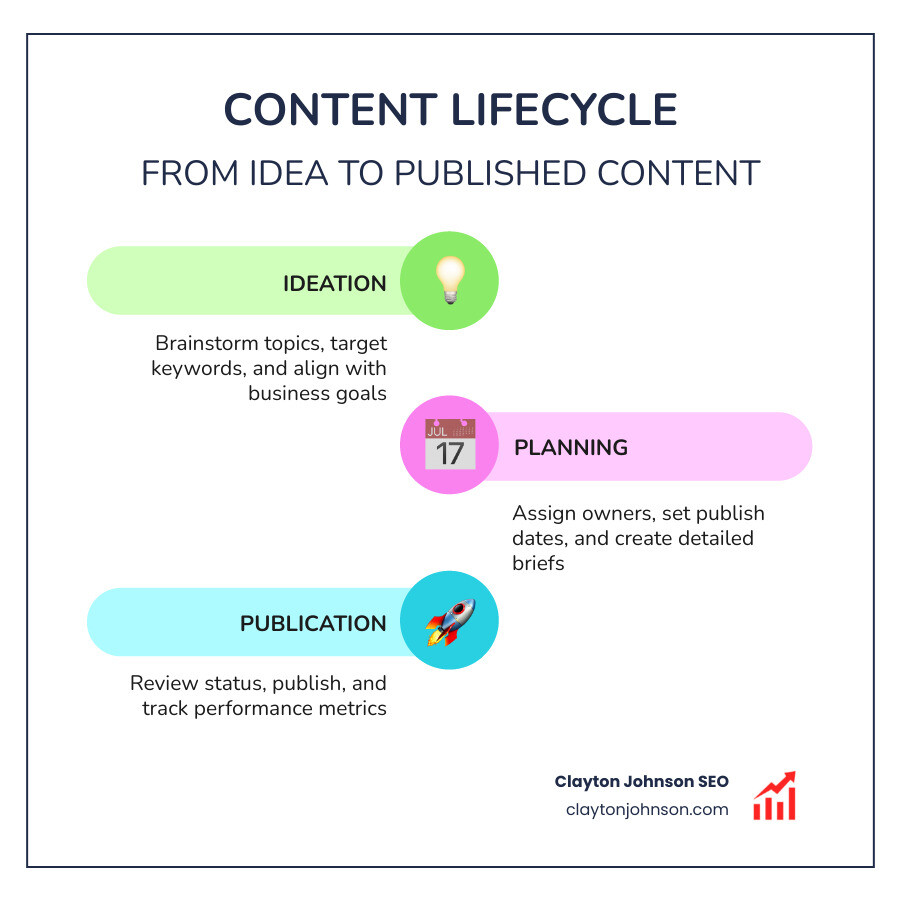
By using these tools in tandem—linking your Google Doc briefs directly into your Google Sheets schedule—we create a robust content taxonomy that keeps everyone on the same page.
Step-by-Step Guide to Your Content Calendar Google Docs Setup
Building your system doesn’t have to be a nightmare. We recommend a “top-down” approach.
- Brainstorm High-Level Themes: Before you touch a single cell, decide on your content pillars. These are the broad categories that define your brand’s expertise.
- Establish Your “Keyword Universe”: Create a master list of keywords you want to own. We often include metrics like search volume and keyword difficulty here.
- Create the Master Document: Head into Google Drive and start a new Spreadsheet. This will be your “hub.”
- Define Your Workflow: We use stages like “Keyword Research,” “Brief WIP,” “Content Ready,” and “Published.” This ensures accountability.
- Collaborative Editing: Invite your team. Use the “Comment” feature to hash out ideas without cluttering the actual cells.
If you want to skip the manual labor, you can Download our Free Google Sheets Content Calendar Template to get a head start. For larger organizations, we often suggest building a robust AI content strategy to help automate the ideation phase within this setup.
Essential Fields for an Effective Content Calendar Google Docs
A calendar is only as good as the data you put into it. If we want to win the no-click game, we need to be intentional about every field. Here are the “must-haves” for your content calendar Google Docs or Sheets hub:
- Target Keywords: What are we trying to rank for?
- Buyer Persona: Who are we talking to? A “thought leader” persona needs different content than a “first-time buyer.”
- Funnel Stage: Is this Awareness (Top of Funnel), Consideration (Middle), or Decision (Bottom)?
- Status Tracking: Use dropdown menus (Data Validation) to keep this consistent.
- Internal Links: Link to the Google Doc draft and the final published URL.
- Metadata: Include space for Title Tags and Meta Descriptions so they don’t get forgotten during the upload process.
Customizing Templates for Social Media and B2B SaaS
Not all content is created equal. A B2B SaaS company has very different needs than a local lifestyle brand.
For B2B SaaS, we often look at templates like Tabitha Whiting’s, which separate high-level strategic roadmaps from daily execution. This is critical because B2B content often involves longer sales cycles and requires building authority through integrated blog and LinkedIn strategies.
If social media is your primary focus, you might check out this template from Hubspot. These templates often include platform-specific fields like character counts, hashtag lists, and image briefs. We always recommend learning how to build a social media strategy from scratch before you start filling in dates, as the “why” should always drive the “when.”
Collaboration and Team Sharing Best Practices
Google Drive is the engine that makes this work. But with great power comes the great responsibility of not deleting your coworker’s hard work.
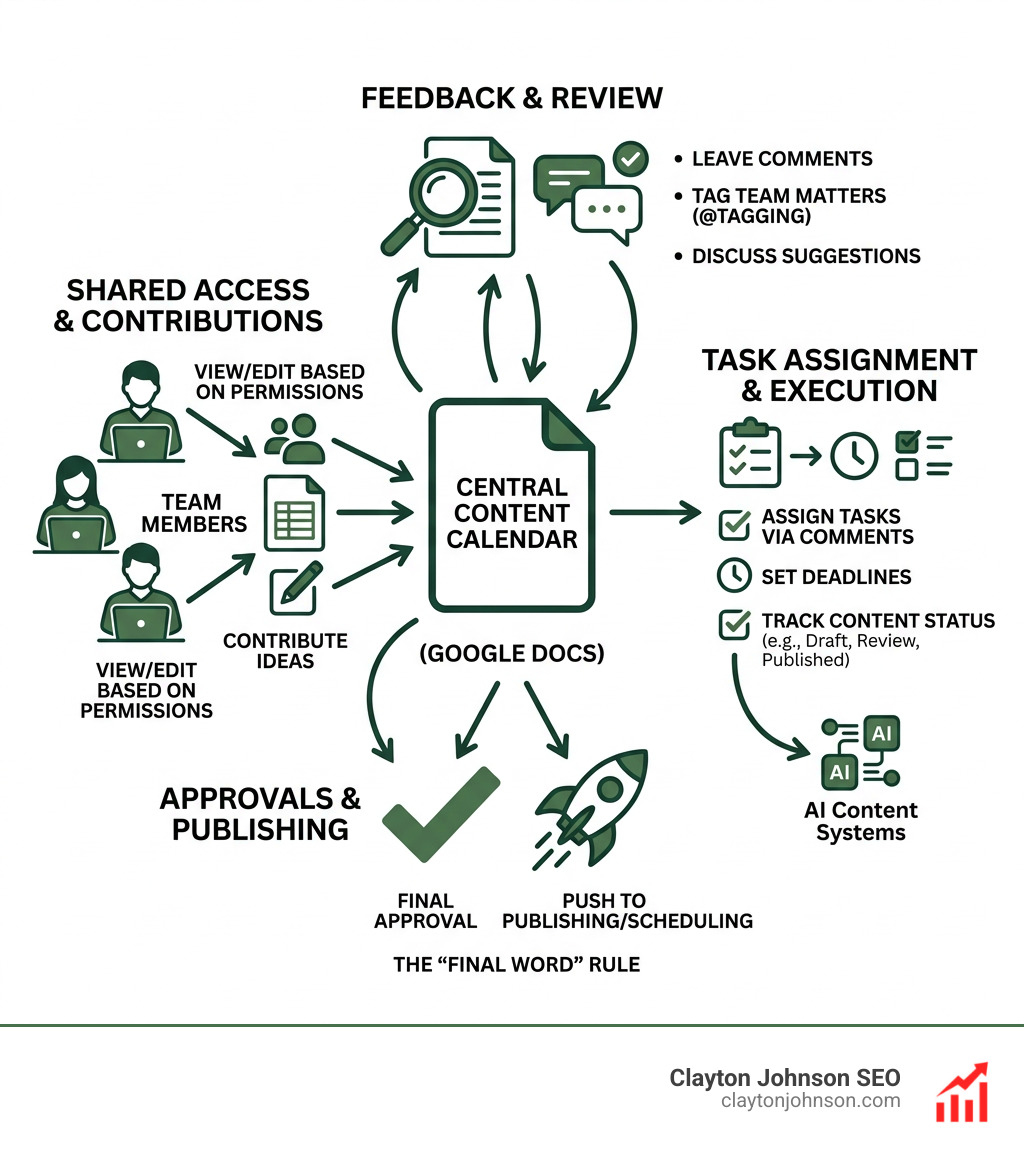
- Permission Levels: Use “Commenter” for stakeholders who just need to see what’s happening. Reserve “Editor” for the core content team.
- @Tagging: Use the “@” symbol in comments to assign tasks directly to team members. They’ll get an email notification, which cuts down on Slack noise.
- The “Final Word” Rule: We treat the spreadsheet as the final authority. If a date changes in a meeting, it must be updated in the sheet immediately.
- Centralized Assets: Link your AI content systems and style guides directly in the “Instructions” tab of your calendar so new hires can get up to speed in minutes.
Moving Beyond the Document: Automation and Performance Tracking
As your business grows, a manual content calendar Google Docs setup might start to feel a bit heavy. You might find yourself spending more time updating cells than actually creating content. This is a sign that your content operations are maturing.
According to Future Market Insights, the content calendar software market is valued at $426.6 million today and is projected to nearly triple in the next decade. This signals a massive shift toward structured, automated planning solutions.
But before you buy expensive software, you can do a lot with what you already have. We recommend performing a content audit every few months. Use your Google Sheet to track which posts are over six months old and might need a refresh.
Integrating AI and Automation into Your Content Calendar Google Docs
We love using automation to do the “dirty work.” By using tools like Zapier or Google App Script, you can turn your static sheet into a dynamic engine.
- Automated Reminders: Set up a trigger so that when a status changes to “Review Needed,” your editor gets a Slack message.
- Keyword Golden Ratio (KGR): You can actually program your Google Sheet to calculate KGR (allintitle results divided by search volume). This helps us prioritize low-competition keywords that can rank quickly.
- AI Content Audits: Why do the heavy lifting yourself? We suggest letting AI audit your content to find gaps in your strategy that your calendar might have missed.
When to Upgrade from Google Docs to Advanced Systems
There comes a time for every growing team when Google Docs hits a “scaling wall.” This usually happens when you have more than five people touching the calendar daily or when you’re managing content across multiple brands.
Common signs you’ve outgrown Docs:
- Version Control Issues: You aren’t sure which “FinalDraftv2″ is actually the final one.
- Lack of Integrations: You’re manually copying data from Google Analytics into your sheet.
- Performance Lag: The sheet takes 30 seconds to load because it has 5,000 rows.
When this happens, tools like Stackby or Notion offer a “spreadsheet-database” hybrid that handles complex workflows better. However, for most solopreneurs and small agencies, the simplicity and zero-cost of a content calendar Google Docs setup is unbeatable.
If you’re ready to take your system to the next level, we can help you with a smooth AI content system setup that bridges the gap between simple docs and enterprise-level automation.
Final Thoughts on Content Planning
At Clayton Johnson SEO, we believe that clarity leads to leverage. A well-organized content calendar Google Docs isn’t just an administrative task—it’s a strategic asset. It allows you to stop “posting and praying” and start building a compounding growth engine.
Whether you are a solopreneur or managing a large team, start simple. Use the templates, customize your fields, and most importantly, keep the document alive. Consistency is the only “secret” in content marketing that actually works.
Ready to turn your fragmented marketing into a coherent growth engine? Explore our SEO Content Marketing Services and let’s build a system that works for you.