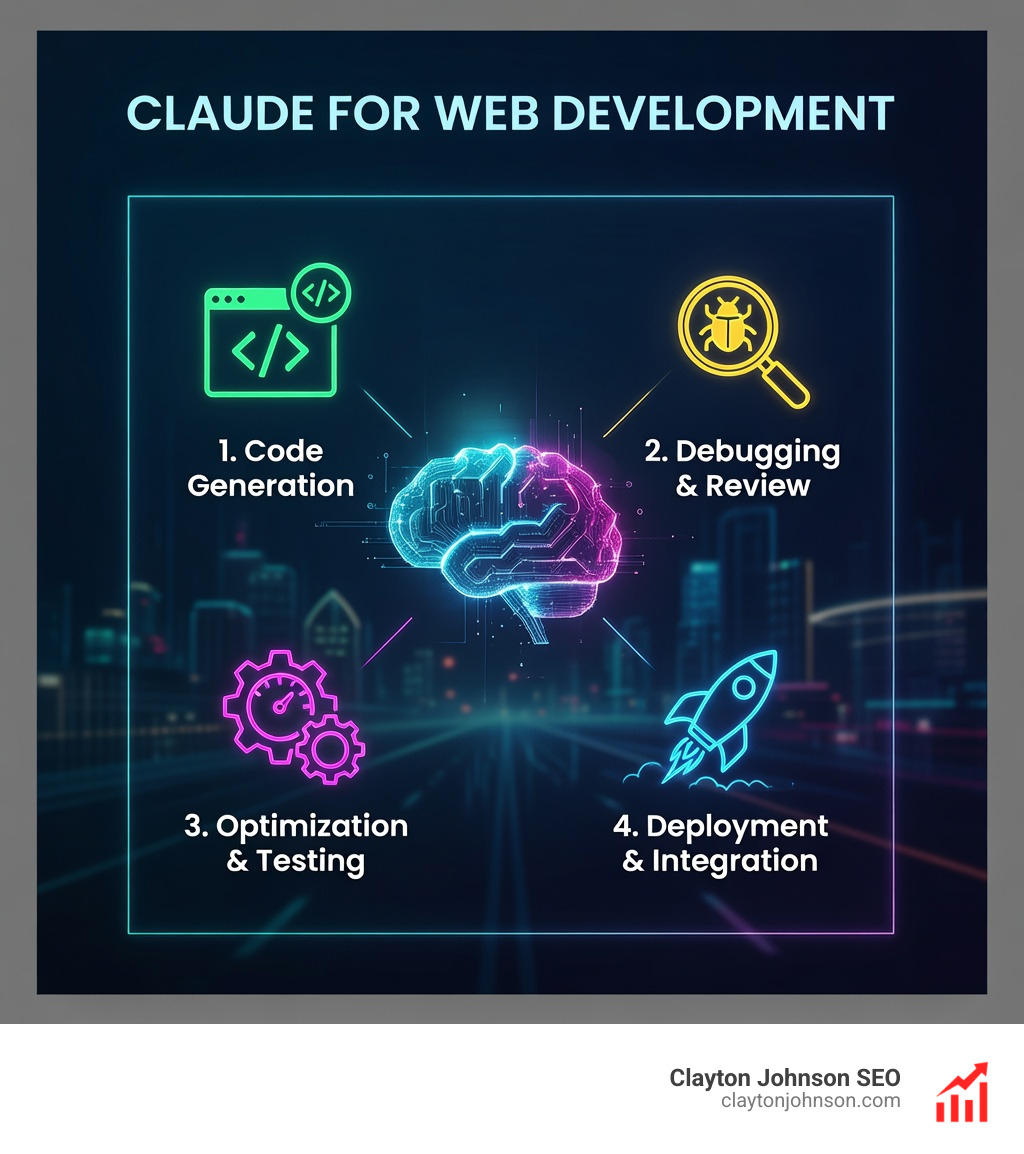
Claude for web development transforms how you build software—from rapid prototyping to production deployment. Whether you’re a founder without coding experience or a seasoned developer managing complex codebases, Claude handles everything from scaffolding full-stack applications to refactoring 18,000-line React components that other AI tools can’t touch.
Quick Answer: How to Use Claude for Web Development
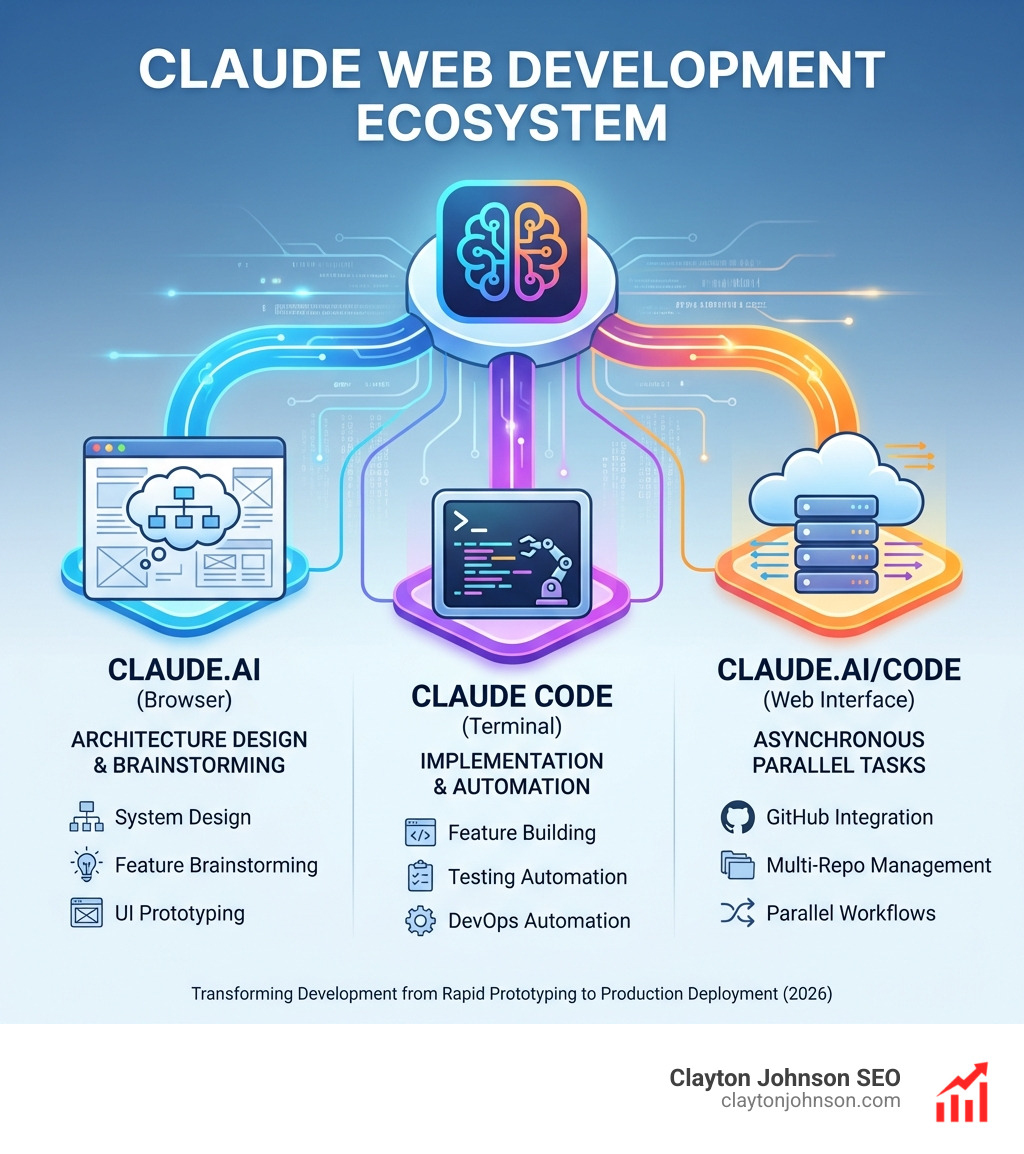
- Browser (Claude.ai) – Design system architecture, brainstorm features, prototype UI concepts
- Terminal (Claude Code) – Build features, write tests, automate DevOps, refactor code
- Web (claude.ai/code) – Run asynchronous tasks on remote containers, manage parallel workflows across repos
- Desktop/IDE – Access local files with persistent context, integrate with your existing workflow
Key capabilities:
- Generate production-ready code from natural language prompts
- Handle massive codebases with superior context management (200K+ tokens)
- Automate testing, documentation, and CI/CD workflows
- Build complete applications without writing code manually
- Integrate with GitHub, Slack, and external APIs via Model Context Protocol (MCP)
The difference is striking. One developer built five complete applications in a single weekend using Claude—porting a blog to a new CMS, creating a native macOS music app, migrating a legacy Access database to a modern web application, and more. Another built a full radio shuffle web app without knowing how to code, using advanced prompt engineering techniques that Claude’s extended context window makes possible.
Unlike ChatGPT or other AI coding tools that struggle with large contexts, Claude maintains coherence across entire projects. At Builder.io, their 18,000-line React component has been successfully updated only by Claude Code—no other AI agent has managed it.
I’m Clayton Johnson, and I’ve spent years building scalable SEO and growth systems that rely on technical architecture and AI-augmented workflows. Claude for web development has fundamentally changed how I approach content systems, tool development, and operational automation—turning weeks of coding work into hours of strategic prompting.
Simple guide to Claude for web development:
Claude for web development: Terminal vs. Browser-Based Workflows
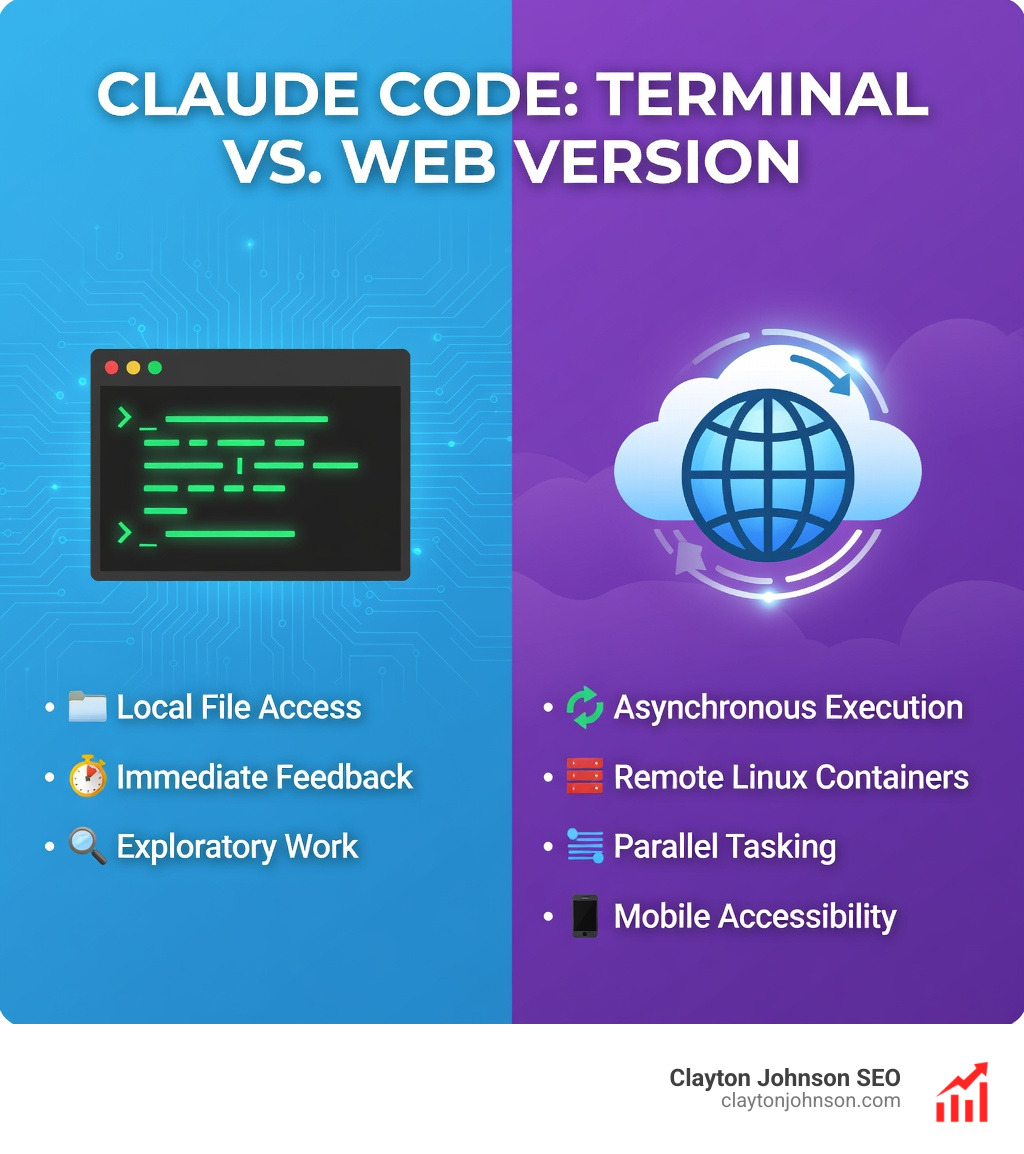
When we talk about Claude for web development, it is essential to distinguish between the two primary ways we interact with it: the standard browser-based chat (Claude.ai) and the agentic terminal tool (Claude Code).
The browser version is like having a brilliant consultant. You can paste snippets, ask for architectural advice, or brainstorm UI layouts. However, it lacks “hands.” It cannot see your whole project at once unless you manually upload files, and it certainly can’t run your tests or fix your linting errors.
Enter Claude Code overview. This is an agentic coding tool that lives in your terminal. It doesn’t just suggest code; it acts on it. It can read your entire codebase, edit files directly, execute shell commands, and even manage your git commits. This shift from a GUI (Graphical User Interface) to a CLI (Command Line Interface) is what makes it a powerhouse for the-complete-guide-to-how-claude-helps-your-coding-workflow.
Scaling Claude for web development: Handling 18,000-Line Components
One of the biggest hurdles in AI-assisted coding is “context drift.” Most LLMs start to hallucinate or lose track of details when a file gets too large. In the battle-of-the-bots-why-claude-is-winning-the-coding-war, Claude has proven to be the heavyweight champion of large-scale React refactoring.
A famous real-world example involves a React component at Builder.io that spanned a staggering 18,000 lines. While other AI agents choked on the sheer volume of code, Claude Code successfully navigated the complex state and updated the component without breaking it. This context window superiority allows us to maintain massive, legacy web projects that were previously considered “too big” for AI to help with.
Asynchronous Tasks and Parallel Execution on the Web
Anthropic recently launched claude.ai/code, a web-based version of their coding agent. This isn’t just a mirror of the terminal; it’s a remote execution environment.
When you use the web version, Claude sets up an isolated Linux container, grabs your GitHub repository, and gets to work. This enables:
- Asynchronous Workflows: You can give Claude a complex task—like “Refactor this entire folder to use TypeScript”—and walk away. It works in the background and creates a Pull Request when finished.
- Parallel Agents: You can launch multiple agents simultaneously. Imagine one agent researching 15 different competitors while another agent updates your documentation and a third fixes bugs in your API.
Building Full-Stack Applications Without Writing Code

The most exciting aspect of Claude for web development is how it democratizes creation. We’ve seen non-technical users build full-stack applications—like the “Radio Shuffle” site—without writing a single line of syntax themselves. This is made possible through claude-ai-coding-101-more-than-just-a-chatbot and a specific strategy called “two-thread prompting.”
The Two-Thread Strategy:
- Thread 1 (The Architect): You ask Claude for step-by-step instructions and logic without generating the actual code. This keeps the plan clean.
- Thread 2 (The Builder): You paste the instructions from Thread 1 and ask Claude to implement them. This prevents the AI from getting confused by too much conversational noise.
Mastering Claude for web development with Slash Commands and Agents
To truly supercharge your workflow, you need to move beyond simple chat. Claude Code supports slash commands, custom hooks, and Agent Skills.
By creating a CLAUDE.md file in your project root, you can give Claude persistent instructions. You might tell it, “Always use Tailwind CSS for styling” or “Ensure all API routes have rate-limiting.” You can even learn how-to-extend-claude-with-custom-agent-skills to connect Claude to your Jira tickets or Slack channels, creating a compounding system that gets smarter as your project grows.
From Prototyping to Production with Claude.ai and Claude Code
The ideal web development workflow follows a “brainstorm then build” pattern.
First, use Claude.ai’s Extended Thinking Mode to brainstorm your system architecture. Ask it to compare technologies—like “WebSocket vs. SSE for live data”—and evaluate the tradeoffs. Once you have a solid plan, you can mastering-the-claude-ai-code-generator-for-faster-development by moving to the terminal.
Claude Code can then scaffold your React + Express app, integrate JWT authentication, and set up your Tailwind CSS configuration in minutes. It acts as a senior engineer who handles the boilerplate while you focus on the high-level strategy.
How to Set Up Your Claude Web Development Environment
Getting started requires a few technical steps, but even non-coders can handle this in about ten minutes.
- Install Node.js: Visit Nodejs.org and download the latest stable version.
- Terminal Installation: Open your terminal (Command Prompt on Windows or Terminal on Mac) and run the installation script provided by Anthropic.
- API Access: You’ll need an Anthropic Console account to generate an API key. This key allows Claude Code to communicate with the “brain” in the cloud.
Automating Repetitive Workflows and Documentation
One of the biggest time-sinks in web development is the “boring stuff.” Claude excels at automating these tasks so you can supercharge-your-ide-with-these-claude-coding-extensions.
- Competitive Analysis: You can set up a slash command that researches 15 competitors in parallel and generates a markdown comparison table.
- Documentation Updates: Claude can review your recent git commits and automatically update your
CHANGELOG.mdor README. - Linting and TDD: You can tell Claude, “Write a test for this auth module, run it, and fix any failures until it passes.” This is the essence of Test-Driven Development (TDD) on autopilot.
Advanced Maintenance: Refactoring and Legacy Migrations
Maintenance is where most developers lose their minds. Claude for web development makes it feel like a breeze. We recently analyzed a session where Claude refactored a complex permission system. It identified shared UI patterns across multiple files and autonomously created a BasePermissionRequest component, reducing code duplication by over 60%.
Claude is also remarkably good at legacy migrations. Users have successfully:
- Migrated legacy Microsoft Access databases (with 50+ tables and 8,000 variables) to modern web apps.
- Ported old Python blogs to modern CMS architectures.
- Converted large JavaScript projects to TypeScript to improve type safety.
This ability to handle the-secret-sauce-of-codegen-and-ai-tool-extensions means your “tech debt” doesn’t have to be a life sentence.
Overcoming Limitations and Best Practices
While Claude is powerful, it isn’t magic. To get the best results, you must follow these best practices:
- Define Success Criteria: Don’t just say “Fix the bug.” Say “Fix the login bug so that users are redirected to the dashboard, and ensure the ‘Invalid Password’ error message still appears.”
- Human-in-the-Loop: Always review the diffs (changes) Claude proposes. Use ai-code-review-tools-because-your-coworkers-are-tired-of-your-typos to verify the logic.
- Security Red Teaming: Be cautious about giving AI tools full internet access or write permissions to sensitive production databases without oversight.
Frequently Asked Questions about Claude for Web Development
How does Claude Code compare to Cursor for large-scale projects?
While Cursor is a fantastic AI-powered IDE, Claude Code often wins in the battle-of-the-bots-why-claude-is-winning-the-coding-war when it comes to massive files. Cursor can sometimes struggle with resolving patches in 10,000+ line files, requiring “babysitting.” Claude Code handles these large-scale updates with significantly less friction and higher reliability.
Can non-technical users really build full web apps with Claude?
Yes. By using the “two-thread” strategy and focusing on claude-ai-coding-101-more-than-just-a-chatbot, non-coders have built functional clones of streaming platforms and complex database tools. The key is to let Claude suggest the hosting setup (like Hostinger or Vercel) and provide step-by-step instructions for every move.
What are the usage limits for Claude Code compared to the Pro plan?
Claude Code usage is typically billed via API credits or through higher-tier plans like the “Max” plan. The Max plan can provide 5–20x more usage than the standard Pro plan, which is necessary for complex tasks like porting legacy apps or running parallel research agents. You can check the latest details on the Claude subscription pricing page.
Conclusion
Claude for web development represents a fundamental shift in how we build the internet. It moves us from “writing code” to “steering systems.” At Clayton Johnson SEO, we believe that clarity and structure are the foundations of leverage. By using Claude to handle the structural growth architecture of your web projects, you free yourself to focus on compounding growth and strategic positioning.
We specialize in building these types of AI-augmented marketing workflows and SEO systems through our platform, Demandflow.ai. Whether you are in Minneapolis, Minnesota, or operating globally, the goal remains the same: use the best tools available to build faster, smarter, and more reliably.
Ready to transform your development workflow? Explore our SEO Content Marketing Services to see how we combine technical excellence with AI-driven execution.