Enhance Claude skills and become the office wizard

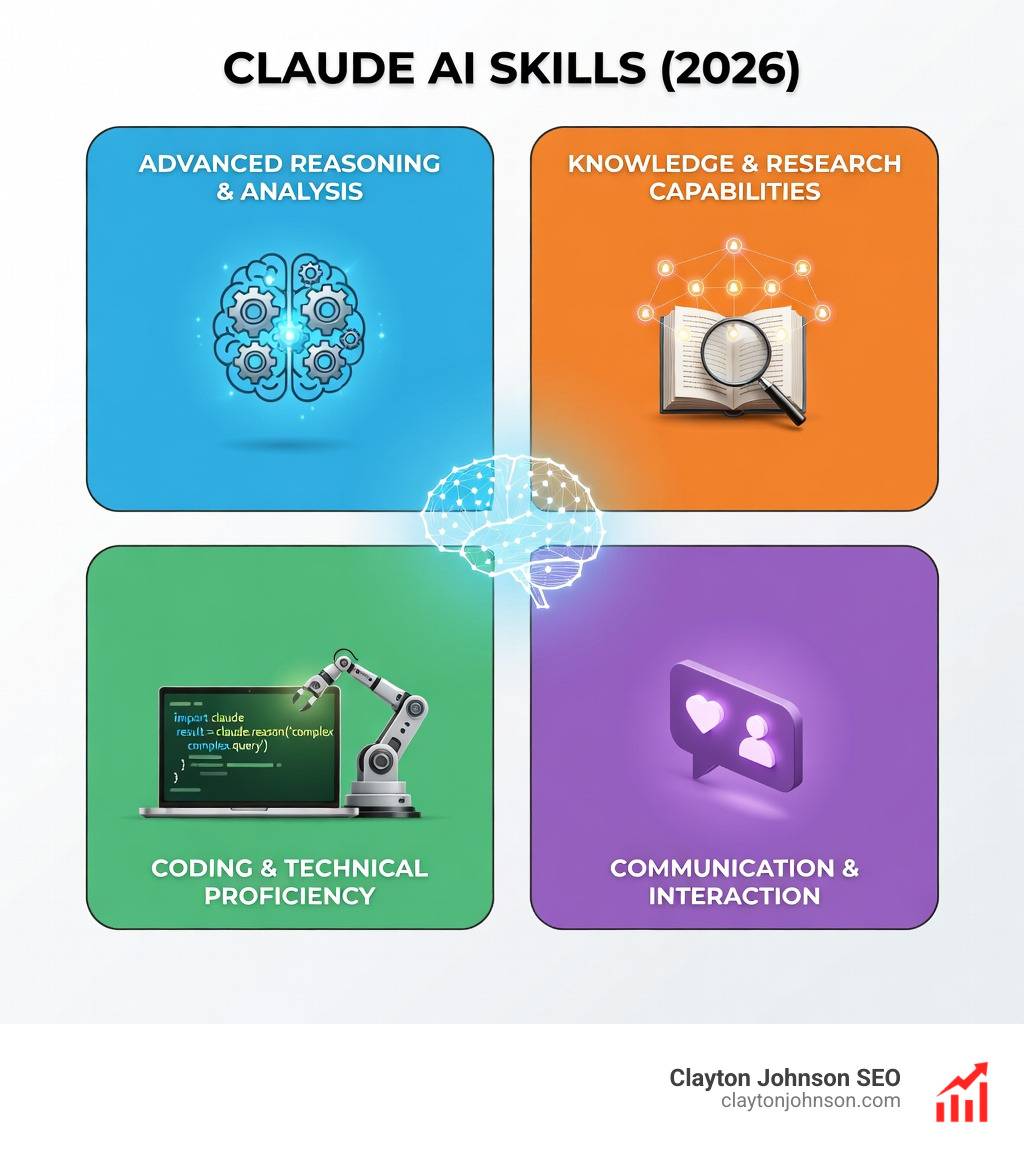
Why Claude AI skills transform your AI workflow
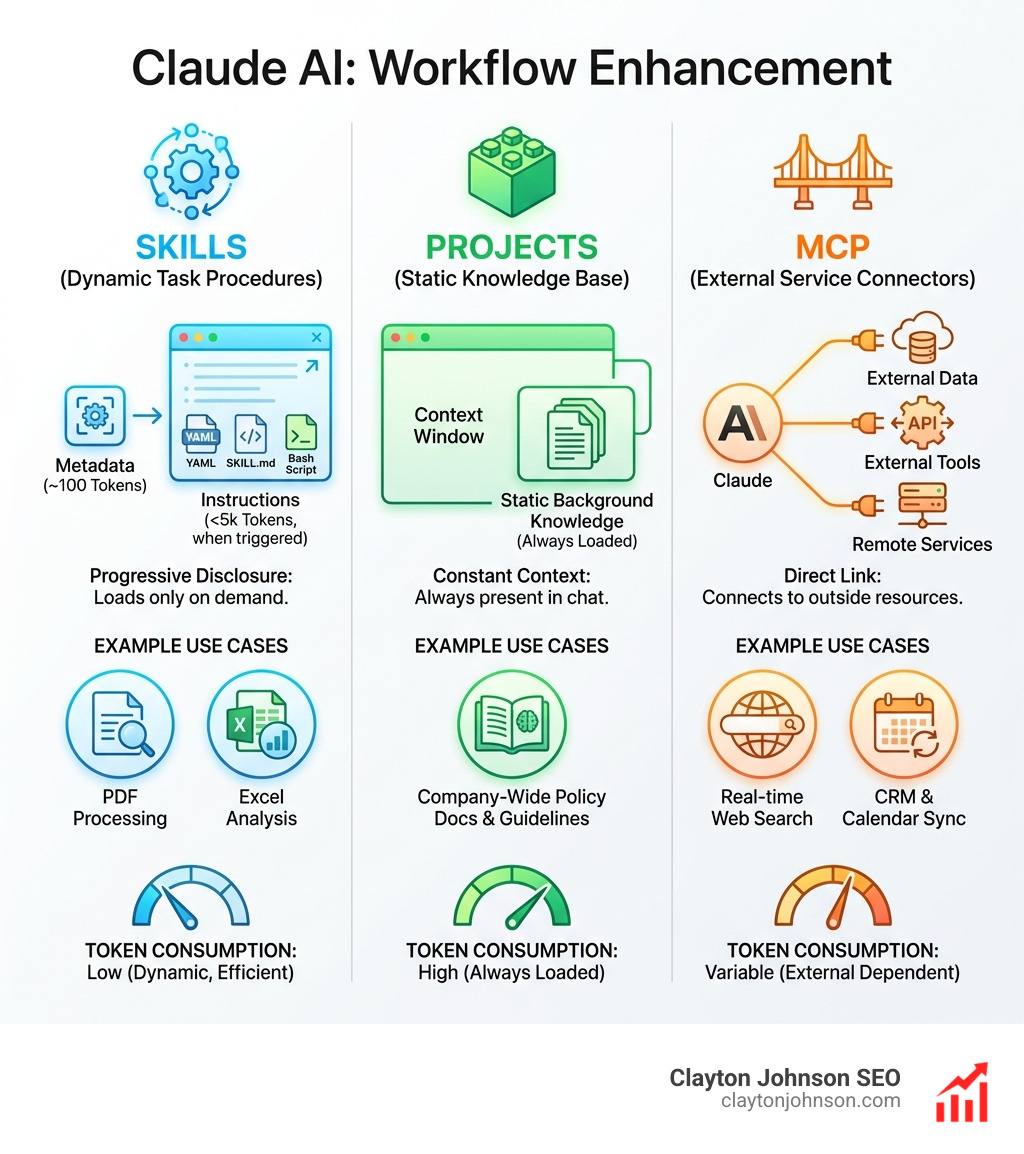
Claude AI skills are modular, reusable workflows that turn a general-purpose AI into a specialized agent for specific tasks. Unlike Projects (which provide static background knowledge) or MCP connectors (which link to external tools), Skills are task-specific procedures that Claude loads dynamically when relevant. They work through progressive disclosure: Claude sees lightweight metadata at startup (~100 tokens per Skill), loads full instructions only when triggered (under 5k tokens), and executes bundled scripts or resources on-demand without consuming context window space.
Quick answer for searchers:
- Skills = Task-specific procedures that load dynamically (e.g., PDF processing, Excel analysis)
- Projects = Static background knowledge always loaded in specific chats
- MCP = Connects Claude to external services and data sources
- Custom Instructions = Broad preferences applied to all conversations
Skills save tokens by loading only when needed, enable repeatable workflows across conversations, and work identically across Claude.ai, Claude Code, and the API. They’re packaged as SKILL.md files with YAML frontmatter, optional scripts, and resources—all executing in a secure sandbox environment.
I’m Clayton Johnson, an SEO and growth strategist who builds AI-assisted marketing workflows and structured content systems. I’ve spent years designing repeatable processes that turn fragmented efforts into scalable systems, which makes Claude AI skills a natural fit for the operational frameworks I build for founders and marketing teams. This guide will show you how to leverage Skills for everything from document automation to enterprise workflows—no coding required for basic implementations, but with unlimited depth for technical users.
Relevant articles related to Claude AI skills:
What are Claude AI skills and how do they work?
To understand Claude AI skills, think of them as specialized “apps” or “knowledge packs” that Claude only opens when it knows they are needed. According to Equipping agents for the real world with Agent Skills, these skills are filesystem-based resources. This means they live in folders containing instructions, scripts, and assets.
The magic lies in progressive disclosure. In a typical AI chat, if you want Claude to follow 20 pages of brand guidelines, you have to upload them every time, eating up your “context window” (the AI’s short-term memory). With Skills, Claude only “looks at the cover” of the book first. If your request matches the skill’s description, it then “reads the relevant chapter.”
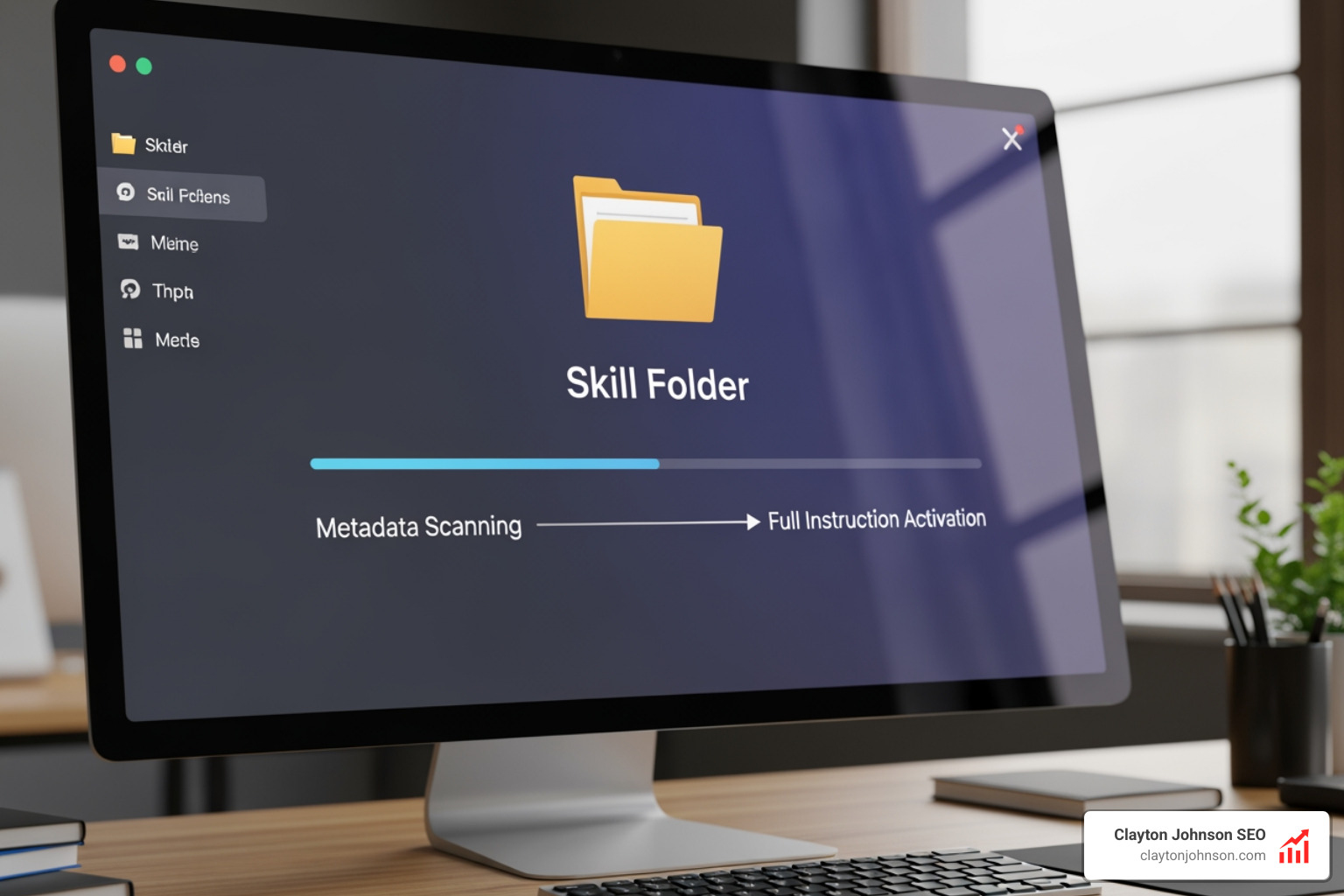
This architecture allows for dynamic loading. Claude scans your available skills at the start of a session. It doesn’t load the full content immediately, which keeps the chat fast and efficient. When you ask, “Can you analyze this PDF according to our internal audit standards?”, Claude identifies the “Audit Skill,” loads the specific instructions, and gets to work. This transforms Claude from a general-purpose chatbot into a specialized agent that understands your specific business workflows on demand.
The technical architecture of Claude Skills
The efficiency of Claude AI skills is built on a three-level loading system. This ensures that the AI doesn’t get “cluttered” with information it doesn’t need for the current task.
| Loading Level | Content Type | Token Impact | Purpose |
|---|---|---|---|
| Level 1: Metadata | YAML Frontmatter (Name/Description) | ~100 tokens per skill | Always loaded at startup so Claude knows the skill exists and what it does. |
| Level 2: Instructions | SKILL.md Body | Under 5,000 tokens | Loaded only when Claude triggers the skill based on your prompt. |
| Level 3: Resources | Scripts, Code, Assets | Effectively Unlimited | Bundled files executed via bash without loading their full text into the AI’s context window. |
This architecture uses a sandbox environment. When a skill runs a script (like a Python script to format an Excel sheet), it happens in a secure virtual machine. This means the skill can perform complex calculations or file manipulations that go far beyond simple text generation.
The core of every skill is the SKILL.md file. This file uses YAML frontmatter at the top—a structured block of text that tells Claude the skill’s name and exactly when to use it. Because Level 3 resources are executed via bash, you can bundle massive reference files or complex code libraries without hitting token limits. This is a game-changer for enterprise-level automation.
Step-by-step guide to building custom skills
Building your own Claude AI skills is surprisingly straightforward. If you can write a clear set of instructions, you can build a skill. For a deeper dive into the setup, check out more info about custom agent skills.
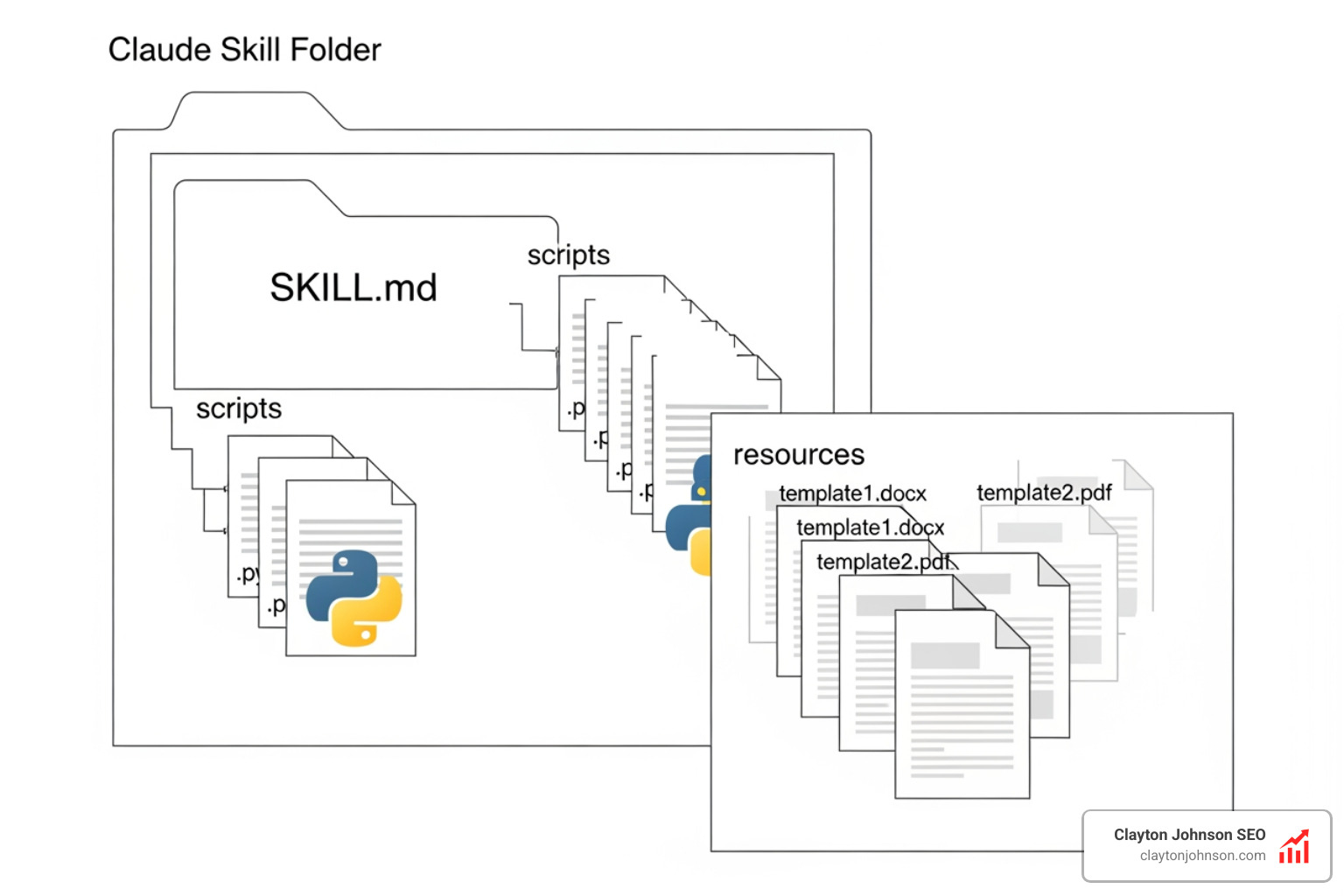
- Create a Folder: Give it a kebab-case name (e.g.,
marketing-report-wizard). - Create SKILL.md: This is the heart of your skill. It must contain the YAML frontmatter and the instruction body.
- Define the Metadata: Use a clear name and a description that includes “trigger phrases.” If the skill is for SEO, include phrases like “analyze keywords” or “check meta tags.”
- Write the Instructions: Use Markdown to tell Claude exactly how to perform the task. Be specific about the output format.
- Add Resources (Optional): If your workflow requires a specific Python script or a template file, put them in the same folder.
- Test and Iterate: Upload the folder to Claude and try to trigger it. If it doesn’t trigger, refine the description in the YAML.
Designing your first Claude AI skills
When you are learning how to create custom skills, the “Description” field in your YAML is the most important part. This is what Claude uses to decide whether to “activate” the skill.
A good description follows this formula: [What it does] + [When to use it] + [Key capabilities]. For example: “A tool to generate SEO-optimized blog outlines. Use this when the user asks for content planning or article structures. It can analyze top-ranking keywords and suggest H2/H3 headers.”
Inside the body of your SKILL.md, use clear headers and examples. Claude loves “Few-Shot Prompting,” which means providing 1-2 examples of a perfect output within the instructions. This ensures the “Wizard” stays on track and delivers consistent results every time.

Practical use cases for the modern office
In our work at Clayton Johnson SEO, we focus on AI-assisted workflows that save time and improve quality. Claude AI skills are perfect for this. You can find pre-built ideas in our Claude skill packs.
- PDF Processing: Create a skill that automatically extracts tables from invoices and formats them into a clean CSV.
- Excel Analysis: Build a skill that takes raw sales data and generates a monthly summary report with specific growth metrics like LTV and CAC.
- PPTX Generation: Anthropic provides document skills that allow Claude to actually build PowerPoint presentations. You can customize these with your company’s brand guidelines.
- Enterprise Workflows: For larger teams, skills can act as “Standard Operating Procedures” (SOPs). Instead of a PDF manual that no one reads, the skill ensures Claude always follows the company’s specific way of drafting emails or project updates.
Automating workflows with Claude AI skills
One of the most impressive statistics from the research shows that a single Claude AI skill was able to generate a backlog of 42 user stories—complete with acceptance criteria and development tasks—from a single Product Requirement Document (PRD) in just 10 minutes.
Imagine the time saved! We can use these for:
- Brand Voice Alignment: A skill that rewrites any text to match a specific “Wizard” tone of voice.
- Financial Modeling: Combining Excel skills with custom DCF (Discounted Cash Flow) analysis scripts.
- Document Merging: Automatically taking notes from five different meetings and merging them into one cohesive project plan.
Frequently Asked Questions about Claude AI skills
How do Skills differ from Projects and MCP?
This is the most common point of confusion. Think of it this way:
- Projects are like a “Reference Library.” You put all your company’s past reports there. Claude always has access to them, but they are static.
- MCP (Model Context Protocol) is like a “Phone Line.” It allows Claude to call external apps like Google Drive or Slack to get real-time data.
- Skills are “Specialized Training.” They are the specific “How-To” instructions that tell Claude how to use that library or that phone line to complete a specific task.
How do Skills save tokens compared to prompts?
Every time you send a message to an AI, the entire “conversation history” is sent back to the model. If you include 5,000 words of instructions in your prompt, you pay for those 5,000 words every single time you hit enter.
Claude AI skills use progressive disclosure:
- Level 1 (Metadata): Only ~100 tokens are used at the start of the chat.
- Level 2 (Instructions): The ~5,000 tokens of instructions are only “charged” once Claude decides to use the skill.
- Level 3 (Resources): Bundled scripts run in a separate sandbox, meaning they can process massive amounts of data without adding a single token to your chat context.
Where can I use Claude Skills?
Currently, Claude AI skills are rolling out across the entire ecosystem:
- Claude.ai: Available on Pro, Max, Team, and Enterprise plans (requires “Code Execution” to be enabled in settings).
- Claude Code: A CLI tool where you can install skills from a marketplace.
- Agent SDK: For developers building their own AI applications.
- Messages API: For enterprise integrations.
Conclusion
Mastering Claude AI skills is the fastest way to move from “playing with AI” to “building with AI.” By creating reusable, modular workflows, we can automate the repetitive parts of our jobs and focus on high-level strategy. Whether you’re in Minneapolis, Minnesota, or working remotely, these tools allow you to scale your expertise across your entire organization.
At Clayton Johnson SEO, we help founders and marketing leaders build these exact types of AI-assisted workflows through our Demandflow frameworks. If you’re looking to diagnose growth problems and execute with measurable results, check out our SEO content marketing services. We don’t just provide advice; we provide the systems—and the skills—to help you win.