How to Extend Claude with Custom Agent Skills


Understanding Claude Coding Skills and Agent Architecture
To truly leverage Claude coding skills, we must understand that they represent a departure from traditional “chatting.” In a standard interaction, Claude relies on its general training and whatever context you provide in a prompt. With Skills, we are moving toward agentic workflows.
Skills are essentially “executable expertise.” They are filesystem-based resources that live in a directory Claude can access. When Claude encounters a task, it doesn’t just guess how to do it; it looks at its available Skills to see if there is a predefined “recipe” for that specific domain. This architecture allows Claude to act with the precision of a specialist rather than a generalist.
The Agent Skills documentation highlights that these are not just extra prompts. They are structured environments. When you enable a Skill, you aren’t just giving Claude a list of rules; you are providing it with a toolkit that can include:
- Domain Expertise: Specific knowledge about a framework, library, or business process.
- Workflows: Step-by-step instructions on how to move from a problem to a verified solution.
- Resources: Documentation, style guides, or API references that Claude can query on demand.
- Scripts: Deterministic code (Python or Bash) that Claude can run to perform tasks like file conversion, data analysis, or system checks.
Core Benefits of Mastering Claude Coding Skills
Why should you bother setting up Skills instead of just writing better prompts? The benefits center on discipline and efficiency:
- Reduced Repetition: You teach Claude once. Whether it’s your company’s React coding standards or a specific way you like your Git commits formatted, you don’t have to re-explain it in every new thread.
- Executable Expertise: Skills can bundle scripts. Instead of Claude trying to “hallucinate” a complex regex or a PDF parsing logic, it can run a bundled, tested Python script.
- Workflow Discipline: Skills can enforce “quality gates.” For example, a “Systematic Debugging” skill might forbid Claude from writing a fix until it has first written a failing test case that reproduces the bug.
- Token Efficiency: This is the “secret sauce.” Because of progressive disclosure (which we will cover below), Claude doesn’t have to “read” your entire 50-page manual at the start of every conversation. It only pulls in the relevant sections when the Skill is triggered.
- Structured Brainstorming: Expert-level Skills often start with a “Findy” phase, forcing Claude to ask you clarifying questions before touching a single line of code.
The Technical Anatomy of a Claude Skill
A Skill is neatly simple. It is a folder. That’s it. Inside that folder, however, is a specific hierarchy that allows the Claude engine to understand its capabilities.
The SKILL.md File
The heart of every Skill is a file named SKILL.md. This file must contain YAML frontmatter at the very top. This frontmatter is what Claude “sees” during the findy phase. It includes the Skill’s name and, most importantly, a description filled with trigger phrases.
If your description says, “Use this skill when the user asks to redesign a UI or improve UX,” Claude will automatically activate the full instruction set the moment you mention “UX redesign.”
Progressive Disclosure: The Three Levels of Loading
One of the most impressive technical feats of Claude coding skills is how they manage the context window. They use a three-level loading system:
| Loading Level | Content Type | Token Cost | When it Loads |
|---|---|---|---|
| Level 1: Metadata | YAML Name & Description | ~100 tokens | Always (at session start) |
| Level 2: Instructions | The body of SKILL.md |
< 5,000 tokens | Only when triggered |
| Level 3: Resources | Linked files, scripts, assets | Unlimited (on-demand) | Only when Claude calls them |
This structure ensures that you can have 100 different Skills available without “clogging” Claude’s brain with irrelevant information.
How to Install and Use Pre-built Skills
You don’t have to build everything from scratch. The community and Anthropic have already released powerful pre-built Skills that you can drop into your workflow today.

The Superpowers Framework
The “Superpowers” repository is one of the most popular collections of Claude coding skills. It includes specialized agents for:
- Brainstorming: Enforces a structured Q&A to define project scope.
- Writing Plans: Generates a detailed implementation roadmap before coding begins.
- Executing Plans: Orchestrates the actual file changes. You can find the specific logic for this at superpowers:executing-plans.
- Verification: Runs tests and checks evidence to ensure the task is actually finished.
Installation via Marketplace
In Claude Code (the terminal interface), you can add these using simple commands:
/plugin add marketplace https://github.com/anthropics/skills
Once installed, you can trigger them using Slash Commands (like /streak) or simply by talking to Claude in natural language. If the Skill is well-described, Claude will realize it’s the right tool for the job and “level up” its own capabilities automatically.
Practical Examples of Claude Coding Skills in Action
Let’s look at how this changes the day-to-day life of a developer or a power user:
- UX Redesign: Instead of saying “make this look better,” a Skill forces Claude to ask about brand identity, accessibility standards, and mobile-first priorities. It then creates a plan, executes the CSS changes, and verifies the layout across different screen sizes.
- Daily Streak Tracking: Users have built “Streak” skills that act as type-adaptive trackers. Whether you are tracking a 30-day coding challenge or a fitness habit, the Skill maintains a
preferences.mdandbacklog.mdfile in your repo, providing cross-challenge insights. It might even notice that you code 30% more effectively on days you log a morning workout! - Compound Learning: If you’re learning a new language like Rust, a Skill can track which concepts you’ve mastered and suggest “building challenges” that specifically target your weak points.
Building and Distributing Custom Skills for Your Team
For teams in Minneapolis or remote-first organizations, custom Skills are the ultimate way to scale “senior developer” wisdom. When a senior dev creates a Skill for “Deploying to Production,” they are essentially codifying the company’s entire safety checklist into an automated agent.
Creating Your First Skill
The easiest way to start is by using the skill-creator Skill itself. You can simply tell Claude, “Help me build a skill for [your task],” and it will help you generate the folder structure.
Best Practices for Authors:
- Specific Descriptions: Don’t just say “this skill writes code.” Say “this skill handles API migrations for our legacy codebase using the XYZ pattern.”
- Use Negative Triggers: Tell Claude when not to use the skill to avoid over-triggering.
- Deterministic Scripts: If a task can be done with a Python script (like resizing an image or calculating a debt ratio), put it in the
scripts/folder. This saves tokens and increases accuracy. - Reference Materials: Keep your
SKILL.mdlean. Put the 50-page API documentation in areferences/folder. Claude will only read the parts it needs.
For a deep dive into the code implementation, we recommend checking out the Claude Skills Cookbook.
Skills vs. MCP: Choosing the Right Tool for Automation
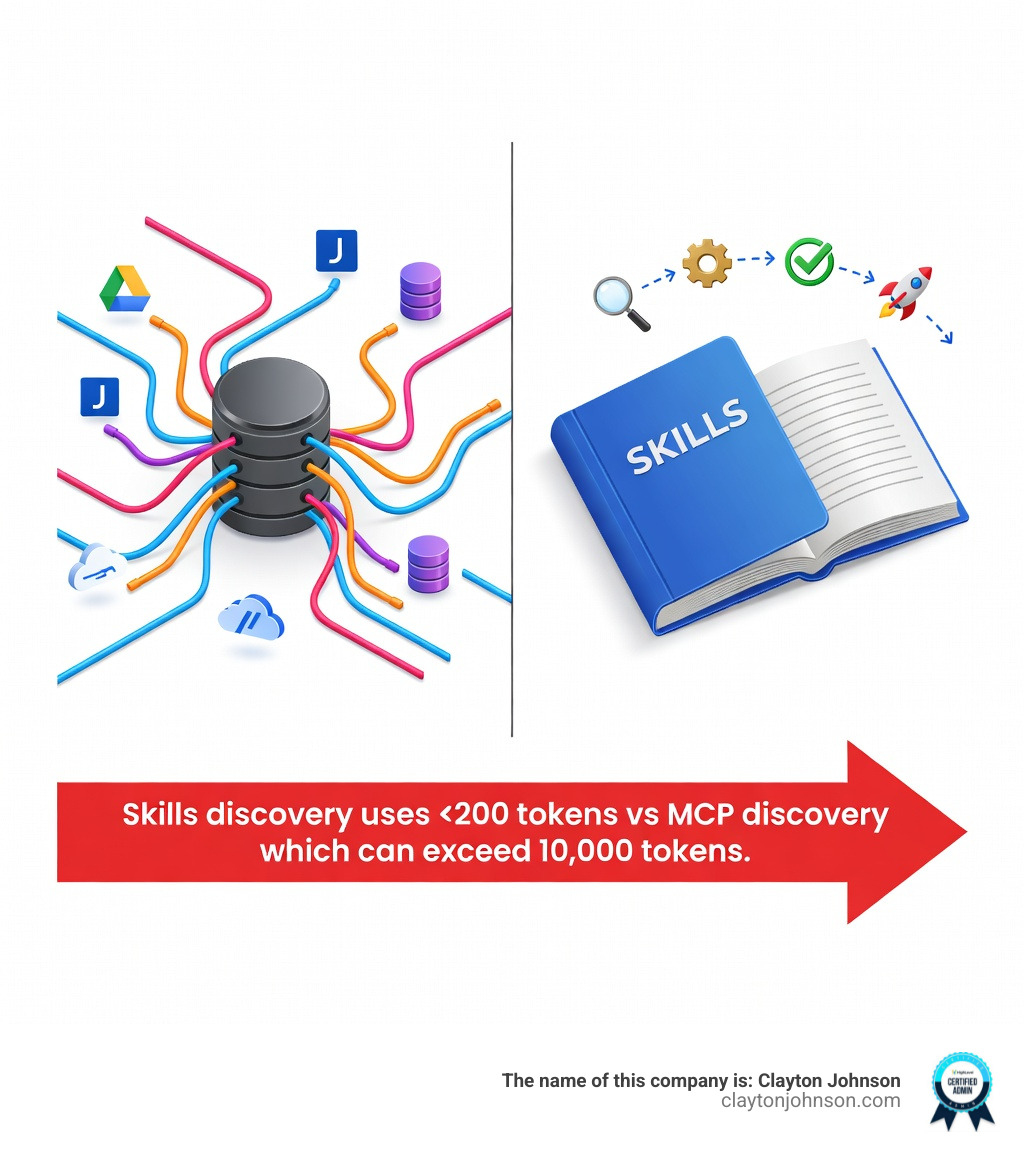
There is a lot of buzz around the Model Context Protocol (MCP), and it’s easy to get confused between the two. The best way to think about it is the Kitchen vs. Recipe analogy:
- MCP is the Kitchen: It provides the infrastructure, the plumbing, and the tools (connecting to Google Drive, Jira, or a database).
- Skills are the Recipes: They provide the specific instructions and workflows on how to use those tools to achieve a result.
Why Skills are often more effective for coding:
- Token Efficiency: MCP servers often send massive amounts of metadata back and forth. Skills are designed to be “lazy loaded,” keeping your context window clean.
- Portability: A Skill is just a folder. You can git-commit it into your project, and anyone else on your team who pulls the repo instantly has the same “superpowered” Claude.
- No Protocol Complexity: You don’t need to write a JSON-RPC server to build a Skill. If you can write Markdown and a bit of Python, you can build a Skill.
Frequently Asked Questions about Claude Coding Skills
What security considerations should I be aware of when using Skills?
Because Skills can execute code via the scripts/ folder, you must treat them like any other software installation.
- Isolated VM: In the Claude API and Claude.ai, Skills run in a secure, isolated container.
- Audit Requirements: Always read the
SKILL.mdand any scripts in a Skill you download from the internet. - Network Access: By default, Skills in the Claude API have no network access. They cannot “call home” or leak your data to a third party.
Which Claude platforms currently support Agent Skills?
Currently, Claude coding skills are becoming a universal standard across the Anthropic ecosystem:
- Claude Code: The terminal CLI is where Skills shine brightest, as they can interact directly with your local files.
- Claude.ai: You can enable pre-built Skills (like the document creators) in your settings.
- Claude API: Developers can pass a
containerparameter to give Claude access to specific Skills during a session. - Agent SDK: For building entirely custom AI applications.
What are the main limitations and constraints of the Skills system?
While powerful, there are some guardrails to keep in mind:
- Upload Limit: A custom Skill folder generally has an 8MB limit.
- Skill Count: You can typically attach up to 8 Skills to a single request.
- Environment: You cannot install new system-level packages during the execution of a Skill. You must rely on the pre-installed libraries (like
pandas,numpy,pdfplumber, etc.).
Conclusion
The introduction of Claude coding skills marks a transition from AI as a “chatbox” to AI as a “workstation.” By codifying our workflows into reusable, filesystem-based resources, we aren’t just making Claude smarter—we are making our entire development process more disciplined and scalable.
At Clayton Johnson, we believe that the future of growth and SEO lies in these “agentic workflows.” Whether you are automating content systems or building complex software, mastering Skills is the key to moving past the limitations of simple prompting.
The “Cambrian explosion” of AI agents is happening right now. You can get started today by downloading the Claude Code CLI and exploring the pre-built Skills in the marketplace. As you build your own custom Skills, you’ll find that the real power of AI isn’t just in its intelligence, but in the systems you build around it.
If you’re looking to integrate these advanced AI-assisted workflows into your business strategy, or need expert guidance on navigating the evolving search landscape, learn more about our SEO services in Minneapolis. We help teams diagnose growth problems and execute with measurable results using the latest in AI and SEO strategy.