How to Implement Automated SEO Audits Like a Pro

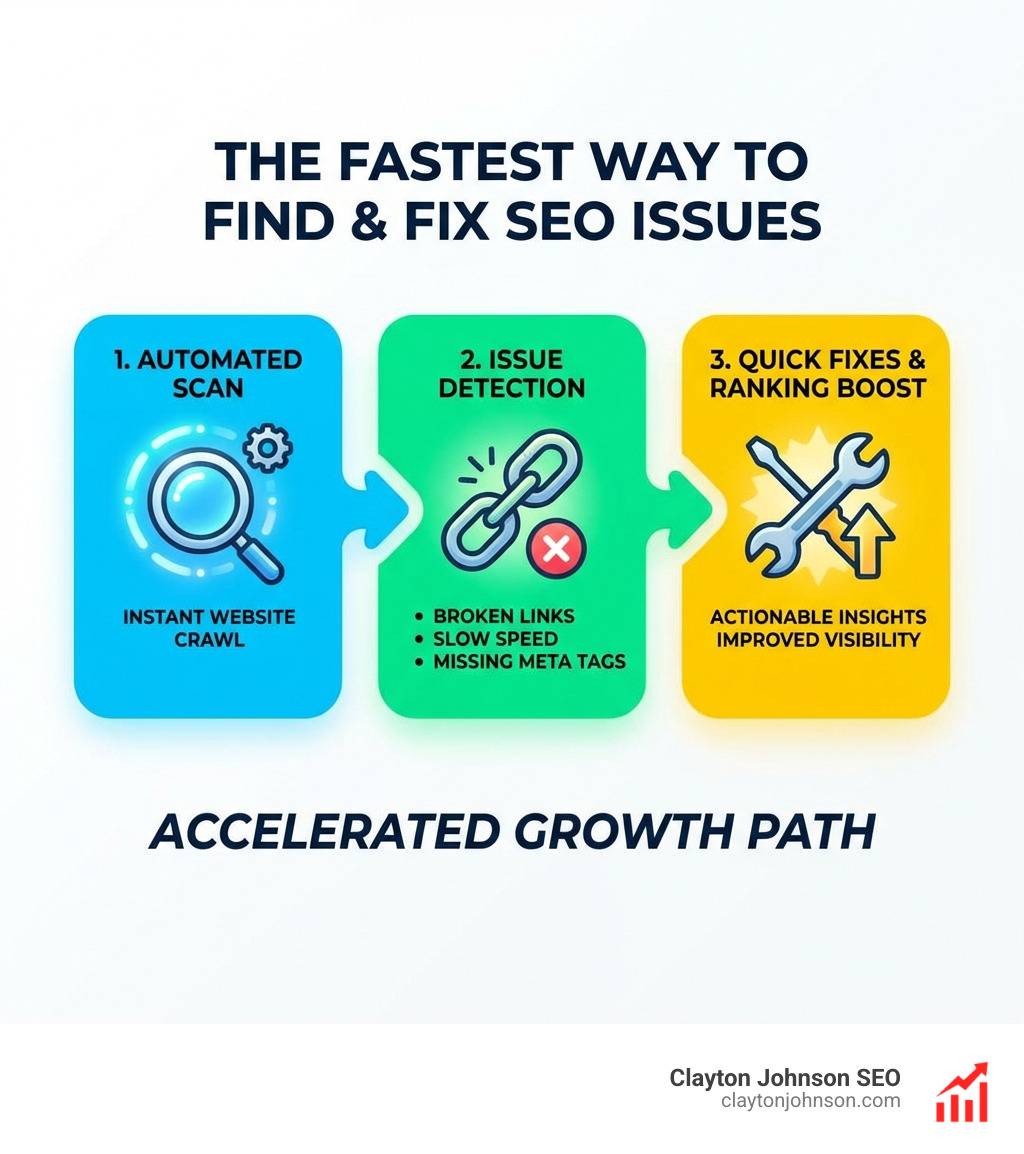
Automated SEO audit tools are software platforms that crawl your website and flag technical, on-page, and structural issues — without manual effort. Here are the top options worth knowing:
| Tool | Best For | Free Tier | Checks |
|---|---|---|---|
| Semrush Site Audit | All-in-one SEO suites | 100 URLs/month | 140+ |
| Ahrefs Site Audit | Technical depth + speed | 5K pages/month | 170+ |
| Screaming Frog | Technical SEO experts | 500 URLs | 300+ |
| SE Ranking | SMBs and agencies | Limited trial | Health scoring |
| SEOptimer | Designers and agencies | Free audit | 100 data points |
| Google Search Console | Indexing and Core Web Vitals | Free | Core coverage |
Google made over 4,500 algorithm changes in a single year. Your site can go from healthy to penalized without you ever knowing — until rankings drop.
That’s the core problem automated SEO audits solve.
Instead of manually checking hundreds of pages for broken links, missing meta tags, slow load times, or crawl errors, these tools do it in minutes. They surface what’s broken, prioritize what matters most, and tell you how to fix it.
The difference between sites that rank consistently and those that plateau is often not content quality. It’s the technical foundation underneath. Sites with optimized infrastructure see up to 32% higher conversion rates due to improved user experience — and automated audits are the fastest way to build that foundation.
Whether you’re managing one site or fifty client accounts, the right tool turns a chaotic to-list into a structured, prioritized action plan.
I’m Clayton Johnson — an SEO strategist focused on building scalable traffic systems using automated SEO audit tools as a core diagnostic layer within structured growth architectures. In this guide, I’ll walk you through the top tools, what separates them, and how to choose the right one for your situation.
Automated seo audit tools word guide:
Why Your Business Needs automated seo audit tools
In the modern search landscape, manual audits are like trying to find a needle in a haystack while someone keeps adding more hay. Automated SEO audit tools provide the scalability and precision required to maintain a healthy digital presence. We have found that the sheer volume of algorithm updates—over 4,500 recently in a single year—makes manual tracking impossible for any growing business.
Using these tools isn’t just about finding errors; it’s about protecting your bottom line. Research shows that optimized sites can see a 32% higher conversion rate because of improved user experience (UX). When a site loads faster and functions correctly, users stay longer and convert more often. For those looking to dive deeper into this, our conversion optimization services help bridge the gap between technical health and revenue.
Furthermore, platforms like Google Search Console provide a baseline of data, but automated tools take it a step further by offering “always-on” monitoring. This ensures you catch issues before they impact your traffic, rather than reacting after a ranking drop has already occurred.
The Difference Between Manual and Automated Audits
The primary differentiator is human error vs. algorithmic consistency. A manual audit is a snapshot in time—it’s only as good as the person performing it and the moment they hit “save.” In contrast, automated SEO audit tools offer:
- Real-time data: They can crawl your site daily or weekly to spot new broken links or indexing blocks immediately.
- Consistency: The software uses the same rigorous logic for every page, ensuring no “hidden” issues are overlooked.
- Resource allocation: Instead of spending 20 hours a month manually checking meta tags, your team can spend that time actually fixing the issues found.
Impact on Search Visibility and UX
Search visibility is heavily tied to technical performance. Google’s Core Web Vitals are now a critical ranking factor, measuring how users experience the speed and stability of your pages. Tools like PageSpeed Insights are integrated into many automated platforms to provide a clear picture of load times.
If your site isn’t indexable, it doesn’t exist to Google. Automated SEO audit tools identify crawl blocks, “noindex” tags that shouldn’t be there, and sitemap errors that prevent your best content from being discovered. By ensuring a smooth technical foundation, you improve both your search rankings and the overall user journey.
Top Software for Professional SEO Auditing
Choosing the right software depends on your technical expertise and the size of your website. Below is a breakdown of the heavy hitters in the industry.
Semrush: A Leader in automated seo audit tools
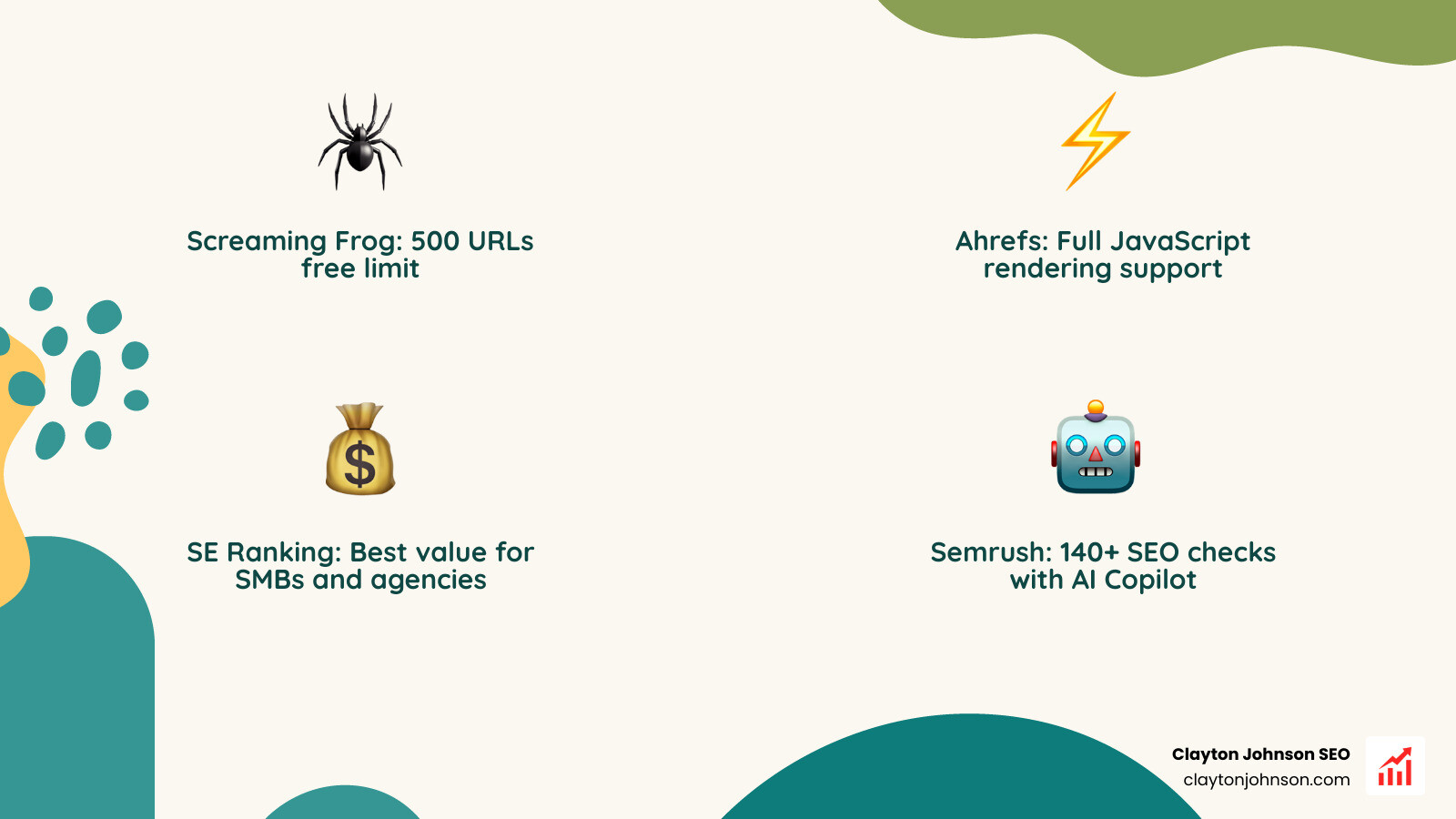
Semrush Site Audit is widely considered the gold standard for all-in-one SEO suites. It performs over 140 on-page and technical SEO checks, ranging from duplicate content to HTTPS security.
One of its standout features is the AI Copilot, which provides tailored suggestions for improvement. It categorizes issues into Errors, Warnings, and Notices, allowing us to prioritize the most critical fixes first. It also calculates an Authority Score, giving you a benchmark of how competitive your domain is compared to others in your niche.
Ahrefs: Technical Depth and Speed
If you need a tool that can handle massive sites with “blazing fast” speed, Ahrefs Site Audit is a top contender. It scans for 170+ technical and on-page issues and is capable of crawling up to 170,000 URLs per minute.
Ahrefs excels at JavaScript (JS) rendering, which is essential for modern, dynamic websites. It also provides automated internal link suggestions, helping you distribute “link juice” more effectively across your site. With IndexNow integration, Ahrefs helps your new content get discovered by search engines almost instantly.
Screaming Frog: The Gold Standard for Technical Experts
The Screaming Frog SEO Spider is a desktop-based crawler that is a favorite among technical SEO professionals. Unlike cloud-based tools, it runs on your local machine, giving you incredible control over the crawl configuration.
The free version allows you to crawl up to 500 URLs, making it perfect for small sites or quick spot checks. For larger projects, the paid version unlocks custom extraction and AI chatbot integration, allowing you to connect to tools like ChatGPT to automatically generate meta descriptions or alt text for thousands of images.
SE Ranking: Best Value for SMBs and Agencies
For small-to-medium businesses and agencies looking for a balance of features and affordability, SE Ranking’s Website Audit is an excellent choice. It provides a comprehensive health score and groups issues into easy-to-understand categories.
Agencies love SE Ranking for its white-labeling capabilities, allowing them to send professional, branded reports directly to clients. If you’re struggling to manage the technical complexities of your site, working with an SEO consultant who uses these tools can provide the roadmap you need for growth.
Key Features to Look for in an Automated SEO Audit Tool
Not all automated SEO audit tools are created equal. When selecting software for your growth architecture, we recommend focusing on these core capabilities:
- Crawl Limits: Ensure the tool can handle your entire site. While some free versions limit you to 100 or 500 pages, enterprise-level sites may need to crawl 100,000+ URLs.
- JavaScript Rendering: Many modern sites use JS to load content. If your tool can’t render JS, it will miss critical SEO issues that Google will see.
- AI Integration: Look for tools with an AI roadmap or existing AI features. AI is now essential for detecting patterns and providing automated recommendations that manual analysis might miss.
- Custom Reporting: The ability to export data to CSV, PDF, or tools like Trello is vital for team collaboration.
To understand how these features fit into a broader strategy, you can learn more about AI SEO strategy and how it’s evolving to meet the needs of generative search.
Comparing Free vs. Paid automated seo audit tools
Free tools are fantastic for beginners or small projects. For example, Screaming Frog and SEOptimer free tools offer high-quality insights at no cost. However, they often come with limitations:
- Lower Crawl Limits: Usually capped at 100–500 URLs.
- No Saved History: You can’t compare today’s audit to last month’s to see if your fixes worked.
- Limited API Access: Harder to integrate with your existing marketing stack.
Paid tools provide the depth, history, and automation required for professional growth. They allow for scheduled crawls and more advanced technical checks like hreflang validation for international sites.
Real-Time Monitoring and AI Insights
The next frontier of SEO is “always-on” auditing. Tools like Conductor Monitoring (formerly ContentKing) provide 24/7 surveillance. Instead of waiting for a weekly crawl, these tools alert you the moment a critical page goes down or a “noindex” tag is accidentally added.
This real-time approach is crucial for Generative Engine Optimization (GEO). As AI search engines like Perplexity and SearchGPT crawl the web, your site needs to be technically perfect at all times to remain a cited source. Other specialized tools like Netpeak Spider offer deep technical control for those who want to “look behind the curtain” of their site’s performance.
How to Run Your First Automated SEO Audit
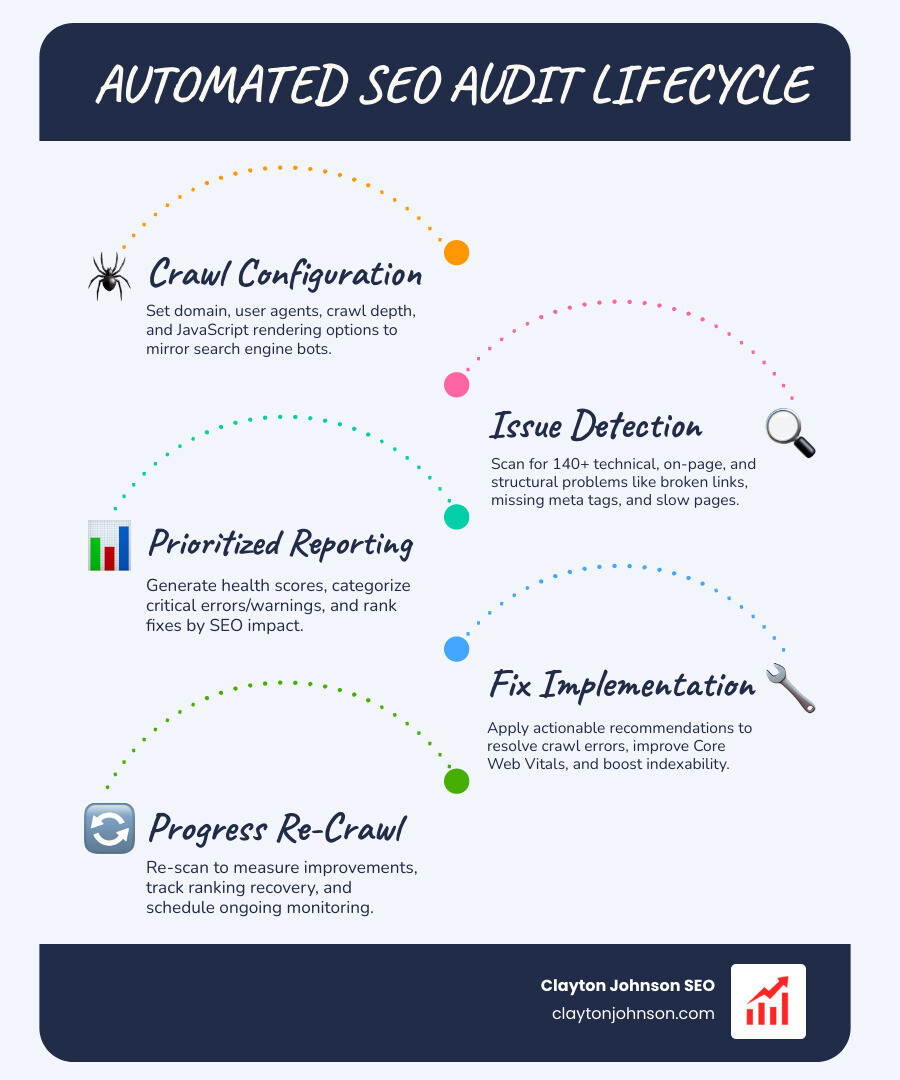
Running an audit can feel overwhelming, but it’s really just a series of logical steps. Most automated SEO audit tools make the setup process intuitive.
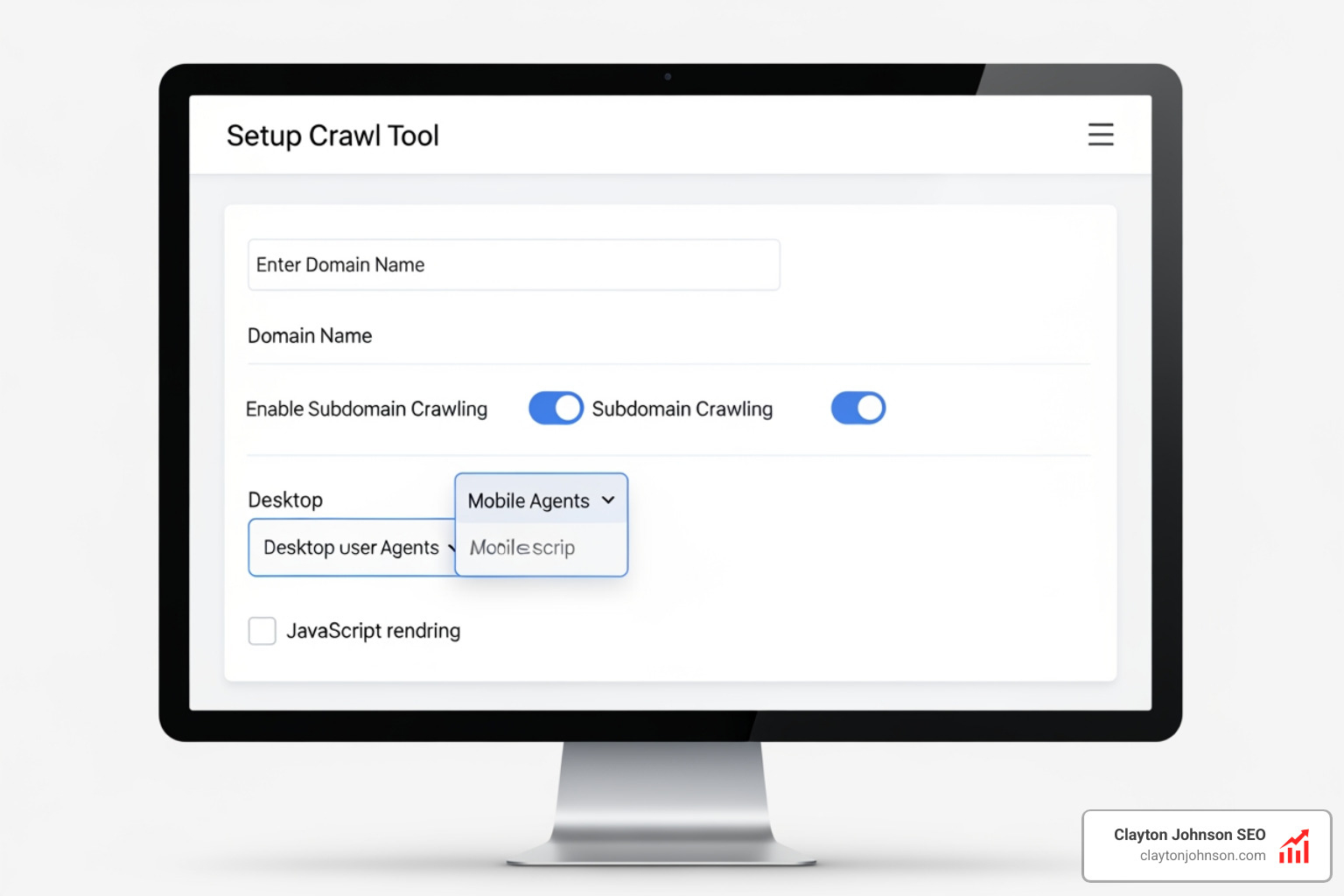
- Configure the Crawl: Enter your domain and decide if you want to crawl subdomains.
- Set the User Agent: Choose whether you want the tool to crawl as a desktop user or a mobile user (we recommend mobile-first).
- Enable JS Rendering: If your site uses a lot of dynamic content, make sure this is turned on.
- Schedule the Frequency: Set it to run weekly so you have a consistent stream of data.
Tools like Sitebulb are excellent for this process, as they organize findings by severity and impact, making it easy to know where to start.
Prioritizing Technical SEO Issues
Once the crawl is finished, you’ll likely have a long list of issues. Don’t panic! Group them into three buckets:
- Critical Errors: These are things like 404 errors on high-traffic pages, broken redirects, or indexing blocks. Fix these immediately.
- Warnings: These include missing meta descriptions, slow-loading images, or missing alt text. These are important but not “site-breaking.”
- Notices: Minor tweaks like long URLs or slightly off-brand title tags.
You can even pull this data into Looker Studio to create a visual dashboard for your stakeholders. This data-driven approach is a core part of a successful keyword strategy, ensuring your technical foundation supports your content goals.
Turning Audit Data into Actionable Plans
An audit is useless if you don’t act on it. We recommend creating a “Developer Handover” document for technical fixes and a “Content Queue” for on-page optimizations. Tracking your progress over time is key—most tools allow you to compare crawls to see your health score improve.
For businesses in our local market, leveraging Minneapolis SEO insights can help you understand how these technical fixes translate into better local visibility and customer trust.
Frequently Asked Questions about Automated SEO Audits
How frequently should I run an automated SEO audit?
We recommend running a full technical audit at least once a month. However, for high-traffic or enterprise sites, real-time monitoring or weekly crawls are better. You should also run a manual “mini-audit” after any major site change or Google algorithm update.
Can automated tools detect all SEO issues?
While automated SEO audit tools are incredible at finding technical flaws, they can’t judge “quality.” They can tell you if a meta description is missing, but they can’t tell you if the description is persuasive or aligns with your brand voice. Human oversight is still required for content strategy and contextual nuances.
Which tool is best for beginners vs. enterprises?
- Beginners: Morningscore is fantastic because it “gamifies” SEO, making it easy to follow step-by-step missions.
- SMBs: Semrush and SE Ranking offer the best balance of features and price.
- Enterprises: Conductor and Sitebulb (Cloud) provide the scale and real-time monitoring required for massive domains.
Conclusion
The era of “guessing” at SEO is over. By implementing automated SEO audit tools, you move from a reactive posture to a proactive growth strategy. At Clayton Johnson SEO, we believe that clarity leads to structure, and structure leads to compounding growth.
Our platform, Demandflow.ai, is designed to provide this structured growth architecture. We combine actionable frameworks with taxonomy-driven SEO systems to ensure your business isn’t just “ranking,” but dominating your market across both traditional search and the new AI landscape.
Ready to take your search visibility to the next level? Implement your AI SEO strategy today and build a technical foundation that turns search traffic into a compounding asset.