The Complete Claude Skill Pack for Modern Developers

Why Claude Coding Capabilities Are Changing Software Development
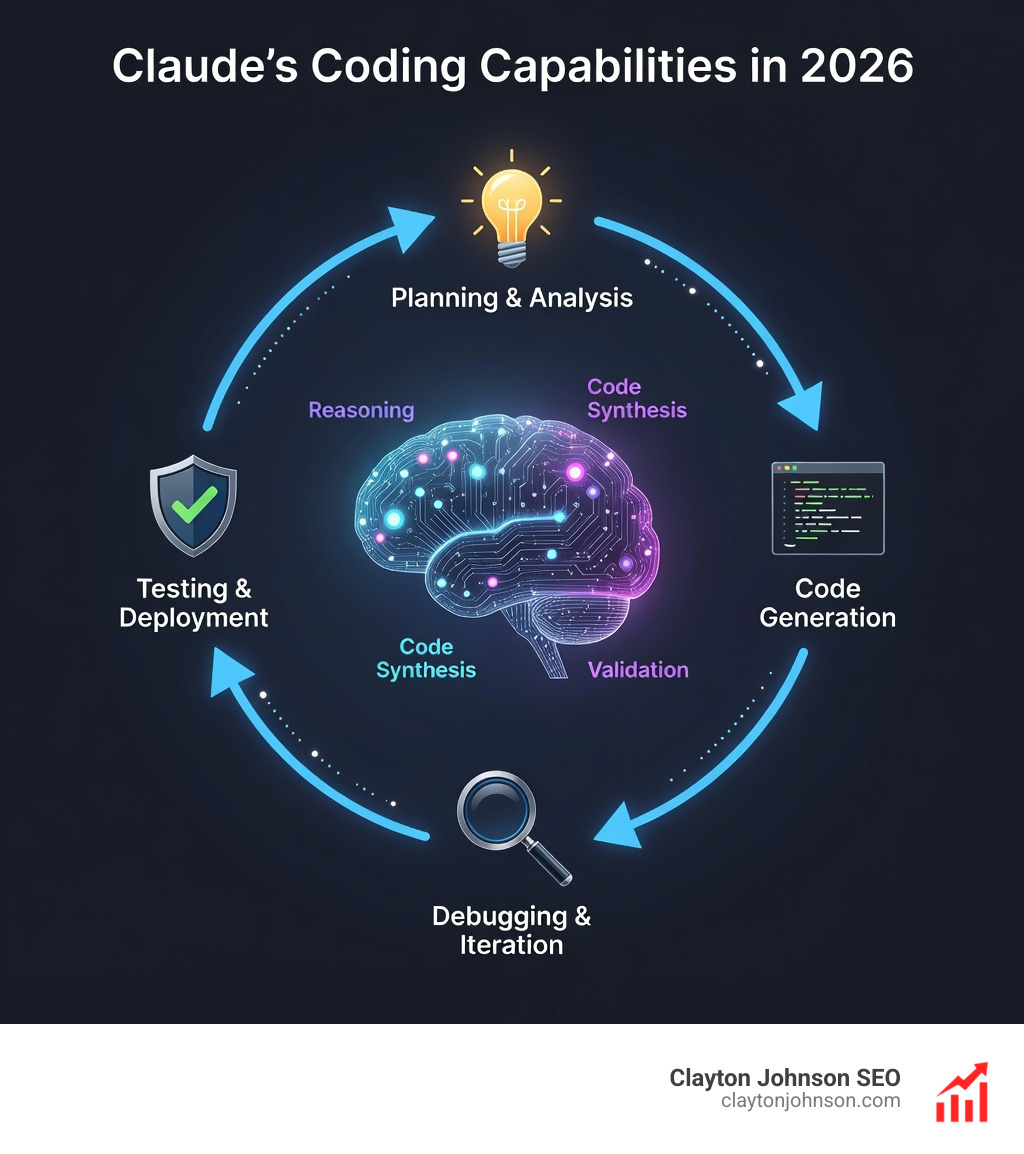
Claude coding capabilities have evolved from simple code completion to full agentic engineering workflows that handle complex, multi-step development tasks autonomously. Here’s what you need to know:
Core Capabilities:
- Agentic Coding – Claude Code reads entire codebases, edits files, runs commands, and manages git operations independently
- Extended Context – 1M token context window handles large projects and long conversations without context rot
- Parallel Execution – Spawn multiple agents that work simultaneously on different tasks with coordinated planning
- Cross-Platform – Works in terminal, VS Code, JetBrains, web, desktop, GitHub Actions, and Slack with shared state
- Performance Leadership – Claude Opus 4.6 achieves the highest score on Terminal-Bench 2.0 agentic coding evaluation
Business Impact:
- Claude Code generates over $500M in annual run-rate revenue
- Usage exploded 10x in the three months since May 2025 release
- 90% of Claude Code’s own codebase is written by Claude itself
- Teams ship 5 releases per engineer per day using AI-first workflows
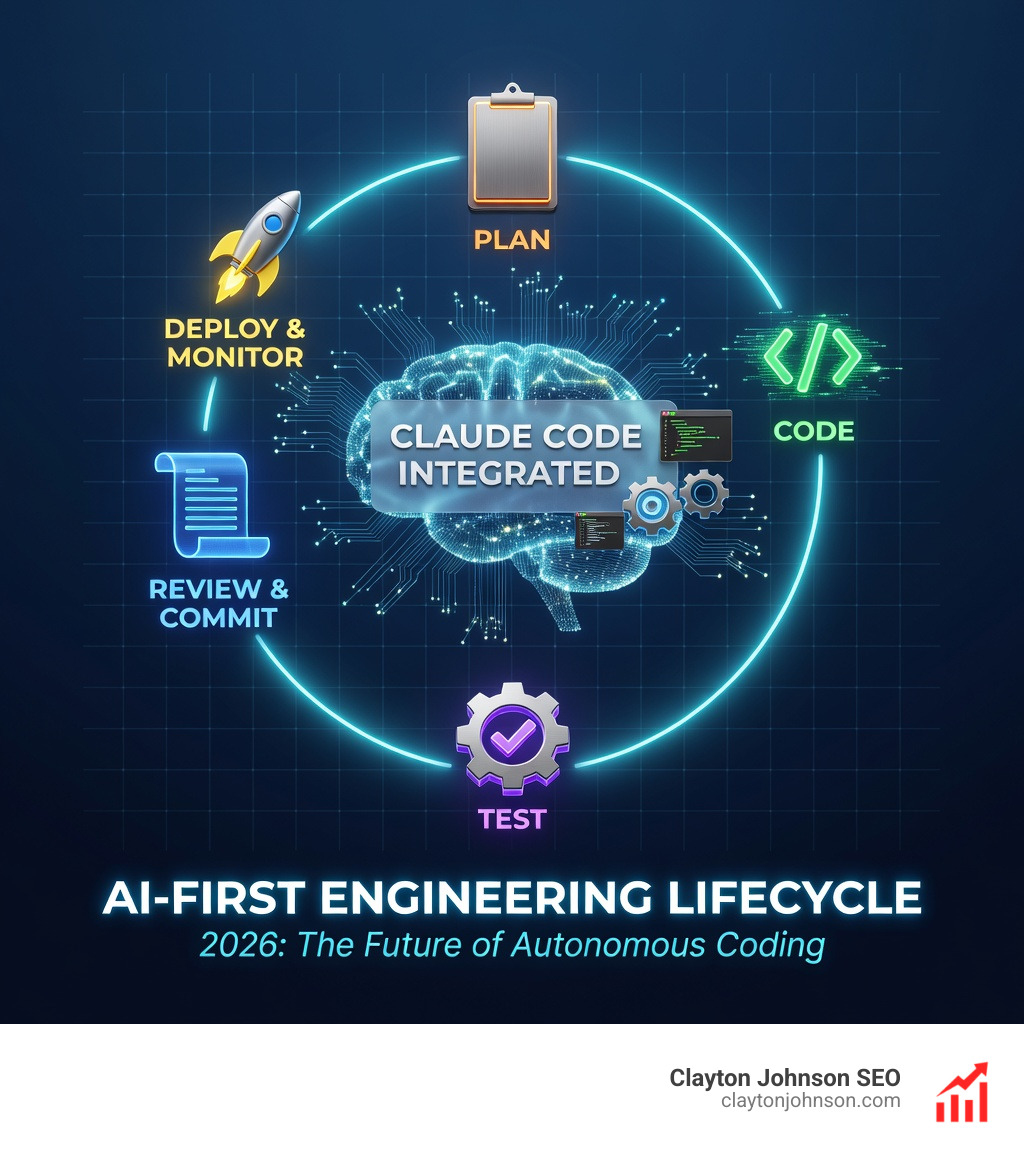
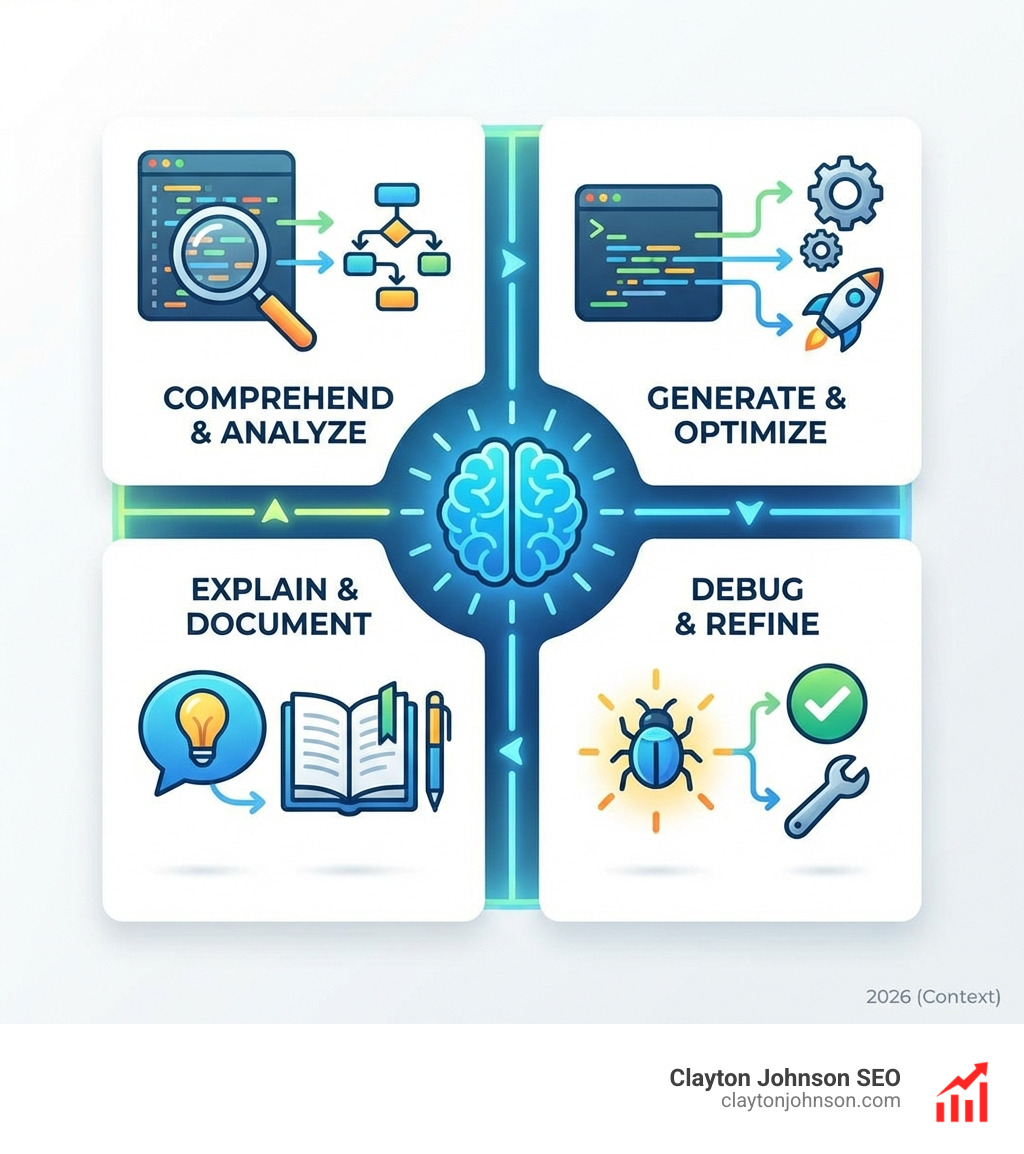
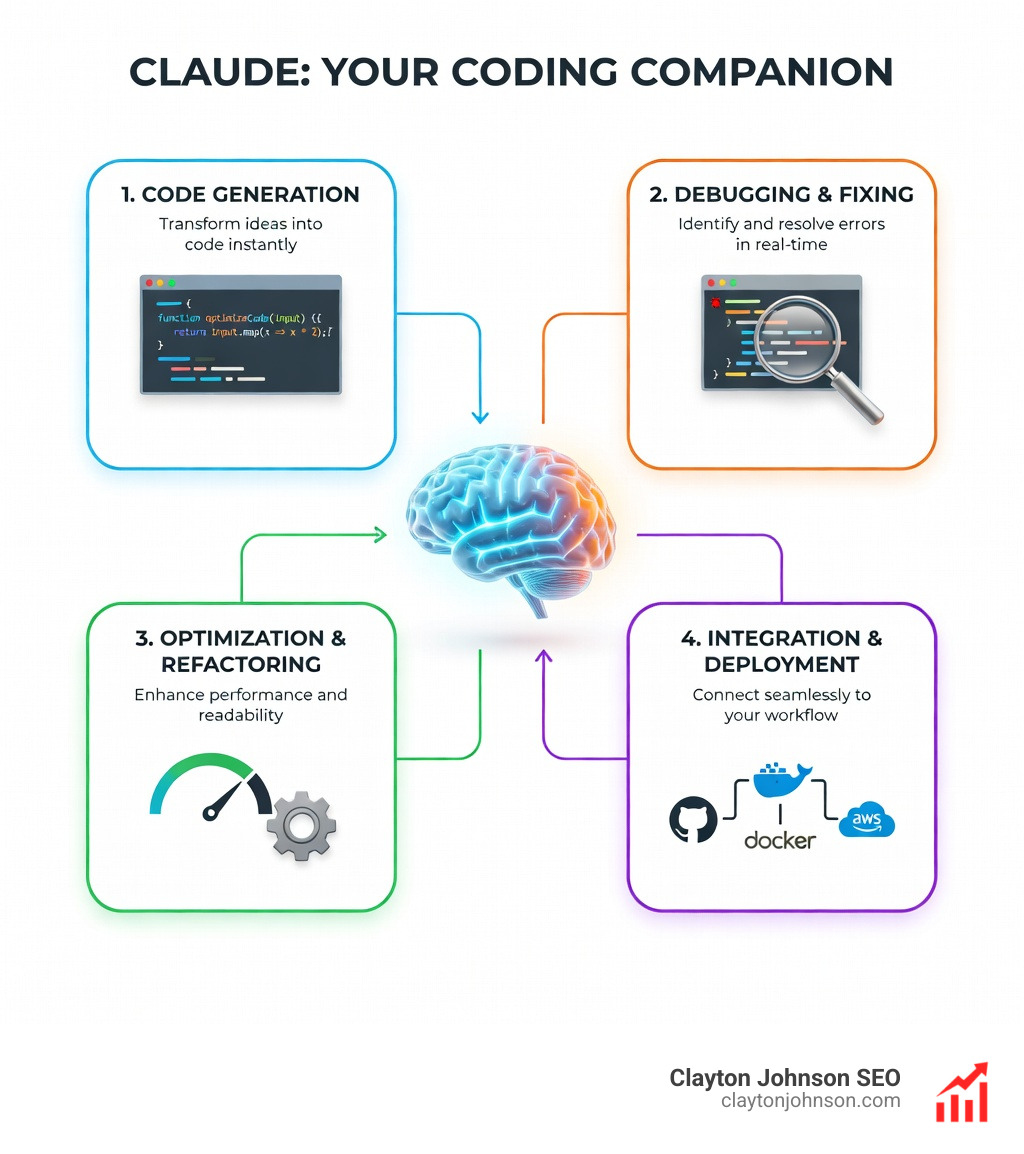
The shift from treating AI as autocomplete to treating it as a collaborative engineer fundamentally changes how software gets built. Claude Code doesn’t just suggest code—it plans features, debugs issues, writes tests, fixes failures, manages git workflows, and integrates with your entire development stack.
I’m Clayton Johnson, and I’ve spent years building AI-assisted workflows and content systems that help technical teams scale their output. My work with Claude coding capabilities focuses on creating measurable systems that turn fragmented development processes into coherent, automated engineering pipelines.
The Evolution of Claude Coding Capabilities
The landscape of AI-assisted development has shifted dramatically. We’ve moved past the era of “copy-paste” snippets into a world where the AI acts as a primary contributor. The most significant leap in this journey is the release of Claude Opus 4.6.
When we talk about Claude coding capabilities, we aren’t just talking about syntax. We are talking about agency. Claude Code has exploded in popularity, growing its usage by more than 10x in just three months. This isn’t just hype; it’s driven by the fact that the tool is now generating more than $500M in annual run-rate revenue because it actually works.
One of the biggest problems in AI coding used to be “context rot”—the tendency for a model to lose the plot as a conversation gets longer. Opus 4.6 addresses this with a massive 1M token context window (currently in beta). On the Latest benchmarks on Terminal-Bench 2.0, Claude Opus 4.6 achieved the highest score of any frontier model, proving its ability to steer complex, real-world terminal environments.
Claude Opus 4.6: The New Benchmark for Agentic Coding
Opus 4.6 isn’t just a slight iteration; it’s a powerhouse. It outperforms the industry’s next-best model (OpenAI’s GPT-5.2) by roughly 144 Elo points on the Detailed GDPval-AA evaluation. In our own experience in Minneapolis, we’ve seen it handle multi-million-line codebase migrations that used to take weeks in just a matter of days.
Key features that define this new benchmark include:
- Adaptive Thinking: The model now picks up on contextual clues to decide when it needs to “think harder” versus when it can provide a quick answer.
- Effort Levels: You can now dial the “reasoning budget” up or down. For simple tasks, set it to low to save time and cost; for complex architectural changes, crank it to max.
- Humanity’s Last Exam: Opus 4.6 leads all other frontier models on this complex multidisciplinary reasoning test.
- BigLaw Bench: It achieved a staggering 90.2% score, the highest of any Claude model, showcasing its precision in professional domains.
Leveraging Claude Coding Capabilities for Complex Debugging
Debugging is where the “agentic” nature of Claude Code really shines. Instead of you explaining the bug, Claude Code explores the codebase, traces the issue, and fixes it.
Consider a common scenario: a broken checkout flow for users with expired cards. We can simply tell Claude: “The checkout flow is broken for users with expired cards. Find the issue in src/payments/, write a failing test, and fix it.”
Claude will then:
- Search the directory for relevant files.
- Read the token refresh logic.
- Write a new test case that reproduces the failure.
- Run the test to confirm it fails.
- Implement the fix.
- Verify the fix by running the test suite again.
This test-driven development (TDD) approach is built into the core philosophy of Claude Code. It ensures that 90% of the code written by the AI is verified before you even see the final result.
Claude Code vs. The Web App: Choosing Your Environment
One of the most frequent questions we get is: “Why use Claude Code in the terminal when I can just use the web app?” The answer lies in the level of integration and autonomy.
While the web app is great for quick questions, Claude Code is a professional engineering tool. It follows the Unix philosophy of composability. You can pipe logs into it, use it to automate git commits, and even have it monitor your local environment. You can explore the different Claude subscription and environment options to see which fits your team’s scale, but for serious development, the Terminal CLI and IDE integrations are the gold standard.
Installation and Cross-Platform Setup
Getting started is surprisingly simple. Claude Code is a Node.js application that runs on macOS, Windows, and Linux.
- Install Node.js: Ensure you have Node 18+ installed from Nodejs.org.
- Run the Install Script: For macOS or Linux, use:
curl -fsSL https://claude.ai/install.sh | bash. - Authenticate: Run
claudein your terminal and follow the prompts to link your Anthropic Console account. - Launch in a Project:
cd your-project && claude.
For those who prefer a GUI, the Claude Code quickstart guide also covers the VS Code extension and the Claude Code plugin for JetBrains IDEs like PyCharm and WebStorm. These plugins offer interactive diff viewing, making it much easier to review the AI’s changes before committing.
Portability and Cloud Continuity
One of the coolest features is the ability to “vibe code” on the go. Because Claude Code can run sessions on cloud infrastructure, you can start a task on your laptop in Minneapolis and pick it up on your phone while grabbing coffee.
The Claude iOS app allows you to check in on long-running tasks. This cloud continuity means you aren’t tethered to a local dev environment for every single task. Furthermore, because Claude Code uses standard markdown files for its planning and history, you maintain full data ownership. There is no vendor lock-in; you can point any other AI tool at your Claude-generated markdown files and they will understand the context perfectly.
Mastering the Core Workflow: From Installation to Pull Request
Once installed, the real magic happens when you integrate Claude into your git workflow. Claude coding capabilities include full awareness of your git status.
You can simply say, “claude ‘commit my changes with a descriptive message'” and it will stage the relevant files, summarize the changes, and write the commit. It can even create branches and open pull requests directly. This isn’t just a shortcut; it’s a way to ensure that your commit history remains clean and well-documented. For more details on the mechanics, check out How Claude Code works.
Automating Tedious Tasks with CLI Scripting
Because Claude Code lives in the terminal, it can be piped into other commands. This opens up a world of automation that web-based AIs can’t touch.
- Log Monitoring:
tail -f app.log | claude -p 'Slack me if you see any anomalies' - Security Reviews:
git diff main --name-only | claude -p 'review these changed files for security issues' - Bulk Refactoring: Use a bash script to loop through directories and have Claude apply changes to each file.
We’ve found this particularly useful for “housekeeping” tasks—those annoying chores like fixing lint errors or updating deprecated dependencies across a large monorepo.
Maximizing Claude Coding Capabilities with CLAUDE.md
If you want Claude to act like a senior engineer on your specific team, you need a CLAUDE.md file. This file acts as the “hierarchical memory” for your project.
Whenever Claude starts a session, it reads CLAUDE.md in your project root. We recommend including:
- Coding Standards: “Use TypeScript with strict mode,” or “Prefer Zustand for state management.”
- Architecture Notes: “All API calls must go through the /services directory.”
- Review Checklists: “Always check for SQL injection vulnerabilities in new queries.”
- Prohibitions: “Never use the ‘any’ type.”
In professional settings, we keep this file around 13KB. It shouldn’t be a massive manual, but rather a set of high-impact guardrails that prevent Claude from making common mistakes.
Advanced Agentic Features: Teams, Subagents, and MCP
For the truly complex tasks, Claude doesn’t have to work alone. We are now seeing the rise of “Agent Teams.”
As detailed in the Agent teams documentation, you can now assemble agents to work on tasks together. A lead agent coordinates the plan, while subagents handle independent, read-heavy work like reviewing different modules of a codebase simultaneously. This parallel execution is a game-changer for large-scale refactors.
Extending Functionality with MCP and Skills
The Model Context Protocol (MCP) is an open standard that allows Claude to connect to your external data sources. Whether it’s pulling tickets from Jira, searching through Google Drive, or checking Slack threads for context, MCP provides the “connectors” Claude needs to understand your broader business environment.
Beyond MCP, Anthropic recently launched Agent Skills. These are pre-built capabilities that allow Claude to interact with specific tools like Excel or PowerPoint. For developers building their own custom tools, the Agent SDK allows you to build agents with full control over orchestration and permissions.
Customizing the Developer Experience
We love customization. Claude Code allows you to define:
- Custom Slash Commands: Create shortcuts for repeatable team workflows.
- Hooks: Run shell commands automatically before or after Claude takes an action (e.g., auto-formatting code after a fix).
- Output Styles: Switch between “Explanatory” (great for learning) and “Concise” (best for rapid coding).
- Settings.json: Configure your settings.json to manage everything from API keys to custom timeouts.
Best Practices for Professional AI Engineering
To get the most out of Claude coding capabilities, you have to stop treating it like a chatbot and start treating it like a collaborator.
The single most important practice is using Plan Mode. By hitting Shift+Tab twice, you enter a state where Claude must present a detailed plan before it touches a single line of code. This prevents the “AI spaghetti code” phenomenon where the agent starts making changes before it fully understands the problem.
The Planning Revolution: Stop Coding, Start Thinking
When you use Plan Mode, Claude will often ask clarifying questions. “Do you want social login, or just email/password?” “Should we store user preferences locally or in the database?”
By forcing this dialogue, you ensure that the AI’s “thinking” is aligned with your intent. You can even use the Claude Code best practices of creating persistent files like plan.md or architecture.md. This gives the AI a “scratchpad” to maintain its state across long-running tasks.
We also recommend utilizing the thinking hierarchy:
- Think: Standard reasoning for basic tasks.
- Think Hard: For complex logic.
- Ultrathink: For deep architectural decisions or massive refactors.
Safety, Security, and Enterprise Controls
For our clients in Minneapolis and beyond, security is paramount. Claude is designed for high-trust industries. It is SOC II Type 2 certified and offers HIPAA compliance options.
Anthropic continuously monitors for harmful use cases through its AUP, and the model itself is remarkably resistant to jailbreaks. In fact, across 40 recent cybersecurity investigations, Claude Opus 4.6 produced the best results 38 times, outperforming all other models in identifying and patching vulnerabilities.
Enterprise features also include:
- Identity and Access Management (IAM): Set up organizational controls for who can use Claude.
- Org-wide Analytics: Track usage and token spend across your entire team.
- Strong Sandboxing: Claude Code runs locally but relies on a nuanced permissions system that seeks user approval before executing potentially dangerous commands.
Frequently Asked Questions about Claude Code
How does Claude Code differ from other Claude interfaces?
Unlike the web app, Claude Code has direct access to your local filesystem and terminal. It can run tests, manage git, and execute shell commands autonomously. While the web app is a conversation, Claude Code is an agent.
What are the system requirements for installing Claude Code?
You need Node.js 18 or higher. It works on macOS (Intel and Apple Silicon), Windows (x64), and Linux. You will also need an active Claude subscription or an Anthropic Console account with API credits.
How does Claude Opus 4.6 handle long-context tasks?
With its 1M token context window and “context compaction” feature, Opus 4.6 can summarize older parts of a conversation to stay within limits. It scores significantly higher on “needle-in-a-haystack” tests (76% on MRCR v2) than previous models, meaning it rarely forgets details even in massive codebases.
Conclusion
Mastering Claude coding capabilities is no longer optional for developers who want to stay at the frontier of the industry. From the sheer reasoning power of Opus 4.6 to the practical automation of the Claude Code CLI, these tools are redefining the “engineering” in software engineering.
At Clayton Johnson, we specialize in helping businesses in Minneapolis and across the country implement these AI-assisted workflows. Whether you need an SEO strategy that leverages AI content systems or you want to build custom engineering pipelines using the Claude Code SDK, we provide the frameworks to help you execute with measurable results.
The future of coding is collaborative, agentic, and incredibly fast. It’s time to stop fighting the tools and start mastering the vibe.