The Complete Guide to How Claude Helps Your Coding Workflow


Why Claude Coding Tutorials Are Essential for Modern Developers
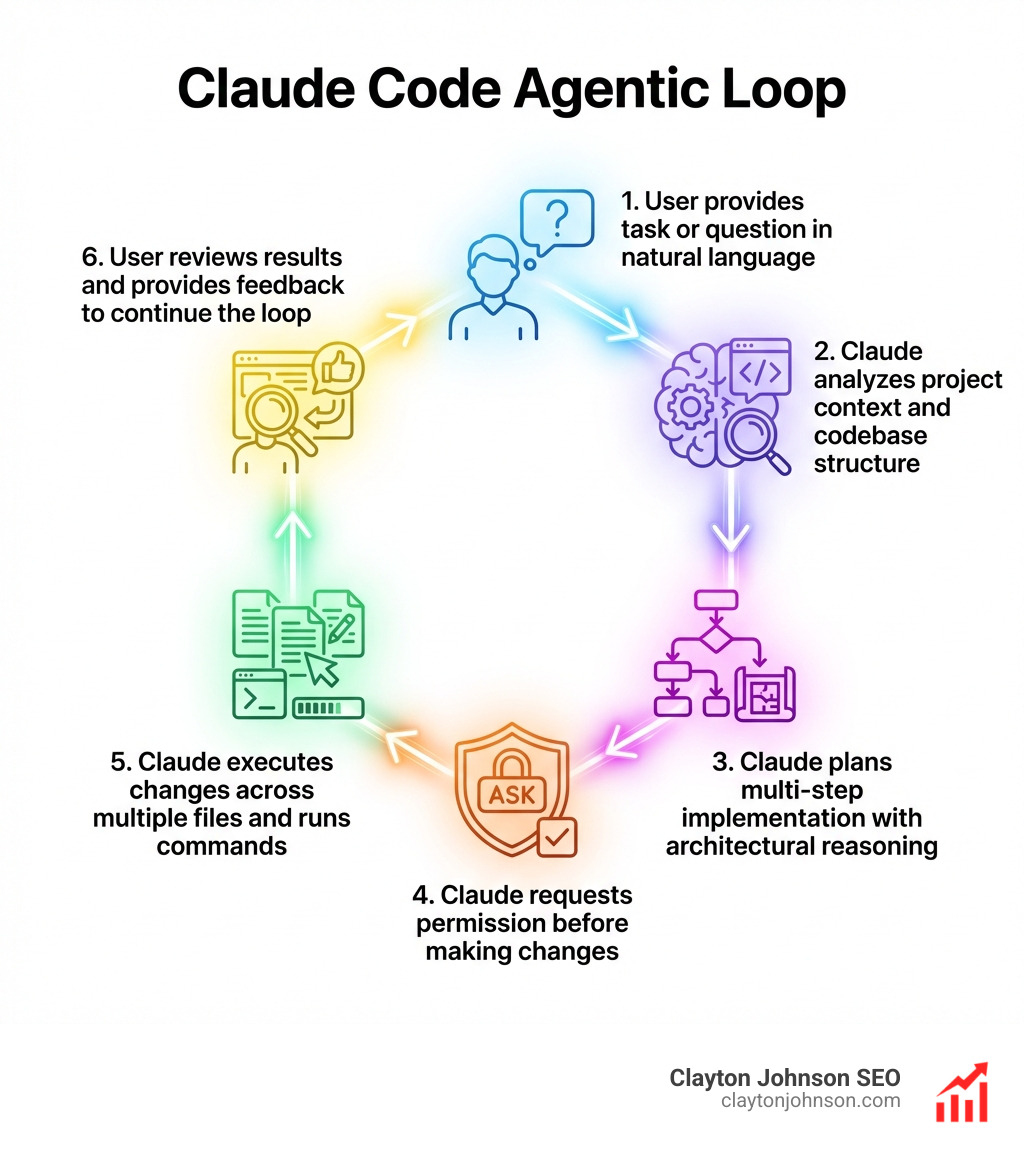
Claude coding tutorials help you master an agentic AI assistant that reads your entire codebase, plans multi-step implementations, and executes changes directly in your files—all through conversational commands. Unlike traditional autocomplete tools, Claude Code understands project context, reasons through architectural decisions, and asks for permission before modifying code.
Quick Start Guide for Claude Coding Tutorials:
- Install Claude Code – Use native installers, Homebrew, or npm (
npm install -g @anthropic-ai/claude-code) - Log in – Requires Claude Pro, Max, Teams, or Enterprise subscription
- Start a session – Run
claudein your project directory - Ask questions – “What does this project do?” or “Explain the folder structure”
- Make changes – “Add input validation to the user registration form”
- Use Plan Mode – Press
Shift + Tabtwice for complex tasks requiring architectural reasoning - Customize with CLAUDE.md – Create project-specific instructions for coding standards and workflow rules
Key Differences from Other AI Tools:
| Feature | Claude Code | GitHub Copilot | Cursor |
|---|---|---|---|
| Interaction Model | Conversational agent | Inline autocomplete | Chat + autocomplete |
| Context Window | 200,000 tokens | ~8,000 tokens | ~128,000 tokens |
| Multi-file Editing | Yes, with reasoning | Limited | Yes |
| Permission Required | Always asks first | Auto-suggests | Varies by mode |
| Platform | CLI, IDE, web, desktop | IDE extension | Desktop app |
Claude Code launched in February 2025 and reached $1 billion in annualized revenue by November 2025. It works across terminal, VS Code, JetBrains IDEs, desktop apps, and web browsers—making it the most versatile agentic coding assistant available.
What Makes Claude Code Different:
- Agentic system – Reads files, understands architecture, plans implementations
- Terminal-native – Integrates with Git, CI/CD, and Unix pipes
- Permission-based – Always asks before modifying files
- Extensible – Custom commands, hooks, and MCP server integrations
I’m Clayton Johnson, and I’ve built AI-augmented marketing workflows and growth systems that combine technical SEO depth with strategic execution frameworks. My work with Claude coding tutorials focuses on translating complex AI capabilities into practical, measurable development workflows that compound over time.
Claude coding tutorials glossary:
Understanding Claude Code vs. Traditional AI Tools
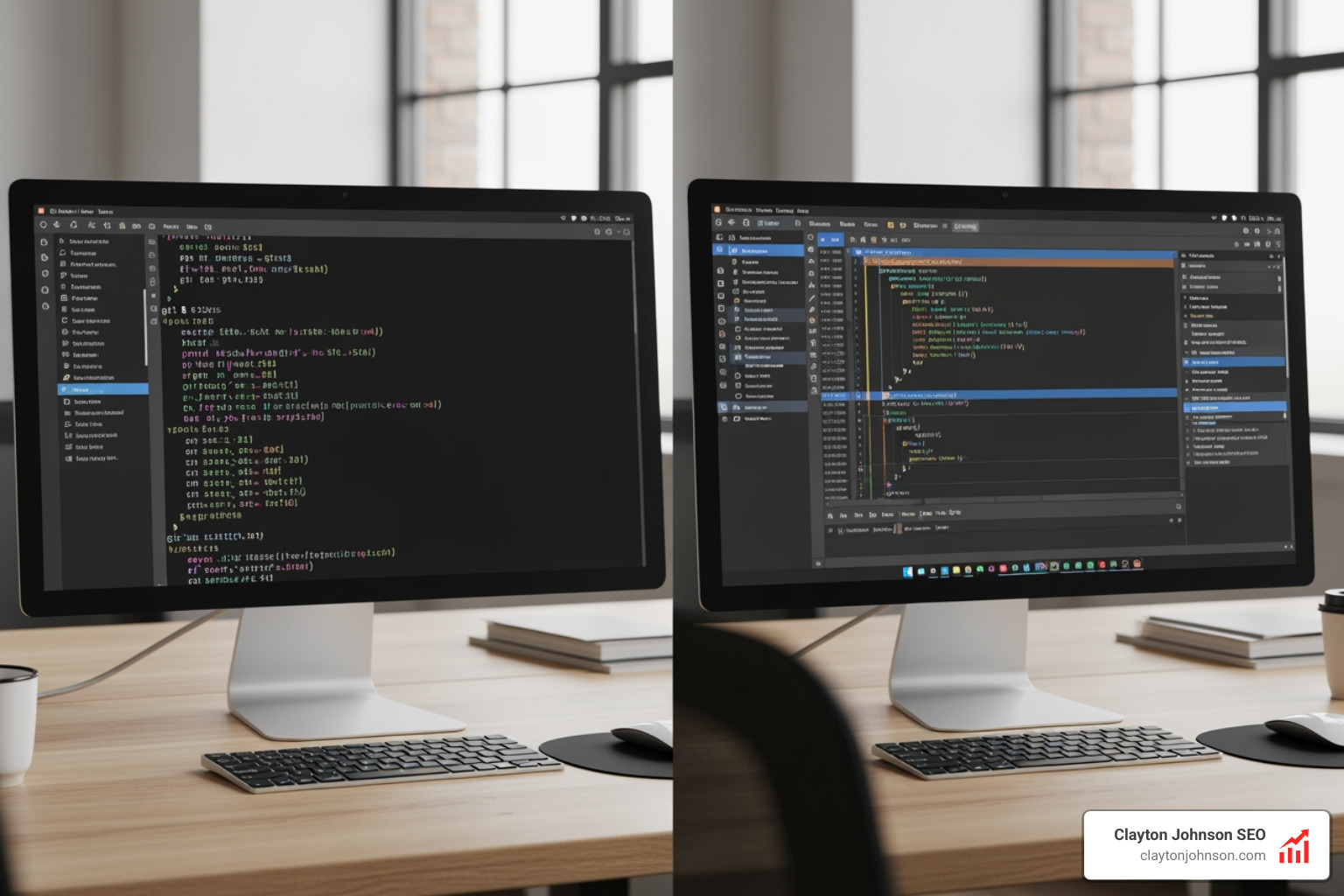
When we look at the landscape of AI development, we see a massive shift from “assistants that suggest” to “agents that do.” Claude Code represents the latter. While many of us started our AI journey with simple chat interfaces, the move to a terminal-native, agentic system changes the game entirely.
The core of Claude Code is its agentic loop. Unlike a standard chatbot that just gives you code snippets to copy and paste, Claude Code has “hands.” It can run ls to see your files, grep to find specific strings, and actually write the code directly into your files. It doesn’t just guess; it investigates.
If you are trying to decide which tool fits your stack, check out our guide on the-best-ai-for-coding-and-debugging to see how different models handle logic versus boilerplate.
Differences from GitHub Copilot and Cursor
While GitHub Copilot is fantastic for autocomplete—writing that next line of boilerplate before you even think of it—it often lacks the “big picture” perspective. Cursor improved on this by baking AI into the IDE (VS Code fork), allowing for multi-file edits.
However, Claude Code differentiates itself through reasoning depth. Because it uses the full power of the Claude 3.5 Sonnet model with a massive 200,000-token context window, it can “think” through complex architectural changes that might span dozens of files. It isn’t just looking at the file you have open; it’s looking at the entire repository’s structure.
We’ve found that mastering-the-claude-ai-code-generator-for-faster-development requires moving away from “line-by-line” thinking and toward “task-based” thinking.
Web-based Claude.ai vs. Claude Code CLI
You might wonder: “Can’t I just use the Claude.ai website?” You can, but you’ll be doing a lot of manual work.
- Claude.ai (Web): Great for brainstorming, explaining concepts, or “vibe coding” small snippets. However, it has no direct access to your local files.
- Claude Code (CLI): This is the professional choice. It lives in your terminal, meaning it can run your test suites, check your Git status, and modify your local environment.
For a deep dive into the official technical specs, the Claude Code Documentation is the gold standard for understanding its underlying architecture.
Step-by-Step Setup for Claude Coding Tutorials
Getting started is surprisingly fast. We’ve seen developers go from zero to their first AI-assisted commit in under five minutes. Whether you’re in our home base of Minneapolis or working remotely, the installation process is standardized across all major platforms.
Prerequisites and Subscription Tiers
Before you run the install script, ensure you have the right “fuel” for the engine. Claude Code requires an active subscription.
- Claude Pro/Max: The most common path for individual developers.
- Claude Console: If you prefer to pay-as-you-go via API credits.
- Enterprise: For teams using Bedrock or Vertex AI.
You will need to have an active Claude Console account or a Claude subscription to authenticate the CLI during the first run.
Installing Claude Code on Different OS
Here is the breakdown for getting the CLI on your machine:
- macOS/Linux: The easiest way is via the curl script:
curl -fsSL https://claude.ai/install.sh | bash - Windows: Use PowerShell or the native WinGet installer:
winget install anthropic.claudecode - Universal (npm): If you have Node.js installed:
npm install -g @anthropic-ai/claude-code
Once installed, simply type claude in your terminal. For a more detailed walkthrough, the Quickstart Guide covers every edge case for local setup.
Mastering the CLI and Plan Mode
Once you’re inside a session, you aren’t just typing code; you’re managing a conversation. We believe that why-every-developer-needs-ai-tools-for-programming-in-2025 is because these tools allow us to operate at a higher level of abstraction.
Using Plan Mode in Claude Coding Tutorials
Plan Mode is the “secret sauce” for complex tasks. If you ask Claude to “Refactor the entire auth module to use JWT instead of sessions,” doing it blindly is dangerous.
- How to enter: Press
Shift + Tabtwice or use the/plancommand. - What it does: Claude will stop and write out a step-by-step technical plan before touching a single line of code.
- Why use it: It allows you to catch architectural errors early. You can say, “Wait, don’t use that library, use this one instead,” before the work begins.
Essential CLI Commands for Daily Use
To keep your sessions efficient, memorize these slash commands:
/clear: Resets the conversation history. Use this when you’re starting a totally new task to save on token costs./compact: Summarizes the history so far but keeps the context. This is great for long-running debugging sessions./doctor: Runs a health check on your installation and updates./stats: Shows you how many tokens you’ve used and the estimated cost of the current session./init: Automatically creates aCLAUDE.mdfile for your project.
Customizing Your Environment with CLAUDE.md and Hooks

One of the most powerful features of Claude Code is its ability to learn your specific “house rules.” You don’t want to tell it “we use tabs, not spaces” every single time you open the terminal.
The Role of CLAUDE.md in Project Customization
Think of CLAUDE.md as the “onboarding manual” for your AI partner. When you start a session, Claude reads this file first. We recommend including:
- Tech Stack: “This is a .NET 8 Web API using Entity Framework Core.”
- Coding Standards: “Always use functional components for React; avoid class components.”
- Workflow Rules: “Never commit directly to main; always create a feature branch.”
Learning how-to-extend-claude-with-custom-agent-skills starts with a robust CLAUDE.md file that acts as a persistent memory for your project’s soul.
Extending Functionality with Hooks and MCP Servers
For power users, Claude Code can be extended via the Model Context Protocol (MCP). This allows Claude to talk to external tools like Jira, Slack, or even your Google Drive.
- Hooks: You can set up “pre-commit” or “post-execution” hooks. For example, you can tell Claude to automatically run
Prettierevery time it finishes editing a file. - Learning More: The Anthropic Academy Courses provide video tutorials on setting up these advanced automation pipelines.
Professional Workflows and Best Practices
To get the most out of Claude coding tutorials, you need to treat Claude like a senior engineer, not a magic wand. This means providing clear context and reviewing every change.
Advanced Learning Paths for Claude Coding Tutorials
Mastery doesn’t happen overnight. We suggest following a structured path:
- Beginner: Use Claude for “What does this file do?” and simple bug fixes.
- Intermediate: Use Claude for Git operations (
claude commit) and writing unit tests. - Advanced: Use subagents for parallel tasks and MCP servers for integration.
If you hit a wall, the DeepLearning.AI Forum is a fantastic community resource where developers share their custom hooks and prompting strategies. For our .NET friends, the-complete-claude-skill-pack-for-modern-developers offers specific patterns for C# and Clean Architecture.
Managing Context and Rate Limits
Claude Code is powerful, but it isn’t infinite.
- Context Management: Claude intelligently “reads” files as it needs them, but if your project is massive (millions of lines), help it out by pointing to specific directories.
- Rate Limits: Depending on your plan (Pro vs. Max), you have a certain number of messages per 5-hour window. Use
/compactand/clearto keep your “context debt” low and avoid hitting these limits prematurely.
Frequently Asked Questions about Claude Code
How does Claude Code handle large codebases?
Claude doesn’t ingest the whole 10GB repo at once. It uses tools to “explore”—it lists files, reads the README, and then deep-dives into specific files as the task requires. This “just-in-time” context management allows it to work on massive enterprise solutions without crashing.
Is my code used to train Anthropic’s models?
According to Anthropic’s current policies, data from Claude Pro, Max, and Team subscriptions is not used to train their foundational models. This is a critical distinction for professional developers handling sensitive or proprietary codebases.
Can I use Claude Code with third-party cloud providers?
Yes! Claude Code supports integration with Amazon Bedrock and Google Vertex AI. This is the preferred route for large organizations that require their data to stay within their existing VPC (Virtual Private Cloud) infrastructure.
Conclusion
At Clayton Johnson SEO, we believe that the future of work isn’t just about better tools; it’s about better workflows. Mastering Claude coding tutorials is a foundational step in building an AI-assisted development system that scales. By moving from manual coding to agentic orchestration, you free up your mental energy for high-level strategy and creative problem-solving.
Whether you’re looking for more info about SEO content marketing services or ways to automate your technical operations, the key is to start small, build your CLAUDE.md, and always—always—review the code. Happy coding!