The Ultimate Guide to Internal Linking Strategy

What Are Internal Links in SEO? (And Why They Matter for Your Rankings)
What are internal links in SEO is a question every website owner should be able to answer. Here’s the short version:
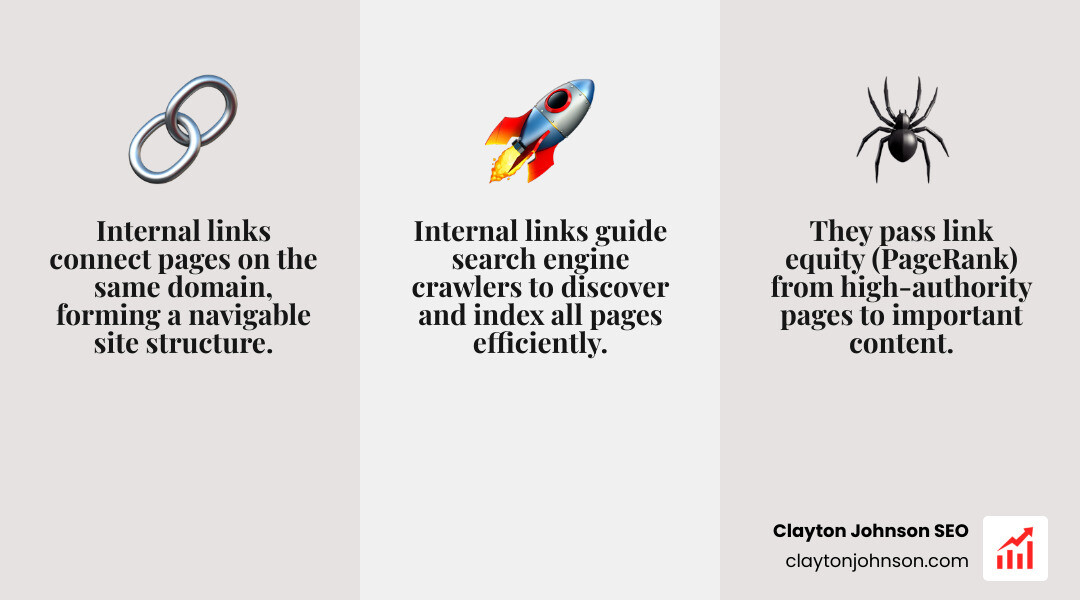
Internal links are hyperlinks that connect one page on your website to another page on the same domain. They help users navigate your content and help search engines discover, crawl, and understand your site structure.
Key facts at a glance:
- Internal links point within your own website (same domain)
- They are different from backlinks, which come from other websites
- They pass authority (link equity) from one page to another
- They help search engines find and index your pages
- They guide users toward related and important content
Google’s John Mueller has called internal linking “one of the biggest things you can do” to guide crawlers and visitors to your most important pages. Yet most website owners treat it as an afterthought.
That gap is exactly where rankings are won or lost.
I’m Clayton Johnson, an SEO strategist with nearly two decades of experience helping businesses grow through search — and understanding what are internal links in SEO is one of the foundational skills I’ve applied across hundreds of site audits and link structure overhauls. In my experience, fixing internal linking alone has pushed pages from position 11 into the top five without publishing a single new piece of content.
What Are Internal Links in SEO?
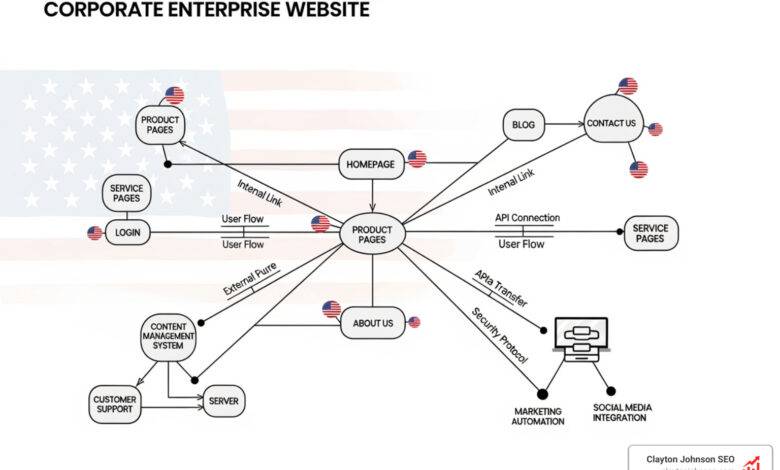
To understand what are internal links in SEO, we first need to look at the mechanics of a website. Think of your website as a library. If the books (your pages) are just piled in a corner with no labels or directions, no one can find the information they need. Internal links are the signs, the catalog, and the references that tell both visitors and search engines where the good stuff is hidden.
Technically, an internal link is an HTML element—the tag. It looks like this in the code: Internal Link Example. While it seems simple, these links form a “link graph” that search engines use to calculate variables independent of the actual search query.
The Power of Link Equity
One of the most critical concepts in what are internal links in SEO is link equity. Also known as “link juice,” this is the search engine ranking power that is passed from one page to another.
When a high-authority page (like your homepage or a viral blog post) links to another page on your site, it shares some of its “authority.” This helps the receiving page rank higher. By strategically placing internal links, we can funnel authority from our strongest pages to the ones that need a boost.
How What Are Internal Links in SEO Improve Crawlability
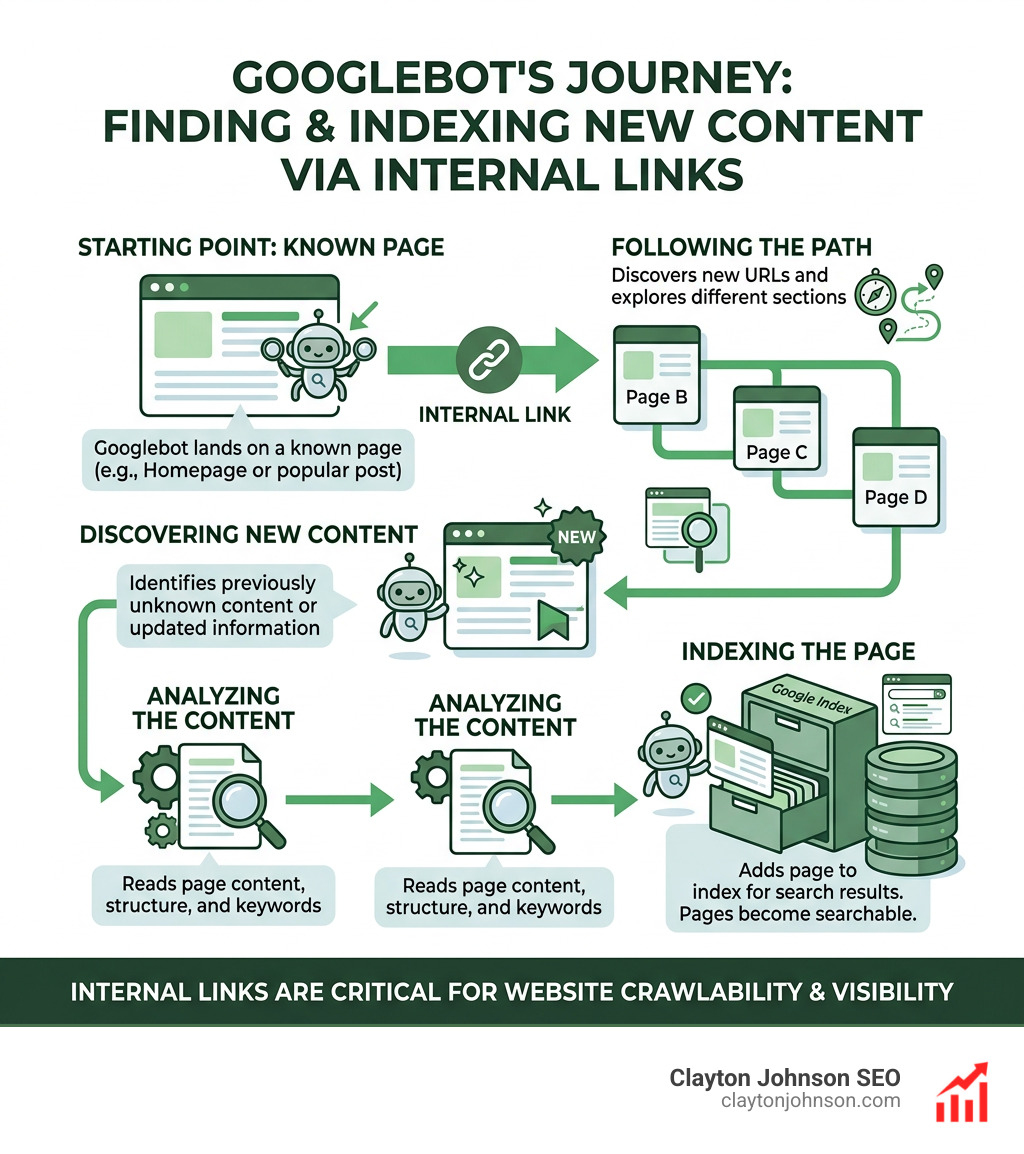
Search engines like Google use automated programs called “spiders” or “bots” to navigate the web. Google explains how search works by following links from known pages to new ones.
If a page on your site has zero internal links pointing to it, it is known as an “orphan page.” Even if it’s in your sitemap, Google might never find it, or it may consider the page unimportant. A robust internal linking structure ensures that the Google crawler can find every corner of your site efficiently.
This is especially important for managing your “crawl budget.” Search engines don’t have infinite time to spend on your site. By using clear, spiderable HTML links, we help bots find your most important content before they move on to the next website.
Distributing Link Equity and PageRank
Internal links are the primary tool for establishing a website hierarchy. While external links (backlinks) build your overall site authority, internal links distribute that authority internally.
| Feature | Internal Links | External Links |
|---|---|---|
| Destination | Same domain | Different domain |
| Control | Full control over anchor text/target | Little to no control |
| Primary Goal | Site structure & navigation | Trust & authority building |
| SEO Value | Distributes PageRank | Gains new PageRank |
According to experts, internal links can spread link juice from low-traffic pages to high-traffic ones, and vice versa. For example, if your homepage has 20 times the backlinks of any other page, you should link from the homepage to your most important “cornerstone” content to share that ranking power.
Building a High-Performance Internal Linking Strategy
We don’t just add links for the sake of adding links. A high-performance strategy requires a system. For many businesses, working with SEO consultants is the best way to map out this architecture.
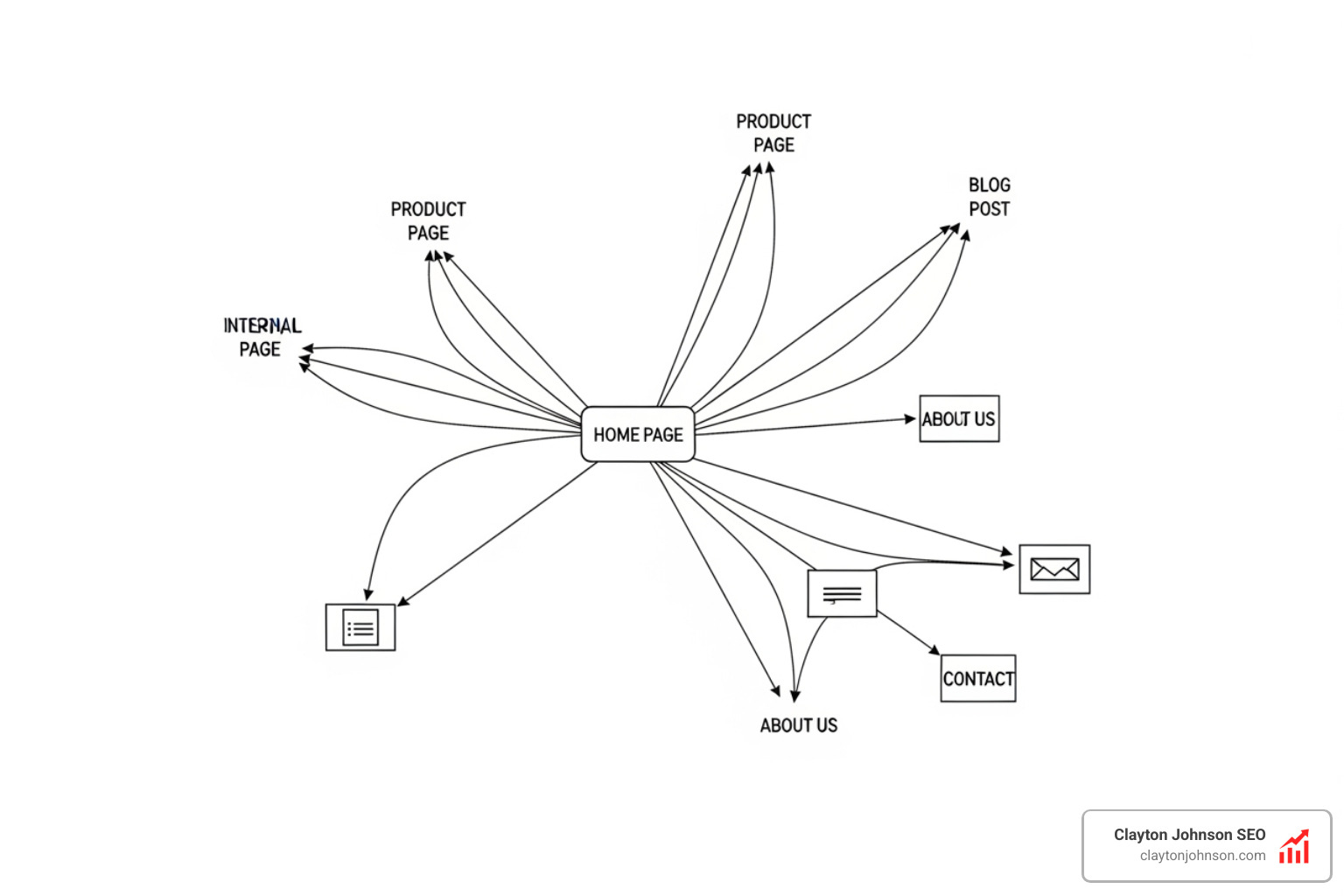
The goal is to create a “flat” website architecture. This means that any page on your site should be accessible within three clicks from the homepage. If it takes seven clicks to reach a product page, search engines will likely view that page as less important, and users will probably get frustrated and leave.
The Silo and Pyramid Models
One of the most effective ways to structure your site is the silo model. In this model, you group related content into distinct categories or “silos.”
- The Homepage sits at the top.
- Pillar Pages (Main Categories) sit underneath.
- Cluster Content (Specific Articles) links back up to the pillar pages.
This reinforces topical authority. If you have a pillar page about “Washing Machines” (a keyword that gets 18,100 searches per month), and you have ten articles about different types of washing machines all linking back to it, you are telling Google that your pillar page is the ultimate authority on that topic.
Best Practices for What Are Internal Links in SEO
To get the most out of your links, you need to follow established best practices. It’s not just about where you link, but how you link.
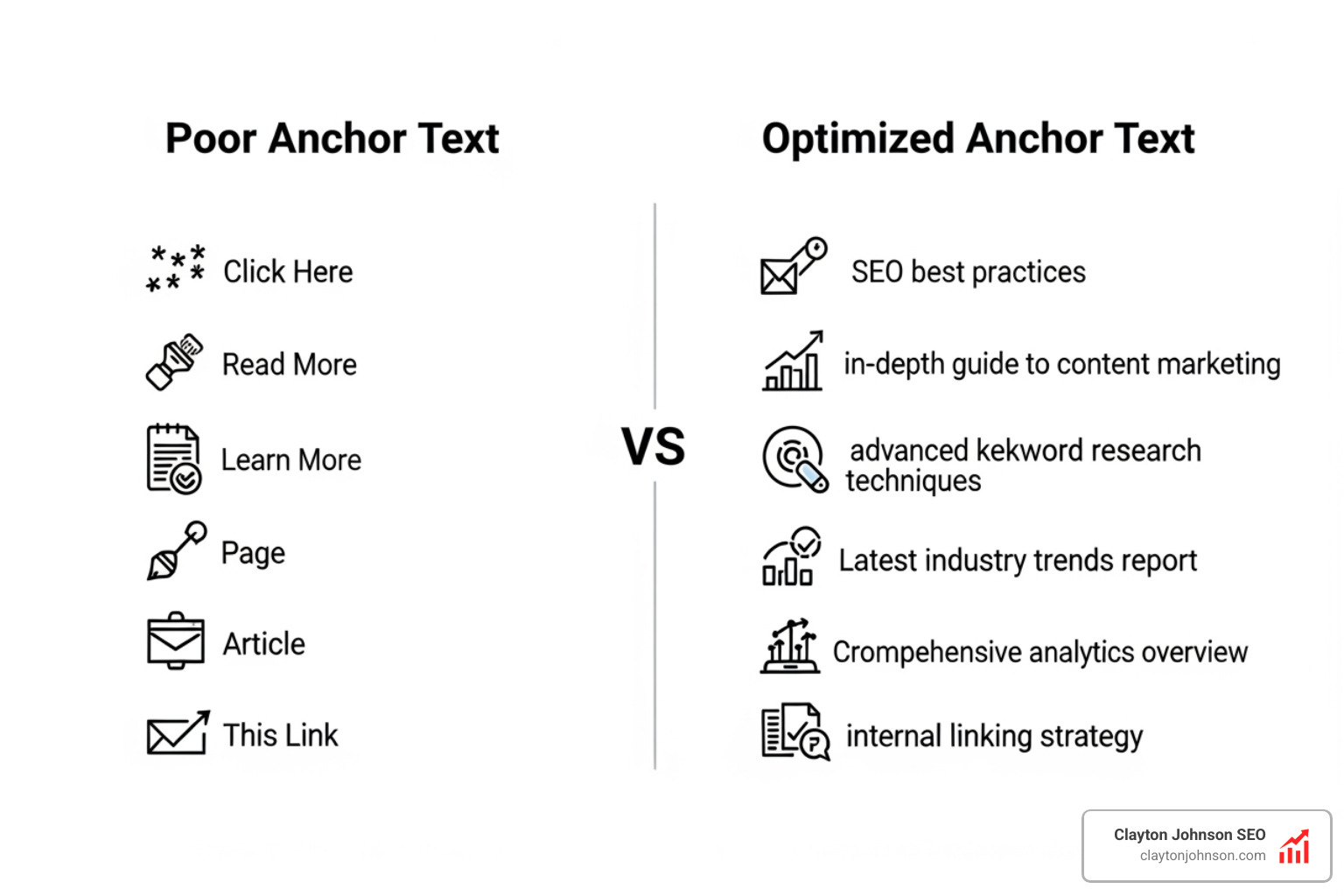
- Use Descriptive Anchor Text: Avoid “click here” or “read more.” Use keywords that describe the destination page.
- Keep it Natural: Links should be helpful to the reader. Don’t force them into sentences where they don’t make sense.
- Limit the Number of Links: While there is no hard limit, search engines generally have a rough crawl limit of 150 links per page. A Zyppy survey found that URLs with 50 links or more actually experienced declining traffic in some cases. Aim for quality over quantity.
- Use Dofollow Links: By default, links are “dofollow.” Do not use “nofollow” tags for internal links unless you are trying to hide a page from search engines (like a login page).
- Update Old Content: When you publish a new article, go back to older, related posts and add a link to the new one. This helps the new page get indexed faster.
Topic Clusters and Pillar Page Architecture
The “Topic Cluster” model is the gold standard for modern SEO. It involves a single “pillar” page—a comprehensive resource on a broad topic—and multiple “cluster” pages that cover related subtopics in detail.
For instance, if your pillar page is about “Digital Marketing,” your cluster pages might include:
- Email Marketing Tips
- SEO Strategy
- Social Media Advertising
All of these cluster pages link to the pillar page, and the pillar page links to each cluster page. This creates a tightly knit web of content that signals to search engines exactly what your site is about. This topic clusters approach is essential for building topical authority in an era where search engines prioritize expertise and depth.
Auditing and Fixing Common Linking Pitfalls
Even the best strategy can fall apart without regular maintenance. We recommend auditing your internal links every four to six weeks. Common issues to look for include:
- Broken Links: These lead to 404 error pages, which hurt user experience and waste crawl budget. You can fix broken internal links by updating the URL or removing the link.
- Orphan Pages: Use tools like Semrush or Screaming Frog to find orphan pages that have no incoming links.
- Redirect Chains: If Page A links to Page B, which redirects to Page C, you are slowing down the crawler. Link directly to the final destination.
- Excessive Crawl Depth: Ensure no important page is more than three clicks away from the home page.
- HTTPS/HTTP Mismatches: Ensure your links point to the HTTPS version of your pages to avoid security warnings and extra redirects.
Conclusion: Compounding Growth Through Structure
Understanding what are internal links in SEO is just the beginning. The real magic happens when you turn that knowledge into a durable, scalable system. At Clayton Johnson SEO, we believe that clarity and structure create leverage, which leads to compounding growth over time.
Internal linking isn’t a one-time task; it’s a vital part of your site’s architecture. By building clear pathways for both users and search engines, you ensure that your best content gets the visibility it deserves. Whether you are optimizing for traditional search or preparing for the future of AI search, a structured internal link network is your most powerful tool.
Stop treating your links like random connections. Start treating them like the framework of your growth engine. If you build the system correctly, the rankings will follow.