Claude vs other coders in the ultimate programming showdown


Why developers are choosing Claude as their AI coding partner
Claude AI programming assistant is a next-generation agentic coding tool that reads your codebase, edits files, and runs terminal commands across your IDE, browser, and command line. Unlike standard AI chat interfaces, Claude Code integrates directly into development workflows—handling everything from writing tests to fixing bugs, creating pull requests, and automating tedious tasks.
Quick evaluation guide for Claude in software development:
| Capability | Claude Code | Standard AI Chat |
|---|---|---|
| Direct file editing | ✓ Native codebase access | ✗ Copy-paste required |
| Git operations | ✓ Commits, branches, PRs | ✗ Manual execution |
| Command execution | ✓ Runs tests, builds, lints | ✗ No terminal access |
| Multi-platform support | ✓ CLI, VS Code, JetBrains, Web | ✗ Chat interface only |
| Project memory | ✓ CLAUDE.md for standards | ✗ No persistent context |
Key strengths versus competitors:
- Claude 3.5 Sonnet leads in code modifications and instruction-following, outperforming o1 for iterative debugging
- o1-preview excels at complex refactoring from scratch but struggles with changes to existing code
- Claude Opus 4.6 is positioned as the world’s best model for coding, enterprise agents, and professional work
Common use cases:
- Exploring codebases and adding features autonomously
- Refactoring Jupyter notebooks into production dashboards
- Fixing bugs by tracing issues through multiple files
- Automating PR reviews and issue triage in CI/CD pipelines
Trade-offs to consider:
Research shows AI assistance can speed up coding tasks by up to 80%, but comes with a cost—developers using AI scored 17% lower on coding quizzes (equivalent to nearly two letter grades) compared to those coding manually. The largest gaps appeared in debugging skills, critical for validating AI-generated code.
I’m Clayton Johnson, an SEO and growth strategist who’s implemented the Claude AI programming assistant across development workflows to accelerate content systems and AI-augmented marketing operations. Over the past year, I’ve tested Claude Code alongside o1, GPT-4o, and Mistral to understand where each model delivers measurable productivity gains versus where human oversight remains non-negotiable.
Claude AI programming assistant terms you need:
What is the Claude AI programming assistant?
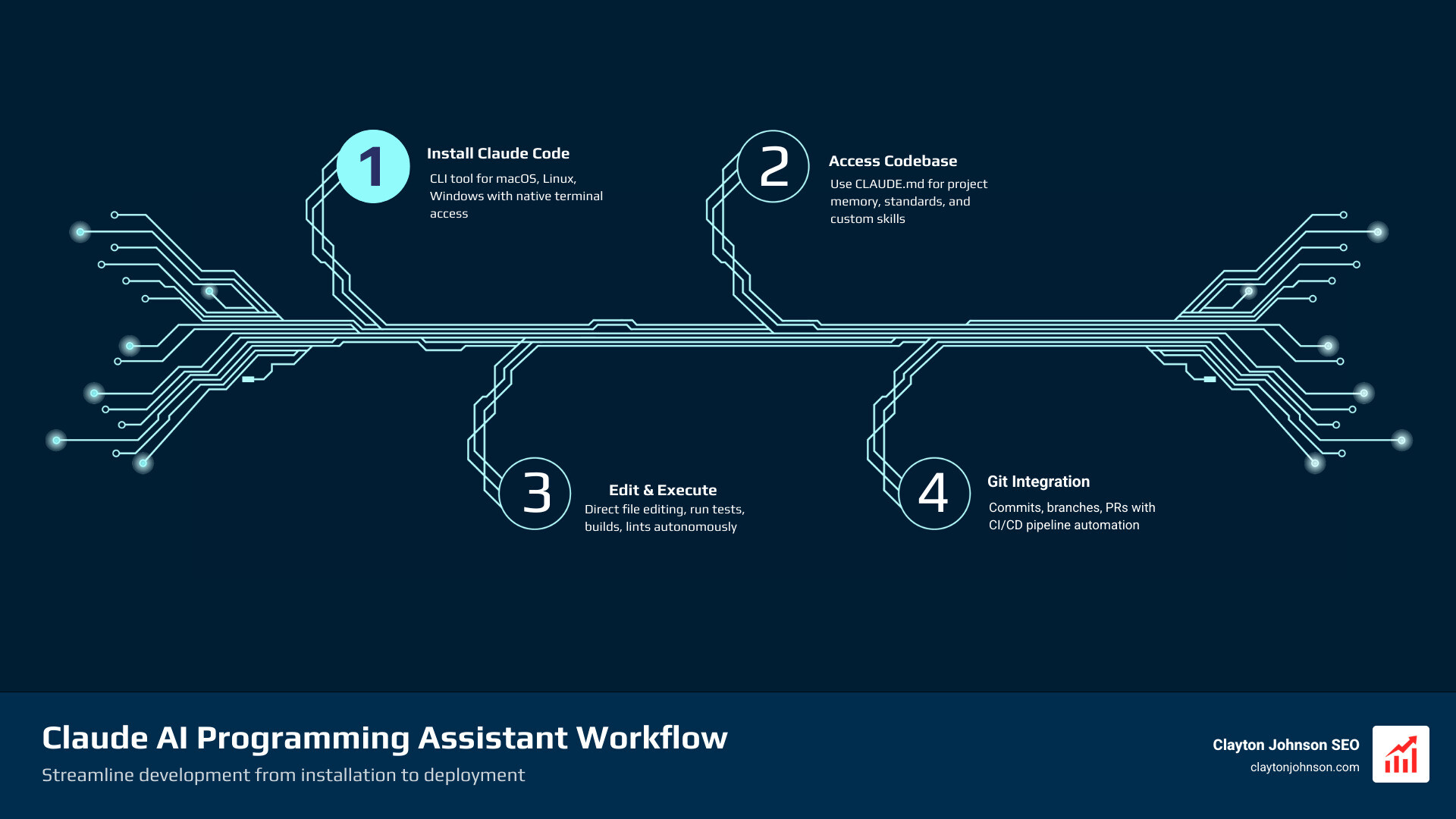
The Claude AI programming assistant, specifically the tool known as Claude Code, represents a massive leap from “chatbot” to “agent.” While we used to spend hours copy-pasting snippets from a browser into our editor, Claude Code lives where the work happens. It is an agentic tool designed to actually do the work rather than just talk about it.
At its core, it is a command-line interface (CLI) and integrated suite that can read your entire codebase. It doesn’t just see the file you have open; it understands the relationships between your components, your utilities, and your tests. This “agentic autonomy” allows it to take a high-level instruction like “fix the login bug” and proceed to find the relevant files, run the build to reproduce the error, and apply a fix.
For a deeper dive into the basics, check out our guide on Claude AI coding 101.
Key features of the Claude AI programming assistant
What makes this tool a “must-have” in our growth architecture at Demandflow? It’s the combination of these specialized capabilities:
- File Editing: It can autonomously modify files across your directory.
- Command Execution: It can run
npm test,pytest, or any shell command to verify its own work. - Git Integration: It stages changes, writes descriptive commit messages, and can even open pull requests.
- MCP Support: It utilizes the Model Context Protocol to connect with external data sources like Jira or Slack.
You can find the technical specifics in the Claude Code Docs.
Claude Code vs standard Claude chat
The difference between the web-based Claude.ai chat and Claude Code is like the difference between a consultant and a full-time engineer. Standard chat is great for brainstorming or isolated snippets, but it lacks the context of your local environment.
Claude Code provides direct codebase access, meaning you no longer have to explain your project structure every time you start a new session. It uses a terminal-based workflow that reduces context switching. Instead of moving between your IDE and a browser, you simply stay in your flow. This integration is a game-changer for maintaining momentum, as detailed in the complete guide to how Claude helps your coding workflow.
Claude vs o1, GPT-4o, and Deepseek
When we put these titans in the ring, the results are nuanced. We aren’t just looking for who can write a “Hello World” faster; we’re looking for who can handle a complex, messy, 50,000-line codebase without breaking things.
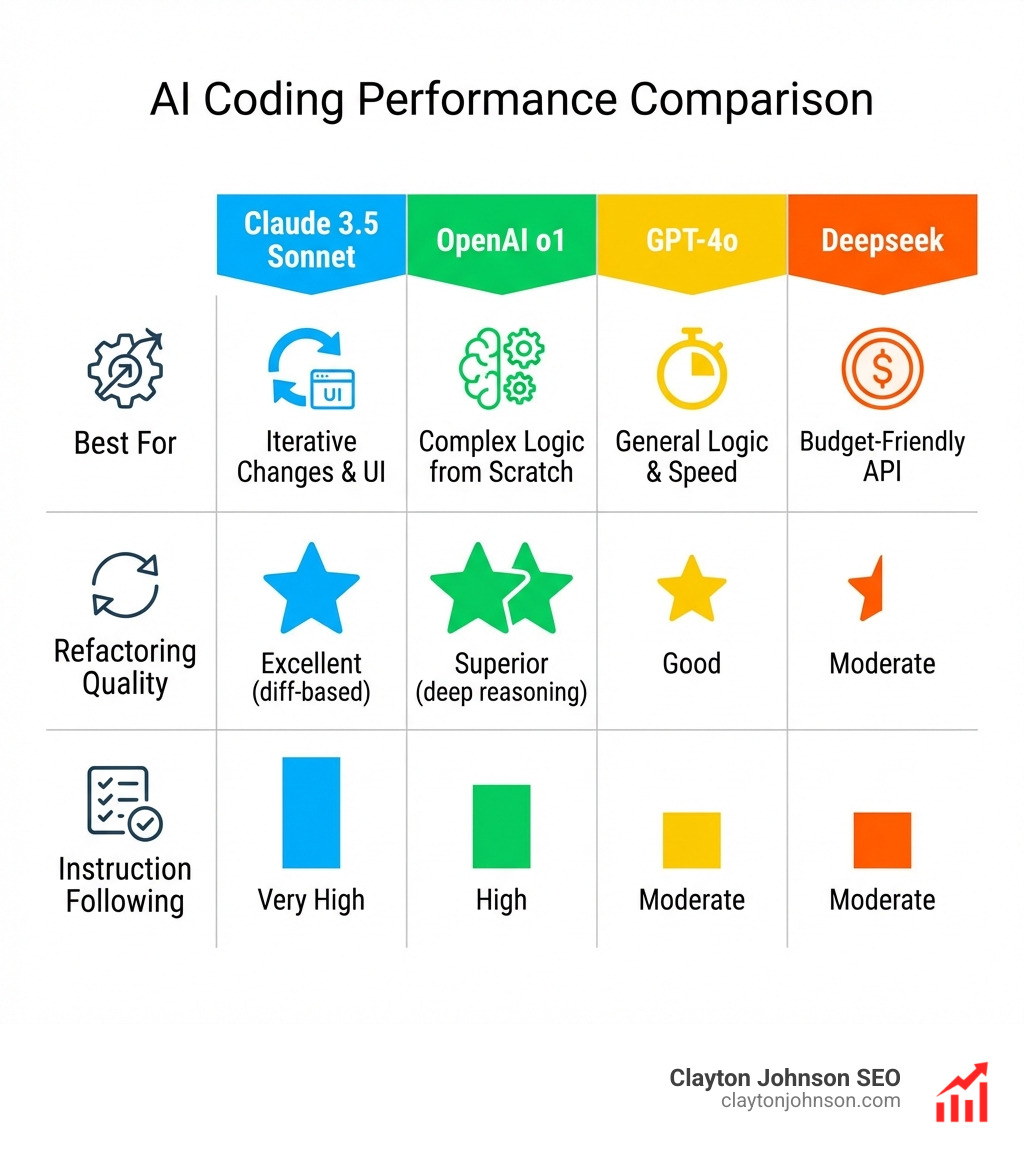
| Feature | Claude 3.5 Sonnet | OpenAI o1 | GPT-4o | Deepseek |
|---|---|---|---|---|
| Best For | Iterative changes & UI | Complex logic from scratch | General logic & speed | Budget-friendly API |
| Refactoring | Excellent (diff-based) | Superior (deep reasoning) | Good | Moderate |
| Instruction Following | Very High | High | Moderate | Moderate |
| Context Window | 200k tokens | Variable | 128k tokens | 128k tokens |
For a breakdown of why we often reach for Claude over the others, see the honest truth about why you should choose Claude for coding and our Battle of the bots analysis.
Why Claude 3.5 Sonnet leads in code modifications
In our experience, Claude 3.5 Sonnet is currently the “Goldilocks” model for daily development. While OpenAI’s o1 model has incredible “reasoning” capabilities, it often over-engineers solutions or struggles when asked to make small, surgical changes to existing code.
Claude excels at diff-editing. When used within tools like Cursor IDE, it provides clean, readable changes that respect your existing style. Reddit discussions frequently highlight that Claude is less prone to “lazy coding” (where a model might say “insert logic here”) compared to GPT-4o. If you want to see how to maximize this, our Claude AI code completion guide is a great resource.
Strengths and weaknesses of competing models
- o1-preview: Best for “hard” problems like complex math or writing an entire algorithm from scratch. Its weakness is speed and a tendency to ignore existing file constraints.
- GPT-4o: A solid all-rounder, but it has higher hallucination rates in niche libraries and often requires more “hand-holding” through prompts.
- Mistral Large: Underrated for long, unbroken code outputs. It’s great if you need a model that won’t truncate its response mid-function.
- Deepseek: Gaining traction for its performance-to-cost ratio, though it still lags behind Claude in complex architectural understanding.
Research suggests that while these tools can speed up tasks by 80%, the “80%” only applies if the developer knows how to steer the model effectively.
Integrating Claude Code into your development workflow
Integrating the Claude AI programming assistant isn’t just about installing a plugin; it’s about shifting your mindset toward “pair programming” with an agent.

Whether you are using VS Code, JetBrains, or working purely in the terminal, the goal is to make Claude a seamless part of your CI/CD pipeline. You can even set up Claude to monitor your logs—for example, piping a log stream to Claude and telling it to “Slack me if you see any anomalies.”
To get started with your favorite editor, check out how to integrate Claude with VS Code or supercharge your IDE with Claude extensions.
Mastering the Claude AI programming assistant with CLAUDE.md
One of the most powerful “best practices” is the use of a CLAUDE.md file. Think of this as the “instruction manual” for the AI. By placing this file in your project root, you can define:
- Project-specific coding standards (e.g., “Always use functional components”).
- Architecture decisions.
- Preferred libraries and versions.
- Custom review checklists.
This ensures that every time you start a session, Claude already knows your “house rules.” You can even extend Claude with custom agent skills to automate repeatable team workflows.
Leveraging Model Context Protocol (MCP)
The Model Context Protocol (MCP) is an open standard that allows Claude to securely connect to your data. Imagine Claude being able to read a bug report in Jira, look up a related conversation in Slack, and then check your Google Drive for the design specs—all before it even touches your code. This creates a “unified brain” for your development process, significantly reducing the “discovery” phase of any task. Learn more about these integrations in our Claude AI extensions guide.
The impact of AI on developer skill development
We need to address the elephant in the room: is AI making us “dumber” coders? Research indicates a potential “trust paradox.”
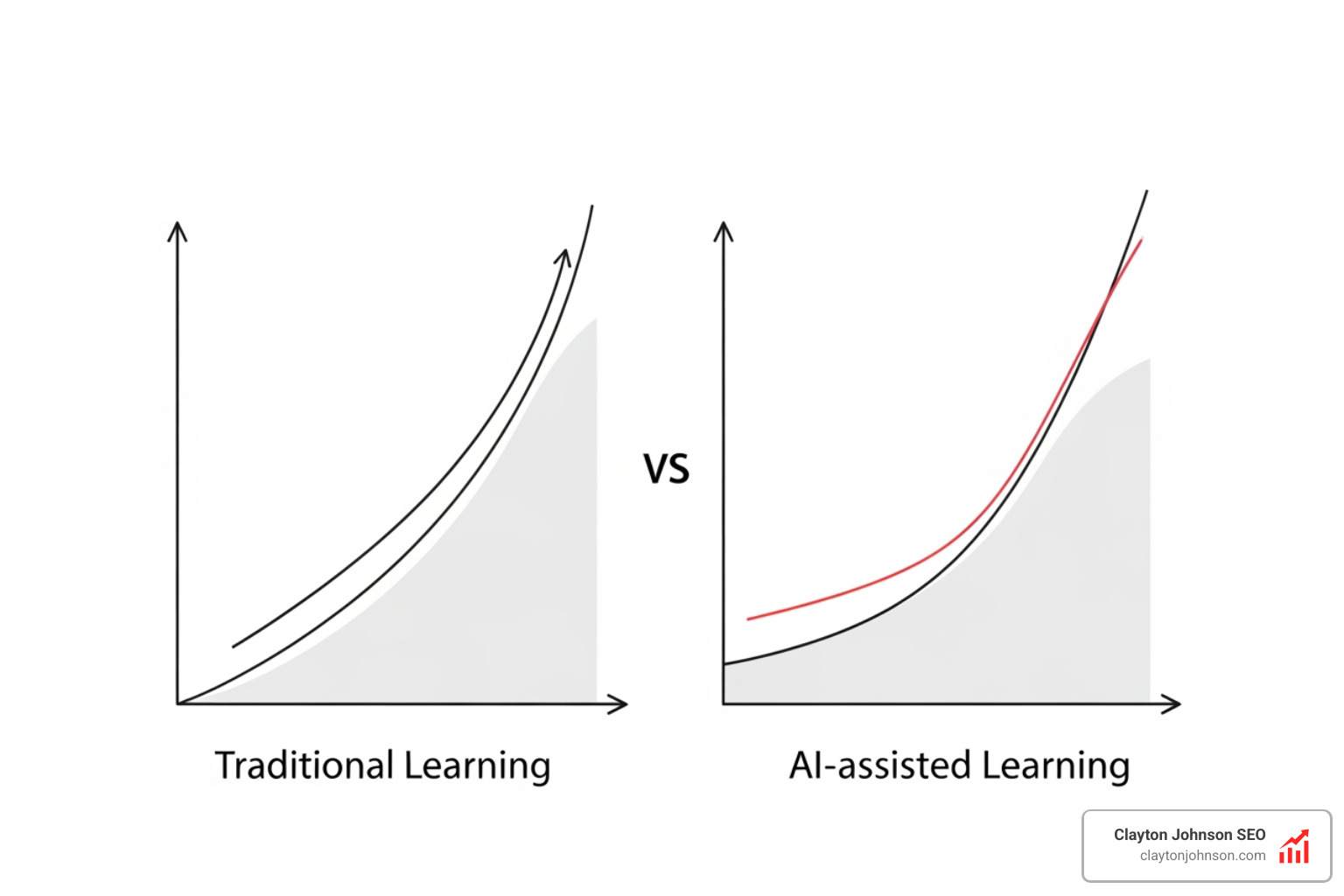
A recent scientific study found that while AI helped developers finish tasks slightly faster, it led to a 17% decrease in mastery. Developers who relied too heavily on “delegating” the work to the AI struggled significantly more with debugging and conceptual understanding. This is likely because the “struggle” of getting stuck is actually where most learning happens.
Balancing productivity and learning
To stay sharp, we recommend two specific styles of interaction:
- Generation-then-comprehension: After Claude generates code, ask it to explain why it chose that specific pattern.
- Conceptual inquiry: Before asking for code, ask Claude to explain the underlying concept or architectural trade-offs.
By using “thinking mode” and focusing on intentional skill development, you can reap the productivity rewards without losing your edge.
Pricing and access for Claude Code
Anthropic offers several tiers to fit different needs, though most professional developers will find the Pro or Max plans necessary for real-world work.
- Free Plan: Great for trying out the chat interface and basic code generation.
- Pro Subscription ($20/month): Includes Claude Code, higher usage limits, and access to the latest models like Claude 3.5 Sonnet.
- Max Plan (From $100/month): Designed for power users and teams, offering 5–20x more usage than the Pro plan and early access to new features.
For the most up-to-date details, see the official Claude pricing page. Usage limits apply across all plans, so managing your context efficiently is key.
Frequently Asked Questions about Claude for coding
How do I install Claude Code on my machine?
Installation is straightforward for most Unix-based systems. You can use the following command in your terminal:
curl -fsSL https://claude.ai/install.sh | bash
For Windows users, there are specific PowerShell and CMD equivalents available in the Claude Code installation guide.
Does Claude Code support GitHub and GitLab?
Yes! Claude Code integrates deeply with Git. It can handle pull request reviews, issue triage, and even automate the process of translating strings or fixing lint errors within your CI/CD pipelines.
What is the best Claude model for programming?
As of now:
- Claude Opus 4.6 is the “heavyweight” for complex, enterprise-level professional work.
- Claude Sonnet 4.5 is the “balanced” choice for most daily coding tasks.
- Claude Haiku 4.5 is the fastest, perfect for quick scripts or simple refactors.
Check the latest generation of Claude models for ongoing updates.
Conclusion
At Demandflow.ai, we believe that the future of business isn’t just about having the best tools—it’s about having the best structured growth architecture. The Claude AI programming assistant is a vital component of that architecture. It allows us to move from reactive adjustments to proactive, AI-augmented workflows that compound growth over time.
Whether you are a founder looking to build faster or a marketing leader aiming to automate complex systems, the leverage provided by agentic AI is undeniable. By combining these advanced tools with our SEO content marketing services, you can build a growth engine that is both fast and sustainable.
Clarity leads to structure, and structure leads to leverage. Are you ready to rewire your development for growth?