Why Abandoned Cart Email Automation Setup Is Your Highest-ROI Marketing Move
Abandoned cart email automation setup is one of the fastest ways to recover lost e-commerce revenue — here’s how to do it quickly:
- Connect your store to an email platform (Shopify, WooCommerce, BigCommerce, etc.)
- Create an automation workflow triggered by cart abandonment
- Set a time delay of at least 1 hour before the first email sends
- Add dynamic cart content so each email shows the shopper’s actual items
- Configure follow-up emails at 24 and 48 hours after abandonment
- Activate the workflow and monitor recovery rates in your reports
Nearly 70% of online shopping carts are abandoned before checkout is complete. That means for every 10 people who add something to their cart, 7 walk away without buying.
The good news? Most of them didn’t leave because they changed their minds.
Research from the Baymard Institute shows that nearly 43% of shoppers abandon carts simply because they’re browsing or not ready to buy yet. Another 39% leave because unexpected costs like shipping fees surprised them at checkout.
These are recoverable customers. They showed real purchase intent. They just need a well-timed nudge.
That’s exactly what abandoned cart email automation delivers — and it consistently generates the highest ROI of any automated email workflow. Stores that send a series of multiple recovery emails see up to 69% more orders compared to sending just one.
I’m Clayton Johnson, an SEO strategist and marketing automation specialist who has spent nearly two decades building scalable growth systems — including abandoned cart email automation setups — that turn lost traffic into measurable revenue. In the guide below, I’ll walk you through everything you need to set this up correctly, from platform prerequisites to timing, dynamic content, compliance, and troubleshooting.
Mastering Your Abandoned Cart Email Automation Setup
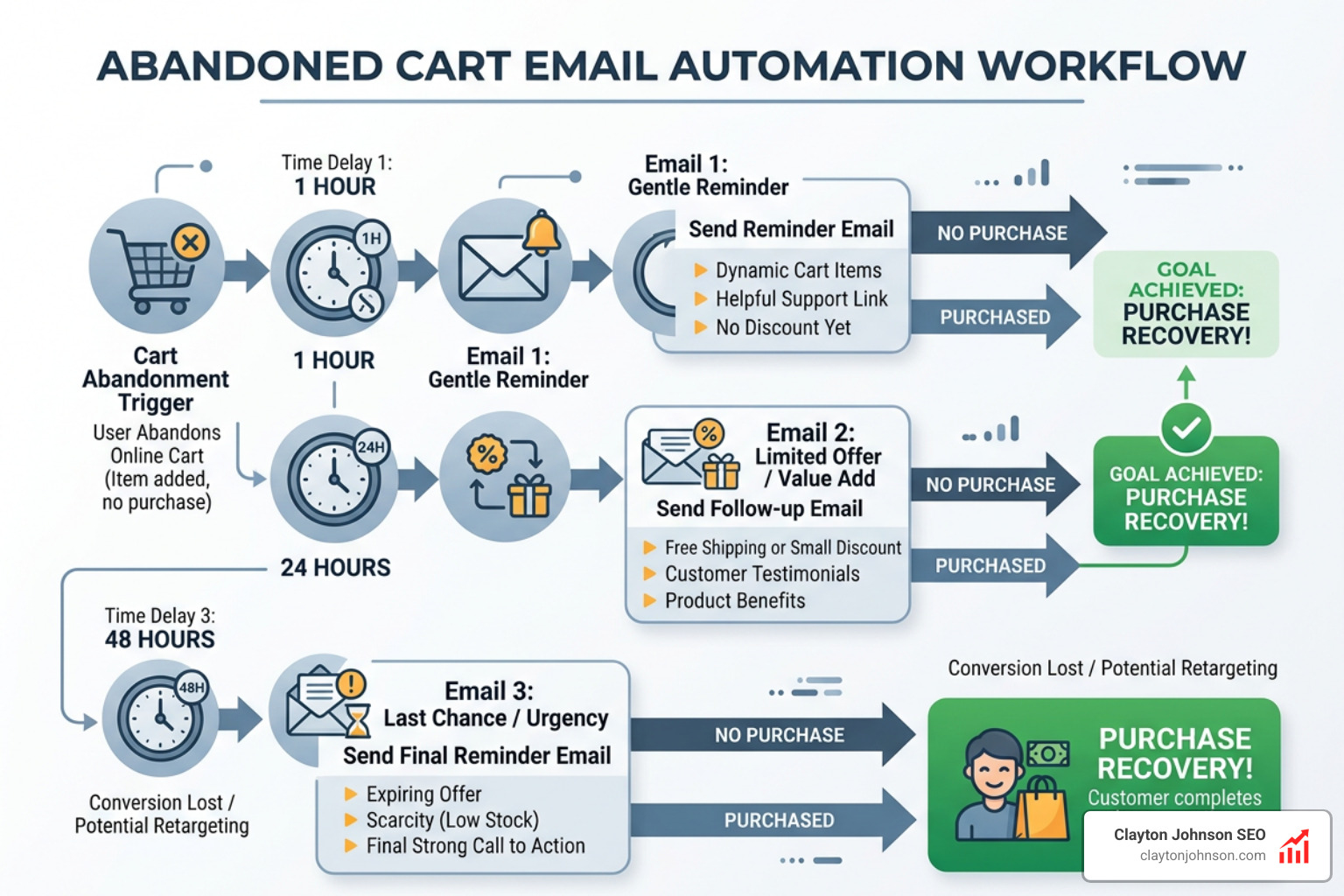
To truly master your abandoned cart email automation setup, you first need to understand that this isn’t just about sending a “you forgot something” note. It is a sophisticated system that bridges the gap between a browser’s intent and a confirmed sale. By leveraging the right platforms and triggers, we can create a seamless experience that brings customers back to exactly where they left off.
Different platforms handle this detection in unique ways. For instance, some triggers are based on the “Added to Cart” event, while others wait until a user has “Started Checkout.” The latter is often more effective because it captures users with higher intent who have already provided an email address.
Platform Comparison: Finding the Right Fit
Choosing the right tool is the first step in your abandoned cart email automation setup. While many platforms offer this feature, their depth of integration varies.
| Platform | Primary Trigger | Best For | Recovery Detection |
|---|---|---|---|
| Klaviyo | Started Checkout / Added to Cart | Advanced E-commerce | Real-time purchase sync |
| Mailchimp | Abandons Cart | General Marketing | Standard API detection |
| MailerLite | Abandoned Cart | Simple Workflows | Automatic stop on purchase |
| ActiveTrail | Client Abandons Cart | ROI-focused SMBs | Dynamic cart block sync |
| Privy | Abandoned Cart Series | High-Volume Shopify | Cookied contact tracking |
While Shopify and WooCommerce have basic built-in recovery tools, they often lack the advanced segmentation and multi-step logic found in dedicated email marketing platforms. For a truly professional setup, we recommend using a tool that allows for “trigger splits”—for example, sending a different email to a first-time visitor versus a high-value loyal customer.
Prerequisites for a Successful Abandoned Cart Email Automation Setup
Before you start dragging and dropping blocks in an automation builder, you need to lay the technical groundwork. Without a solid connection between your store and your email service provider (ESP), the automation simply won’t trigger.
- E-commerce Integration: You must have a connected and supported store. Whether you use a direct integration or a custom API 3.0, your ESP needs to “see” your cart data in real-time.
- Contact Identification (Cookies): For an automation to work, the system must know who the shopper is. This usually happens when a user is “cookied” by your site—either because they logged in, clicked a previous email link, or entered their email during the first step of checkout.
- Marketing Consent: Compliance is non-negotiable. Ensure your checkout process includes a clear way for users to opt into marketing. Most platforms require “active” subscriber status to send automated sequences beyond the initial transactional reminder.
- Data Synchronization: Check your sync frequency. Some integrations sync data hourly, while others are near-instant. If your sync is slow, you may need to adjust your initial wait time to ensure the email doesn’t fire before the data arrives.
To dive deeper into the technical mechanics of these systems, check out our a-z-guide-to-email-marketing-automation. Understanding About Marketing Automation Flows is also essential for grasping how pricing plans and platform capabilities might limit your flow’s complexity.
Designing High-Conversion Emails with Dynamic Content
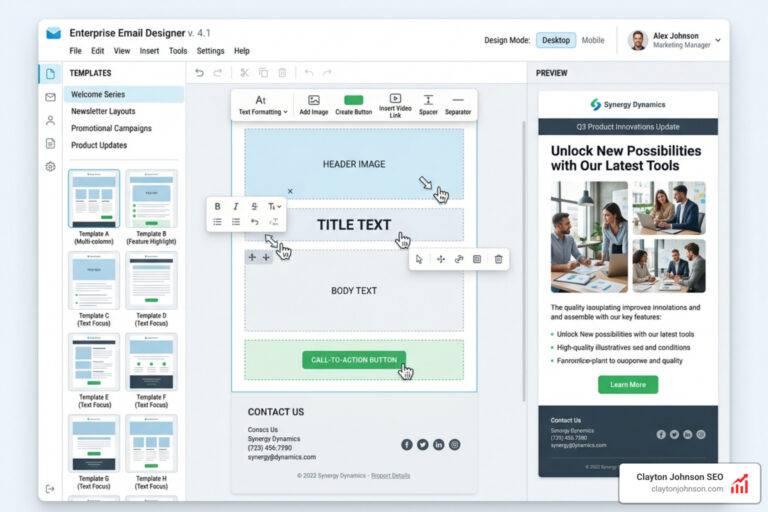
The design of your recovery email is what ultimately wins the customer back. A plain text reminder is better than nothing, but a high-converting abandoned cart email automation setup uses dynamic content to recreate the shopping experience inside the inbox.
- Dynamic Cart Blocks: This is the most critical element. Your email should automatically pull in the product images, titles, and prices of the specific items left behind. Platforms like ActiveTrail and Klaviyo offer specialized “Cart Items” blocks that handle this automatically.
- Personalized Links: Don’t just send them to your homepage. Use a “Rebuild Cart” URL that takes the shopper directly back to their checkout page with their items already pre-loaded.
- Social Proof and Trust: Since 13% of abandonments are due to technical or trust issues, adding star ratings and customer reviews can be the push a shopper needs. Kim Kardashian’s brand, SKIMS, famously uses both star ratings and specific customer testimonials within their recovery emails to build authenticity.
- Brand Voice: Whether you use humor like Liquid Death (“Maybe you died?”) or a minimalistic approach like Girlfriend Collective, ensure your copy matches your brand.
When you Design an Email with the New Builder, focus on keeping the CTA (Call to Action) above the fold. Phrases like “Return to Cart” or “Finish the Job” work better than generic “Shop Now” buttons. If you’re struggling with getting these emails to convert, our conversion optimization services can help fine-tune your messaging.
Strategic Timing and Incentive Configuration
Timing is the difference between a helpful reminder and an annoying intrusion. If you send the email too soon, the customer might still be looking for their credit card. If you wait too long, they’ve likely bought from a competitor.
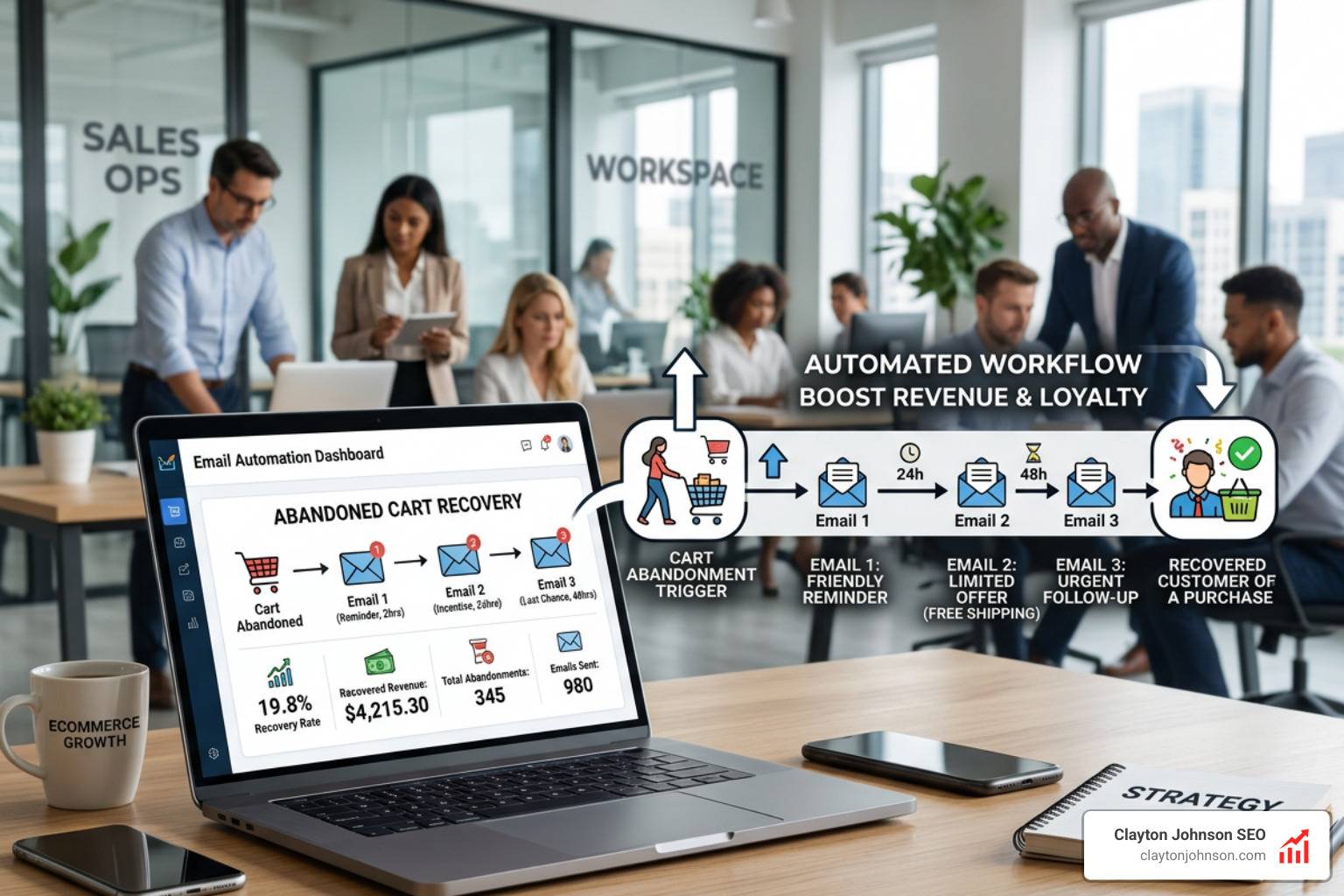
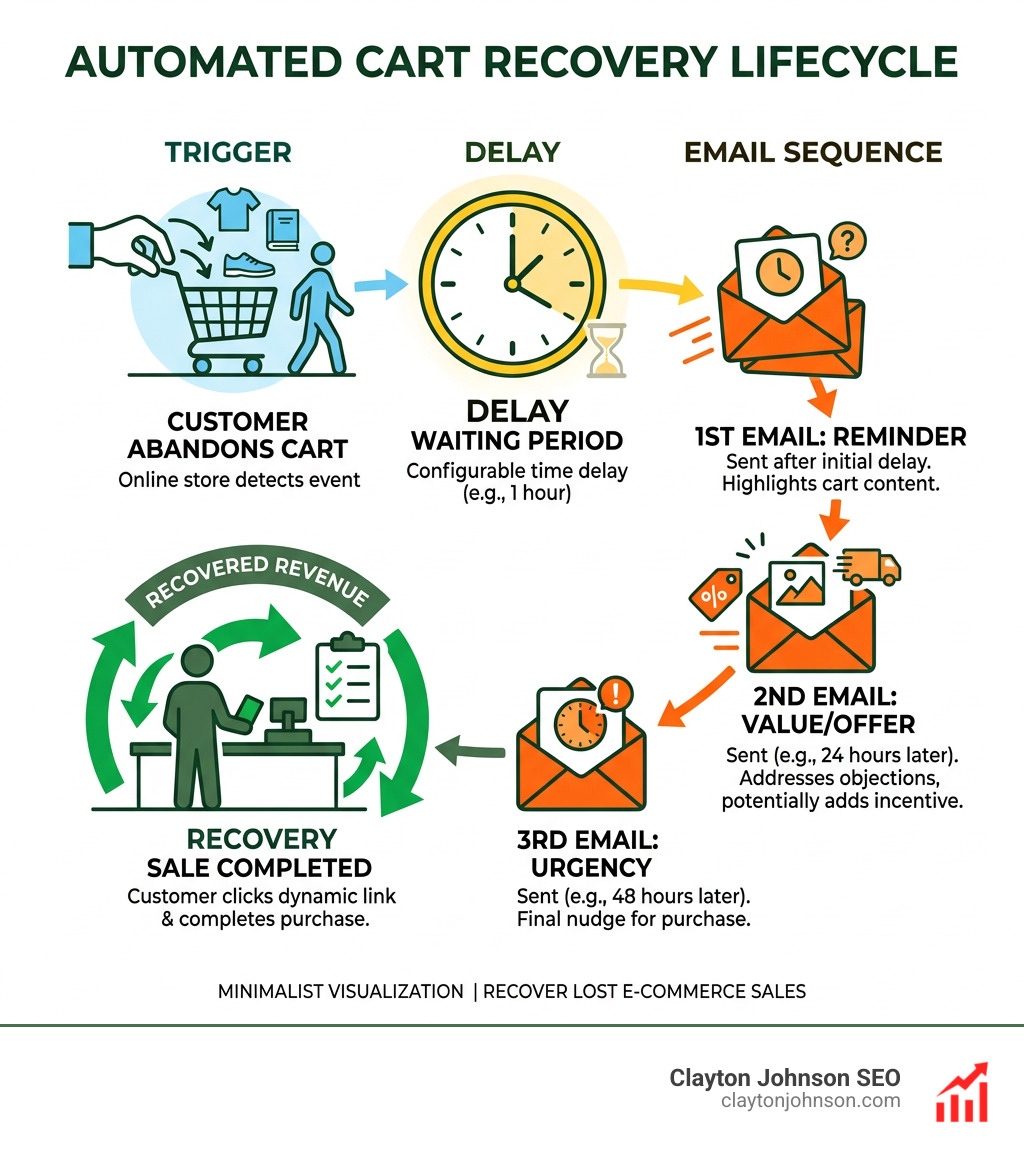
- The First Email (1–4 Hours): Research suggests that sending the first reminder within 1 to 3 hours of abandonment is the “sweet spot.” ActiveTrail recommends a minimum 1-hour delay. This keeps your brand top-of-mind while the purchase intent is still warm.
- The Follow-Up (24 Hours): If they haven’t converted, send a second email 24 hours later. This is a great time to introduce social proof or answer common FAQs about your return policy.
- The Final Nudge (48–72 Hours): This is where you bring out the “big guns.” A personalized discount code or a free shipping offer can be highly effective here.
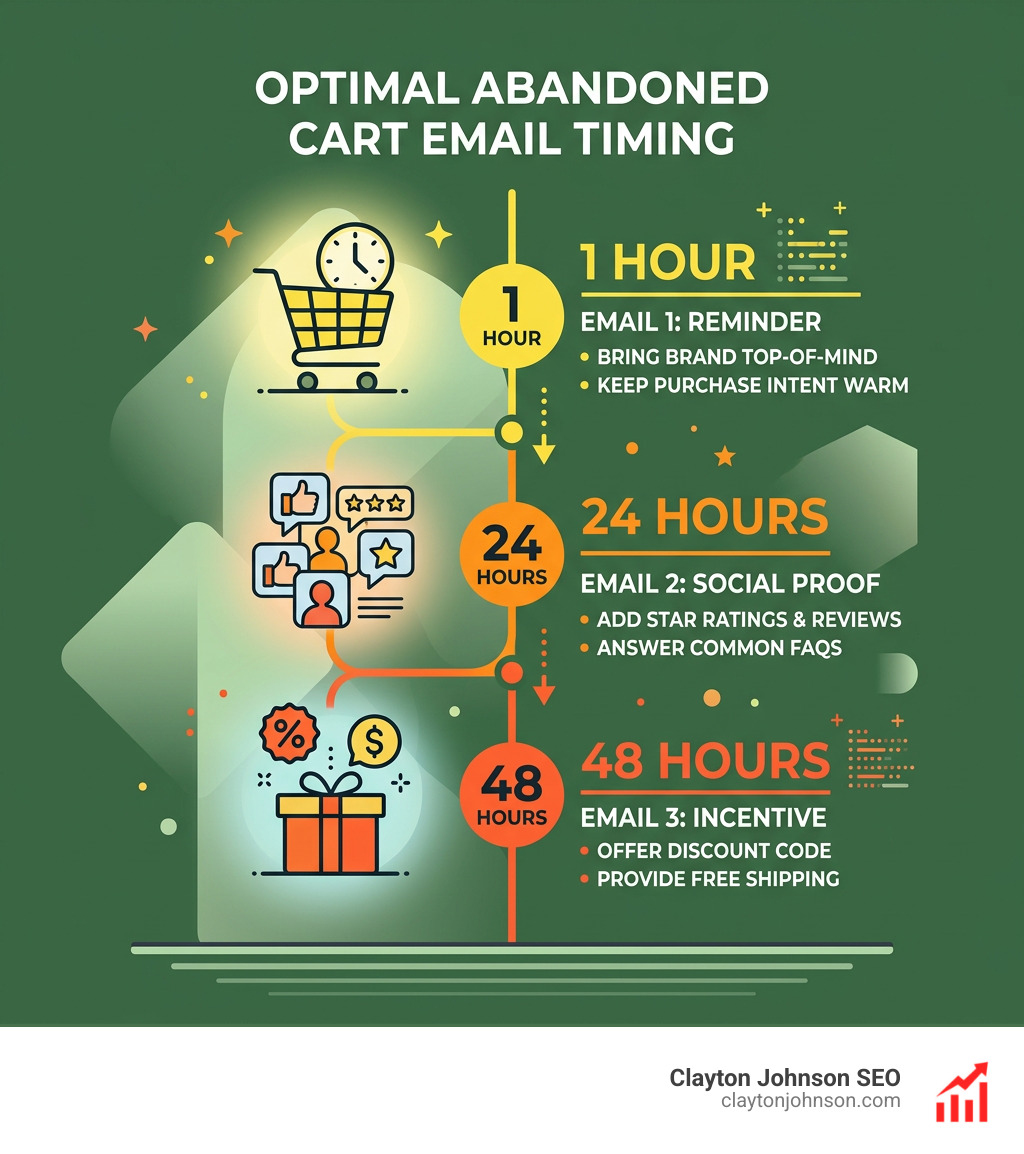
A word of caution: don’t lead with a discount in the first email. This “trains” your customers to abandon their carts just to get a coupon. Instead, reserve incentives for the final email in the sequence or for first-time buyers only. If you’re wondering which email automation tool lives up to the hype for handling these complex timing sequences, we’ve reviewed the top contenders to help you decide.
Optimizing and Troubleshooting Your Recovery System
Once your abandoned cart email automation setup is live, the work doesn’t stop. You need to monitor performance to ensure the “pipes” aren’t leaking. A successful recovery strategy is iterative; you should constantly be testing subject lines, delays, and incentives.
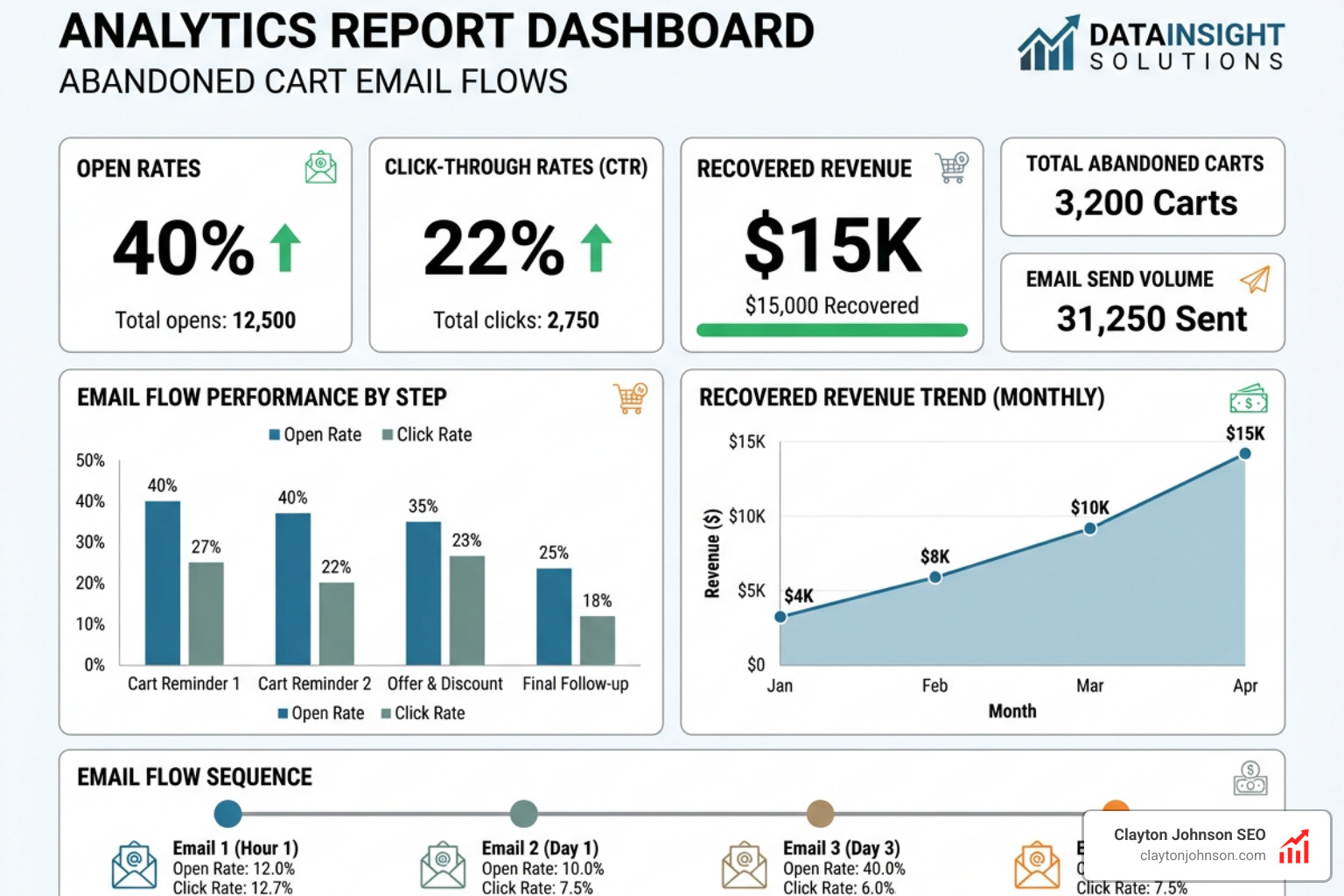
Performance Metrics to Track
To measure the success of your setup, keep a close eye on these KPIs:
- Open Rate (Target: 35–45%): If this is low, your subject lines aren’t grabbing attention.
- Click-Through Rate (Target: 20–25%): If people open but don’t click, your email design or product images aren’t compelling enough.
- Recovery Rate (Target: 10–20%): This is the percentage of abandoned carts that eventually result in a purchase. Privy merchants typically see results in this range.
- Revenue Per Recipient: Klaviyo research shows that recovered sales can equal as much as $5.81 per recipient.
We often integrate these metrics into SEO-driven email campaigns to ensure that the traffic we’re driving via search is actually converting at the bottom of the funnel.
Compliance and SMS Abandoned Cart Email Automation Setup
SMS is becoming a powerhouse for cart recovery because of its near-100% open rate. However, the rules for SMS are much stricter than email.
- Explicit Opt-In: You cannot send abandoned cart texts to anyone who hasn’t specifically opted into SMS marketing. A general email opt-in is not enough.
- Timing and Frequency Limits: In platforms like Mailchimp, you are limited to sending only one SMS per abandoned cart, and it must be sent within 48 hours.
- Double Opt-In: Many regions require a Double opt-in for SMS. This means the user must confirm their subscription via a text response before they can enter your automation.
- Opt-Out Instructions: Every text must include a clear way to unsubscribe (e.g., “Reply STOP to opt out”).
Before launching, ensure you have an approved SMS Marketing program in place. Our email marketing services can help you navigate these complex legal requirements to ensure your brand stays compliant while maximizing its reach.
Troubleshooting Common Automation Trigger Issues
Is your automation not firing? Don’t panic. Most issues in an abandoned cart email automation setup stem from a few common friction points:
- Missing Integration Sync: If your store isn’t communicating with your ESP, the “Started Checkout” event won’t trigger the flow. Re-check your API keys and store connection status.
- Unsubscribed Contacts: Most platforms will skip unsubscribed or non-subscribed contacts to remain compliant. If a guest shopper hasn’t checked the “Accept Marketing” box, they won’t receive your follow-ups.
- Workflow Logic Conflicts: Ensure you don’t have overlapping triggers. An abandoned cart trigger usually cannot be combined with other triggers in a single flow.
- Cart Recovery Detection: Sometimes the system doesn’t “see” that a purchase was made, leading to the dreaded “accidental” email. Ensure your “Placed Order” metric is correctly syncing to stop the flow immediately after a sale.
- Guest Checkout Issues: If you aren’t capturing emails on the first page of checkout, your system won’t have a destination for the recovery email.
For more data on why shoppers leave in the first place, we recommend studying the Baymard Institute research on cart abandonment. Understanding the “why” often helps you fix the “how” in your technical setup.
Scaling Growth with Clayton Johnson SEO Systems
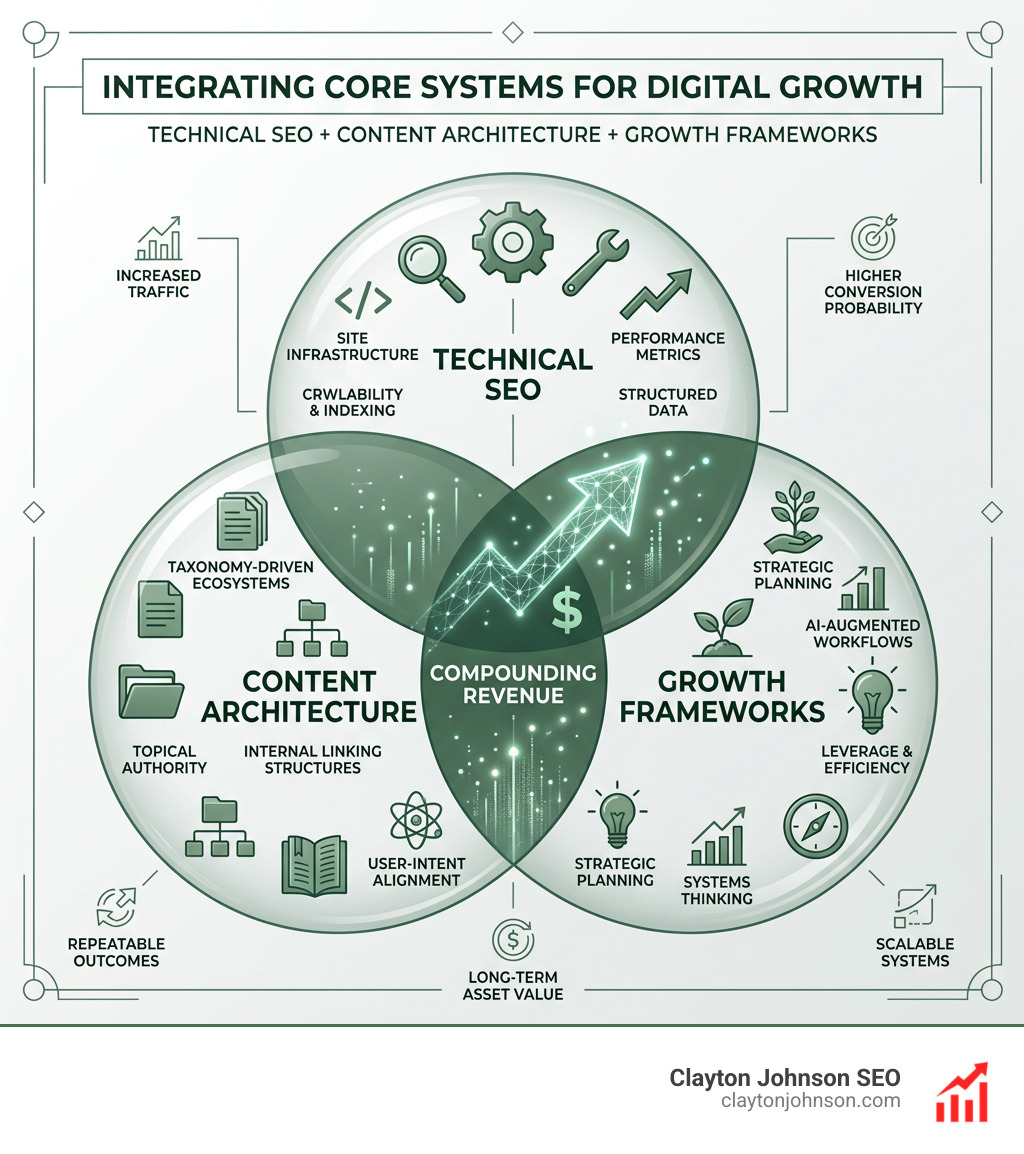
At Clayton Johnson SEO, we don’t just look at email in a vacuum. We view your abandoned cart email automation setup as a critical component of a larger, durable growth engine. Our philosophy is built on Clarity, Structure, Leverage, and Compounding Growth.
By aligning your SEO content marketing services with your bottom-of-the-funnel automations, we create a system where every new visitor driven by search has a higher probability of converting. We use AI-augmented marketing workflows to analyze search intent and ensure your recovery emails address the specific concerns of your target audience.
Rather than chasing quick tactics, we build systems—internal linking structures, taxonomy-driven content ecosystems, and tool-backed decision processes—that ensure your marketing efforts aren’t fragmented but are instead driving toward measurable outcomes.
Whether you are a founder looking for a growth framework or an operator needing technical SEO depth, our strategy frameworks are designed to turn your website into a high-performance sales machine.
Ready to stop leaving money on the table? By implementing a robust abandoned cart email automation setup, you are taking the single most effective step toward increasing your store’s ROI. Don’t let 70% of your potential customers walk away—give them a reason to come back.