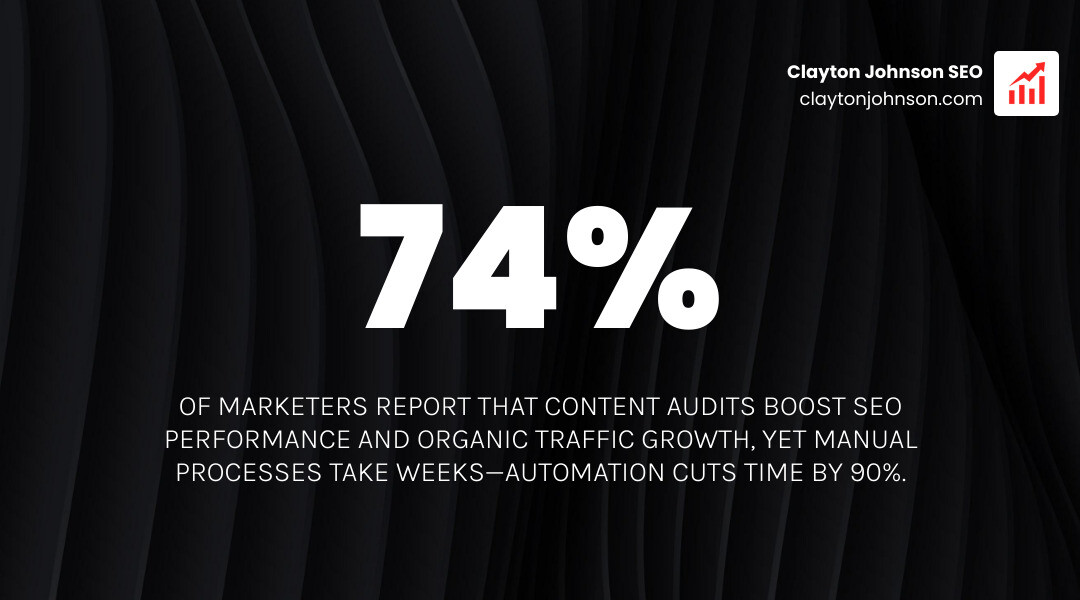
How to automate content audits is no longer a luxury—it’s a competitive necessity. Manual audits worked when you had 50 pages. But when you’re managing thousands of URLs, repetitive clicking becomes a bottleneck that prevents you from scaling strategic improvements.
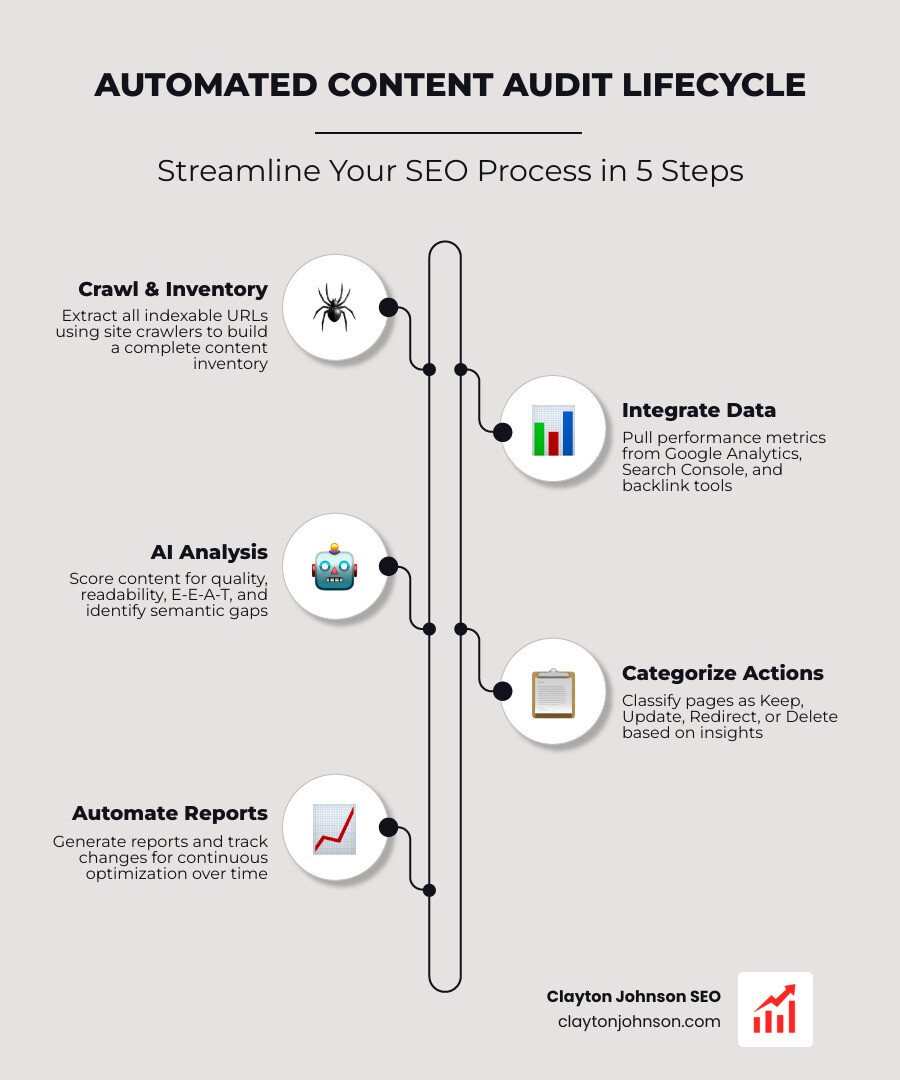
Here’s the streamlined process:
- Crawl and inventory all indexable URLs using tools like Screaming Frog or site crawlers
- Integrate performance data from Google Analytics, Search Console, and backlink sources
- Apply AI analysis to evaluate quality, readability, E-E-A-T compliance, and semantic gaps
- Categorize content into actions: Keep, Update, Redirect, or Delete
- Automate reporting and tracking to maintain continuous optimization
The promise of automation isn’t eliminating human judgment—it’s amplifying it. You’re not replacing strategy with bots. You’re replacing data collection drudgery with systems that surface insights faster.
Why this matters right now: Microsoft has ~10 million pages, with 3 million never visited—nearly as many unvisited pages as people in Ireland. Content bloat dilutes authority. Automation helps you identify what’s working, what’s wasting crawl budget, and what’s actively hurting your domain trust.
Traditional content audits are slow, inconsistent, and often incomplete. You export spreadsheets, manually tag pages, cross-reference analytics, and hope nothing breaks when you implement changes. The process can take weeks—and by the time you’re done, your data is already stale.
Automation solves three core problems:
- Speed: Tools can crawl thousands of pages in minutes
- Consistency: Automated checks don’t miss metadata, broken links, or thin content
- Scalability: You can audit quarterly (or monthly) without burning out your team
The tools exist. The frameworks are proven. What’s missing is a clear execution path that connects inventory → analysis → action.
I’m Clayton Johnson, and I’ve spent years engineering scalable SEO systems that integrate AI-augmented workflows to help businesses diagnose content problems faster and execute improvements systematically. Learning how to automate content audits transformed how I approach growth architecture—and it can do the same for you.
Quick how to automate content audits terms:
Building the Foundation: Automated Inventory and Data Integration
The biggest hurdle in any audit is simply knowing what you have. A content inventory is a comprehensive list of all your digital assets, and doing this manually for a site with more than 100 pages is a recipe for a headache. We use Screaming Frog SEO Spider as the heavy lifter for this phase.
Automating the inventory means you aren’t just looking at a list of URLs; you are capturing the DNA of every page. This includes meta titles, H1 tags, word counts, and indexability status. If you are running Google Ads alongside your organic efforts, you can even Try Our FREE Ads Grader! to see how your paid landing pages stack up against your organic content.
To start, you can pull URLs from your XML sitemap, but a full crawl is better. A crawler finds the “dark matter” of your site—pages that aren’t in your sitemap but are still being indexed by Google. This is the first step in ai-driven-seo-audits, ensuring no page is left behind to rot in the depths of your architecture.
Step-by-Step: How to Automate Content Audits Using Screaming Frog
To truly automate the process, you need to move beyond the default “point and click” crawl. Here is how we configure it for maximum insight:
- Connect the APIs: Before you hit “Start,” go to the Configuration menu. Connect your Google Analytics 4 (GA4) and Google Search Console (GSC) accounts. This allows the crawler to pull traffic and impression data directly into the crawl interface.
- Enable Custom Extraction: If you want to audit specific elements like “Author Name” or “Last Updated Date,” use the Custom Extraction tool. This is vital for checking E-E-A-T signals across thousands of blog posts.
- Configure Render Settings: For modern websites using JavaScript frameworks (like React or Angular), ensure you set the “Rendering” to “JavaScript.” Otherwise, the bot will see a blank page, and your audit will be useless.
- Export and Automate: Once the crawl is finished, export the data. For those who want to go deeper, you can use scheduling features to run these crawls weekly or monthly, sending the results straight to a Google Sheet via Zapier.
For more technical details on these settings, the Screaming Frog documentation is a goldmine of information.
Integrating Performance Metrics for Deeper Insights
Data without context is just noise. To understand how to automate content audits effectively, we must merge crawl data with performance metrics. We look at three primary buckets:
- Traffic Metrics: Organic sessions, users, and pageviews from GA4.
- Engagement Metrics: Bounce rate and average session duration. (Note: A high bounce rate on a “Contact Us” page might be fine, but on a 3,000-word guide, it’s a red flag).
- Conversion Metrics: Goal completions or revenue generated per page.
| Metric | Manual Collection Time | Automated Collection Time | Accuracy |
|---|---|---|---|
| URL Inventory | 5-10 hours | 5-10 minutes | High |
| Meta Data | 10-20 hours | 2 minutes | High |
| Traffic Data | 5 hours | 1 minute (via API) | High |
| Backlink Count | 5 hours | 1 minute (via API) | High |
By automating this, you create what we call the-lazy-marketer-guide-to-automated-seo-reporting. You spend zero time copying and pasting numbers and 100% of your time deciding which pages to rewrite.

How to Automate Content Audits with AI and Machine Learning
Once the data is in a spreadsheet, the real magic happens. We are no longer limited to looking at “Thin Content” as just a low word count. With tools like Claude, ChatGPT, and Wordtune, we can automate the qualitative analysis of our content.
You can feed your crawl data into a Claude project or a custom GPT. By providing the AI with your brand guidelines and SEO goals, it can act as a junior auditor, flagging pages that sound off-brand or lack depth. This is a core part of using top-ai-content-audit-tools-for-smarter-websites to maintain a high standard across your entire domain.
AI can also help with accessibility. While tools like WAVE are great for individual pages, AI can scan your metadata to ensure you are meeting the Americans with Disabilities Act (ADA) Web Guidance by suggesting better alt-text for images or clearer heading structures across the board.
Automating Quality and Readability Analysis
We’ve all heard that “simple writing is better writing.” Ernest Hemingway famously wrote at a 4th-grade level. To automate this, we use the Flesch-Kincaid readability score.
Using Python scripts or specialized Google Sheets add-ons, you can automatically calculate the grade level of every page on your site. If you have high-traffic pages with a reading grade of 12 or higher, they are likely too dense for your audience. Target a Grade 6 level for broad accessibility.
Furthermore, we can use OpenAI embeddings to measure “semantic similarity.” This helps us find content cannibalization. If the AI sees two pages that are 95% semantically similar, it will flag them for a “Merge” or “Redirect” action. This is one of the-top-automated-seo-audit-tools-for-faster-rankings because it cleans up the “keyword noise” that confuses Google.
How to Automate Content Audits for E-E-A-T Compliance
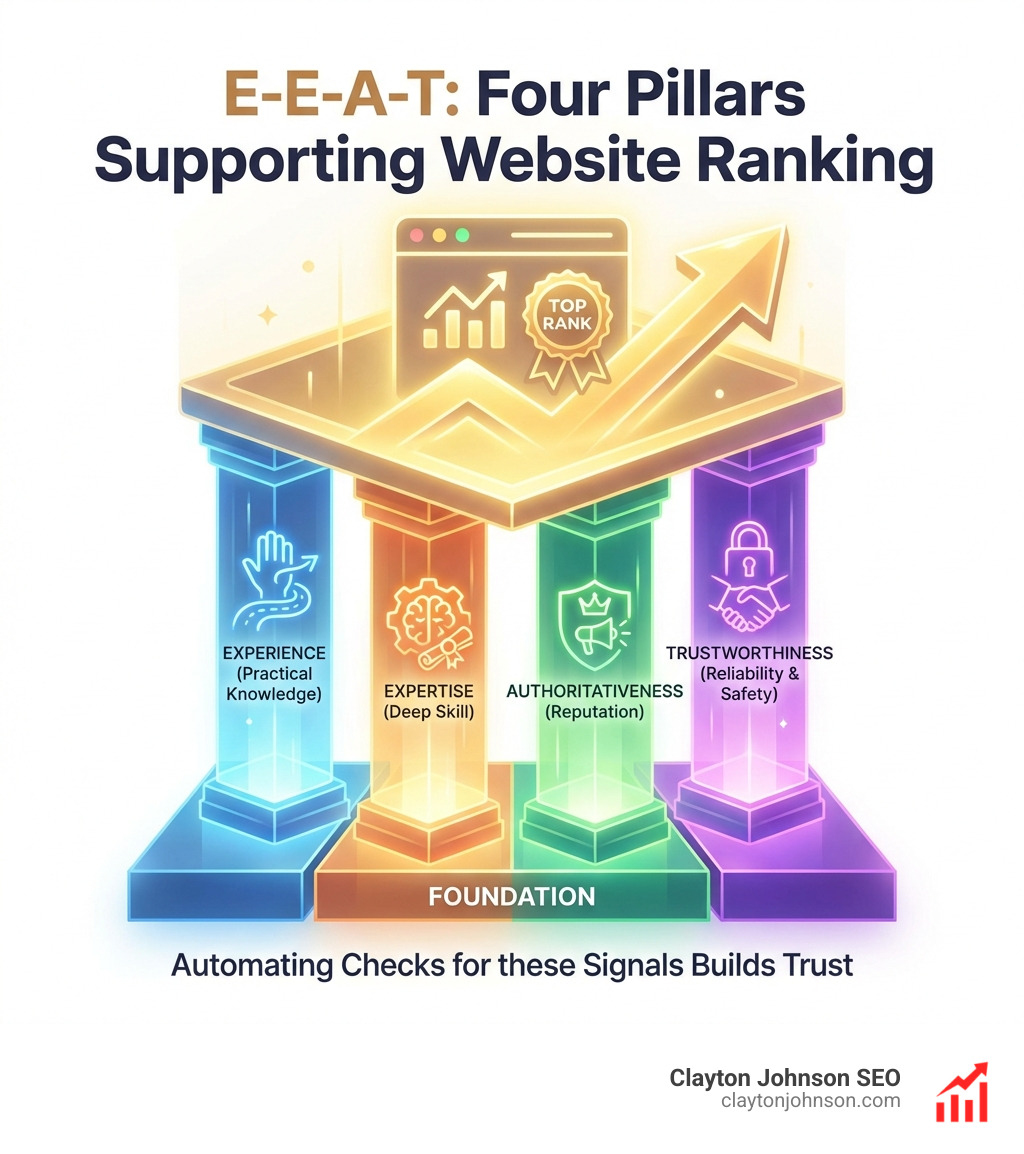
Google’s focus on Experience, Expertise, Authoritativeness, and Trustworthiness (E-E-A-T) is sharper than ever. Automating the check for these signals involves:
- Author Verification: Using AI to check if every blog post has a linked author bio.
- Fact-Checking: Using AI to compare your content against trusted databases or your own “source of truth” documents.
- Date Monitoring: Flagging any content that hasn’t been updated in over 12 months.
This level of growth-auditing-in-the-age-of-artificial-intelligence ensures that your site doesn’t just look good to a crawler, but actually builds trust with human readers and AI search engines alike.
Actionable Insights: Prioritizing Your Content Pruning
After the bots have done the heavy lifting, you’re left with a categorized list. We use a “Content Action Matrix” to decide the fate of every URL.
- Keep: High traffic, high conversions, good readability. Do nothing.
- Update: High impressions but low clicks (ranking 10-20). These are your “quick wins.”
- Redirect: Outdated content that still has valuable backlinks. Move the “link juice” to a newer page.
- Delete: Thin content (<300 words), zero traffic in 90 days, and no backlinks.
Pruning is essential. A Content pruning for SEO case study showed that deleting old, low-quality content can actually increase site-wide organic traffic by allowing Google to focus on your best work. This is the philosophy behind content-auditing-for-humans-who-use-robots: let the machines find the junk so humans can focus on the gold.
Identifying Thin Content and Server Errors
Thin content isn’t just about word count; it’s about value. However, word count is a great automated proxy. We generally flag anything under 300 words as “very thin” and anything under 750 as “needs review.”
Automated tools also excel at finding technical rot:
- 404 Errors: Broken pages that frustrate users and waste crawl budget.
- Duplicate Content: Pages with the same H1 or meta description.
- Accessibility Gaps: Using the WAVE Accessibility Checker data, we can bulk-identify pages missing alt-text or having poor color contrast.
Micro Audits for Quick Wins
You don’t always need a massive, site-wide overhaul. Micro audits are smaller, automated checks you can run weekly. These focus on:
- Missing Metadata: Finding any page that accidentally went live without a title tag.
- Internal Link Gaps: Identifying high-authority pages that aren’t linking to your new content.
- Image Optimization: Flagging images over 500kb that are slowing down your mobile load times.
These small wins are the-best-ways-to-get-a-free-ai-seo-audit-today to keep your site’s momentum going between major quarterly audits.

Frequently Asked Questions about Content Audit Automation
How often should I perform an automated content audit?
We recommend a full automated audit every 3 to 6 months. However, for large e-commerce sites or active blogs, a “micro audit” for technical errors and missing metadata should be run monthly. Regularity is key to catching “content decay” before it impacts your rankings.
What are the best tools for automating content audits?
For crawling, Screaming Frog is the gold standard. For performance data, Google Analytics and Search Console are non-negotiable. For AI-driven analysis, Claude and ChatGPT (using the Data Analyst feature) are incredibly powerful. For accessibility, WAVE is our go-to.
Can AI completely replace human content auditors?
No. AI is a fantastic assistant for finding patterns, scoring readability, and summarizing data, but it lacks the “business intuition” to know if a page is strategically important for your brand. AI can tell you a page has zero traffic, but it can’t tell you that the page is a legal requirement or a personal favorite of your CEO.
Conclusion
Learning how to automate content audits is the difference between being a “content hoarder” and a “content strategist.” By letting the bots handle the data collection and initial analysis, you free up your team to do what they do best: create high-value, authoritative content that converts.
At Clayton Johnson SEO, we believe that most companies don’t lack tactics—they lack structured growth architecture. We are building Demandflow.ai to provide exactly that: a growth operating system that combines taxonomy-driven SEO systems with AI-augmented marketing workflows.
If you’re ready to stop guessing and start growing with a system designed for leverage and compounding results, Learn more about AI SEO systems and how we can help you build your own structured growth infrastructure.
Clarity leads to structure. Structure leads to leverage. Leverage leads to compounding growth. Let’s get to work.