Stop Yelling at the Bot: A Guide to Better Claude Prompts


Why Claude 4.x Broke Your Old Prompts (And How to Fix Them)
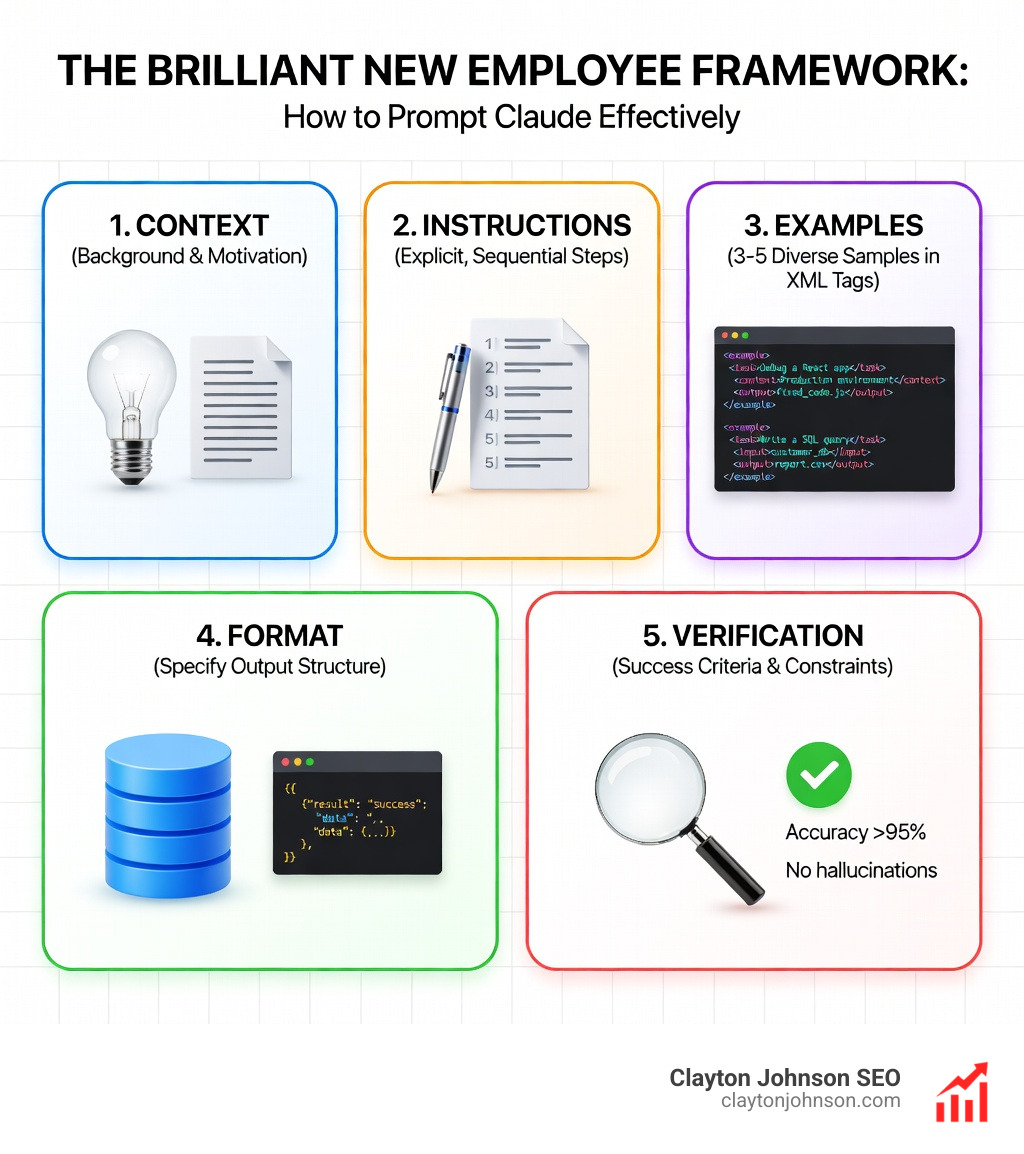
How to prompt Claude effectively comes down to treating it like a brilliant new employee who takes instructions literally—no mind-reading, no assumptions, just precise execution of what you actually say.
Quick Answer: The 5 Core Principles
- Be explicit and specific – Claude 4.x follows instructions literally, not inferentially
- Structure with XML or JSON – Use tags like
- Context before question – Place documents and background at the top of your prompt
- Show examples – Few-shot prompting improves formatting accuracy by 90%
- Use Adaptive Thinking – Enable extended reasoning for complex logic and multi-step tasks
Claude 4.x models—Opus 4.6, Sonnet 4.5, and Haiku 4.5—represent a fundamental shift in how AI follows instructions. Unlike earlier versions that tried to infer your intent and fill in blanks helpfully, these models take you at your word. Ask for a “comprehensive dashboard” without defining what that means? You’ll get exactly what the word “comprehensive” suggests to the model—which may not match what you had in mind.
This isn’t a bug. It’s a feature designed to give you predictable, steerable results. But it requires a new approach to prompt engineering. The old tricks—ALL CAPS for emphasis, negative constraints like “Don’t do X,” vague requests expecting the model to read between the lines—no longer work. In fact, they often backfire.
The shift impacts real workflows. Cognition AI reported an 18% increase in planning performance when using Extended Thinking with Claude Sonnet 4.5. Testing by 16x Eval showed Claude Opus 4 and Sonnet 4 scoring 9.5/10 on TODO tasks when instructions clearly specified requirements, format, and success criteria. Academic research on Finite State Machine design found that structured examples achieved a 90% success rate compared to instructions without examples.
I’m Clayton Johnson, and over the past decade I’ve built SEO and growth systems for founders who need structured, measurable frameworks—not guesswork. Learning how to prompt Claude effectively is exactly that kind of system: clear principles, repeatable architecture, and compounding results.
Quick How to prompt Claude terms:
The Fundamental Shift: Why Claude 4.x Requires a New Approach
We often hear that AI is getting “smarter,” but in the case of Claude 4.x, “smarter” actually means more literal-minded. If you are used to the conversational, “vibe-based” prompting of Claude 3.5 or earlier models, you might find the 4.x family frustrating at first. This is because Anthropic’s official guidance highlights a major change: Claude 4.x prioritizes precise instruction following over “helpful” guessing.
Think of Claude as a brilliant new employee with a very specific type of amnesia. They have a PhD-level understanding of the world, but they have zero context about your specific company, your personal preferences, or your “unspoken” rules. If you tell an employee to “fix the website,” they might change the background color when you actually meant “fix the checkout bug.”
To master how to prompt Claude, we must embrace three foundational pillars:
- Context-First Ordering: Claude’s attention mechanism is highly efficient, but it weights content at the beginning and end of a prompt differently. For long-context tasks (Claude has a 200,000-token window, expandable to 1 million), placing your reference documents at the very top—before the instructions—improves response quality by up to 30%.
- Explicit Requirements: Vague adjectives are the enemy of good output. Instead of “make it professional,” say “use a formal tone, avoid first-person pronouns, and structure the output in three distinct sections.”
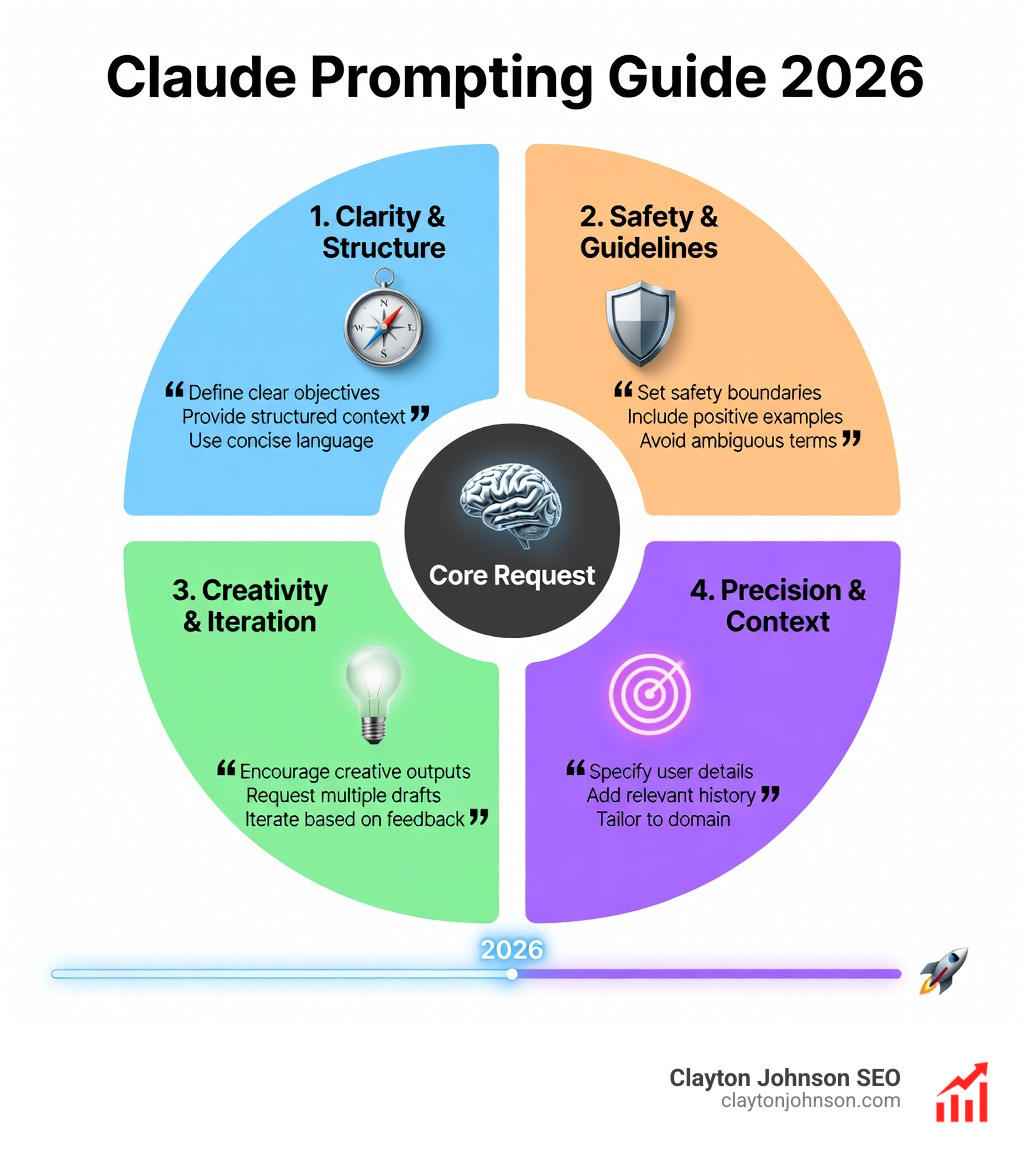
- The “Golden Rule” of Clarity: A great way to test your prompt is to show it to a human colleague with zero context. If they can’t follow the instructions to produce the result you want, Claude probably won’t either. For more on these basics, check our Beginner’s Guide to AI Prompt Engineering.
Mastering the Architecture: Structured Formats and XML
If you want Claude to perform at its peak, you need to stop sending it walls of unstructured text. Claude was trained on structured data and is exceptionally good at parsing XML tags. This isn’t just for developers; it’s a tool for anyone who wants organized results.
When we use XML tags, we are giving Claude a “well-labeled filing cabinet” rather than a pile of loose papers. Anthropic recommends using these tags to separate different parts of your prompt. This prevents the model from getting confused between your background information and your actual commands.
Few-shot prompting—the practice of providing 3-5 examples of the desired output—is the single most effective way to ensure Claude gets the format right. When these examples are wrapped in tags like
Using XML Tags: How to Prompt Claude for Structural Clarity
Why does XML work so well? It’s about parsing accuracy. When Simon Willison dug into the system prompts for Claude Sonnet 4.5, he found that Anthropic itself uses tags like
Here is a list of the most effective tags to use when learning how to prompt Claude:
By labeling these sections, you minimize the chance of Claude hallucinating or missing a key instruction buried in a paragraph.
Advanced Reasoning: Leveraging Adaptive Thinking and Subagents
One of the most powerful features in the 4.x lineup is Adaptive Thinking (formerly referred to as Extended Thinking). This allows Claude to “think before it speaks,” creating an internal monologue where it explores different approaches, catches its own errors, and plans multi-step solutions.
Anthropic’s Claude 4 announcement showed that this feature is a game-changer for complex reasoning. On the AIME 2025 math competition, scores improved significantly with thinking enabled. For us, this means Claude can now handle autonomous task management—orchestrating subagents to handle parts of a project without us needing to micromanage every step.
To get the most out of this, you should check out The Ultimate Claude Chain of Thought Tutorial, which dives deep into how to structure these “thinking” prompts.
Adaptive Thinking: How to Prompt Claude for Complex Logic
Adaptive thinking isn’t just about “thinking harder”; it’s about thinking smarter. The model now uses an effort parameter (low, medium, high) to decide how much reasoning is required for a specific query.
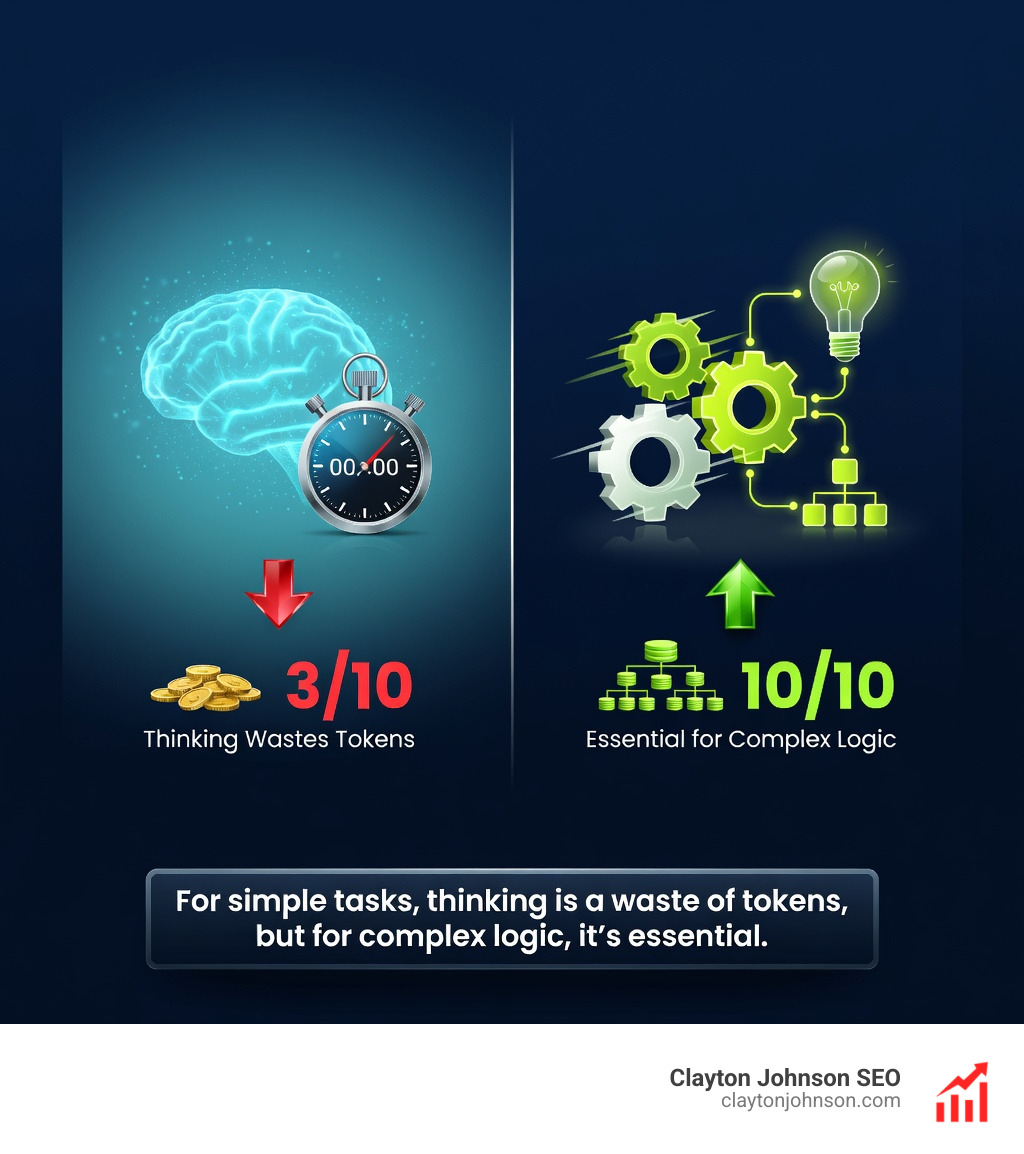
When Cognition AI reported an 18% increase in planning performance, they were leveraging this ability to explore hypothesis trees. If you are prompting for a complex strategy, don’t just ask for the answer. Ask Claude to “evaluate three different approaches and provide a confidence score for each” before giving the final recommendation. This “interleaved thinking” makes the model much more robust against logical fallacies.
How to Prompt Claude for Agentic Coding and Long-Horizon Tasks
For developers, Claude 4.x is a powerhouse, particularly when using “Claude Code”—the CLI agent that can actually interact with your local filesystem. Unlike other tools that might “babysit” a file and rewrite it constantly, Claude Code is designed for precision.
One of the most impressive feats of Claude 4.x is its ability to handle “long-horizon” tasks. In one instance, Claude successfully updated an 18,000-line React component that other AI agents failed to process. It does this through:
- Filesystem Discovery: It doesn’t need you to paste every file; it can search for patterns and understand relationships between components.
- Git State Tracking: We recommend encouraging Claude to use git checkpoints. This allows it to revert if a particular path leads to a bug.
- Verification Tools: Always prompt Claude to write its own tests (e.g., in a
tests.jsonorinit.shfile) before it starts coding. This allows it to self-correct.
Testing by 16x Eval confirmed that Sonnet 4 and Opus 4 are world-class at following these multi-step instructions. For a deeper dive, read The Complete Guide to How Claude Helps Your Coding Workflow.
Migration and Refinement: Moving from Legacy Prompts to 4.x
If you have a library of prompts that worked for Claude 3.5, they probably need an audit. The transition to 4.x requires “refactoring” your instructions to remove outdated steering language.
| Technique | Claude 3.5 (Legacy) | Claude 4.x (Best Practice) |
|---|---|---|
| Emphasis | ALL CAPS or “MUST” | XML tags and explicit success criteria |
| Thinking | Manual “Think step-by-step” | Adaptive Thinking (effort: high) |
| Constraints | “Don’t do X” | “Do Y instead” (Positive framing) |
| Context | Often placed after the question | Placed at the very top of the prompt |
| Examples | Informal or missing | Structured |
One of the best ways to migrate is to create a “Prompt Rewriter” project within Claude. You can paste your old prompts into this project and ask Claude to “Refactor this prompt for Claude 4.x using XML tags, explicit requirements, and adaptive thinking triggers.” This meta-prompting approach saves hours of manual work. You can find more tips on this in our guide: Stop Guessing and Start Prompting with These Claude Coding Gems.
Frequently Asked Questions about Claude Prompting
How heavily should I use XML tags in my prompts?
For simple, one-off questions, XML is overkill (effectiveness 5/10). However, for any task involving multiple documents, specific formatting, or complex instructions, XML is a 9/10 for effectiveness. Anthropic’s own examples usually use 2-3 main tags (like ) to keep things clean without overengineering.
Does Claude 4.x still require manual Chain-of-Thought instructions?
If you have “Adaptive Thinking” or “Extended Thinking” enabled, you should actually remove manual “think step-by-step” instructions. The model’s built-in thinking process is more efficient. Manual instructions can sometimes conflict with the model’s internal reasoning, leading to “overthinking” or unnecessary verbosity.
How do I prevent Claude from overengineering simple coding tasks?
Claude 4.x can be “overeager.” To prevent it from rewriting your entire codebase for a simple CSS fix, use a constraint like: “Provide the minimum code necessary to achieve the requested change. Do not refactor unrelated sections unless explicitly asked.” Also, ask it to “investigate the file structure before proposing changes” to minimize hallucinations.
Conclusion
Mastering how to prompt Claude is about moving away from “magic wand” thinking and toward “growth architecture.” Just as we build structured SEO systems at Demandflow.ai, your AI interactions should be built on a foundation of clarity, structure, and leverage.
When you treat Claude as a literal-minded, brilliant employee—providing context, structured instructions, and clear success criteria—you unlock a level of productivity that “yelling at the bot” can never achieve. It’s about building a system where growth compounds because your tools are finally doing exactly what you intended.
For more on how we use these AI-enhanced execution systems to drive measurable results, explore our SEO content marketing services or dive into our framework library to see how structured growth architecture can transform your business.