The Developer Guide to AI Art Generator APIs

Why Every Developer Should Understand AI Art Generator APIs
AI art generator APIs are programmatic interfaces that let you generate, edit, and refine images from text prompts — without building a model from scratch.
Here are the top options available right now:
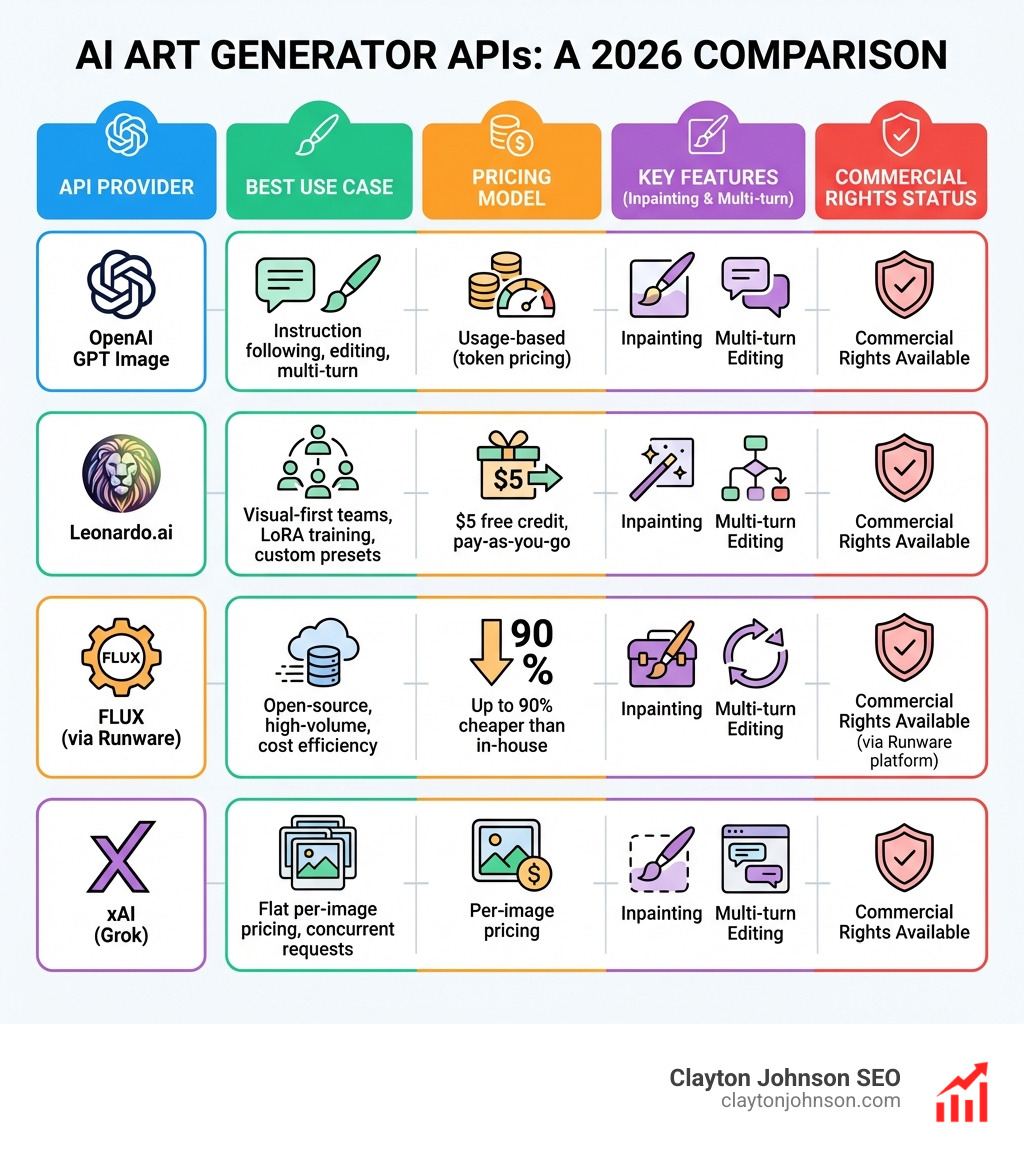
| API | Best For | Starting Price |
|---|---|---|
| OpenAI GPT Image | Instruction following, editing, multi-turn | Usage-based (token pricing) |
| Leonardo.ai | Visual-first teams, LoRA training, custom presets | $5 free credit, pay-as-you-go |
| FLUX (via Runware) | Open-source, high-volume, cost efficiency | Up to 90% cheaper than in-house |
| xAI (Grok) | Flat per-image pricing, concurrent requests | Per-image pricing |
| DeepAI | Simple REST integration, public domain output | Free tier available |
The core use cases are:
- Generating hero images, social graphics, and product visuals at scale
- Editing and inpainting existing images with natural language
- Building multi-turn, conversational image workflows inside your app
- Automating creative production pipelines via webhooks and async processing
AI image generation has moved fast. Top models like GPT-4o, Midjourney, and FLUX now produce results that would have been remarkable not long ago. And with a dozen models now competing at near-equivalent quality, the real differentiator for developers is API design, pricing, and integration flexibility — not raw image quality alone.
This guide cuts through the noise. Whether you’re choosing between proprietary APIs like OpenAI and open-source inference platforms like Runware, or figuring out how to handle commercial rights and content moderation at scale, this is the practical reference you need.
I’m Clayton Johnson — an SEO strategist and growth operator who has worked extensively with ai art generator api integrations as part of AI-augmented marketing workflows and scalable content systems. If you’re ready to build something production-ready, let’s get into it.
Important ai art generator api terms:
Core Technologies: Diffusion vs. Autoregression
To build a robust integration, you first need to understand the “brain” behind the image. Since the launch of Google Deep Dream, I’ve been writing about AI image generators, and the shift in underlying architecture is the most significant change we’ve seen.
Most modern generators use a process called diffusion. Imagine starting with a canvas of pure static (noise) and slowly “refining” that noise into a clear image based on a prompt. This is how Stable Diffusion, FLUX, and Leonardo operate. They are modeled loosely on the human brain, using a neural network to predict how to remove noise to reveal an object.
Key Technical Differences:
- Training Data: Models are trained on millions or billions of image-text pairs to learn what “a dog” or “cyberpunk style” actually looks like.
- Instruction Following: Autoregressive models (like GPT-4o) tend to be better at following complex, multi-part instructions because they share the same DNA as Large Language Models (LLMs).
- Latency: Diffusion models are often faster for raw generation, while autoregressive models can take up to 2 minutes for complex prompts due to their sequential nature.
Choosing the Right AI Art Generator API for Your Stack
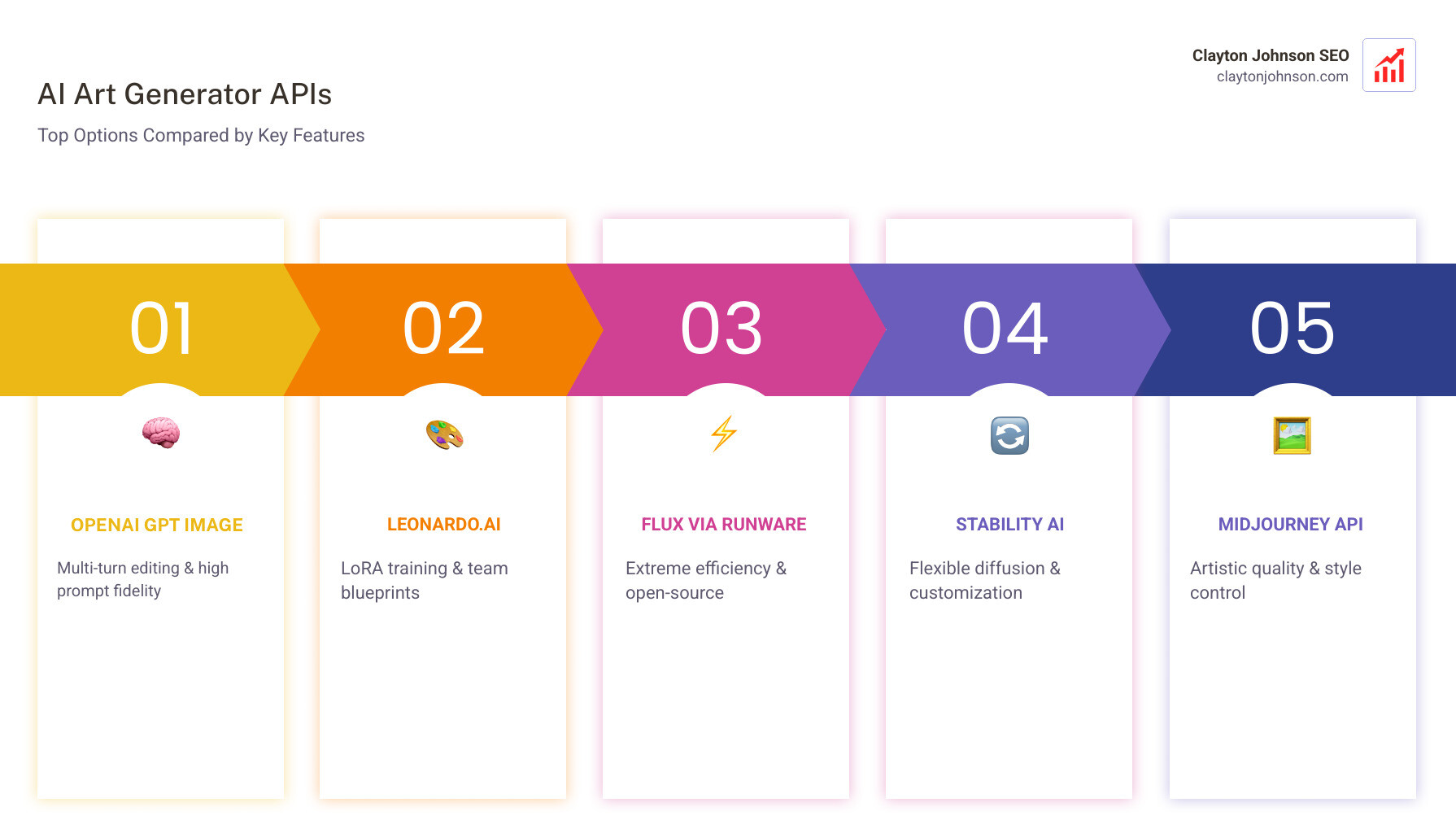
Selecting an ai art generator api isn’t just about who makes the prettiest pictures. It’s about prompt adherence, customization, and how well it fits into your existing AI models infrastructure.
If you want to see how these models stack up in a blind “taste test,” check out Artificial Analysis’s Image Arena. It’s the industry standard for ranking model performance based on human preference.
OpenAI: Integrating the GPT Image family via AI Art Generator API
OpenAI’s latest offering includes the gpt-image-1.5, gpt-image-1, and gpt-image-1-mini models. These are natively multimodal, meaning they don’t just “see” text; they understand the relationship between pixels and language at a fundamental level.
- Inpainting and Editing: You can use the Image API for single-turn edits or the Responses API for conversational, multi-turn editing.
- High Input Fidelity: For developers needing to preserve specific details—like a brand logo or a specific face—setting
input_fidelity: 'high'ensures the model stays true to the source material. - Streaming: OpenAI supports partial image streaming, which is a game-changer for UX, allowing users to see the image as it develops.
For a deep dive into implementation, refer to the official Image generation guide.
Leonardo.ai: A Visual-First AI Art Generator API for Teams
Leonardo.ai is built for production environments where “what you see is what you ship.” Their unique value proposition is a visual design interface that allows you to perfect your generation settings and then export the exact API code.
- Blueprints: Pre-configured templates for common tasks like mood boards or product mockups.
- LoRA Training: You can train custom models on your own dataset via the API, perfect for maintaining a consistent brand aesthetic.
- Pricing: They offer a friendly entry point with $5 in free API credit and up to 10 concurrent generations on their pay-as-you-go plan.
Start by reviewing their View Documentation to see how their “Blueprints” can accelerate your dev cycle.
FLUX and Open-Source Inference Platforms
If you want the power of open-source without the headache of managing your own GPU clusters, FLUX (from Black Forest Labs) is the current gold standard. You can find the raw models over on GitHub, but most developers use inference platforms like Runware or Replicate.
Runware, in particular, is built for “extreme efficiency.” They claim up to 90% lower costs than in-house hosting thanks to their Sonic Inference Engine. For those new to managed inference, our Replicate 101 guide covers the basics of running these models. These are the inference platforms that won’t make you grow a beard while waiting for a cold start.
Technical Implementation and Workflow Integration
Integrating an ai art generator api usually involves three main components: the request payload, the response handler, and a webhook for asynchronous delivery.
Most production-grade APIs operate asynchronously. You send a POST request to an endpoint like /api/generate, receive a “pending” status, and then wait for a webhook to ping your server with the final image URL.
Best Practices for Implementation:
- Authentication: Always keep your API keys in environment variables.
- Webhooks: Ensure your webhook endpoint is publicly accessible and includes verification logic to prevent spoofing.
- Error Handling: AI models can fail for many reasons (content filters, GPU timeouts). Build robust retry logic.
For more details, see The ultimate guide to running AI models via API or check out our OpenClaw manual setup for a more hands-on approach.
Advanced Features: Editing, Streaming, and Transparency
The days of simple “text-to-image” are over. Modern APIs offer:
- Inpainting: Replacing a specific part of an image (e.g., changing a dog’s hat) using a mask.
- Outpainting: Extending the canvas of an image to see what’s “outside the frame.”
- Transparency: Models like GPT-image-1.5 now support
background: 'transparent', allowing you to generate PNGs or WebPs ready for web design. - SVG Export: Tools like Recraft allow for vector exports, which are essential for scalable graphic design.
Understanding these advanced features is the secret sauce of codegen and AI tool extensions that actually add value to your users.
Legal, Ethical, and Production Considerations
Before you scale your ai art generator api usage to millions of images, you need to navigate the legal gray area.
Copyright and Ownership:
The US Copyright Office suggests that AI-generated content isn’t copyright-protected unless there is a “significant human input” involved. This means you might own the right to use the image, but you might not be able to stop others from using it too. Recent rulings have emphasized that protection is denied without some kind of significant human input to the process.
Safety and Moderation:
Most APIs (especially OpenAI and Leonardo) have strict content moderation. They filter for violence, hate speech, and sexual content. If your application targets a specific niche, ensure the API’s moderation policy aligns with your needs.
Scaling Architecture:
High-volume generation requires a “growth architecture.” You’ll need to manage rate limits, monitor costs (which can vary from $0.01 to $0.10+ per image), and potentially implement caching for common prompts to save on API credits.
Frequently Asked Questions about AI Image APIs
Can I use AI-generated images for commercial projects?
Generally, yes. Most major providers (OpenAI, Leonardo, Midjourney) grant commercial usage rights to paid subscribers. However, keep in mind the copyright limitations mentioned above—you may have the right to use it, but enforcing exclusive ownership is difficult.
How do I handle high-volume image generation costs?
Look for providers with “pay-as-you-go” models or “volume pricing.” Open-source inference platforms like Runware are typically the most cost-effective for scale, often being 5x to 10x cheaper than proprietary models for simple tasks.
Which API is best for accurate text rendering?
Ideogram and the latest GPT Image models are currently the leaders in text rendering. If your use case requires specific words to appear in the image (like a logo or a sign), these are your best bets.
Conclusion
Integrating an ai art generator api is no longer a novelty; it is a foundational piece of the modern developer’s toolkit. Whether you are building a marketing automation engine or a creative suite, the choice of API will dictate your speed to market and your long-term margins.
At Demandflow.ai, we believe in structured growth architecture. Tactics are easy, but building a system that leverages AI tools to create compounding value is where the real leverage lies.
If you’re looking to build high-authority content and AI-augmented marketing workflows that actually move the needle, you need more than just a prompt—you need a strategy. Let’s build the infrastructure for your next phase of growth.