The Lazy Manager’s Guide to AI Workflow Automation Services

Why Smart Operators Are Betting on AI Workflow Automation Services
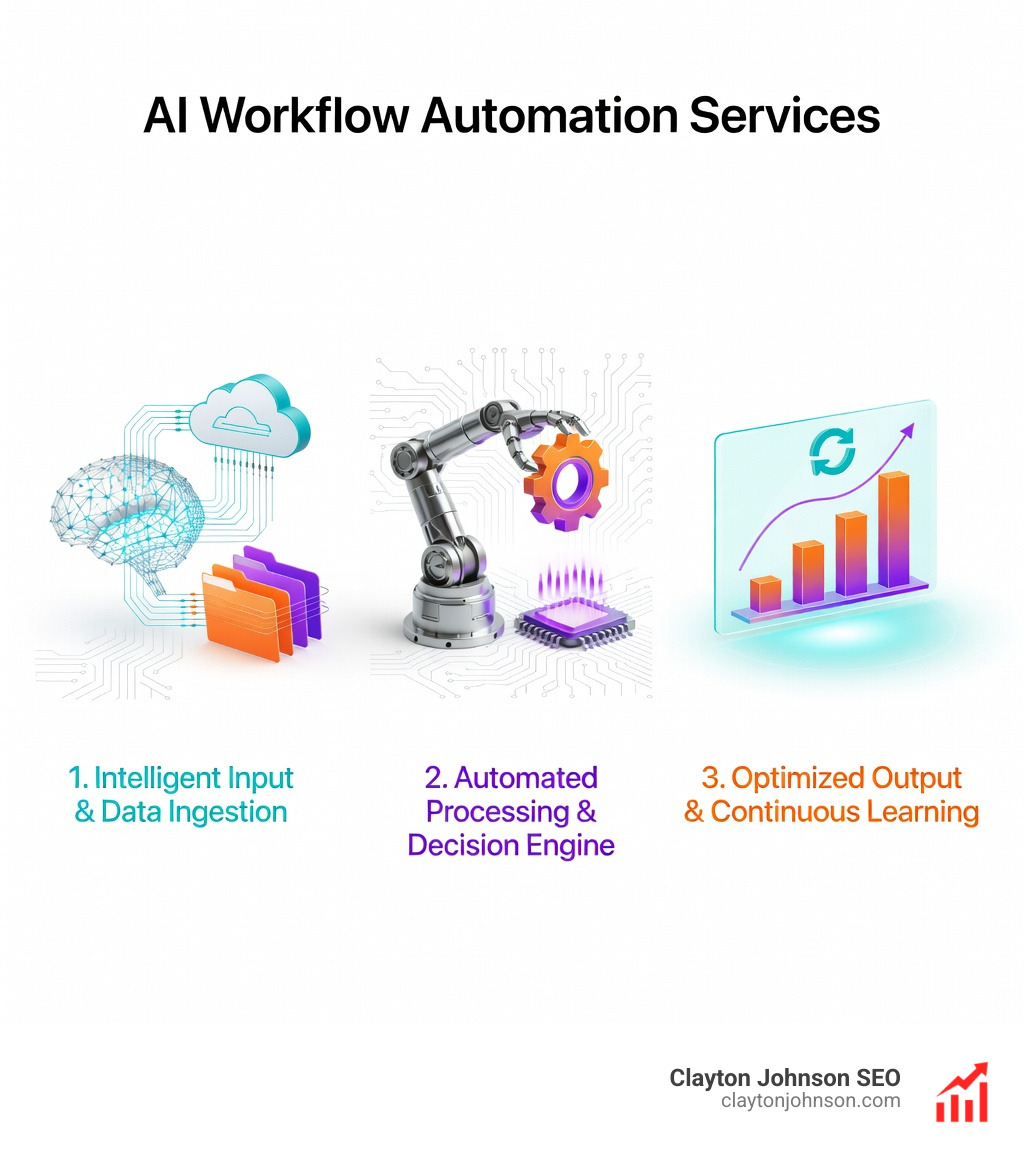
AI workflow automation services are platforms and tools that use artificial intelligence to run business processes across systems — without constant human input.
Here’s a quick snapshot of what they do and who they’re for:
| What They Do | Who They’re For |
|---|---|
| Automate multi-step tasks using AI reasoning | Founders and ops leads tired of manual work |
| Connect apps like Slack, Salesforce, and Google Sheets | Teams scaling without scaling headcount |
| Learn and adapt — unlike rigid rule-based tools | Non-technical and technical teams alike |
| Handle decisions, routing, approvals, and more | Any department: marketing, sales, IT, HR |
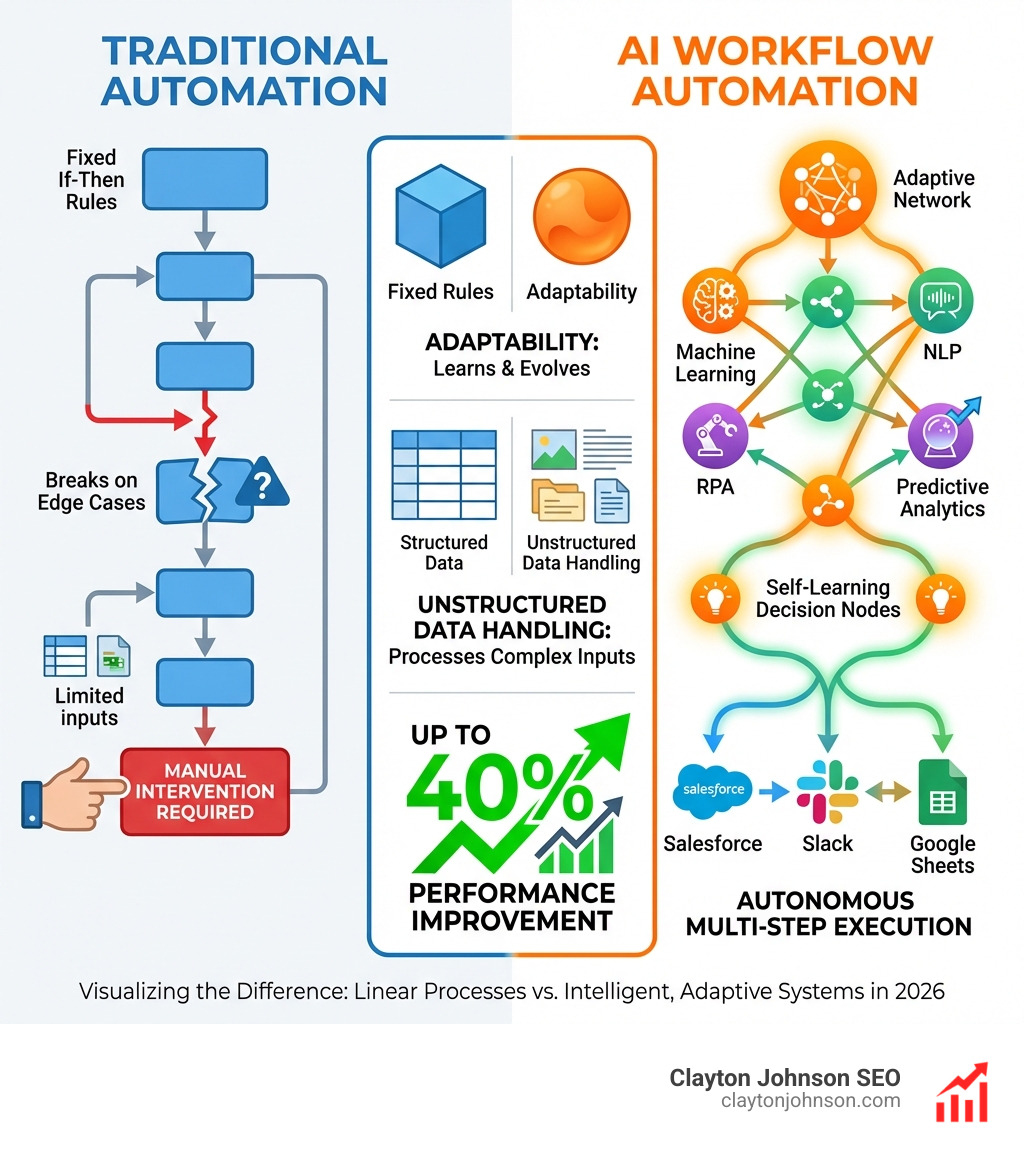
Most workflow tools just follow rules. If this, then that. Done.
AI workflow automation goes further. It learns from patterns, handles unstructured data, and makes context-aware decisions — the kind that used to require a human.
The gap between the two is enormous. Traditional automation breaks when conditions change. AI automation adapts.
And the numbers back it up. Studies show AI workflow automation can improve worker performance by nearly 40%. Companies like Delivery Hero saved 200 hours per month with a single automated workflow. StepStone compressed two weeks of work into two hours.
This isn’t marginal efficiency. This is operational leverage. 🚀
The challenge? There are dozens of tools, pricing models, and use cases — and picking the wrong one wastes months.
That’s exactly what this guide cuts through.
I’m Clayton Johnson, an SEO strategist and growth operator who builds AI-augmented marketing workflows and scalable growth systems for founders and marketing leaders — including hands-on implementation of AI workflow automation services across operations, content, and demand generation. If you want the strategic framework behind these tools, not just a feature list, you’re in the right place.
What Are AI Workflow Automation Services?
To understand AI workflow automation services, we first have to look at the “brain” behind the curtain. Traditional automation is like a train on a track; it only goes where the rails tell it to. AI automation is more like a self-driving car—it knows the destination, but it can navigate traffic, construction, and rain on its own.
These services are powered by several core technologies that work in tandem:
- Machine learning: This allows systems to learn from past data and improve over time. Instead of you telling the system exactly what to do every time, the ML model recognizes patterns in how workflows are executed and optimizes them automatically.
- Natural language processing: NLP bridges the gap between humans and machines. It allows automation software to understand human speech or text, meaning you can “talk” to your tools or have the tools “read” an incoming customer email to understand the intent.
- When combined with AI Robotic process automation (RPA): RPA is great at the “doing”—copying data, clicking buttons, and moving files. When you add AI, RPA becomes flexible. It can handle exceptions and adapt to complex scenarios rather than just stopping when it sees a form it doesn’t recognize.
- Context-Aware Decision Making: Unlike a simple “if-this-then-that” trigger, AI understands context. It can look at a support ticket and decide if it’s an “angry” customer needing immediate escalation or a “curious” customer who just needs a link to a help article.
- predictive algorithms: These are engineered to detect bottlenecks before they happen. They give you real-time recommendations on how to improve your processes based on data, not just gut feeling.
By combining these, AI workflow automation services create autonomous systems that don’t just move data—they think about it.
The Business Case for Intelligent Automation
If you’re a manager in Minneapolis or running a remote team, the primary goal is always leverage. How do we get more output with the same (or less) input?
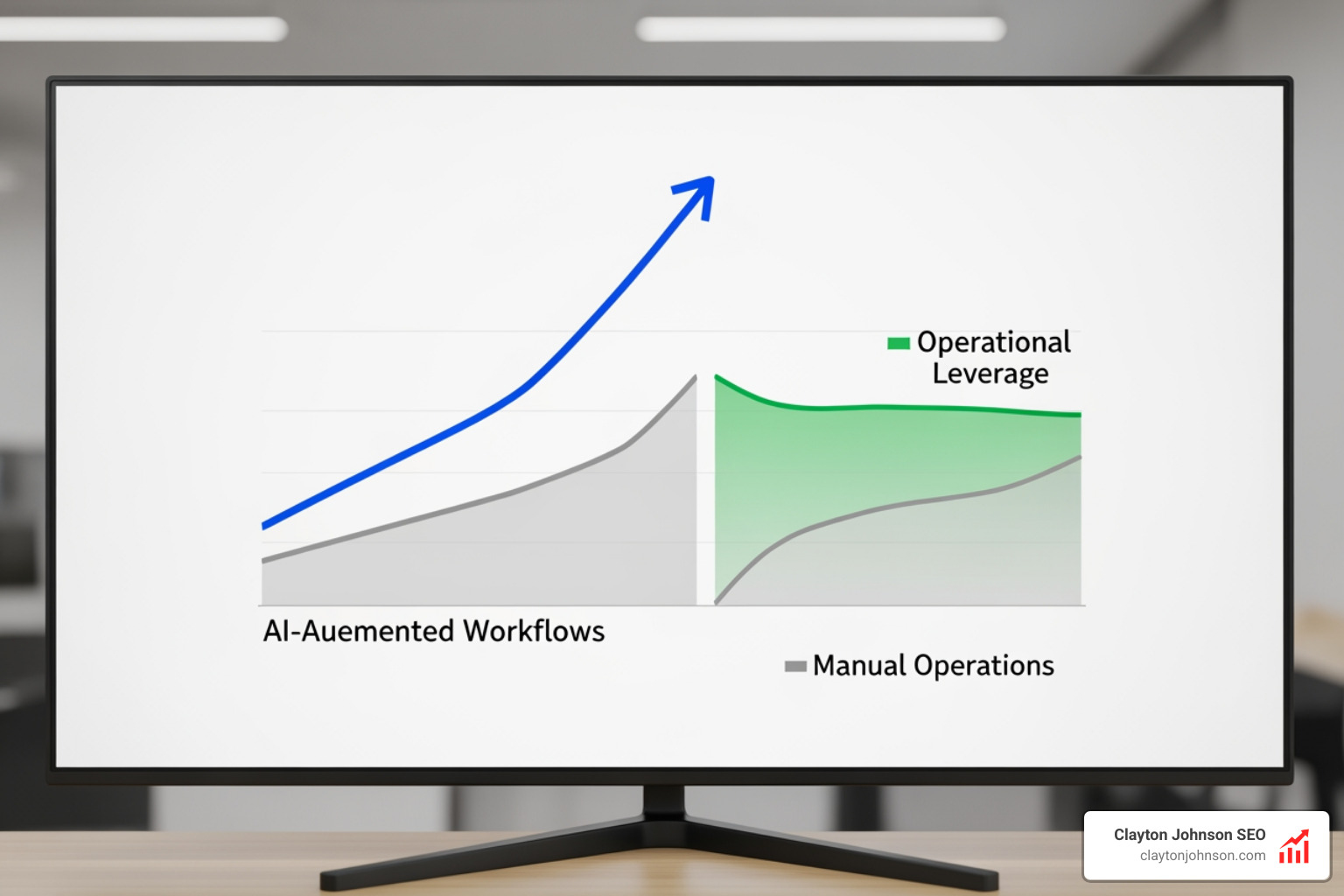
The research is staggering: can improve worker performance by nearly 40%. This isn’t just about typing faster; it’s about removing the “work about work” that drains your team’s energy.
We see this as a transition from sci-fi dreams to scalable realities. Here are the three pillars of the business case:
- Operational Efficiency: Look at the case of Delivery Hero. They saved 200 hours every month with a single IT operations workflow. That is more than one full-time employee’s entire month of work, reclaimed by a machine.
- Scalability: StepStone achieved a 25X speedup in integrating marketplace data sources. In the old world, scaling meant hiring 25 times more people. In the AI world, it means building a better workflow. This is why we focus so heavily on enterprise AI strategy—it’s the only way to grow without breaking your culture or your budget.
- Support Experience: Companies using platforms like Make have tripled their AI support resolution rates. Instead of customers waiting 24 hours for a human to read a ticket, an AI agent triages the issue, finds the solution in your documentation, and responds in seconds.
At Demandflow, we believe clarity leads to structure, and structure leads to leverage. AI workflow automation services are the ultimate leverage.
Top Platforms for Scaling Your Operations
Choosing the right service depends on your team’s technical depth and the complexity of your needs. In the current landscape, we categorize these into two main buckets: those designed for speed/ease and those designed for control/enterprise scale.
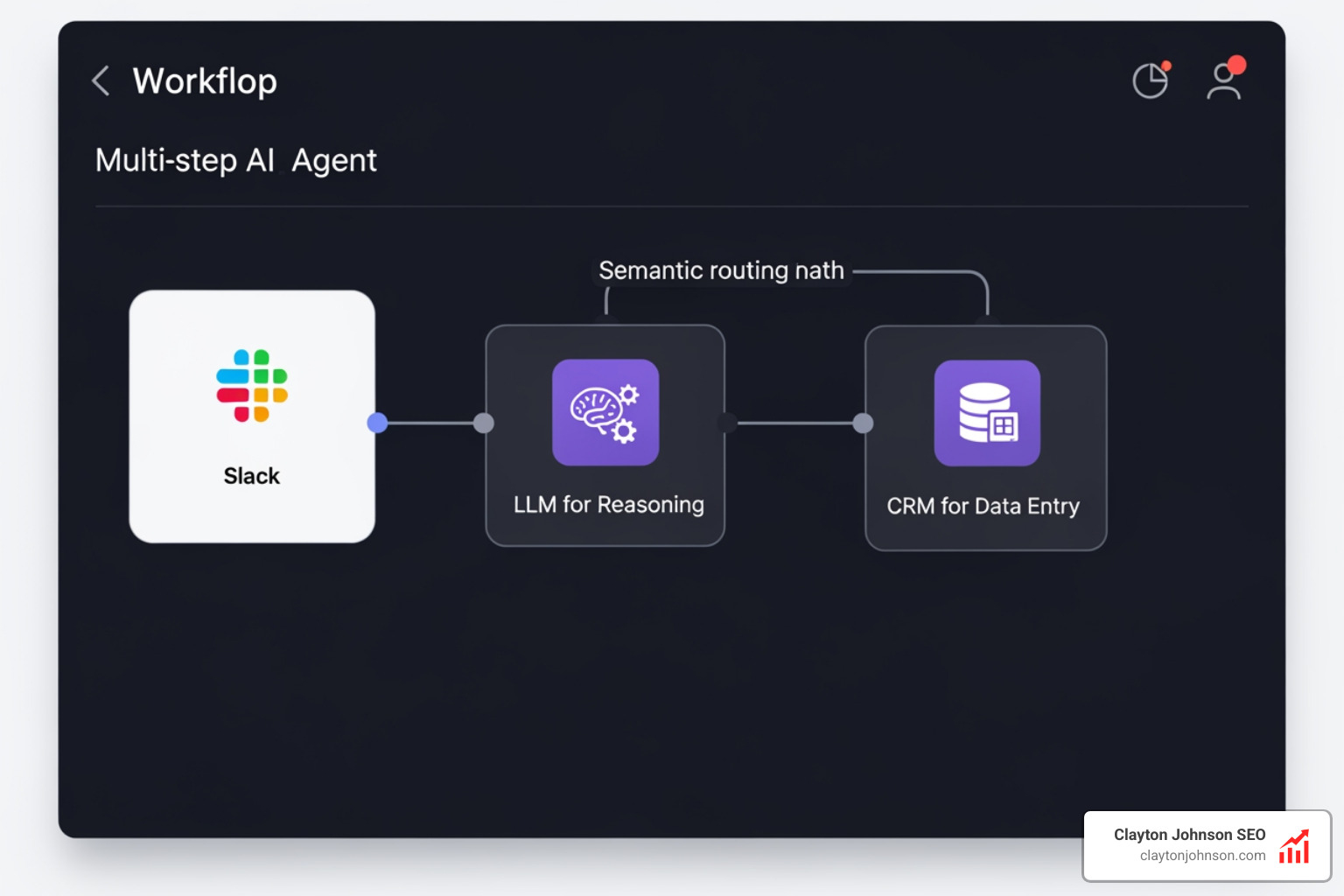
When evaluating these, look for features like multi-step agents (AI that can perform several tasks in a row), semantic routing (routing tasks based on meaning, not just keywords), and AI infrastructure best practices like human-in-the-loop (HITL) checkpoints.
Best AI Workflow Automation Services for Non-Technical Teams
If you don’t want to write code and need to get a workflow live by lunchtime, these are your best bets. These artificial intelligence (AI) tools focus on visual canvases and natural language.
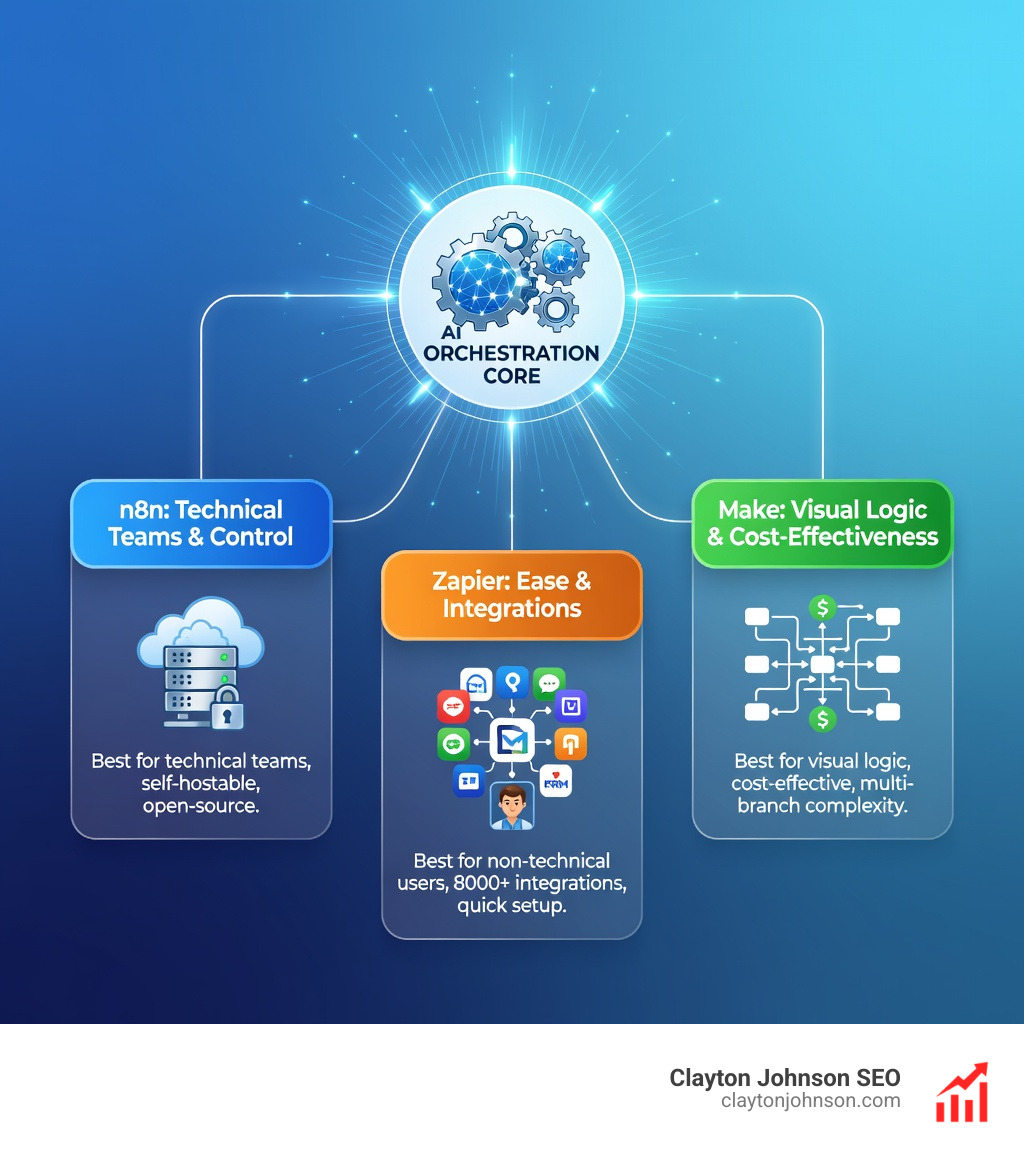
- Zapier: The “granddaddy” of automation. It now features an AI-native orchestration platform that connects to nearly 8,000 apps. You can describe a workflow in plain English, and Zapier will build the draft for you. It’s the easiest place to start for simple lead routing or “Slack-to-GPT” assistants.
- Make: Formerly Integromat, Make is the favorite for ops teams who need more visual control. It excels at multi-branch logic (if A happens, do B and C, but only if D is true). It’s highly cost-effective and offers a “visual-first” way to orchestrate AI agents.
- Gumloop: A rising star that focuses on “Gummies”—AI assistants that can browse the web, read documents, and take actions. It’s built specifically for the AI era, making it much easier to ground your AI in real data from your apps.
- Relay.app: This tool is unique because it makes “human-in-the-loop” a first-class citizen. If an AI isn’t 100% sure about a decision, Relay pauses the workflow and asks a human for approval before continuing.
- Lindy AI: Lindy focuses on “AI Employees.” You don’t just build a workflow; you “hire” a Lindy to handle your calendar, your triage, or your customer service via natural language.
Enterprise-Grade AI Workflow Automation Services
For technical teams or large organizations where security, compliance, and complex data handling are non-negotiable, you need more than just a “zap.”
- n8n: The leading open-source workflow platform. It’s a favorite for technical teams because you can self-host it on your own servers, ensuring your data never leaves your control. It has a massive community and over 5,000 templates.
- Vellum AI: Specifically built for teams standardizing AI workflows across an entire organization. It provides the “connective tissue” between your data and your AI models, with heavy emphasis on testing, versioning, and observability.
- Opus: Positioned as the enterprise standard for “agentic” automation. It uses a proprietary Work Knowledge Graph™ trained on over 1.2 million business processes to help regulated industries (like banking and healthcare) automate with 100% compliance.
- Lleverage: This platform focuses on “start safe, scale fast.” It allows you to build AI workflows that start with 100% human review and gradually transition to full autonomy as the AI proves its accuracy.
- Workflow86: Designed for mission-critical operations. It blends AI, no-code forms, and custom code (JS/Python) into one platform, making it ideal for long-running workflows that might take weeks or months to complete (like a complex legal procurement process).
For those building complex AI content systems, the choice usually comes down to the level of customization required for your specific data architecture.
Real-World Use Cases and Implementation
How do AI workflow automation services actually look in the wild? It’s not just about “sending an email.” It’s about setting up smooth AI content systems and business processes that run while you sleep.
1. Contractor Onboarding
In a traditional setup, HR has to manually create accounts for every new contractor. With AI automation, the moment a contract is signed, the system:
- Extracts the contractor’s info using NLP.
- Automatically provisions access to Slack, Jira, and Google Drive.
- Updates the CRM and payroll systems.
- Sends a personalized “Day One” guide based on their specific role.
2. Lead Enrichment and Routing
For sales teams, speed is everything. An AI workflow can:
- Monitor a Google Form for new leads.
- Use an AI agent to research the lead’s company website and LinkedIn.
- Score the lead based on your specific AI-driven SEO strategy or business goals.
- Route high-intent leads to a senior rep on Slack, while sending educational content to lower-scored leads.
3. Support Triage and Sentiment Analysis
Instead of a human reading every “Contact Us” message, AI can:
- Analyze the sentiment of the message (is the user angry, confused, or happy?).
- Categorize the issue (billing, technical, or general).
- Draft a suggested response based on your internal knowledge base.
- Escalate to a human agent only when the confidence score is low.
The 30-Day ROI Roadmap
If you’re looking to get started, don’t try to automate your whole company at once.
- Week 1: Identify one repetitive, high-volume task (like support triage). Build a prototype in a visual builder.
- Week 2: Add “semantic routing”—tell the AI how to handle different types of data.
- Week 3: Bring in your engineers to add guardrails, security checks, and authority-building ecosystems.
- Week 4: Scale the workflow to the rest of the team and measure the hours saved.
Frequently Asked Questions
How does AI automation differ from traditional RPA?
Traditional RPA (Robotic Process Automation) is rule-based. It follows a script: “Copy this box, paste it there.” It’s great for structured data but breaks if the website layout changes by one pixel. AI automation uses machine learning to handle unstructured data (like a messy email or a PDF) and can adapt its path if it encounters something new. RPA is the “hands,” AI is the “brain.”
What are the security risks of AI workflow tools?
The biggest risks are data retention and privacy. If you use a cloud-based service, you need to ensure they are SOC2 and GDPR compliant. For highly sensitive industries, we recommend AI infrastructure that allows for self-hosting (like n8n) or services with “zero data retention” policies (like Lleverage), where your data is processed and then immediately purged.
Can non-technical managers build complex AI agents?
Yes. Modern AI workflow automation services are designed with “no-code” and “low-code” interfaces. You can often build a complex agent just by using “natural language prompting”—literally typing out, “I want you to read this email, summarize it, and if it’s about a refund, notify the finance channel on Slack.” If you can describe your process, you can automate it.
Conclusion
The era of “hustle culture” and manual data entry is ending. As we see it at Clayton Johnson’s Demandflow, the future belongs to those who build structured growth architecture.
Most companies don’t lack tactics; they lack the systems to execute those tactics at scale. By leveraging AI workflow automation services, you move from a world of linear growth to a world of compounding leverage. You stop being a manager who “puts out fires” and start being an architect who builds systems that prevent them.
Whether you are in Minneapolis or managing a global team, the goal is the same: Clarity → Structure → Leverage → Compounding Growth.
If you are ready to stop being the “busy” manager and start being the “lazy” (read: efficient) one, it’s time to get started with AI services and consulting. Let’s build your growth infrastructure together.