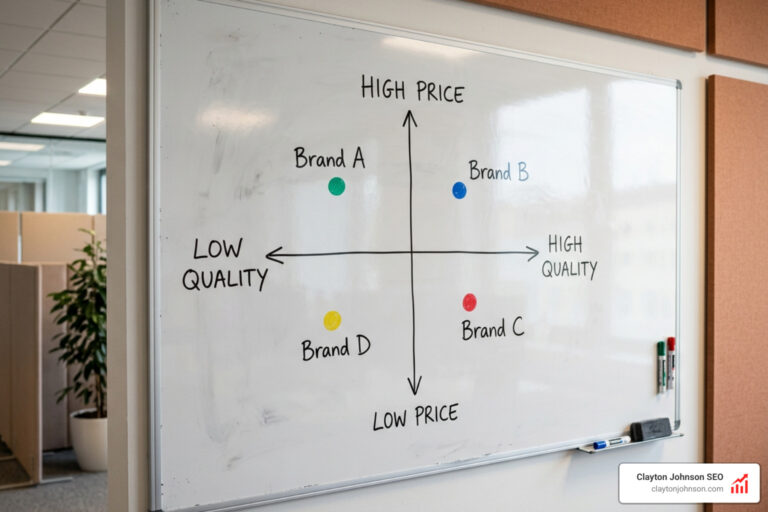
🧠 Why AI Tools for Research Are Changing How We Find Knowledge
AI tools for research are software applications that use artificial intelligence to help you find, summarize, analyze, and synthesize academic information faster than traditional methods.
Here are the top AI research tools worth knowing:
| Tool | Best For | Access |
|---|---|---|
| Consensus | Evidence-based answers from peer-reviewed papers | Free + paid tiers |
| Elicit | Automated data extraction from studies | Free + paid tiers |
| Research Rabbit | Visual citation mapping | Free |
| Scholarcy | Summarizing papers into flashcard-style cards | Free + $45/year Pro |
| Semantic Scholar | TLDR summaries + underlying citation data | Free |
| Connected Papers | Visualizing relationships between papers | Free + paid |
| Undermind | Deep, precise literature search | Subscription |
| Asta agents | Search + synthesis + data analysis in one | Open source + hosted |
| ChatGPT / Claude / Gemini | Brainstorming, drafting, idea generation | Free + paid tiers |
| Perplexity | AI-generated answers with linked citations | Free + paid tiers |
When a PhD student in civil engineering first saw his peers testing AI tools in late 2022, he dismissed them as irrelevant to his research. Within months, the landscape had shifted completely — and researchers who ignored these tools were falling behind.
That story is playing out across every academic discipline right now.
Information overload is real. There are over 200 million peer-reviewed papers indexed in databases today. No human can read their way through that volume manually. AI changes the equation — not by replacing critical thinking, but by handling the heavy lifting of retrieval, summarization, and pattern recognition so you can focus on the work that actually matters.
Generative AI is transforming how we discover, analyze, and engage with scholarly information. And the tools have matured fast — from simple search helpers to agentic systems that can search, synthesize, and analyze data in a single workflow.
I’m Clayton Johnson, an SEO strategist and growth operator who works extensively with AI-augmented workflows, including the evaluation and integration of ai tools for research into scalable content and knowledge systems. The frameworks in this guide draw directly from that experience building structured, intelligence-driven research processes.
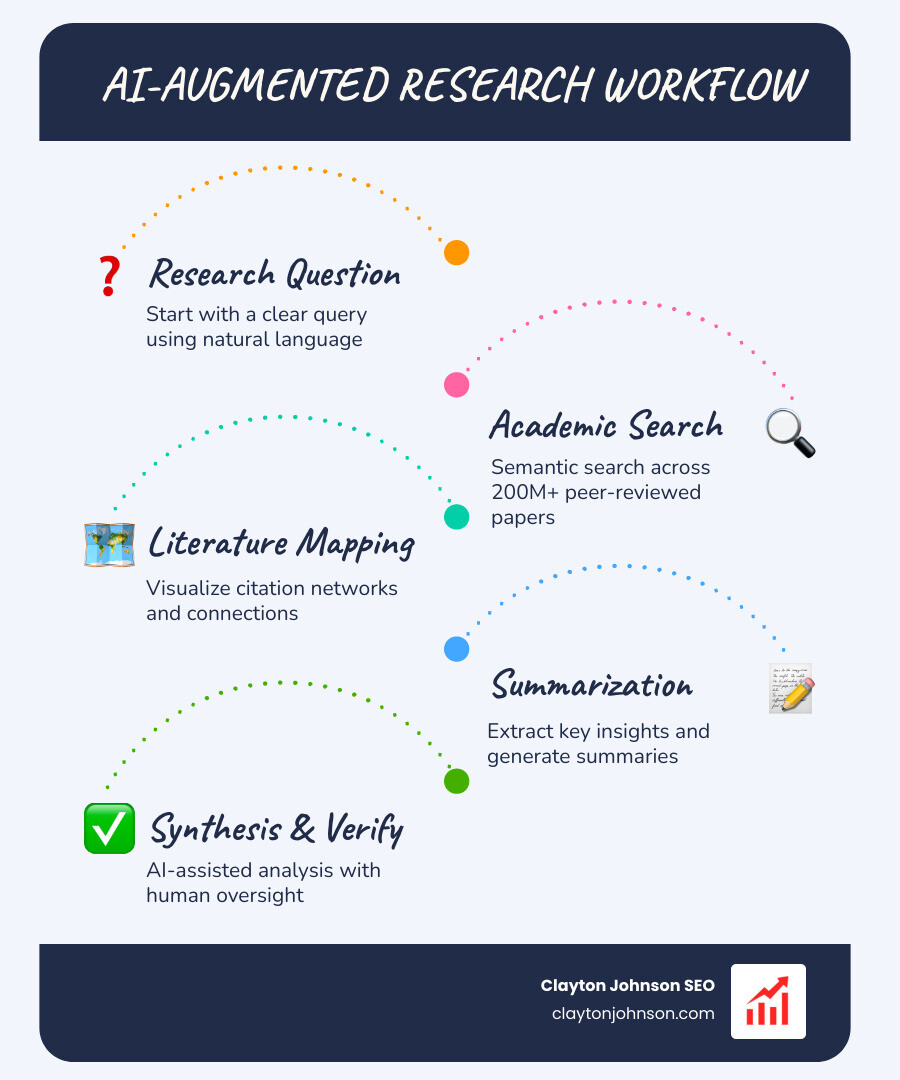
Key ai tools for research vocabulary:
The Evolution of Academic Discovery
Traditional research used to feel like a scavenger hunt in a dark forest. You’d start with a few keywords in a database, find a decent paper, look at its bibliography, and repeat until your eyes crossed. Today, ai tools for research have turned that forest into a lit-up map.
The shift from simple keyword matching to semantic understanding is the biggest leap in academic history. Modern algorithms don’t just look for words; they understand concepts. Semantic Scholar, for instance, uses machine learning to sift through millions of papers, providing “TLDR” summaries that help you decide in seconds if a paper is worth the next twenty minutes of your life.
This evolution extends to how we understand the “weight” of a claim. Tools like scite have revolutionized citation analysis. Instead of just seeing that a paper was cited, you can see how it was cited. How scite works involves a smart citation index that classifies citations as “supporting,” “mentioning,” or “contrasting.” This adds a layer of critical nuance to scholarly dialogue that was previously impossible to achieve without reading every single citing work.
Machine learning also enables personalized recommendations. Just as Netflix knows you’ll probably like that obscure 80s sci-fi flick, research platforms now analyze your reading history and preferences to surface key papers you might have missed. This isn’t just about speed; it’s about depth and the ability to conduct literature mining at a scale that keeps you at the absolute frontier of your field.
Top AI Tools for Research: A Comparative Guide
Not all ai tools for research are created equal. Some are built to find papers, some to read them, and others to connect the dots between them. Choosing the right one depends on where you are in your workflow.
| Feature | Consensus | Elicit | Research Rabbit |
|---|---|---|---|
| Primary Goal | Finding answers in peer-reviewed literature | Automated data extraction & synthesis | Mapping citation networks |
| Data Source | 200M+ peer-reviewed papers | Semantic Scholar + internal indexes | Crossref, PubMed, etc. |
| Best For | Fact-checking & quick consensus | Literature reviews & table creation | Visualizing an academic field |
| Unique Edge | Natural language “Yes/No” queries | High-accuracy data extraction | “Spotify for Papers” discovery |
Specialized Academic Search Engines
If you’ve ever felt like Google Scholar was giving you too much noise and not enough signal, you aren’t alone. Modern academic search engines are designed to be “Google Scholar on steroids.”
Consensus is a standout here. It allows you to ask questions in plain English—like “Does zinc help with the common cold?”—and it scans over 200 million papers to find the answer. According to Consensus FAQs, the tool is designed to be transparent and reliable, focusing strictly on peer-reviewed content to provide evidence-based answers.
For those needing even deeper precision, Undermind functions as an AI research assistant that doesn’t just surface results but refines the research question itself. It’s built for the researcher who needs to be 100% sure they haven’t missed a needle in the haystack. These tools are critical for source verification, ensuring that the claims you make are backed by high-quality data.
Mapping the Literature with AI Tools for Research
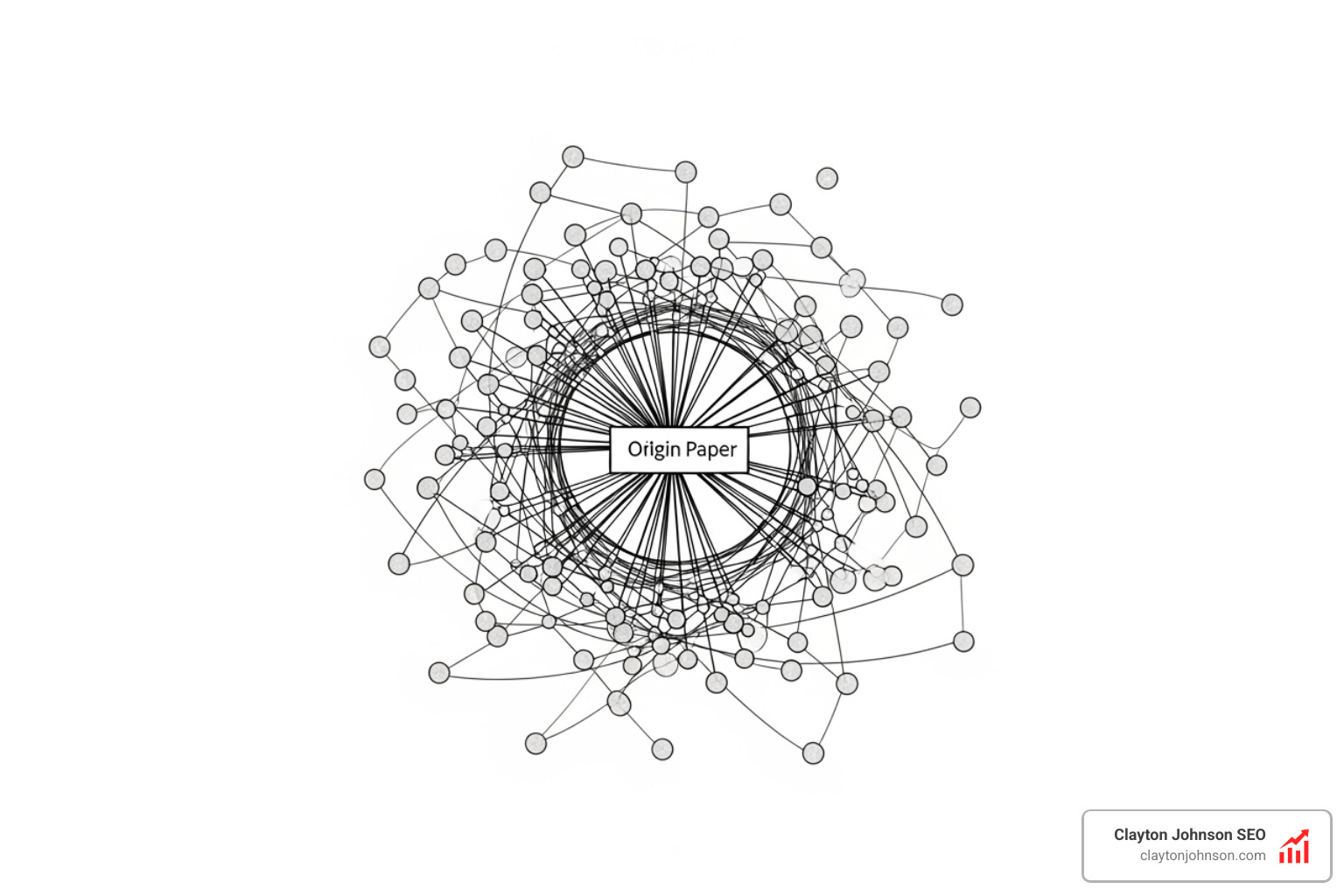
Finding one great paper is easy. Finding the entire network of papers that formed that idea is hard. This is where visual mapping tools shine.
Connected Papers is a visual tool that helps you find similar research by creating a graph of related works. You enter a “seed” paper, and it generates a visual overview of the field, showing you which papers are the most central and how they relate to one another.
Similarly, Research Rabbit acts as a discovery engine that learns your interests. You can create collections of papers, and the tool will suggest new ones based on citation networks and visual overviews. It’s an “exploratory” tool that turns the linear process of reading into a multidimensional experience. Meanwhile, Keenious takes a different approach by analyzing your actual document (like a Word or PDF draft) and using discovery algorithms to recommend relevant literature as you write.
Summarization and Synthesis Assistants
Once you have a stack of 50 PDFs, the real work begins. Summarization assistants help you process this volume without losing your mind.
Scholarcy is the gold standard for this. It takes long-form articles and breaks them down into “summary cards.” These cards highlight key points, claims, and even extract tables and images. As noted in the Scholarcy FAQs, it’s designed to help researchers read, share, and annotate research efficiently. It even generates flashcards to help you study the material.
For a more “agentic” approach, Asta agents from the Allen Institute for AI offer a powerful combination of search, synthesis, and data analysis. These agents can hunt through massive indexes (100 million+ abstracts and 12 million+ full-text papers) to weave evidence into readable mini-reviews.
Even legacy platforms are getting in on the action. The JSTOR AI tool now allows researchers to “chat” with the vast JSTOR library, asking questions about specific texts and receiving summarized insights directly within the platform.
Leveraging LLMs for Idea Generation and Data Analysis
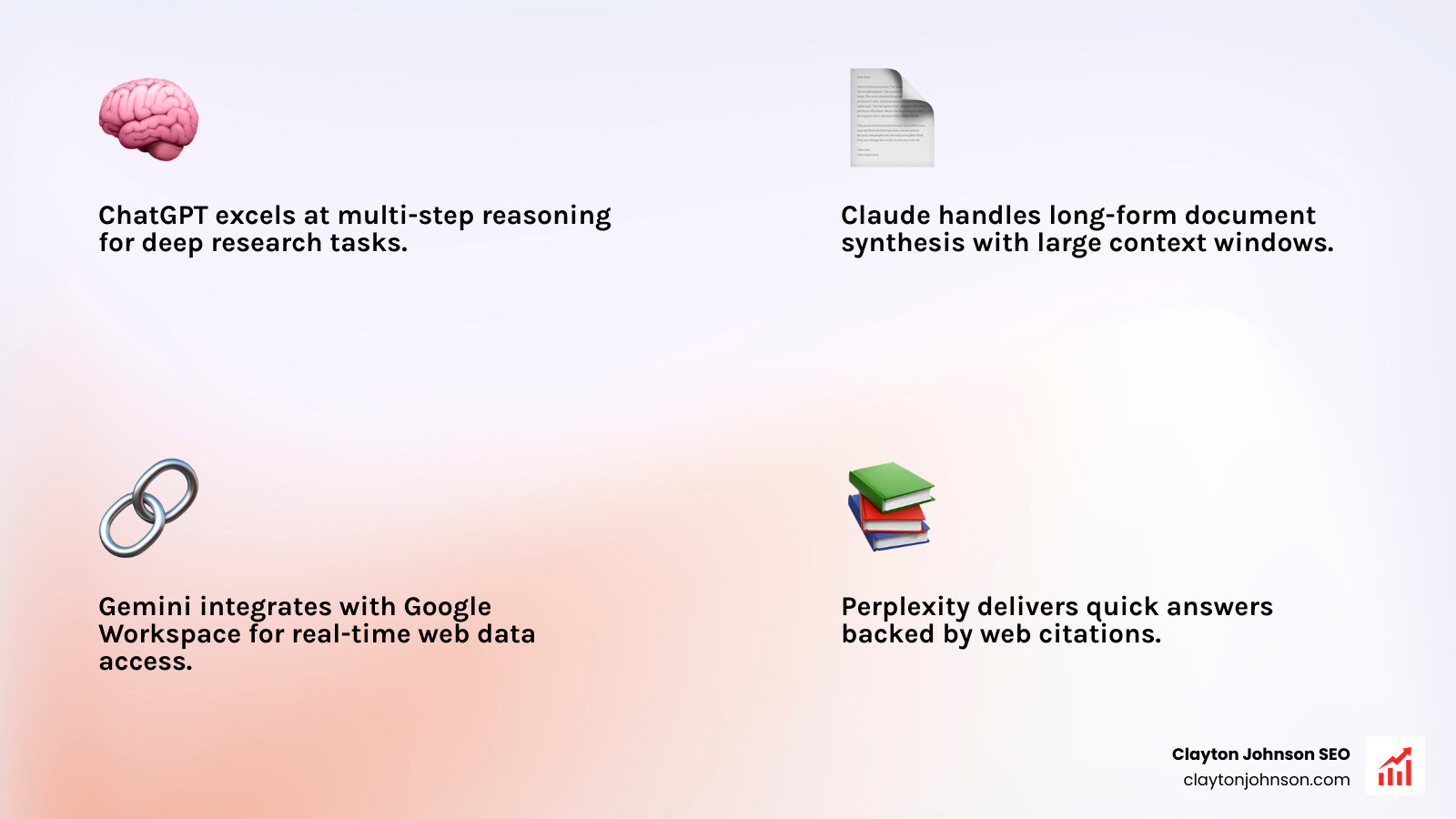
While specialized ai tools for research focus on the literature, Large Language Models (LLMs) like ChatGPT, Claude, and Gemini are the powerhouses of the “developmental” phase of research.
These models are exceptional at:
- Brainstorming: Refining a vague interest into a specific, testable research question.
- Idea Generation: Playing “devil’s advocate” to find holes in your hypothesis.
- Data Analysis: Using conceptual search and multi-step reasoning to spot patterns in qualitative data.
- Drafting: Helping structure the messy middle of a first draft.
For example, Claude is often praised for its long context window, making it great for analyzing multiple long documents at once. Perplexity, on the other hand, acts as a bridge between a chatbot and a search engine, providing AI-generated answers with linked citations to the web.
We often talk about the art of turning the web into AI datasets. In a research context, this means using AI to scrape, clean, and organize messy web data into something structured and usable for analysis.
Advanced Prompting for AI Tools for Research
To get the most out of these models, you need to treat prompting as a skill. You can’t just ask “tell me about cancer.” You need context provision.
A structured prompt for research might look like this:
“I am a graduate student researching the impact of microplastics on soil health. Based on the attached three papers, summarize the conflicting findings regarding microbial diversity and suggest three potential areas for further empirical study. Format the output as a structured report with citations.”
Tools like OpenAI’s “Deep Research” mode now allow for even more complex workflows, where the AI can search and analyze hundreds of sources across the web to generate a citation-backed report in minutes. If you are building your own research tools, you might look into a Guide to Firecrawl to understand how to feed clean, structured web data into these LLMs for more accurate outputs.
Navigating Ethics, Privacy, and Scientific Rigor
With great power comes great responsibility—and in research, that responsibility is to the truth. AI is a productivity tool, not a truth machine.
The most critical limitation of ai tools for research is the risk of “hallucinations”—where a model confidently states a fact (or a citation) that doesn’t exist. This is why human oversight and critical thinking are non-negotiable. Every AI-generated summary must be verified against the original source.
Privacy is another major concern. When you upload your unpublished data or a sensitive draft to an AI, where does that data go?
- Data Sharing: Most “Pro” or “Enterprise” versions of these tools (like ChatGPT Team or Enterprise) do not use your data for model training.
- Retention Policies: As seen in the JSTOR privacy policy, many academic tools use de-identified logs to improve the tool but do not store personal information.
- Model Training: Always check if the tool has an “opt-out” for training.
At Demandflow, we emphasize using AI competitive insights carefully. The goal is to gain an advantage through speed and structure, not by cutting corners on accuracy. Always follow your institutional guidelines regarding the disclosure of AI use in your work.
Frequently Asked Questions about AI Research Tools
Are these AI research tools generally free?
Most follow a “freemium” or mixed access model.
- Free: Semantic Scholar and Research Rabbit are largely free.
- Freemium: Consensus and Elicit offer limited free credits with paid tiers for heavy users.
- Subscription: Tools like scite and Undermind generally require a paid plan. scite pricing often includes individual and institutional options.
- Academic Discounts: Many tools offer significant discounts for students and faculty.
Can I trust AI to summarize complex scientific papers?
You can trust them to give you a starting point, but never a final answer. AI is excellent at identifying the “what” (the main findings) but can struggle with the “how” (nuanced methodology) or the “why” (theoretical implications). Hallucination risks are real, so always verify the “summary card” against the full-text PDF. As the McMaster University guidelines suggest, AI is a supplement to, not a replacement for, reading original sources.
How do I integrate AI into my existing workflow?
Start small. Don’t try to change your whole process overnight.
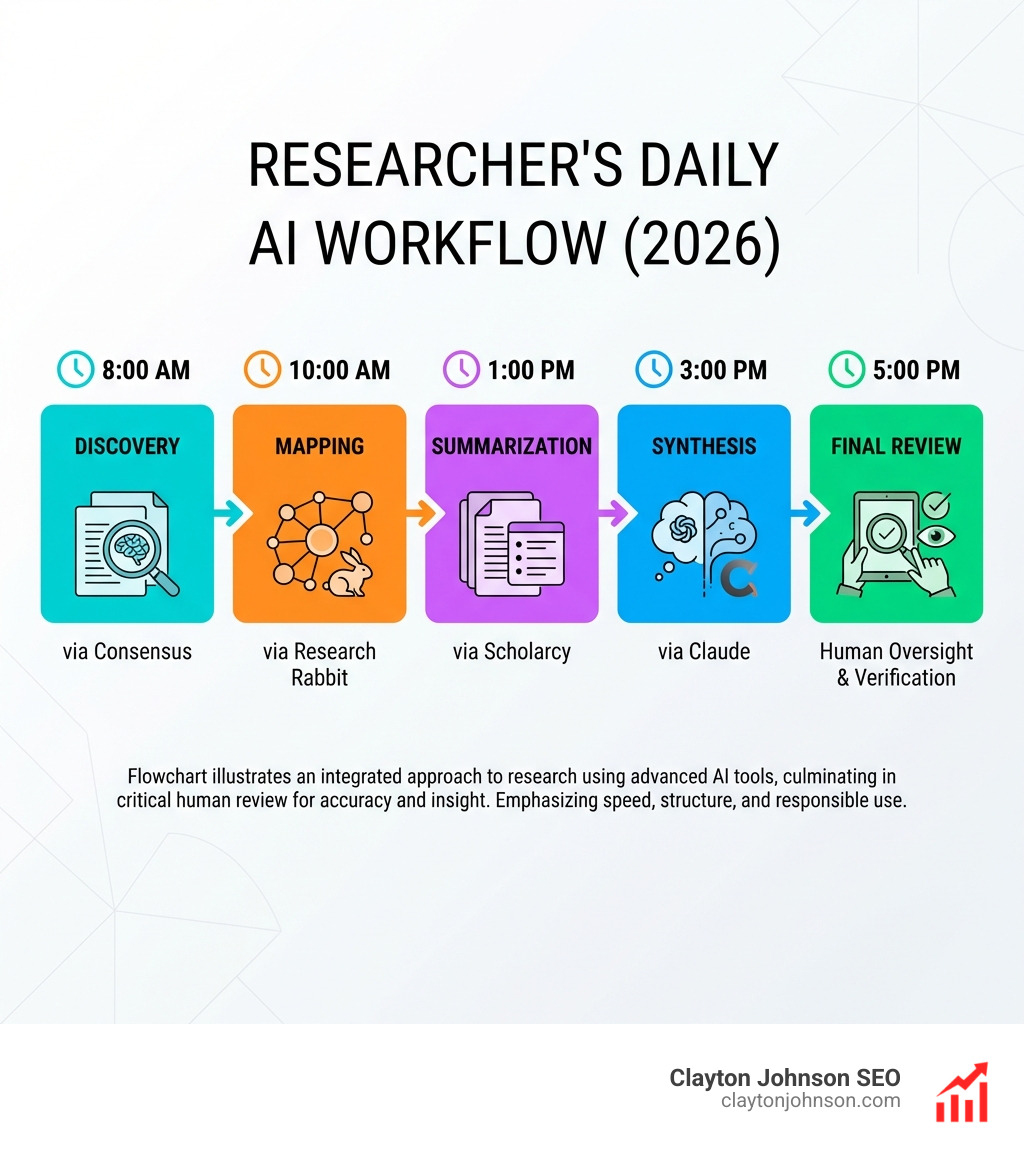
- Discovery: Use Consensus or Undermind to find your initial set of papers.
- Mapping: Use Research Rabbit to see who those authors cite and who cites them.
- Summarization: Use Scholarcy or Elicit to extract key data into a spreadsheet.
- Synthesis: Use Claude or ChatGPT to help you find themes across those summaries.
- Writing: Use AI for writing assistance—drafting outlines or checking for clarity.
If you’re technically inclined, you can even explore Asta open source code to build custom research agents tailored to your specific niche.
Conclusion
The goal of using ai tools for research isn’t just to work faster; it’s to build a better “growth architecture” for your knowledge. In the same way that Demandflow provides a structured strategy and growth operating system for founders, these AI tools provide a structured framework for academic discovery.
Research is no longer about who can spend the most hours in the library stacks. It’s about who can best leverage technology to find clarity, structure their findings, and create the leverage needed for compounding breakthroughs.
By integrating these tools thoughtfully—while maintaining the scientific rigor and critical thinking that define great research—you can save your sanity and focus on what truly matters: finding the truth.
Ready to upgrade your research stack? Explore our full directory of AI tools to find the perfect fit for your workflow.