Replicate 101

Why AI Deployment Shouldn’t Require a PhD in Infrastructure
Replicate is a cloud platform that lets you run, fine-tune, and deploy machine learning models through a simple API—no GPU clusters, no complex infrastructure management, no ML engineering team required.
What Replicate Does:
- Run Models: Access thousands of pre-trained AI models (image generation, LLMs, audio, video) with one API call
- Fine-Tune Models: Customize existing models with your own data to create specialized versions
- Deploy Custom Models: Package your own ML models using Cog and serve them as production APIs
- Scale Automatically: Infrastructure scales up during traffic spikes and down to zero when idle
- Pay Per Use: Billing charged by the second for active compute time only
Who Uses Replicate:
- Developers integrating AI into apps without ML expertise
- Businesses building AI products without maintaining GPU infrastructure
- Researchers deploying models from academic papers
- Startups prototyping AI features quickly
Key Advantage: You write code like replicate.run('model-name', {input}) instead of managing Docker containers, CUDA drivers, model weights, and server orchestration.
The platform hosts thousands of community-contributed models with production-ready APIs. Popular models like prunaai/z-image-turbo have over 21 million runs, while black-forest-labs/flux-2-klein-4b has 3 million runs—proving the platform handles real production workloads.
Replicate uses Cog, an open-source tool that packages ML models into standard containers. This ensures models run consistently anywhere, with automatic scaling and pay-per-use pricing starting at $0.0001/second for CPU instances.
I’m Clayton Johnson, and I’ve spent years building AI-assisted marketing systems and evaluating tools that help teams operationalize AI without drowning in technical complexity—platforms like Replicate are exactly what make AI accessible for growth-focused teams. This guide breaks down how Replicate works, what you can build with it, and how to implement it in your stack.
What is Replicate and Why Does It Matter?
At its core, the word replicate means to make an exact likeness or to repeat a process to achieve the same results. In machine learning, this is notoriously difficult. A model might work perfectly on a researcher’s local machine but fail completely when moved to a production server due to “dependency hell”—conflicting software versions, missing CUDA drivers, or incompatible GPU hardware.
Replicate solves this by abstracting the entire infrastructure layer. Instead of renting a raw virtual machine and spending three days installing libraries, you interact with a clean cloud API. This is a massive shift for businesses. When we talk about Why Your Brand Needs an AI Growth Strategy Right Now, we often highlight that the winners aren’t those who build models from scratch, but those who can deploy and iterate on them the fastest.
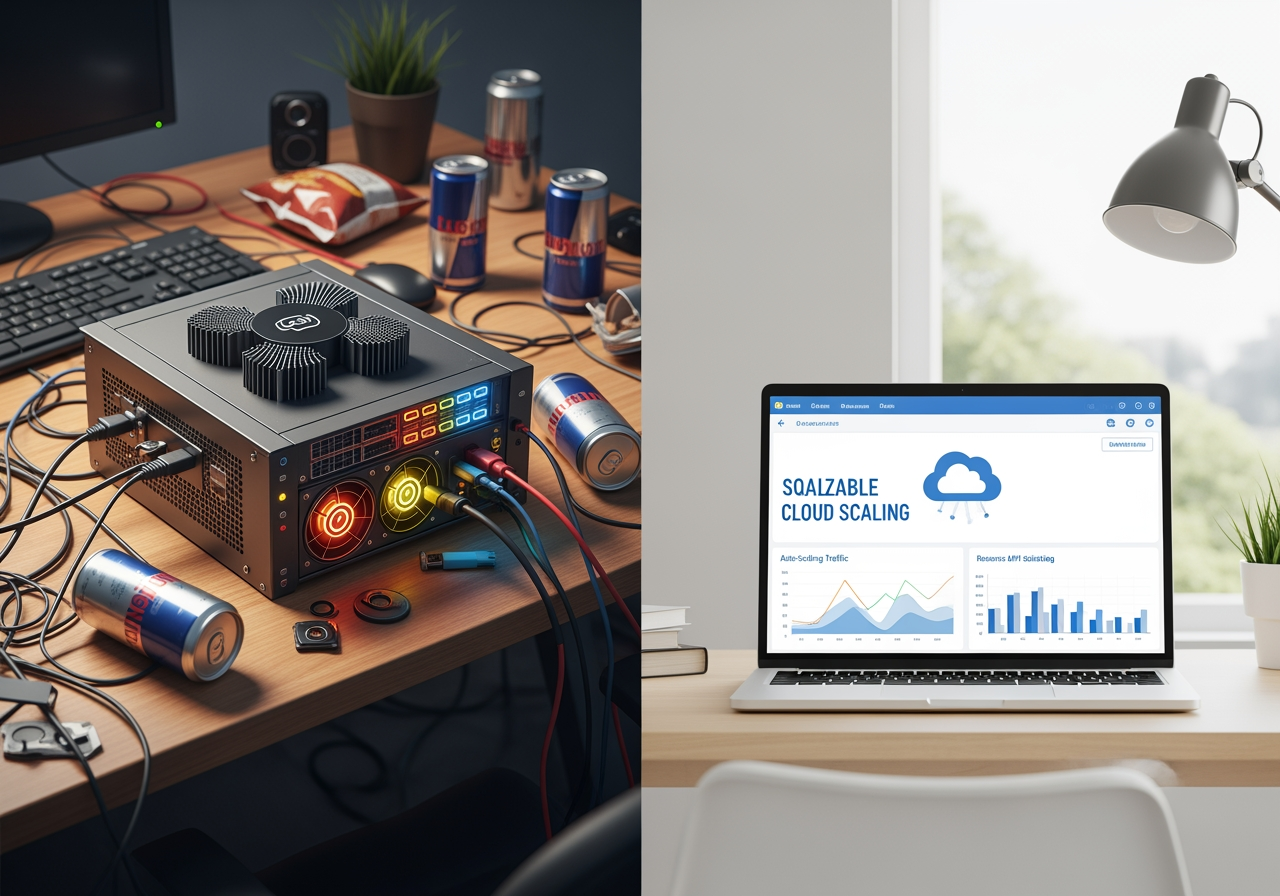
Before platforms like this, running a model like Stable Diffusion required a high-end NVIDIA GPU (often costing thousands of dollars) and a complex local installation. With a cloud API, you get:
- Instant Scalability: Run one prediction or ten thousand simultaneously.
- No Hardware Maintenance: You don’t have to worry about cooling, power, or hardware failure.
- Standardized Environment: Every time you run a model, it’s in a fresh, consistent container.
How Replicate Simplifies AI Deployment with Cog
The “secret sauce” behind the platform is Cog. This is an open-source packaging tool that takes the guesswork out of containerization. If you’ve ever used Docker, you know that writing a Dockerfile for machine learning is a nightmare because of the enormous model weights and weird GPU dependencies.
Cog simplifies this into two main files:
- cog.yaml: A configuration file where you list your Python dependencies and system packages.
- predict.py: A script that defines how the model should handle inputs and generate outputs.
This approach is why we believe Every Developer Needs AI Tools for Programming; it allows a standard software engineer to act like a machine learning engineer. Once you’ve defined these files, Cog packages the model into a standard Docker container that can run anywhere.
| Feature | Manual Docker Setup | Cog Deployment |
|---|---|---|
| Dependency Management | Manual (Pip, Conda, Apt) | Automated via cog.yaml |
| GPU Configuration | Complex CUDA/Driver setup | Handled automatically |
| API Server | Must write Flask/FastAPI | Generated automatically |
| Scaling | Manual Kubernetes/Auto-scaling | Native “Scale to Zero” |
| Model Weights | Manual download/caching | Integrated into the build |
Deploying Custom Models on Replicate
While the library of community models is vast, many businesses need to push a custom model to keep their intellectual property private or to use specialized weights. By using Cog, you can upload your own models to the cloud. This gives you a private, production-ready API endpoint in minutes. Replicate handles the model versioning, so you can test new iterations without breaking your live application.
Navigating the Replicate Model Library
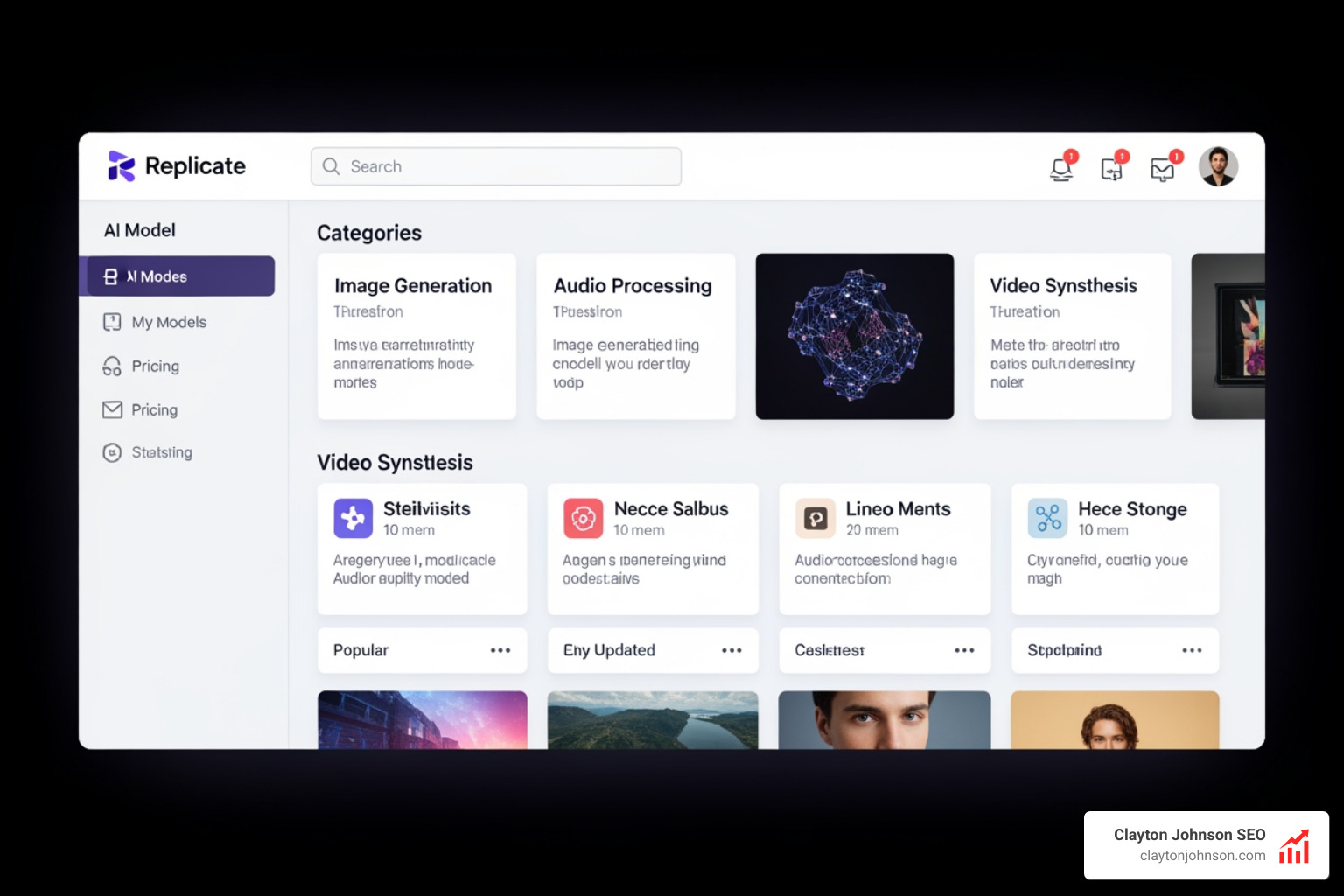
The model library is a playground for innovation. It’s organized into categories like image generation, audio processing, and video synthesis, making it easy to find exactly what you need for your specific use case.
Popular Models on Replicate
The platform hosts some of the most powerful open-weights models in existence. Here are a few heavy hitters you’ll likely encounter:
- FLUX.1: A state-of-the-art text-to-image model. Specifically, black-forest-labs/flux-pro is known for its incredible detail and prompt adherence.
- Llama 3: Meta’s powerful LLM, perfect for chatbots and text analysis.
- Whisper: OpenAI’s gold standard for audio transcription.
- Nano-Banana-Pro: A playful but effective example of community innovation, google/nano-banana-pro shows the diversity of models available.
- z-image-turbo: With over 21 million runs, this model is a favorite for high-speed image generation.
For those looking to deepen their developer toolkit, checking out resources like The Complete Claude Skill Pack for Modern Developers can help you understand how to bridge these models with other AI agents.
Specialized AI Tasks
Beyond just “generating an image,” the platform excels at specific utility tasks that are essential for modern workflows:
- Image Restoration: Fixing old or blurry photos.
- Background Removal: Essential for e-commerce and marketing assets.
- Text-to-Speech: Creating natural-sounding narrations.
- Fine-Tuning: You can fine-tune image models to learn a specific person’s face or a brand’s unique visual style.
We often look at How to Extend Claude with Custom Agent Skills to see how these specialized tasks can be triggered autonomously by an AI agent to complete complex business operations.
Implementation: The Replicate 101 Workflow
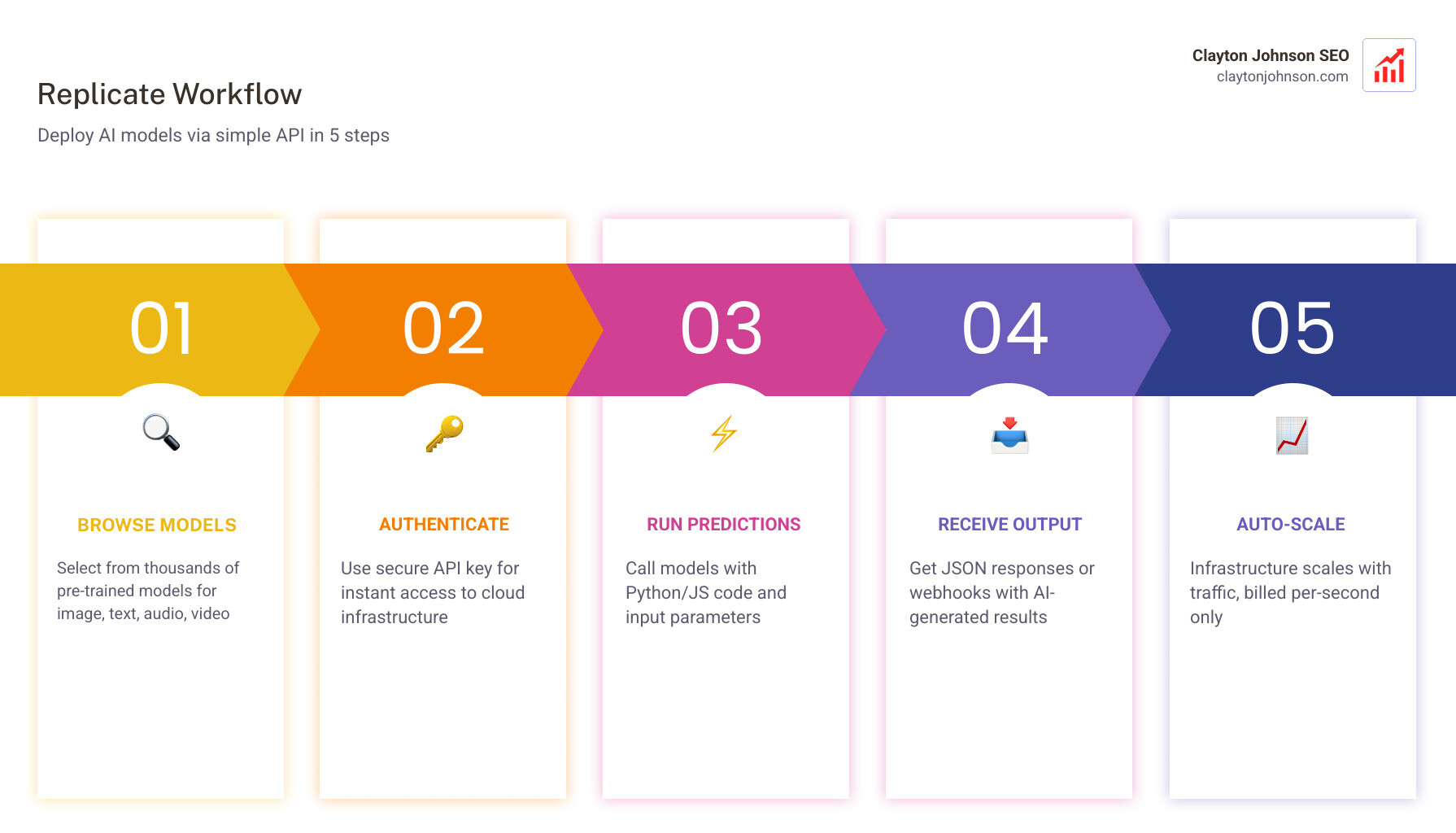
Getting started is surprisingly simple. You link your GitHub account, grab an API token, and you’re ready to code. Whether you’re using the replicate-javascript library or the Python client, the syntax remains clean and intuitive.

Running Models via API
To run a model, you typically send a JSON object containing your inputs (like a text prompt or an image URL) to the API.
- Authentication: You use your API token in the header of your requests.
- Input Parameters: Each model has its own set of parameters (e.g.,
num_outputs,aspect_ratio,guidance_scale). - Webhooks: For long-running tasks like video generation, you can set up webhooks. Instead of making your app wait for the result, the platform will “ping” your server once the job is done.
For those building CLI tools, the Language Model CLI is a fantastic way to interact with these models directly from your terminal. This is part of finding The Best AI for Coding and Debugging—using the right interface for the job.
Fine-Tuning Models on Replicate
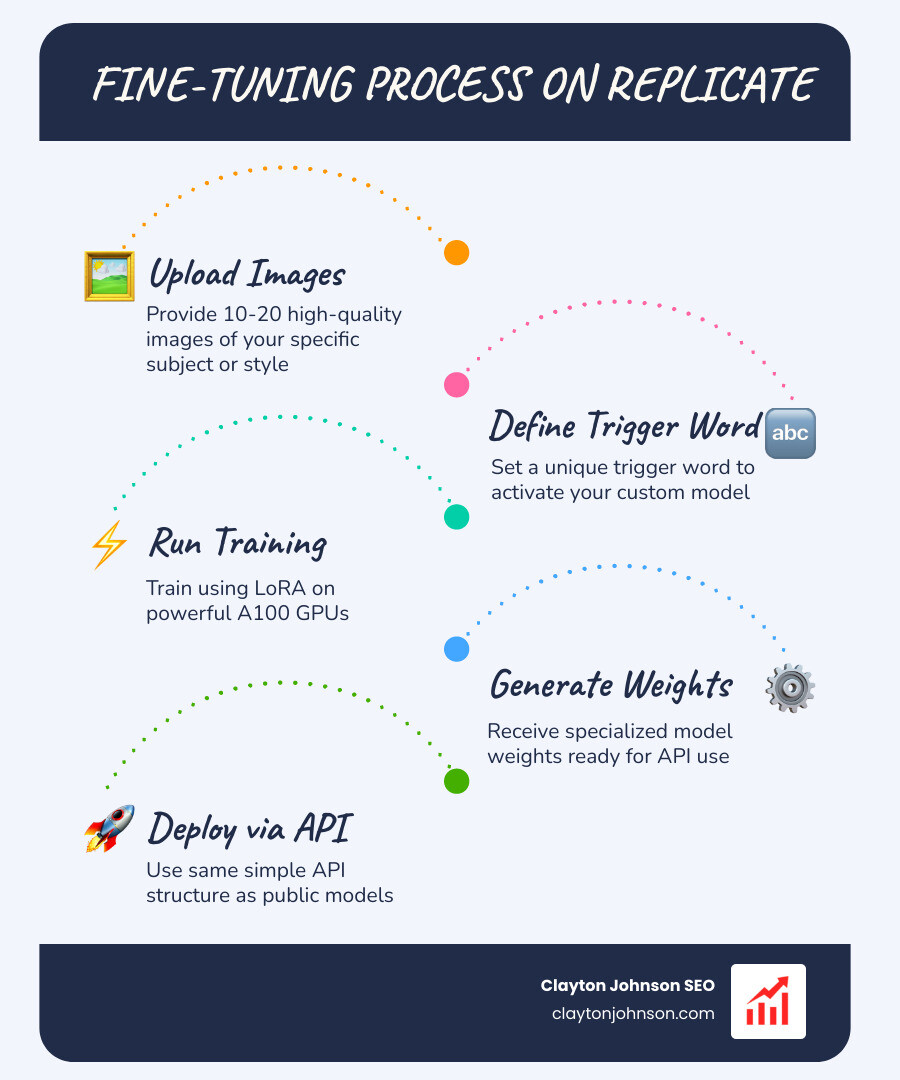
Fine-tuning is where the magic happens for brands. By providing a small dataset (e.g., 10-20 images of a specific product), you can create a LoRA (Low-Rank Adaptation) that allows a base model like Stable Diffusion to generate that product in any setting.
This specialized training is a hot topic in research on AI research replication, as it allows for the creation of highly niche models that outperform generic ones on specific tasks. When you fine-tune, you define a “trigger word” that tells the model when to apply your custom style or subject.
Pricing and Cost Management
One of the biggest hurdles in AI is the cost of GPUs. If you rent a GPU server from a traditional cloud provider, you often pay for it as long as it’s “on,” even if it’s sitting idle.
Replicate uses a pay-per-second model.
- Scale to Zero: If no one is using your model, you pay $0.
- Active Compute: You only pay for the time the GPU is actually processing your request.
- Hardware Options: Costs vary depending on the hardware. A basic CPU instance is about $0.000100/sec, while a high-end Nvidia A100 (80GB) is roughly $0.011200/sec for an 8x cluster.
The “Cold Start” Factor: One thing to watch out for is the “cold start.” If a model hasn’t been used in a while, the platform needs to load the model weights into the GPU’s memory. This can add a few seconds to the initial request. Understanding these nuances is part of uncovering The Real Truth About Coding AI Growth—it’s not just about the code; it’s about managing the economics of the infrastructure.
Frequently Asked Questions about Replicate
How does Replicate handle scaling for high-traffic apps?
The platform is built on a serverless architecture. When a surge of traffic hits, it automatically spins up more instances of the model container to handle the load. When the traffic subsides, it scales back down to zero. This makes it ideal for apps that might go viral or have highly variable usage patterns.
Can I use Replicate for free?
You can get started for free to explore the platform and run some initial predictions. However, since the platform incurs real hardware costs for every second of GPU time used, you will eventually need to add a credit card to your account. The “pay-as-you-go” nature means you can experiment for just a few dollars.
What is the difference between Replicate and Hugging Face?
Think of Hugging Face as the “GitHub of AI”—it’s a massive repository of models, datasets, and research. While Hugging Face offers “Inference Endpoints,” Replicate is built from the ground up to be a production-first API platform with a heavy focus on ease of deployment via Cog and automatic scaling. Replicate is often preferred by web and mobile developers who want a “plug and play” experience.
Conclusion
Replicate has effectively democratized access to the world’s most advanced machine learning models. By removing the “infrastructure tax”—the time and money spent managing servers—it allows us to focus on what actually matters: building great products and driving growth.
At Clayton Johnson SEO, we focus on helping founders and marketing leaders leverage these AI-assisted workflows to diagnose growth problems and execute strategy with measurable results. Whether you are Mastering the Claude AI Code Generator or deploying custom image models to power your content systems, the tools are now within reach.
Ready to scale your search presence and integrate AI into your growth engine? Get Professional SEO Services and let’s build something that scales.