How Free AI Coding Tools Are Changing Software Development
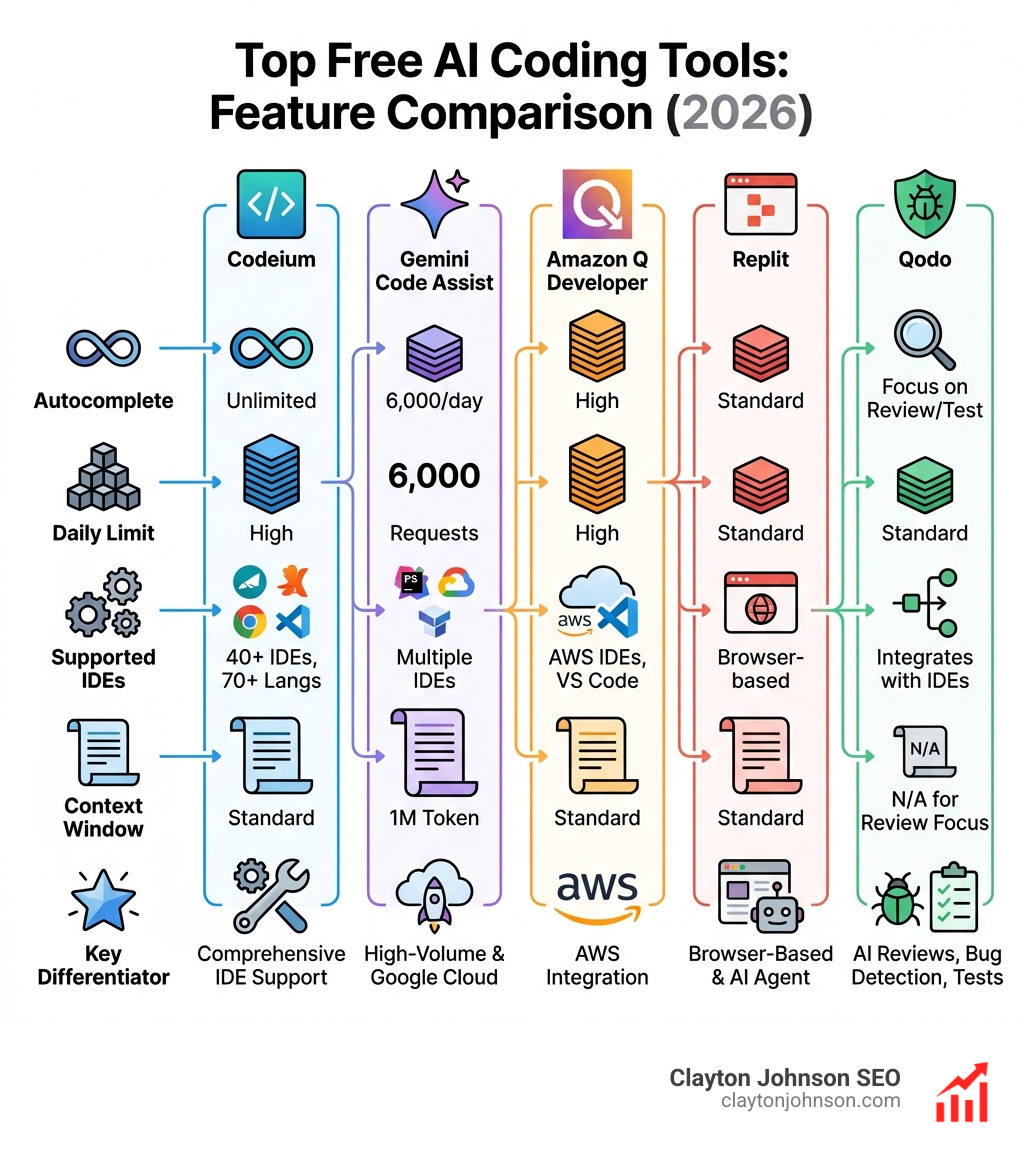
AI coding tools free tiers now deliver production-grade code completion, debugging, and generation without subscription fees. Here are the top no-cost options available right now:
| Tool | Free Tier Highlights | Best For |
|---|---|---|
| Codeium | Unlimited use, 70+ languages, 40+ IDEs | Individual developers needing comprehensive IDE support |
| Gemini Code Assist | 6,000 code requests/day, 1M token context | Google Cloud users and high-volume workflows |
| Amazon Q Developer | Free tier with AWS integration, CodeWhisperer features | AWS-focused development |
| Replit | 10GiB storage, browser-based, AI agent included | Prototyping and learning without local setup |
| Qodo | AI code reviews, bug detection, test generation | Quality assurance and testing |
ChatGPT is projected to reach 200 million users by late 2024, reflecting how AI coding assistants are fundamentally changing how developers work. These tools handle repetitive tasks like boilerplate generation, documentation, and debugging—freeing you to focus on solving complex problems and building innovative features.
The gap between free and premium AI coding tools has narrowed significantly. Where paid subscriptions once offered exclusive features, today’s free tiers provide unlimited autocomplete (Codeium), thousands of daily requests (Gemini Code Assist), and even autonomous coding agents (Replit). The catch? Understanding which tool fits your workflow, language stack, and privacy requirements.
I’m Clayton Johnson, and I’ve spent years building SEO and growth systems that leverage AI-assisted workflows—including extensive testing of AI coding tools free tiers to optimize development efficiency. This guide breaks down the best zero-dollar options, their real limitations, and how to choose the right tool for your specific use case.
Find more about ai coding tools free:
Why Every Developer Needs Free AI Coding Assistants
In the world of software engineering, efficiency isn’t just a luxury; it’s a necessity. We believe that why every developer needs AI tools for programming in 2025 comes down to one word: leverage. These assistants act as a force multiplier for your brain, handling the “grunt work” while you focus on architecture and logic.
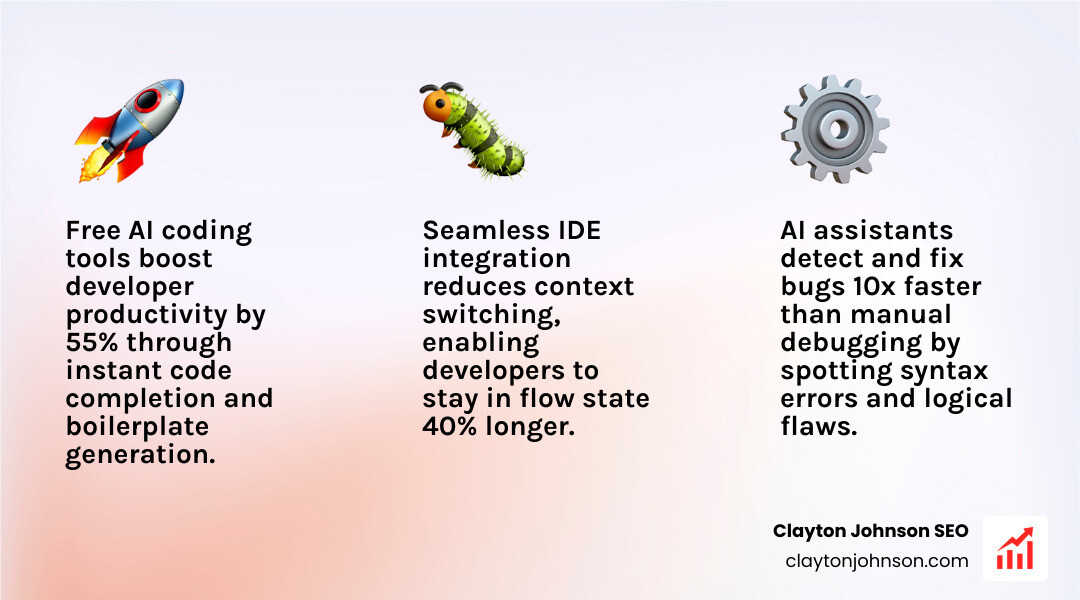
The primary benefit is massive productivity gains. Instead of typing out every line of a standard API fetch or a complex CSS grid layout, you can prompt the AI to generate the boilerplate in seconds. This allows us to maintain a flow state longer, as we aren’t constantly interrupted by the need to look up syntax on documentation sites.
Beyond simple completion, these tools are exceptional for debugging. Finding a missing comma or a logical flaw in a nested loop can take a human twenty minutes; an AI can often spot it in two. We’ve found that using the best AI for coding and debugging helps developers learn faster by explaining why a piece of code is failing, rather than just providing a fix.
Finally, workflow optimization is a key driver. By integrating these tools directly into your IDE (Integrated Development Environment), you reduce context switching. You don’t have to leave your editor to ask a question or generate a snippet. This seamless integration is why ai coding tools free tiers are becoming the standard starting point for modern developers.
Top-Rated AI Coding Tools Free for Individual Developers
When we look at the landscape of ai coding tools free for individuals, three names consistently rise to the top: Codeium, Amazon Q, and Gemini. Each offers a distinct advantage depending on where you host your code and which IDE you prefer.
While GitHub Copilot is the industry pioneer, it lacks a permanent free tier for the general public (though it remains free for verified students and teachers). This has opened the door for competitors to offer robust “Individual” plans that rival Copilot’s capabilities without the $10 monthly price tag.
| Feature | Codeium | Gemini Code Assist | Amazon Q Developer |
|---|---|---|---|
| Free Tier Limit | Unlimited Autocomplete | 6,000 requests/day | Unlimited Autocomplete |
| IDE Support | 40+ (VS Code, JetBrains, etc.) | VS Code, IntelliJ, PyCharm | VS Code, JetBrains, AWS |
| Languages | 70+ | 20+ Core Languages | 15+ Core Languages |
| Unique Strength | Completely free for individuals | Massive 1M token context | Deep AWS integration |
Codeium: The Unlimited Free AI Coding Tool
Codeium has emerged as a fan favorite because it is one of the few tools that offers a truly unlimited free Individual plan. We love it because you don’t have to worry about hitting a “quota” in the middle of a late-night coding session.
Codeium supports over 70 programming languages and integrates with 40+ IDEs, including Visual Studio Code, the JetBrains suite, and even Vim. Its “context engine” is particularly impressive; it doesn’t just look at the line you are typing but analyzes your entire local codebase to provide suggestions that actually follow your project’s existing patterns.
Gemini Code Assist: High-Volume Free AI Coding Tool
Google’s Gemini Code Assist is a powerhouse for those who need to process large amounts of information. The free tier for individuals is incredibly generous, offering up to 6,000 code-related requests and 240 chat requests daily.
What sets Gemini apart is its 1-million-token context window. This means you can essentially feed it an entire library or a massive documentation set, and it will maintain the context of the whole thing while answering your questions. It also features deep Firebase integration, making it the go-to choice for mobile and web developers working within the Google ecosystem.
Amazon Q Developer: Best for AWS Ecosystems
If your work revolves around the cloud, Amazon Q Developer (which incorporates the technology formerly known as CodeWhisperer) is a top-tier choice. It is free for individual developers and doesn’t even require an AWS account to get started with the IDE extension.
Amazon Q excels at generating code based on natural language comments. For example, if you write a comment saying // function to upload a file to S3, it can generate the entire block using the latest AWS SDK standards. It’s also highly rated for its security scanning capabilities, helping you find vulnerabilities in your code before you push to production.
Comparing Free AI Coding Tools vs. Premium Subscriptions
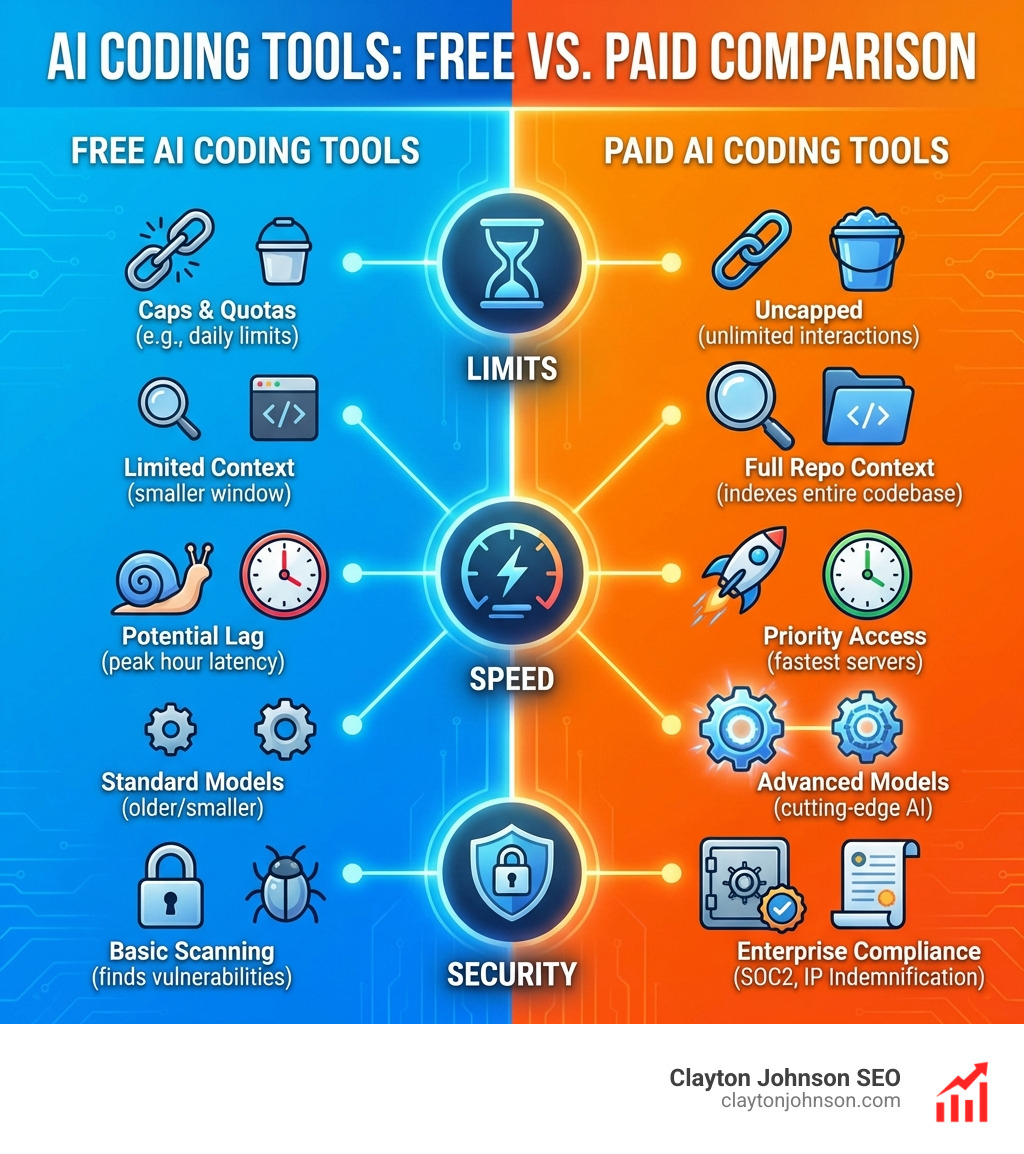
It is important to understand that “free” often comes with trade-offs. While the ai coding tools free market is competitive, premium subscriptions still hold the edge in specific areas.
1. Usage Caps and Quotas:
Most free tools, with the notable exception of Codeium, have daily or monthly limits. For instance, Amazon Q’s free tier for certain advanced features might limit you to 50 interactions per month, whereas the paid version is uncapped.
2. Model Quality and Latency:
Paid tiers often give you priority access to the fastest servers and the most advanced models (like GPT-4o or Claude 3.5 Sonnet). Free users might experience “lag” during peak hours or be restricted to slightly older, smaller models that are less expensive to run.
3. Context Windows:
While Gemini offers a massive context window for free, many other tools restrict how much of your project the AI can “see” at once in the free version. Premium plans often allow the AI to index your entire remote GitHub or GitLab repository for better accuracy.
We’ve observed that the real truth about coding AI growth is that as tools become more complex, the “pro” features move toward team collaboration and enterprise security. If you are a solo dev, the free tiers of Tabnine or Codeium are usually more than enough. However, if you need SOC2 compliance or IP indemnification, you’ll likely need to upgrade.
Specialized Free AI Tools for Web and App Development
Not every coding tool lives inside VS Code. Some of the most exciting ai coding tools free options are browser-based or integrated into design platforms, bridging the gap between a concept and a working prototype.
For example, Figma Make is now integrating AI to generate front-end code directly from designs. This allows designers to skip the “hand-off” bottleneck and see their ideas as interactive flows immediately. If you’re stuck on the setup, the Figma Help Center provides excellent best practices for moving from design to code.
Replit: Browser-Based AI Coding Tool Free for Prototyping
Replit is a game-changer for anyone who wants to start coding instantly. Their free tier provides a complete, browser-based development environment with 10GiB of storage. No more spending hours configuring your local Python or Node.js environment; you just open a tab and start.
The Replit Agent (part of their Ghostwriter suite) is particularly powerful for beginners. It has a chat-like interface where you can describe what you want to build, and it sets up the files, installs dependencies, and writes the initial code for you. It’s perfect for rapid prototyping and learning new frameworks.
Qodo: Quality-First AI Code Reviews
Formerly known as CodiumAI, Qodo takes a different approach. While other tools focus on writing code fast, Qodo focuses on making sure that code is right. Their free plan for individuals includes “agentic” AI features that don’t just complete your lines but actually reason about them.
Qodo stands out for its ability to generate comprehensive test suites. It looks at your functions and suggests edge cases you might have missed. It also provides automated code reviews, flagging potential bugs and performance bottlenecks before they ever reach a human reviewer. This “quality-first” mentality is essential for developers who want to maintain high standards without the overhead of manual testing.
Privacy and Security in Free AI Coding Environments
A common concern with ai coding tools free is: “Is my code being used to train their models?” For many developers, especially those working on proprietary projects, this is a deal-breaker.
Fortunately, the industry is moving toward more transparent privacy models. Many tools now offer a “Local LLM” option. For instance, Pieces for Developers is a unique tool that can run entirely on your local machine. By using local models, your code never leaves your computer, providing the ultimate level of security.
Pieces Live Context also uses “long-term memory” to shadow your workflow across your IDE, browser, and terminal. It captures context without you having to manually copy-paste snippets. You can see why it’s highly rated on G2’s AI code generation category.
When using free tools, always check the telemetry settings. Most will have an “opt-out” toggle that prevents your snippets from being used for model training. Tools like Gemini and Amazon Q also offer IP indemnification in their higher tiers, but for free users, the responsibility of checking for licensed code matches usually falls on you. GitHub’s IP considerations note that matches to public code happen in less than 1% of cases, but it’s still a factor to watch.

Frequently Asked Questions about AI Coding Tools Free
What are the main limitations of free AI coding tools?
The most common limitations are usage quotas (like Gemini’s daily request limit) and model latency. You might also find that “Feature Gating” keeps the coolest toys—like autonomous agents that can refactor entire folders—behind a paywall. Additionally, some free tiers have restricted context windows, meaning the AI can only “remember” a few hundred lines of code at a time rather than your entire project history.
Which free AI coding tool is best for beginners?
We highly recommend Replit or Codeium for beginners. Replit is fantastic because it requires zero installation; you can start learning Java, Python, or HTML in your browser immediately. Codeium is great because its unlimited free tier means you can experiment and make mistakes without worrying about “wasting” your daily requests. Both offer excellent educational resources and simple setup processes.
Are there any hidden costs for using these free tools?
While the tools themselves are free, there can be indirect costs. Some might require you to create an account with a major provider (like an AWS or Google account), which could lead to marketing emails. Others might use your usage data to improve their models unless you manually opt out. Occasionally, a tool might require a specific API key from a provider like OpenAI, which could incur costs if you exceed their free limits, though most tools on our list are “all-in-one” solutions.
Conclusion
The era of paying $20 a month just to have an AI autocomplete your code is over. With ai coding tools free like Codeium, Gemini, and Amazon Q, individual developers have access to world-class intelligence at no cost. Whether you need a browser-based playground like Replit or a local-first security setup with Pieces, there is a zero-dollar solution that fits your needs.
At Clayton Johnson SEO, we specialize in helping founders and marketing leaders build SEO Content Marketing systems that actually scale. Part of that success involves optimizing every part of the development and operations cycle. By mastering the Claude AI code generator and other free tools, you can build faster, pivot quicker, and outpace the competition.
Ready to take your development workflow to the next level? Start by picking one of the tools above and integrating it into your next project. The productivity boost is real—and the price is right.